


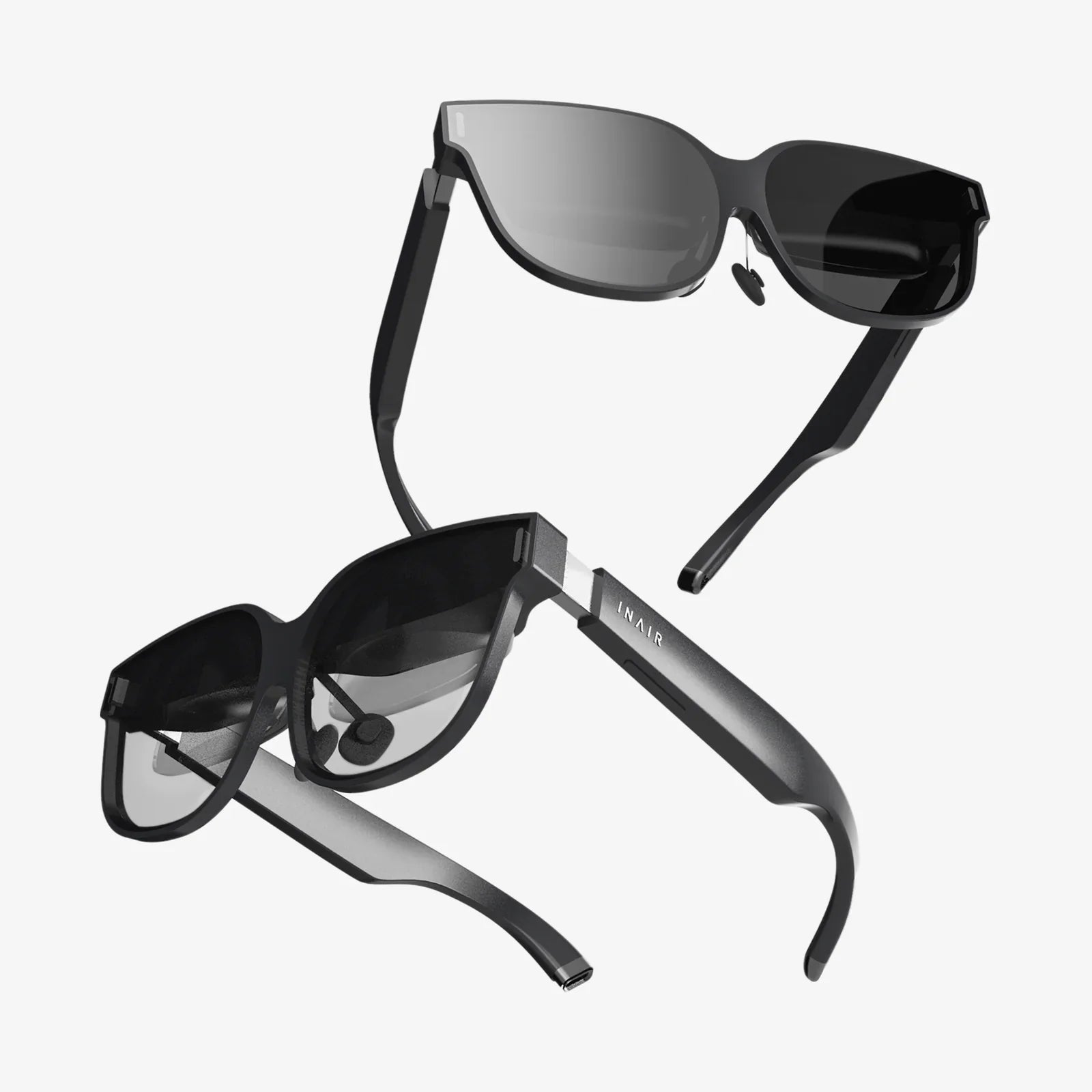
vr for business is no longer a futuristic concept reserved for tech giants and gaming studios. It is rapidly becoming a practical, high-impact tool for companies of all sizes that want to train faster, sell smarter, design better, and collaborate across borders. If you have ever wondered whether virtual reality is more than a flashy gadget, the answer is yes: it is a strategic advantage hiding in plain sight.
From immersive training simulations that reduce mistakes, to virtual showrooms that close deals without physical inventory, virtual reality is quietly rewriting the rulebook for how work gets done. The companies that recognize this shift early are already discovering new ways to cut costs, improve safety, and impress customers. Those that wait risk watching competitors deliver experiences that feel years ahead.
What Does vr for business Actually Mean?
When people hear "virtual reality," they often think of games and entertainment. But vr for business refers to using fully immersive, computer-generated environments to solve practical problems in the workplace. Users wear a headset and sometimes handheld controllers to move, interact, and perform tasks in a realistic 3D world.
Unlike traditional screens, VR surrounds the user with visuals and sound, creating a strong sense of presence. This immersion makes it ideal for activities where experience, spatial understanding, and hands-on practice matter. Instead of reading a manual or watching a video, employees can step into a simulated environment and act as if they are really there.
At its core, vr for business is about three things:
- Immersive learning and practice – Letting people learn by doing, not just by watching or reading.
- Virtual presence and collaboration – Bringing teams together in shared 3D spaces, regardless of location.
- Interactive visualization and storytelling – Showing products, data, and concepts in ways that are more intuitive and memorable.
These capabilities can be applied across departments: training, operations, marketing, sales, design, customer support, and more. The question is not whether VR has business uses, but which uses will matter most for your organization.
Key Business Benefits of VR
vr for business delivers value because it taps into how people naturally learn and perceive the world. Instead of flat information, VR provides experiences. This difference leads to several concrete advantages.
1. Faster, Deeper Learning
People tend to remember what they do more than what they read or hear. VR training leverages this by letting employees practice tasks in a realistic environment. They can make mistakes safely, repeat steps as often as needed, and receive immediate feedback.
Immersive learning can be especially powerful for:
- Complex procedures – Multi-step processes that are hard to understand from diagrams alone.
- Rare but critical scenarios – Emergencies, equipment failures, or high-risk situations that are difficult or dangerous to recreate in real life.
- Soft skills – Customer service, leadership, and communication training using realistic role-play scenarios.
Because VR engages multiple senses and requires active participation, knowledge retention is often higher than with traditional training methods. That means fewer repeated sessions, faster onboarding, and more confident employees.
2. Improved Safety and Risk Management
Many workplaces involve hazards: heavy machinery, high-voltage equipment, chemicals, or crowded public spaces. Training in these environments can be risky, expensive, or disruptive. VR allows organizations to simulate dangerous situations without putting people or equipment in harm’s way.
Examples include:
- Simulating equipment malfunctions so technicians can practice troubleshooting.
- Rehearsing emergency evacuations, fire drills, or security incidents.
- Training staff on safety protocols in factories, warehouses, or construction sites.
By exposing employees to realistic hazards in a virtual setting, companies can reduce accidents, avoid downtime, and improve compliance with safety regulations.
3. Cost Savings Over Time
Implementing vr for business requires an upfront investment in hardware, software, and content. However, once a VR training or sales experience is created, it can be reused repeatedly at relatively low incremental cost.
Cost savings can appear in several areas:
- Training – Fewer in-person trainers, reduced travel, less need for physical training facilities, and minimal wear on real equipment.
- Prototyping – Virtual prototypes can reduce the number of physical mockups needed during product development.
- Sales and marketing – Virtual showrooms and demos can reduce the need for transporting physical products to every client meeting or trade show.
For organizations that frequently train new staff, update procedures, or showcase complex products, these savings can quickly outweigh initial setup costs.
4. Stronger Engagement and Differentiation
VR experiences tend to feel novel and memorable. For employees, that means training sessions that are less likely to be ignored or forgotten. For customers and partners, it means presentations and demos that stand out from the competition.
In a crowded marketplace, vr for business can act as a differentiator. Whether you are pitching a major contract, recruiting top talent, or launching a new product, immersive experiences can signal innovation and make your message more compelling.
5. Better Collaboration Across Distance
Video calls and emails are useful, but they lack a sense of shared space. VR collaboration tools create virtual meeting rooms where participants appear as avatars, interact with 3D models, and use virtual whiteboards.
This type of environment can be especially valuable for:
- Distributed teams that need to review designs or plans together.
- Workshops and brainstorming sessions that benefit from visual thinking.
- Client presentations that require immersive product demonstrations.
By giving remote participants a sense of presence, VR can reduce misunderstandings, speed up decision-making, and strengthen relationships.
Core Use Cases of vr for business
VR can be applied in many ways, but several use cases have emerged as especially impactful across industries. Understanding these can help you identify where VR might fit into your own operations.
1. Training and Onboarding
Training is one of the most mature and widely adopted uses of vr for business. Organizations use VR to teach employees technical skills, safety procedures, and soft skills in a controlled, repeatable environment.
Common training scenarios include:
- Technical operations – Operating machines, assembling components, or maintaining equipment.
- Safety and compliance – Hazard recognition, personal protective equipment usage, and emergency response.
- Customer interaction – Handling difficult conversations, practicing sales pitches, or improving service techniques.
- Orientation – Virtual tours of facilities for new hires or visitors.
VR training can be self-paced or guided by an instructor. It can also incorporate analytics to track performance, such as how quickly tasks are completed, where errors occur, and how users respond to stressful scenarios.
2. Design, Engineering, and Prototyping
In design and engineering, visualizing objects in three dimensions is critical. Traditional tools like 2D drawings or even 3D models on flat screens can make it difficult to fully understand scale, ergonomics, and spatial relationships.
vr for business allows designers and engineers to step inside their creations. They can walk around a virtual building, sit inside a virtual vehicle, or explore the interior of a machine before any physical prototype exists.
Benefits include:
- Spotting design flaws earlier in the process.
- Testing different configurations quickly without manufacturing costs.
- Collaborating with stakeholders who may not be familiar with technical drawings.
This approach can shorten development cycles and improve final product quality by incorporating feedback sooner and more effectively.
3. Sales, Marketing, and Virtual Showrooms
VR is a powerful storytelling tool. For sales and marketing teams, it offers a way to demonstrate products and services that might otherwise be too large, complex, or distant to showcase easily.
Examples of vr for business in sales and marketing include:
- Virtual showrooms – Customers can explore full product lines in a virtual space, customizing options and seeing them in real time.
- Immersive product demos – Prospects can experience how a product works in realistic scenarios instead of watching a static presentation.
- Experiential campaigns – Brands can create memorable experiences at events, trade shows, or pop-up installations.
These experiences can be delivered in person using headsets or remotely if customers have access to compatible devices. Either way, the goal is to create an emotional connection and a clearer understanding of value.
4. Remote Collaboration and Virtual Workspaces
As remote and hybrid work models become more common, companies are searching for ways to keep teams connected. VR collaboration tools create virtual environments that feel more dynamic than standard video calls.
Use cases include:
- Virtual meeting rooms where teams can gather, present, and discuss.
- 3D design reviews where participants manipulate models together.
- Workshops and training sessions that require active participation.
While VR will not replace all forms of digital communication, it can be particularly effective for sessions where spatial context or hands-on interaction is important.
5. Customer Support and Service
Some organizations are experimenting with vr for business in customer support. Instead of describing a problem over the phone or through email, customers and support agents can meet in a shared virtual space to troubleshoot.
Potential applications include:
- Guided setup and installation tutorials in a virtual environment.
- Interactive walkthroughs for complex systems or configurations.
- Training customers on best practices using simulated scenarios.
While this use case is still emerging, it highlights how VR can extend beyond internal operations and become part of a company’s customer-facing strategy.
Industries Being Transformed by vr for business
Almost any sector can find uses for VR, but some industries have already moved beyond experimentation and into large-scale deployment.
Manufacturing and Industrial Operations
Manufacturers use VR to train workers on assembly lines, simulate maintenance tasks, and plan factory layouts. By creating virtual replicas of machines and facilities, they can optimize workflows, improve safety, and reduce downtime.
VR is also used to:
- Test new production processes before implementing them physically.
- Train staff on new equipment without halting production.
- Collaborate with suppliers and partners on design changes.
Construction and Architecture
In construction and architecture, vr for business helps stakeholders visualize projects long before ground is broken. Clients can tour virtual buildings, change materials or layouts, and understand how spaces will feel at human scale.
Benefits include:
- Reducing misunderstandings between designers, builders, and clients.
- Identifying design issues that might be missed in 2D plans.
- Supporting marketing and sales for real estate projects.
Healthcare and Medical Training
Healthcare organizations use VR for medical training, patient education, and therapy. Trainees can practice procedures in a safe environment, while patients can better understand treatments through immersive visualizations.
Use cases include:
- Simulated surgeries and clinical procedures for students and practitioners.
- Virtual anatomy exploration for medical education.
- Therapeutic experiences for pain management or rehabilitation.
Retail and E-commerce
Retailers and e-commerce companies explore vr for business to create virtual stores, fitting rooms, and product configurators. Customers can browse collections, try different combinations, and visualize products in realistic environments.
This can lead to:
- Higher engagement and longer browsing times.
- More informed purchase decisions and reduced returns.
- New ways to differentiate the shopping experience.
Education and Corporate Learning
Schools, universities, and corporate learning departments use VR to make lessons more interactive. Instead of reading about historical events, scientific concepts, or business scenarios, learners can experience them in immersive environments.
For businesses, this often translates into:
- Leadership development simulations.
- Cross-cultural communication training.
- Interactive compliance and ethics modules.
How to Implement vr for business in Your Organization
Adopting VR is not just a technology decision; it is a strategic one. To increase the chances of success, organizations should follow a structured approach rather than jumping in without a plan.
Step 1: Identify High-Impact Use Cases
Start by looking for problems that are expensive, risky, or difficult to solve with traditional methods. Ask questions such as:
- Where are training costs or error rates highest?
- Which processes are dangerous or hard to practice in real life?
- Where do we struggle to explain complex products or concepts to customers?
- Which teams are most affected by remote collaboration challenges?
Focus on one or two use cases with clear business value rather than trying to deploy VR everywhere at once.
Step 2: Define Objectives and Metrics
Before building anything, define what success looks like. Possible metrics include:
- Reduced training time per employee.
- Lower error or accident rates.
- Higher sales conversion or customer satisfaction scores.
- Shorter design cycles or fewer prototype iterations.
Establishing these metrics early will help you evaluate whether your vr for business initiative is delivering real value.
Step 3: Choose Hardware and Software
VR hardware ranges from standalone headsets to more powerful systems connected to computers. The right choice depends on your use case, budget, and environment.
Consider factors such as:
- Portability versus performance.
- Ease of setup and maintenance.
- Compatibility with your chosen software platforms.
On the software side, you can choose between ready-made platforms tailored to specific industries and custom-developed applications. Off-the-shelf solutions may be faster to deploy, while custom builds allow for more tailored experiences.
Step 4: Develop or Source Content
Content is the heart of vr for business. A headset alone does nothing without well-designed experiences. You can:
- Work with specialized VR developers to create custom simulations.
- Use authoring tools that let internal teams build scenarios without deep coding skills.
- License existing training modules or collaboration environments.
When designing content, involve subject matter experts from the relevant departments. Their knowledge ensures that the scenarios are realistic and aligned with real-world workflows.
Step 5: Pilot, Test, and Iterate
Run a pilot program with a limited group of users before rolling out VR across the organization. During the pilot:
- Collect feedback on usability, comfort, and relevance.
- Measure performance against the metrics you defined earlier.
- Identify technical issues such as motion sickness, tracking problems, or integration gaps.
Use this information to refine the experience. Iteration is crucial; even small changes in design or instructions can significantly improve outcomes.
Step 6: Plan for Scale and Support
Once the pilot is successful, plan how to scale vr for business across more teams or locations. This includes:
- Setting up processes for device management, updates, and cleaning.
- Training internal champions who can support colleagues.
- Integrating VR data with existing learning or analytics systems where appropriate.
Treat VR as an ongoing program, not a one-time project. Continuous improvement and content updates will keep it relevant and effective.
Challenges and Considerations
While vr for business offers significant benefits, it is not without challenges. Being aware of these issues can help you plan more effectively.
Cost and Budgeting
Initial costs for hardware, software, and content creation can be substantial, especially for custom solutions. Organizations need to build a business case that considers both direct and indirect benefits, such as reduced travel, fewer accidents, or faster time to market.
User Comfort and Accessibility
Some users may experience motion sickness or discomfort in VR, particularly during long sessions or poorly designed experiences. To address this:
- Design experiences with smooth movement and minimal abrupt camera changes.
- Offer breaks and limit session length.
- Provide alternatives for employees who cannot use VR comfortably.
Change Management and Adoption
New technologies often face resistance. Employees may be skeptical or unsure how VR fits into their routines. Successful vr for business deployments include clear communication about benefits, hands-on demonstrations, and support from leadership.
Security and Privacy
VR systems may collect data on user performance, behavior, and interactions. Organizations must ensure that this data is handled securely and in compliance with relevant regulations. This includes setting policies on data retention, access, and consent.
Integration with Existing Systems
To maximize value, VR should connect with existing tools such as learning management systems, design platforms, or analytics dashboards. Planning for integration early can prevent silos and make it easier to track outcomes.
The Future of vr for business
VR technology is evolving quickly. Headsets are becoming lighter, more affordable, and more powerful. Software platforms are adding features that make it easier to create and manage content. As these trends continue, VR will likely become as common in the workplace as laptops and smartphones.
Several developments are particularly promising:
- Mixed reality experiences – Combining real-world views with virtual elements so users can interact with both simultaneously.
- More natural interaction – Hand tracking, eye tracking, and voice commands that make VR feel more intuitive.
- Smarter analytics – Detailed insights into user behavior and performance that can inform training, design, and decision-making.
- Standardized platforms – Easier content sharing and interoperability across devices and applications.
As these capabilities mature, vr for business will move from being an experimental tool to an essential part of digital transformation strategies. Organizations that build experience with VR now will be better positioned to take advantage of future innovations.
Practical Tips to Get Started Today
If you are considering VR for your organization, you do not need to overhaul everything at once. A thoughtful, step-by-step approach can help you learn quickly while managing risk.
Practical steps include:
- Form a small cross-functional team to explore VR opportunities and report findings.
- Visit events, demos, or online showcases to experience different types of VR solutions.
- Start with a pilot in one department where value is easiest to demonstrate, such as safety training or product visualization.
- Gather feedback from users and refine the experience before expanding.
- Document lessons learned so future projects can move faster and avoid repeated mistakes.
Above all, treat vr for business as a tool to solve specific problems, not as a gimmick. When aligned with clear goals and supported by thoughtful implementation, VR can deliver measurable improvements that traditional approaches struggle to match.
Organizations that act now have a chance to shape how virtual reality fits into their industry, rather than waiting for others to define the standard. Whether you want to train smarter, sell more effectively, design with greater confidence, or connect teams in new ways, VR offers a path forward that is both practical and exciting. The companies that embrace immersive technology today are laying the groundwork for experiences that will feel normal tomorrow—and those experiences may be exactly what sets them apart.
共有:
Computational AI And The New Era Of Intelligent Problem Solving
AI Powered Authoring Tools Transforming How We Create Content