


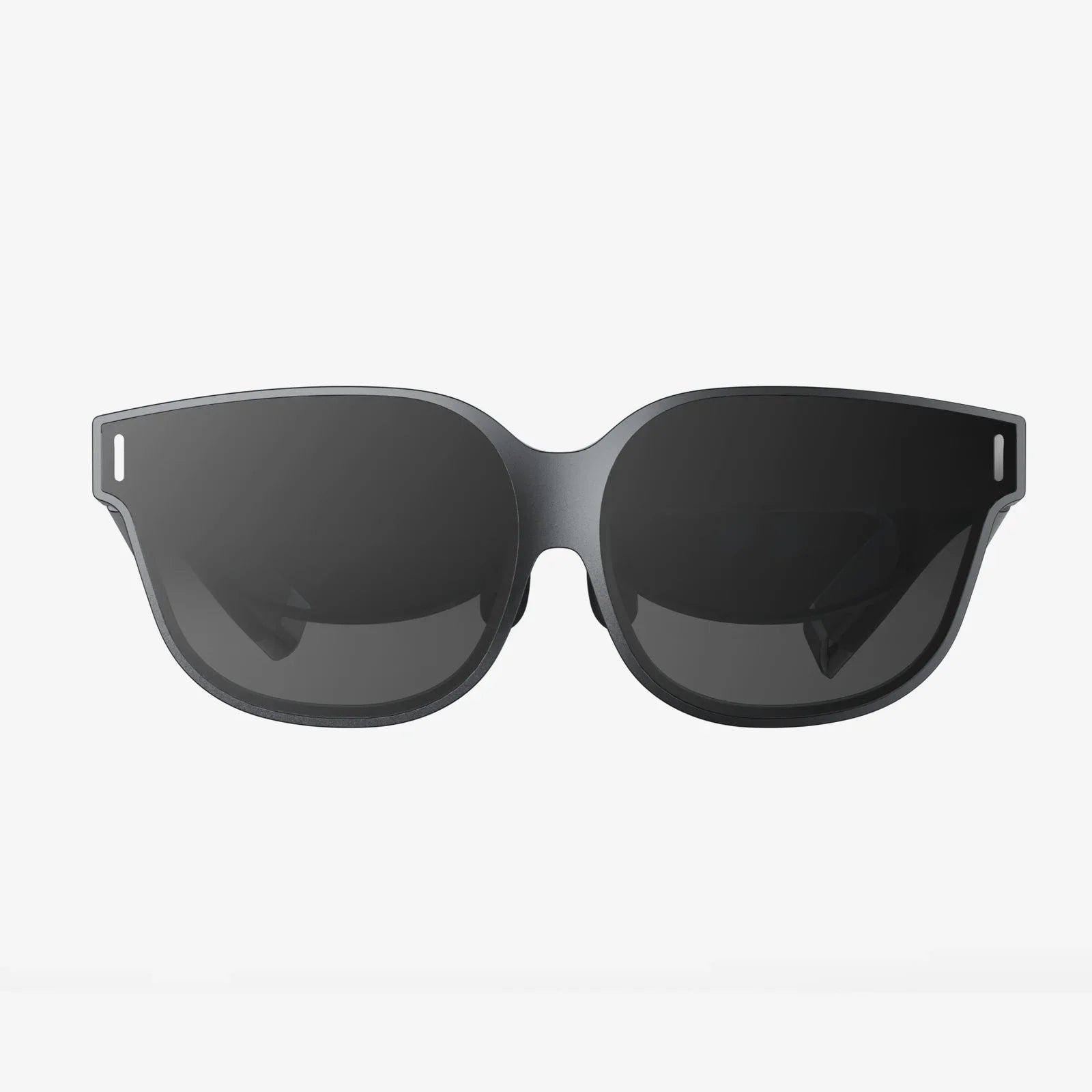
vr react is quietly transforming how we think about the web, turning ordinary pages into immersive 3D spaces you can step inside instead of just scroll through. If you have ever wondered how to move beyond flat interfaces and build interactive virtual worlds right in the browser, combining VR and React is one of the most powerful paths you can take. This guide walks you through the mindset, tools, patterns, and performance tricks that make vr react development not only possible, but genuinely enjoyable and scalable.
Before you start writing code, it is worth understanding why vr react matters. The web has always been about documents and apps, but immersive computing adds a new dimension: presence. Instead of simply reading content, users inhabit it. When you merge React’s component-driven architecture with VR rendering, you gain a way to structure complex 3D interfaces using familiar patterns, turning scenes, objects, and interactions into reusable components. That makes VR development more maintainable and opens the door for teams that already know React to step into 3D without starting from scratch.
What vr react Really Means
When people say "vr react," they usually mean building VR experiences that are:
- Rendered in the browser using web technologies
- Structured with React components and state management
- Accessible on headsets and traditional screens
- Interactive, not just 360-degree video players
Under the hood, vr react typically combines several layers:
- React for component structure, state, and UI logic.
- WebGL / WebGPU for low-level 3D rendering in the browser.
- WebXR for VR and AR device access, tracking, and input.
- Scene graph libraries to manage 3D objects, lights, and cameras.
The magic of vr react is that you do not have to manage all these pieces directly. Instead, you think in terms of components: a scene component, a controller component, a teleportation component, and so on. This mirrors how you build traditional web apps, but the output is a virtual environment instead of a flat layout.
Why Use React for VR Experiences?
There are many ways to build VR experiences, including native engines and custom WebGL code. vr react stands out for several reasons:
1. Component-Based 3D Interfaces
React’s component model maps naturally to 3D scenes. You can think of each object in your world as a component:
- A
<Room />component that defines walls, floor, and lighting - A
<ControlPanel />with buttons and sliders floating in space - An
<Avatar />that represents the user’s body or hands
This structure makes it easier to reason about complex worlds, reuse elements, and collaborate across teams.
2. State Management for Dynamic Worlds
VR scenes are rarely static. Objects move, UI panels open and close, interactions trigger animations. React’s state and props provide a clear way to manage these changes. For example:
- Toggling visibility of a menu when the user presses a controller button
- Updating the position of a 3D cursor based on gaze or hand tracking
- Syncing multiplayer state across clients via websockets
Instead of manually mutating objects, you describe how the scene should look for a given state, and React handles the updates.
3. Familiar Tools and Ecosystem
If you already know React, vr react lets you reuse your knowledge of hooks, context, and component patterns. You can also integrate with existing tooling:
- Routing for multi-scene experiences
- State libraries for complex logic
- Form handling libraries for VR input panels
This lowers the barrier to entry and helps teams move faster compared to learning an entirely new engine.
Core Concepts for vr react Developers
To build effective vr react experiences, you need to internalize a few core concepts: scenes, cameras, interaction models, and performance constraints.
Scenes and World Structure
A VR scene is a 3D environment that contains objects, lights, and cameras. In vr react, you often treat the scene as a top-level component that contains nested components representing objects in the world. A typical structure might look like this conceptually:
- Scene component – sets up the 3D context and WebXR session
- Environment component – ground planes, skyboxes, background props
- UI layer – panels, text, buttons, and indicators in 3D space
- Interaction layer – controllers, cursors, raycasters, and collision logic
The key is to think hierarchically, just like a DOM tree, but in three dimensions. Transformations (position, rotation, scale) are often relative to parent components, which makes it easier to move entire subtrees of objects.
Cameras and Viewpoints
In VR, the camera represents the user’s head. WebXR provides head tracking, and your vr react setup connects that data to the virtual camera. You might also support non-VR modes, such as:
- Orbit camera controlled by mouse or touch for desktop users
- First-person camera controlled by keyboard
- Device-orientation camera for mobile gyroscope input
React components can encapsulate camera behavior, letting you swap modes or configure settings using props.
Interaction Models: Gaze, Controllers, and Hands
vr react supports several interaction patterns, each suited to different devices:
- Gaze-based interaction – the user looks at an object to highlight or select it, often with a dwell timer or click action.
- Controller-based interaction – VR controllers emit rays that can point at objects, trigger events, and manipulate items.
- Hand tracking – when supported, users interact with objects using their hands, often via pinch or grab gestures.
In React, you can abstract these into reusable components: a <Raycaster /> that detects intersections, a <GazeButton /> that activates when looked at, or a <GrabInteraction /> that binds hand gestures to object movement.
Performance Constraints in VR
VR requires high frame rates to feel comfortable, typically 72 frames per second or higher. That means your vr react app must be extremely efficient. Key considerations include:
- Minimizing unnecessary React re-renders
- Reducing polygon counts and texture sizes
- Using instancing for repeated objects
- Avoiding heavy computations on the main thread
You should treat performance as a core design constraint, not an afterthought. A visually simple but smooth experience beats a detailed world that stutters.
Setting Up a vr react Project
While there are multiple ways to bootstrap a vr react project, the general setup involves:
- Creating a React application with your preferred build tool.
- Adding a 3D rendering library that integrates with React.
- Enabling WebXR support for VR sessions.
- Structuring your code into scene and interaction components.
Think of your main entry point as responsible for:
- Mounting a canvas into the DOM
- Initializing a 3D renderer
- Starting the render loop
- Connecting WebXR session events to your React components
From there, you treat the 3D scene as a React subtree, where each component describes part of the world.
Designing for Comfort and Usability in vr react
Building vr react experiences is not just about getting 3D objects on the screen; it is about designing comfortable, intuitive environments that users want to stay in. VR introduces unique UX challenges that you need to account for from the start.
Locomotion and Motion Sickness
Movement in VR can easily cause discomfort if handled poorly. Common locomotion patterns include:
- Teleportation – the user points at a spot and instantly moves there. This is one of the most comfortable methods.
- Dash movement – quick, short transitions between positions, reducing continuous motion.
- Smooth locomotion – joystick-based movement; more immersive but higher risk of motion sickness.
In vr react, you can encapsulate these behaviors into separate components and allow users to choose their preferred mode. For example, a <TeleportControls /> component might handle raycasting, destination markers, and fade transitions.
Scale, Distance, and Text Legibility
Objects that look fine on a monitor can feel wrong in VR. You need to consider:
- Realistic scale – doors, tables, and avatars should match human proportions.
- Comfortable viewing distances – UI panels should not be too close or too far.
- Text size and contrast – small fonts are hard to read in headsets; use large, high-contrast text.
React components can encode these best practices. For example, you might create a <VRText /> component that enforces minimum font sizes and contrast ratios by default, so designers do not have to think about it every time.
Interaction Feedback and Affordances
In VR, users need clear feedback to know what they can interact with and what actions are happening. Effective vr react interfaces provide:
- Hover highlights when a ray or gaze targets an object
- Subtle animations when buttons are pressed
- Sound cues for selections and errors
- Haptic feedback where supported
Encapsulate these behaviors in components such as <InteractiveObject /> that automatically handle highlighting and click effects, so you can reuse them across your world without repeating logic.
Building a Simple vr react Scene: Conceptual Walkthrough
To visualize how vr react comes together, imagine building a simple virtual gallery. The experience requirements are:
- A room with walls, floor, and ambient lighting
- Several panels displaying images or information
- Teleport points on the floor
- A floating menu that follows the user
You might structure the components like this:
- App – sets up the 3D canvas and WebXR session.
- GalleryScene – contains environment, panels, and controls.
- Room – walls, floor, and lights.
- InfoPanel – a reusable component for each displayed item.
- TeleportPoint – handles navigation when selected.
- FloatingMenu – UI that stays within the user’s field of view.
Each InfoPanel could accept props like title, description, and media source, while TeleportPoint might take a position and label. React’s props and state allow you to define the entire gallery with data structures, mapping arrays of content into panels and teleport locations. This data-driven approach is one of the biggest advantages of vr react compared to hand-crafted scenes.
State Management Strategies for vr react
As your VR experience grows, state management becomes a central concern. You may need to track:
- Which panel is currently selected
- User preferences (locomotion type, handedness, comfort settings)
- Multiplayer presence and positions
- Progress through onboarding or tutorials
Common patterns for vr react state management include:
Local State with Hooks
For simple components, useState and useEffect are often enough. For example, a button that toggles a menu or a panel that tracks whether it is expanded.
Context for Shared Settings
Use React context to provide VR-wide settings like locomotion mode, dominant hand, or theme. A VRSettingsProvider can wrap your app and supply values to any component that needs them.
Global Stores for Complex Apps
For large vr react applications, a dedicated state library can help manage complex interactions, multiplayer synchronization, and persistent user data. The key is to keep performance in mind: avoid triggering full-scene re-renders when only a few objects need updates.
Performance Optimization Techniques in vr react
Performance can make or break a VR experience. Here are concrete strategies to keep your vr react projects smooth and responsive.
Minimize React Reconciliation in the Render Loop
VR scenes update every frame, but not every frame needs a React re-render. Techniques include:
- Separating animation logic from React state when possible, using direct references to 3D objects.
- Using memoization for components that rarely change.
- Batching state updates to avoid unnecessary renders.
Use Level of Detail and Culling
Do not render what the user cannot see. Implement:
- Frustum culling – skip objects outside the camera’s view.
- Level of detail – use simpler meshes at a distance.
- Occlusion strategies – avoid drawing objects hidden behind others.
These optimizations are often provided by the underlying 3D engine, but you must structure your vr react components to take advantage of them, for instance by grouping objects logically.
Optimize Assets
Large models and textures can quickly overload a headset. Best practices include:
- Compressing textures and using appropriate resolutions
- Reducing polygon counts on models
- Using instanced meshes for repeated objects like trees or chairs
Asset pipelines for vr react should include tools for compression and optimization as a standard step, not an afterthought.
Accessibility and Inclusivity in vr react Experiences
VR is still evolving in terms of accessibility, but as a vr react developer, you can already take meaningful steps to support a wider range of users.
Alternative Interaction Modes
Some users cannot use motion controllers or may experience discomfort with certain locomotion styles. Offer options such as:
- Gaze-based selection as an alternative to controller clicks
- Teleportation instead of smooth locomotion
- Seated and standing modes
These options can be exposed via a settings panel implemented with React components, and stored in context or global state so they apply across the experience.
Visual Accessibility
Consider users with visual impairments by providing:
- High-contrast UI themes
- Adjustable text size
- Clear color choices that do not rely solely on hue to convey meaning
Implementing a VRThemeProvider in React makes it easier to switch themes and propagate visual changes across components.
Audio and Captioning
For users with hearing impairments, provide captions or visual indicators for important sounds. For example:
- Text panels that display dialogue or narration
- Icons that pulse when a significant sound occurs
In vr react, you can bind audio events to UI components that display these cues in the user’s field of view.
Testing and Debugging vr react Applications
Debugging VR can be more challenging than traditional web apps, but a disciplined approach makes it manageable.
Desktop-First Debugging
Many issues can be reproduced without a headset. Provide a non-VR mode where the user can navigate the scene with mouse and keyboard. This allows you to use familiar browser dev tools to inspect components, check console logs, and profile performance.
Device Testing Workflow
When testing on headsets, establish a repeatable workflow:
- Use local network URLs or tunneling services to load your development build on the device.
- Enable remote debugging to inspect console logs and network requests.
- Test in short sessions to avoid fatigue and maintain focus.
Automated tests can cover non-visual logic, such as state management and data transformations, while manual testing focuses on comfort, interaction feel, and visual quality.
Common Pitfalls in vr react and How to Avoid Them
Many developers encounter similar problems when they first dive into vr react. Being aware of these pitfalls helps you sidestep them early.
Overloading Users with Visual Noise
Just because you can place dozens of objects in the user’s field of view does not mean you should. Cluttered scenes are overwhelming and can even cause discomfort. Instead, use:
- Clear focal points
- Progressive disclosure of information
- Spatial separation between interactive and decorative elements
Ignoring Comfort Guidelines
Fast camera movements, sudden acceleration, and inconsistent scale are common causes of motion sickness. Always respect comfort guidelines:
- Keep user-controlled movement predictable and configurable.
- Avoid rotating the camera without the user’s explicit input.
- Test with a variety of users, including those new to VR.
Underestimating Performance Requirements
It is easy to build a scene that looks great on a powerful desktop but fails on standalone headsets. To avoid this:
- Test early on target devices.
- Use performance profiling tools to identify bottlenecks.
- Budget polygon counts and texture sizes from the start.
Advanced Patterns and Ideas for vr react Projects
Once you are comfortable with basics, vr react opens the door to more advanced and ambitious experiences.
Multiplayer and Shared Spaces
Shared VR spaces allow users to collaborate, socialize, or learn together. In vr react, this often involves:
- A real-time backend for syncing positions and actions
- Avatar components that represent each participant
- Voice chat integration
React’s state patterns help keep the UI consistent across clients, while the 3D layer visualizes each user’s presence in the world.
Data Visualization in VR
VR offers unique opportunities for data visualization, turning charts into spatial experiences. Examples include:
- 3D scatter plots users can walk around
- Network graphs where nodes float in space
- Time-series data mapped along a path the user walks
vr react lets you bind data directly to 3D components, making it straightforward to update visualizations in response to filters or real-time streams.
Hybrid 2D/3D Interfaces
Not all UI needs to be fully three-dimensional. Many vr react applications combine:
- Flat panels that resemble traditional web pages
- Floating windows that can be repositioned in space
- 3D objects that respond to 2D-like interactions (click, hover)
This hybrid approach allows you to reuse existing web UI patterns where they work well, while adding 3D elements only where they add real value.
Planning Your First vr react Project
If you are ready to start building with vr react, a thoughtful plan will save you time and frustration. Consider these steps:
- Define the core experience – What is the main action users should perform? Walking through a space, manipulating objects, learning a skill, or exploring data?
- Sketch the environment – Draw a top-down map of the virtual space and the key elements within it.
- Identify interaction patterns – Decide how users will move, select, and manipulate items.
- List reusable components – Panels, buttons, teleport points, tooltips, and common props.
- Set performance targets – Define frame rate goals and asset budgets up front.
By approaching vr react as both a technical and design challenge, you will create experiences that feel intentional rather than experimental prototypes.
The Future of vr react and Immersive Web Apps
As VR hardware becomes more accessible and web standards mature, vr react sits at a powerful intersection of technologies. The same skills you use to build modern web apps can now drive immersive training simulations, virtual showrooms, collaborative workspaces, and entirely new kinds of digital experiences.
The most compelling vr react projects will not simply recreate flat interfaces in 3D; they will leverage spatial layout, embodied interaction, and presence to solve problems that traditional screens struggle with. By mastering the principles outlined in this guide—component-driven 3D design, thoughtful interaction models, strict performance discipline, and user-centered comfort—you position yourself to build VR experiences that people will actually want to return to.
If you are looking for the next frontier in frontend development, vr react offers a rare combination: cutting-edge immersion with familiar tools. Start small, experiment with scenes and interactions, and iterate quickly. The sooner you put a headset on and step into your own code, the faster you will understand what works, what does not, and how to shape the virtual worlds that others will be eager to explore.
共有:
what wireless headphones are best for streaming music and immersive listening
Smart Touch Interactive Experiences Reshaping the Way We Live and Work