


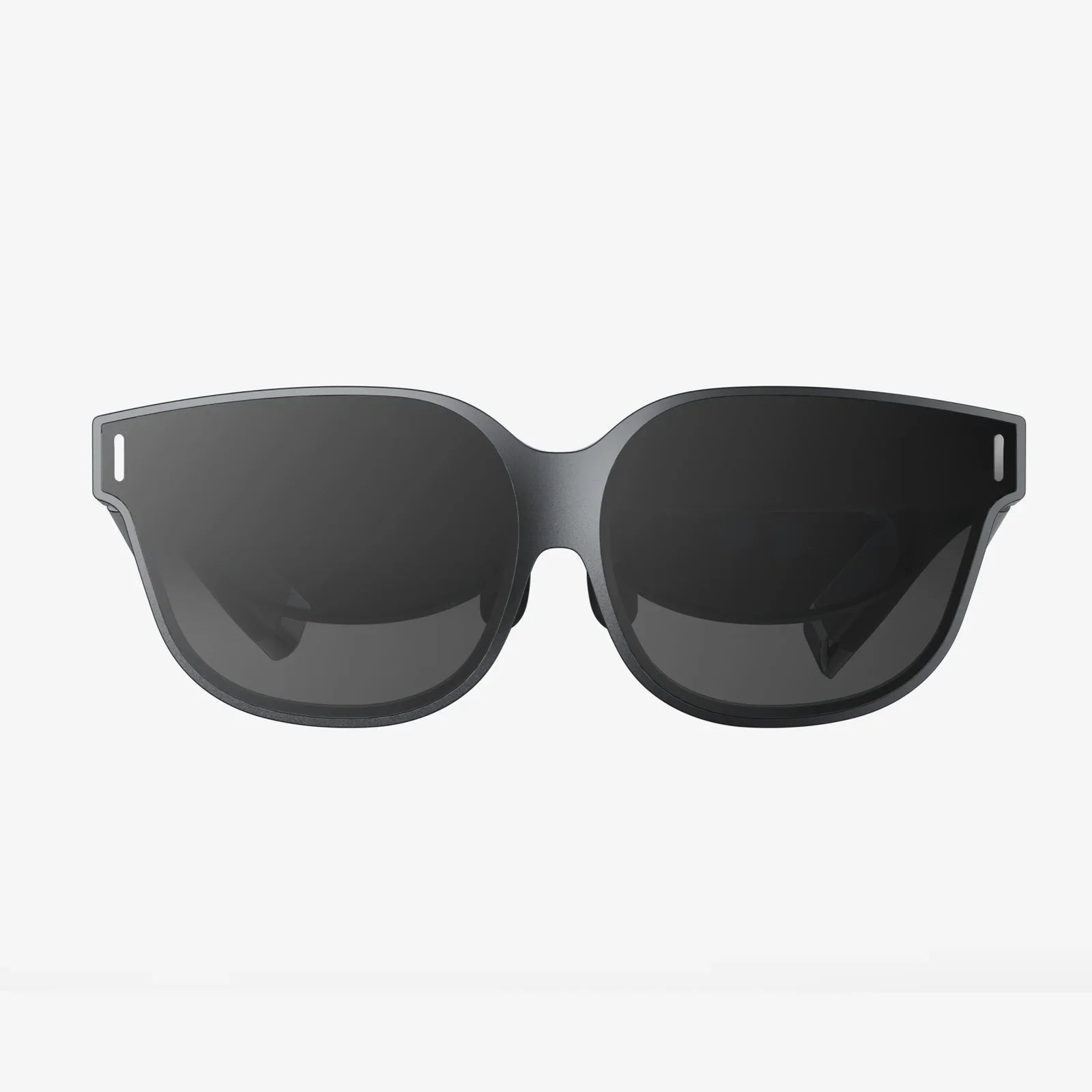
If you have ever put on a headset and felt like you stepped into another world, you have already experienced the power behind the question, what are the components of virtual reality? Understanding what is happening behind the scenes not only satisfies curiosity, it also helps you choose better devices, design better experiences, and anticipate where this fast-moving technology is headed next.
Virtual reality is not magic. It is a carefully orchestrated system of hardware and software that tricks your senses into accepting a digital environment as if it were real. From the headset and controllers to the tracking systems, rendering engines, and even the way sound is delivered to your ears, every piece plays a precise role. When any single part is weak, the illusion breaks; when they all work smoothly, the experience becomes compelling, useful, and sometimes unforgettable.
What Are The Components Of Virtual Reality At A High Level?
To answer the question clearly, it helps to organize the components into broad categories. Most virtual reality systems, regardless of brand or price, rely on a similar set of building blocks:
- Display and optics – the screens and lenses that create the visual world around you
- Tracking systems – sensors that follow your head, hands, and sometimes your entire body
- Input and interaction devices – controllers, gloves, treadmills, and other tools you use to act in VR
- Audio systems – headphones, speakers, and spatial audio processing that make sound feel three-dimensional
- Computing hardware – the headset processor or external computer that does the heavy calculation work
- Software and content – operating systems, engines, and applications that define what you actually experience
- Ergonomics and comfort systems – straps, padding, ventilation, and weight distribution that keep you comfortable
- Connectivity and ecosystem services – networking, stores, accounts, and cloud tools that connect everything together
Each of these categories contains several sub-components. Together, they form the full answer to the question, what are the components of virtual reality that make immersive experiences possible?
Core Visual Components: Displays And Optics
The visual system is usually the first thing people think about when they ask what the components of virtual reality are. The goal is to present a pair of images, one to each eye, that mimic how you see the real world. To achieve this, several pieces must work together precisely.
Displays: The Digital Windows To Virtual Worlds
Inside a headset, you will typically find one of two arrangements:
- Single display panel shared between both eyes, with lenses splitting the image into left and right views
- Dual display panels, one for each eye, allowing independent adjustment and higher flexibility
Key display characteristics that affect your experience include:
- Resolution – Higher resolution reduces the “screen-door effect” where you can see individual pixels. More pixels per eye means sharper visuals, easier reading of text, and more convincing environments.
- Refresh rate – The number of times the image is updated per second. Common VR refresh rates are 72 Hz, 90 Hz, 120 Hz, or higher. Higher refresh rates make motion smoother and reduce motion sickness.
- Field of view (FOV) – How wide the visible scene is. A larger FOV feels more natural and immersive because you see more of the world at once, closer to how human vision works.
- Pixel response time – How quickly each pixel can change color. Fast response times help prevent smearing and ghosting when you move your head.
Lenses: Shaping The Image For Your Eyes
The displays in a headset sit very close to your eyes. Lenses are used to focus the image and create a wide field of view. The choice of lens design is a critical component of virtual reality hardware:
- Fresnel lenses – These are thinner and lighter than traditional lenses, with concentric rings that bend light. They help reduce weight but can introduce visual artifacts like “god rays” around bright objects.
- Pancake or folded lenses – These use clever light paths to shorten the distance between the display and your eyes, enabling slimmer headsets. They can improve clarity but require more complex manufacturing.
- Adjustable lenses – Some systems allow you to adjust interpupillary distance (IPD), the spacing between lenses, to match your eye spacing. Proper IPD alignment is crucial for comfort and depth perception.
Lens quality affects clarity, distortion at the edges of your view, and how natural the world looks. Poor optics can cause eye strain, headaches, and a constant sense that “something is off,” even if you cannot name the problem.
Visual Comfort: Reducing Fatigue And Motion Sickness
Beyond raw specifications, visual comfort is a key part of what the components of virtual reality must deliver. Several techniques help here:
- Lens distortion correction – Software pre-distorts the image so that after passing through the lenses, it looks correct to your eyes.
- Asynchronous timewarp or reprojection – Techniques that predict head motion and adjust frames between full renders to keep visuals stable even when performance dips.
- Foveated rendering (with eye tracking) – Rendering full detail only where you are looking, reducing processing load while maintaining perceived quality.
These visual components must work together seamlessly to maintain immersion and avoid discomfort, especially during long sessions.
Tracking Systems: Knowing Where You Are And How You Move
Visuals alone do not make virtual reality convincing. The system has to know where your head and hands are in three-dimensional space and update the world instantly when you move. When people ask what the components of virtual reality are, tracking technology is one of the most important answers.
Head Tracking: Six Degrees Of Freedom
Head tracking typically provides six degrees of freedom (6DoF):
- Rotation – yaw (looking left and right), pitch (looking up and down), roll (tilting your head)
- Position – moving forward/backward, left/right, up/down
To achieve this, VR systems use combinations of sensors:
- Gyroscopes – detect rotational movement
- Accelerometers – detect linear acceleration
- Magnetometers – help correct orientation and drift by referencing the earth’s magnetic field
- Cameras – track the environment or external markers to determine position
Inside-Out vs Outside-In Tracking
There are two main approaches to tracking in virtual reality systems:
- Outside-in tracking – External cameras or sensors placed in the room watch the headset and controllers. This can be very accurate but requires setup and a dedicated space.
- Inside-out tracking – Cameras on the headset itself look outward, tracking features in the environment and the controllers. This is more portable and easier to set up, but can struggle in low-texture or low-light environments.
Both methods rely on complex algorithms that fuse data from multiple sensors, a process called sensor fusion. This is vital for low-latency, accurate tracking, which directly affects how natural movement feels.
Controller And Hand Tracking
Beyond the head, virtual reality systems also track your hands. This can be done in several ways:
- Tracked controllers – Handheld devices with buttons, triggers, and motion sensors. They are usually tracked by infrared lights, LEDs, or visual markers recognized by cameras.
- Optical hand tracking – Cameras on the headset watch your hands directly, using computer vision to interpret finger positions and gestures.
- Glove-based systems – Gloves with embedded sensors that track finger bends and sometimes provide haptic feedback.
Accurate hand and controller tracking is essential for natural interaction. If your virtual hands lag behind your real ones, jitter, or slip out of place, the illusion breaks quickly.
Input And Interaction Devices: How You Act In Virtual Worlds
When considering what the components of virtual reality are, input devices deserve special attention. They define how you interact with virtual environments, whether you are grabbing objects, swinging a sword, typing in mid-air, or walking around a virtual city.
Standard VR Controllers
Most systems use a pair of controllers, one in each hand. These typically include:
- Analog sticks or touchpads – for movement and navigation
- Buttons and triggers – for actions like grabbing, shooting, or interacting with menus
- Grip sensors – that detect how tightly you hold the controller, enabling more nuanced interactions
- Haptic motors – which provide vibration feedback when you touch or collide with virtual objects
The design of these controllers balances familiarity (so users can learn quickly) with the need to represent hands in a digital space.
Advanced Interaction: Gloves, Suits, And Beyond
Some systems go further with specialized devices:
- Haptic gloves – simulate touch or resistance when you grab virtual objects, using vibration, tendons, or other mechanisms.
- Full-body tracking suits – capture the movement of your torso, legs, and sometimes individual joints, making avatars move like your real body.
- Locomotion platforms – such as treadmills or sliding platforms that let you walk or run in place while the system translates that into movement in VR.
These advanced components of virtual reality are especially important in professional training, research, and high-end entertainment, where natural movement and precise interaction matter more than simple button presses.
Gesture And Voice Input
Not all interaction requires physical controllers. Many VR systems support:
- Gesture recognition – using cameras and sensors to interpret hand movements or body poses as commands.
- Voice commands – allowing you to interact with menus, control playback, or trigger actions without touching anything.
These modes of interaction are part of a broader trend toward more natural user interfaces, where the components of virtual reality fade into the background and you simply act as you would in the real world.
Audio Components: Building A 3D Soundstage
Convincing sound is a major part of immersion, even though it is often overlooked when people first ask what the components of virtual reality are. Audio tells you where things are, how close they are, and what kind of environment you are in.
Headphones, Speakers, And Microphones
Most VR systems include some form of integrated audio:
- On-ear or over-ear headphones – provide isolation from the real world and detailed sound.
- Near-ear speakers – small drivers positioned close to your ears without touching them, allowing some awareness of the real environment.
- Built-in microphones – enable voice chat, voice commands, and recording of your experience.
Comfort, sound quality, and the ability to position audio sources accurately all matter here.
Spatial Audio And Binaural Sound
The real magic of VR audio comes from spatial sound, where audio is rendered in three dimensions. The system simulates how sound reaches your ears from different directions and distances, often using head-related transfer functions (HRTFs). This allows you to:
- Hear footsteps behind you and instinctively turn around
- Judge how far away a voice or object is
- Feel the size and shape of a virtual space from echoes and reverberation
Spatial audio is tightly integrated with head tracking. When you turn your head, the sound field must update instantly, or the illusion of presence is lost.
Computing Hardware: The Engine Behind The Illusion
All of the components described so far depend on powerful computing hardware. When you ask what the components of virtual reality are, it is easy to overlook the processors, graphics units, and memory that make everything possible.
Onboard Processing In Standalone Headsets
Some headsets contain their own processors, graphics systems, and storage. These standalone devices handle:
- Rendering – drawing the 3D world for each eye at high frame rates
- Tracking calculations – processing sensor data to determine position and orientation
- Application logic – running games, training simulations, or productivity apps
- Networking – connecting to online services, multiplayer sessions, and content libraries
The challenge here is balancing performance, battery life, heat, and weight. Efficient processors and optimized software are crucial.
PC And Console-Based VR Systems
Other VR setups rely on an external computer or console. In these systems, the key components include:
- Graphics processing unit (GPU) – the main workhorse for rendering high-resolution, high-frame-rate 3D graphics.
- Central processing unit (CPU) – handles physics, game logic, AI, and other calculations.
- Memory (RAM) – stores data needed quickly by the CPU and GPU, such as textures, geometry, and simulation state.
The headset in this setup acts mostly as a display and sensor device, while the external machine does the heavy lifting. This can enable more complex and visually rich experiences but ties you to a specific location.
Latency: The Invisible Performance Metric
Across all hardware configurations, latency is a critical factor. Latency is the time between your movement and the updated image reaching your eyes. High latency can cause discomfort and break immersion. To keep latency low, VR systems optimize:
- Sensor sampling rates
- Rendering pipelines
- Display response times
- Prediction algorithms that anticipate motion
When people ask what the components of virtual reality are, it is important to realize that performance characteristics like latency are just as important as visible hardware pieces.
Software Components: Operating Systems, Engines, And Content
Hardware is only half of the story. The software layer is where virtual worlds are defined, interactions are programmed, and experiences come to life. Understanding software is essential to a complete answer to the question, what are the components of virtual reality?
VR Operating Systems And Runtimes
At the base level, VR headsets run specialized operating systems or runtimes that manage:
- Device drivers for sensors, displays, and controllers
- Tracking and sensor fusion algorithms
- Application launching and switching
- System-level settings like guardian boundaries and safety features
These low-level components ensure consistent behavior across different applications and provide a standardized interface for developers.
Graphics And Game Engines
On top of the operating system, most VR applications are built using graphics or game engines. These engines provide:
- 3D rendering pipelines optimized for VR
- Physics engines for realistic movement and collisions
- Animation systems for characters and objects
- Audio systems, including spatial sound
- Input handling for controllers, gestures, and voice
Engines abstract away much of the complexity of VR hardware, allowing creators to focus on content and interaction design.
Applications And Experiences
On the surface, users interact with applications and experiences built on these engines. These can include:
- Games and entertainment experiences
- Training simulations for aviation, medicine, manufacturing, and more
- Educational experiences that explore history, science, or art
- Productivity tools for virtual meetings, design, and collaboration
Each application may use different subsets of VR components. For example, a seated cinematic experience might rely mostly on head tracking and audio, while a full-body training simulation might employ advanced tracking, haptics, and custom input devices.
Ergonomics, Comfort, And Safety Components
Even the most advanced visuals and tracking are useless if you cannot wear the headset comfortably. That is why, when you ask what the components of virtual reality are, you must include physical design and comfort systems.
Headset Fit And Weight Distribution
Key physical components include:
- Head straps and harnesses – keep the headset stable without pressing too hard on your face.
- Padding and face gaskets – provide cushioning and help block external light.
- Weight distribution – balancing the weight between the front and back of your head to reduce neck strain.
Improper fit can cause discomfort, blurred vision, and even make tracking less reliable if the headset moves around on your face.
Ventilation And Lens Fogging
Ventilation channels and anti-fog designs are subtle but important components of virtual reality hardware. They help manage heat buildup and prevent lenses from fogging, especially during active experiences.
Safety Boundaries And Pass-Through
Most modern systems include safety features such as:
- Guardian or boundary systems – define a safe play area and warn you when you approach the edge.
- Pass-through video – lets you see the real world through the headset cameras without taking it off.
These features depend on the tracking cameras and software working together, adding another layer to what the components of virtual reality must accomplish.
Connectivity, Ecosystems, And Cloud Components
Modern VR does not exist in isolation. Connectivity and ecosystem services are increasingly central to the answer when people ask what the components of virtual reality are today.
Wired And Wireless Connections
Depending on the system, you may find:
- High-speed wired links – carry video and data between the headset and a PC or console.
- Wireless streaming – uses Wi-Fi or other wireless technologies to send compressed video from a computer to the headset with low latency.
Wireless connections reduce physical constraints and increase freedom of movement, but they must be carefully engineered to avoid lag and compression artifacts.
Online Services And Content Delivery
Beyond physical connections, VR systems rely on online services such as:
- Digital stores and libraries for discovering and downloading experiences
- Account systems for managing purchases, settings, and social features
- Multiplayer and social servers that host shared virtual spaces
- Cloud rendering or offloading, where heavy computations are done on remote servers and streamed to the headset
These services are not visible hardware, but they are now integral components of virtual reality ecosystems, enabling persistent identities and shared experiences across devices.
How The Components Of Virtual Reality Work Together
Understanding each piece in isolation is helpful, but the real power of VR emerges from how all components interact. To see this, imagine a simple moment: you reach out to pick up a virtual object.
- Your brain decides to move your hand, and your muscles execute that movement.
- The tracking system detects your hand’s new position using controller sensors or cameras.
- The software engine receives this updated position and checks whether your virtual hand intersects the object.
- If it does, the engine updates the scene: the object now follows your hand, and physics calculations adjust its motion.
- The GPU renders the new frame for each eye, including the moved object.
- The display and lenses present the updated images with minimal latency.
- The audio system might play a sound of contact, positioned to match where the object is.
- Your haptic motors in the controller vibrate, reinforcing the feeling of contact.
This entire loop must happen dozens of times per second. If any component is slow or inaccurate, the action feels wrong. When everything works smoothly, your brain accepts the illusion and you feel present in the virtual world.
Future Trends In Virtual Reality Components
Asking what the components of virtual reality are today opens the door to where they are going tomorrow. Several trends are reshaping VR hardware and software:
- Higher-resolution, wider-FOV displays that approach human visual fidelity.
- Eye tracking integrated into more headsets, enabling foveated rendering and more natural interactions.
- Advanced haptics that simulate textures, weight, and resistance more convincingly.
- Lighter, more comfortable headsets using new materials and optical designs.
- Blended reality experiences that combine VR with augmented reality using high-quality pass-through video.
- Cloud-based rendering that allows smaller, lighter headsets to access powerful graphics remotely.
As these trends develop, the list of what the components of virtual reality are will expand, and the boundary between physical and digital experiences will continue to blur.
Now that you know what the components of virtual reality are, from displays and lenses to tracking, audio, input devices, software, and cloud services, it is easier to see why some experiences feel breathtaking while others fall flat. Every time you put on a headset, you are stepping into a carefully tuned orchestra of technologies, each playing its part in convincing your senses that the impossible is real. The more you understand those instruments, the better equipped you are to choose systems, design experiences, and imagine the next generation of virtual worlds that will captivate audiences and transform how we work, play, and learn.
共有:
AIは実際何をするのか:デジタル時代のエンジンを解明する
デジタル製品分析の未来 2025:インテリジェントデータの次の波を乗り切る