


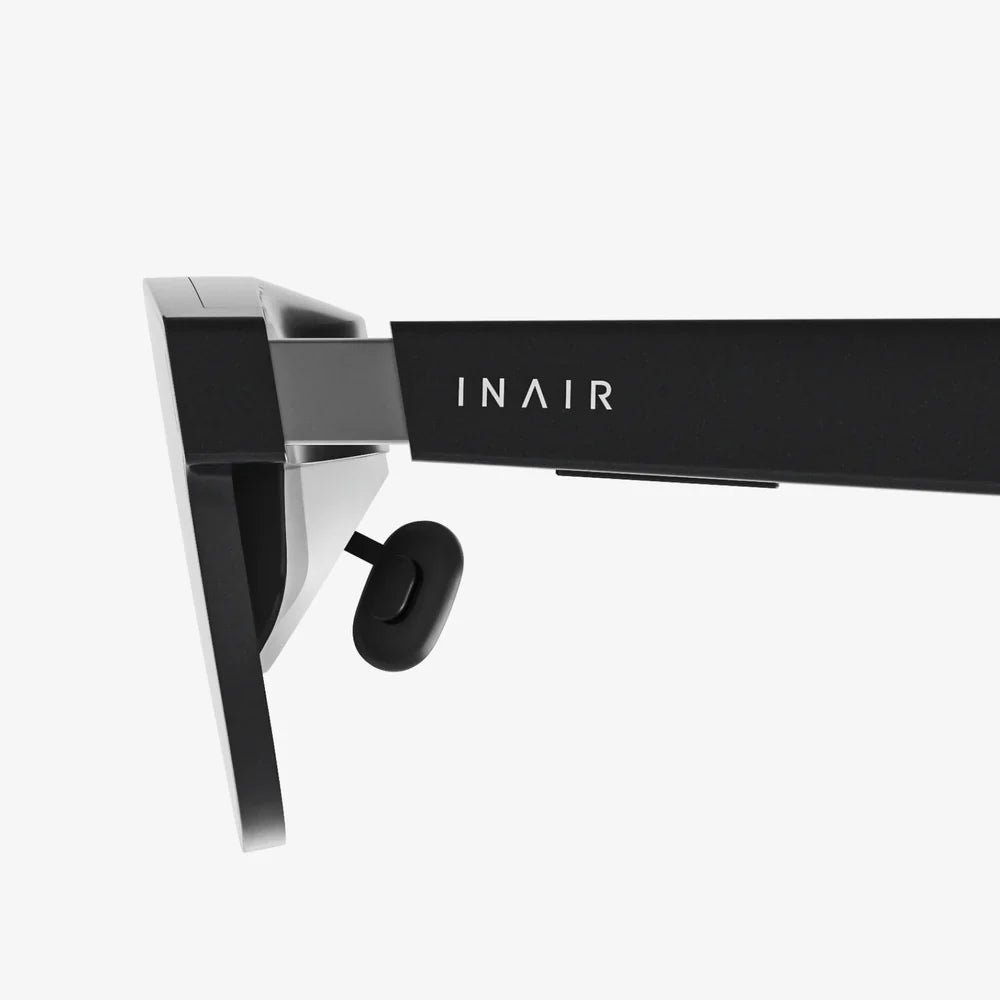
If you have ever wondered what is really happening behind those glasses at the cinema or inside a headset that blocks out your surroundings, you are not alone. Many people ask what is the difference between 3D and virtual reality, and the answer is far more interesting than a simple list of features. Understanding how each technology works can help you choose better entertainment, design smarter training, and even shape the future of your business or creative projects.
Both technologies play with your sense of sight and space, but they do it in very different ways. One gently nudges your brain into seeing depth on a flat surface, while the other tries to pull your entire mind into a new digital world. To see why that matters, and how it affects comfort, immersion, and cost, we need to look under the hood of each experience.
Basic Definitions: 3D Versus Virtual Reality
Before comparing them, it helps to define each term clearly. Although people sometimes use them interchangeably, they describe different layers of experience and technology.
What 3D Really Means
3D in this context usually refers to stereoscopic 3D images or movies. The core idea is simple: humans see the world with two eyes, and each eye receives a slightly different image. Your brain combines these two images to create a sense of depth. 3D systems mimic this process by delivering two slightly offset images, one to each eye.
Key points about 3D:
- Medium-based: 3D is usually about how an image, movie, or animation is displayed.
- Depth illusion: It adds the illusion of depth to a flat screen.
- Limited immersion: You still know you are watching a screen in front of you.
- Mostly passive: You rarely interact with the content beyond choosing what to watch.
What Virtual Reality Really Means
Virtual reality, often shortened to VR, is a technology that aims to place you inside a digital environment. Instead of looking at a screen from the outside, you wear a headset that fills your field of view with a computer-generated world. Sensors track how you move your head, and often your hands and body, so the virtual world responds as if you are actually there.
Key points about VR:
- Environment-based: VR is about creating an entire artificial environment around you.
- Full immersion: It tries to replace your real surroundings with a digital world.
- Highly interactive: You can often move, look around, and interact with objects.
- Multi-sensory: It can involve sound, motion, and sometimes touch or haptics.
Core Technical Differences Between 3D And Virtual Reality
When asking what is the difference between 3D and virtual reality, the technical foundations reveal the most important contrasts. Both rely on tricking your brain, but the scale and methods differ significantly.
Display and Field of View
3D content is usually displayed on a traditional screen: a cinema screen, a television, a monitor, or a device display. You view the content from a distance, and the field of view is limited by the size of that screen and how far away you sit.
In 3D:
- You see the real world around the screen.
- Your peripheral vision is mostly filled by the room, not the content.
- The sense of depth exists only within the screen area.
Virtual reality uses head-mounted displays that sit close to your eyes. Lenses magnify the image and wrap it around much more of your field of view. When done well, you feel as if the digital world surrounds you.
In VR:
- The headset blocks or replaces most of your view of the real world.
- Your peripheral vision is filled with virtual content.
- You can turn your head and see different parts of the virtual environment.
Tracking and Interaction
3D systems usually do not track your movements beyond perhaps basic input like play, pause, or menu navigation. The content plays the same way regardless of how you move your head or body. The illusion of depth is fixed in the frame.
VR systems rely heavily on tracking:
- Head tracking follows where you look, updating the view in real time.
- Positional tracking can detect whether you move forward, backward, or sideways.
- Controller or hand tracking allows you to reach out, grab, point, or interact with virtual objects.
This tracking is a major reason virtual reality feels more like “being there,” while 3D feels like “watching something.”
Content Creation Pipelines
3D content can be created using:
- Traditional film cameras with two lenses.
- Computer graphics rendered twice from slightly different angles.
- Post-production tools that convert 2D footage into stereoscopic 3D.
The goal is to produce two streams of images for the left and right eyes, synchronized and aligned.
Virtual reality content is more complex. It can be created using:
- Real-time 3D engines that render a world from any angle as the user moves.
- 360-degree video that captures all directions around a point.
- Hybrid approaches that mix interactive elements with pre-rendered scenes.
Unlike traditional 3D, VR content must be optimized for performance because the system needs to render at high frame rates to avoid discomfort and motion sickness.
Hardware Requirements
For 3D viewing you typically need:
- A display capable of showing 3D content or separate images rapidly.
- Glasses that ensure each eye sees the correct image.
- A playback device such as a media player, computer, or cinema projector.
For virtual reality you generally need:
- A VR headset with built-in displays and lenses.
- Sensors or cameras for tracking head and body movement.
- A computing device powerful enough to render 3D environments in real time.
- Optional controllers, gloves, or other input devices.
These hardware differences are one of the reasons 3D is more common in everyday media, while VR is still more specialized and often more expensive.
How 3D Works: The Illusion Of Depth
To understand what is the difference between 3D and virtual reality, it helps to look at how 3D creates its effect. The core principle is providing each eye with a slightly different image.
Common 3D Techniques
Several techniques have been used to deliver separate images to each eye:
- Color-filtered 3D: Each eye sees a different color-filtered image through tinted glasses, and the brain merges them into a single 3D image.
- Polarized 3D: Light waves are polarized differently for each eye, and glasses with matching filters ensure each eye receives the correct image.
- Active shutter 3D: Glasses rapidly block one eye at a time in sync with a display that alternates left and right images.
- Autostereoscopic 3D: Special screens direct different images to each eye without glasses, using lenses or barriers on the display.
All these methods share a single goal: separate the left and right eye images in a controlled way, so your brain can reconstruct depth.
Limitations Of Traditional 3D
Although 3D can be impressive, it has limitations:
- Fixed viewpoint: You cannot lean around objects or change your angle on the scene.
- Screen boundaries: The illusion of depth only exists inside the frame of the screen.
- Eye strain: Your eyes focus on the screen distance but converge on virtual depths, which can cause fatigue.
- Limited interaction: You are watching an enhanced image, not living inside a world.
These limitations are exactly what virtual reality tries to overcome.
How Virtual Reality Works: Building A Digital World Around You
Virtual reality is built on several layers of technology working together to create immersion.
Head-Mounted Display And Optics
A VR headset typically includes:
- Two small displays, one for each eye, or a single display split into two views.
- Lenses that magnify and shape the images to cover a wide field of view.
- Adjustments for eye distance and focus to improve comfort.
These components ensure that each eye sees a slightly different perspective of the virtual scene, just like in 3D, but now the scene can change dynamically as you move.
Tracking Systems
VR relies on precise tracking to update the view instantly as you move. Common tracking elements include:
- Gyroscopes and accelerometers to detect rotation and movement.
- External or internal cameras to track the headset in space.
- Infrared or other markers on controllers or the headset to improve accuracy.
When you turn your head, the system detects the motion and renders the scene from the new angle. If you lean forward, the virtual world adjusts so you can look more closely at objects. This responsiveness is key to the feeling of presence.
Real-Time Rendering
Unlike pre-rendered 3D movies, many VR experiences are powered by real-time 3D engines. They must:
- Render two slightly different images for each eye.
- Maintain a high frame rate to avoid motion sickness.
- Respond instantly to user input and movement.
This is computationally demanding, which is why VR systems often require powerful hardware or optimized graphics.
Sound And Other Senses
Virtual reality enhances immersion with more than visuals. It often includes:
- Spatial audio that places sounds around you in 3D space.
- Haptic feedback in controllers or devices that simulate touch or impact.
- Room-scale movement that lets you walk around within a defined area.
These elements combine to make the virtual world feel more convincing than a simple 3D image on a screen.
User Experience: How 3D And VR Feel Different
When thinking about what is the difference between 3D and virtual reality from a user’s perspective, the most obvious contrast is the level of immersion.
Sense Of Presence
3D provides an enhanced viewing experience. You feel like objects on the screen have depth, and some scenes may appear to pop out toward you. But you still know you are in your living room or a theater, watching a screen.
VR aims to create a sense of presence, the feeling that you are actually in another place. When done well, you might instinctively step back from a ledge, duck under a virtual object, or reach out to touch something that is not really there. This psychological shift is a defining feature of virtual reality.
Level Of Control And Interaction
In 3D, your role is mostly passive. You choose what to watch, maybe adjust volume or settings, but the story unfolds the same way regardless of your actions.
In VR, you often have control over:
- Where you look and move.
- Which objects you interact with.
- How you progress through experiences or scenarios.
This interactivity can turn viewing into participation. You are no longer just an audience member; you can become a character or participant in the virtual world.
Comfort And Accessibility
3D experiences tend to be easier for most people to handle. Some viewers may experience eye strain or headaches, especially with poorly calibrated 3D, but many can watch for long periods without major issues.
VR, on the other hand, introduces more potential comfort challenges:
- Motion sickness can occur when your eyes perceive motion but your body does not.
- Neck and head fatigue can arise from wearing a headset for long sessions.
- Isolation from the real world may be uncomfortable for some users.
Designers must carefully manage movement, frame rates, and user options to reduce discomfort in VR.
Use Cases: When 3D Shines And When VR Wins
Understanding what is the difference between 3D and virtual reality also involves knowing where each technology excels. They are not direct replacements; instead, they serve different needs and contexts.
Entertainment And Media
3D is well suited for:
- Cinema releases with enhanced visual depth.
- Home viewing on compatible televisions or projectors.
- Animated films where depth can add to visual storytelling.
It adds a layer of visual excitement without requiring users to isolate themselves or learn new controls. It is easy to share with a group, since everyone can watch the same screen together.
Virtual reality is powerful for:
- Interactive games that place you inside the action.
- Immersive storytelling where you explore scenes from the inside.
- Experiential media such as virtual concerts or tours.
However, VR is more personal. Each person typically needs their own headset, and the experience is harder to share in a traditional group viewing setting.
Education And Training
3D can help in education by:
- Visualizing complex structures, such as molecules or architectural forms.
- Enhancing recorded lectures or documentaries with depth.
- Supporting demonstrations where depth perception clarifies spatial relationships.
Virtual reality takes training further by allowing:
- Simulations of dangerous or expensive real-world scenarios in a safe environment.
- Hands-on practice with virtual tools and equipment.
- Immersive field trips to historical sites, outer space, or inside the human body.
Because VR can simulate presence and action, it is especially valuable for skills training and experiential learning.
Business And Professional Use
3D is useful in professional contexts such as:
- Presentations that benefit from depth, like product demonstrations.
- Design reviews where 3D models are shown on screens.
- Marketing materials that stand out visually.
Virtual reality offers more transformative possibilities:
- Virtual showrooms where clients can explore products at full scale.
- Collaborative virtual meeting spaces that simulate being in the same room.
- Design and prototyping workflows that allow teams to walk through models.
The decision between 3D and VR often comes down to whether you need enhanced viewing or full immersion and interaction.
Cost, Complexity, And Adoption
Another practical angle on what is the difference between 3D and virtual reality is how easy and affordable each is to adopt.
3D: Lower Barrier To Entry
3D has several advantages in accessibility:
- Many cinemas and some home devices already support 3D.
- Glasses are relatively inexpensive and easy to distribute.
- Content can be produced using existing film and animation tools with added stereoscopic steps.
Because it builds on familiar viewing habits, 3D is easier for most audiences to accept and use without training.
VR: Higher Investment, Higher Potential
Virtual reality typically requires more investment:
- Headsets and tracking systems cost more than 3D glasses.
- Computing hardware must be powerful enough for real-time rendering.
- Content creation is more complex, often requiring specialized skills and tools.
However, the payoff can be significant. VR can deliver unique experiences that are impossible with 3D alone, making it attractive for organizations that need deep engagement, realistic simulation, or innovative storytelling.
Common Misconceptions About 3D And Virtual Reality
Because the technologies overlap in some ways, several myths tend to circulate. Clearing these up helps sharpen your understanding of what is the difference between 3D and virtual reality.
Misconception 1: VR Is Just “Better 3D”
Virtual reality does use stereoscopic techniques similar to 3D, but it is not simply a more advanced version of 3D movies. VR is a broader system that includes tracking, interaction, and environment simulation. 3D is mainly about adding depth to visual content, while VR is about replacing your surroundings with a new reality.
Misconception 2: 3D And VR Require The Same Content
Content designed for 3D screens does not automatically work well in VR. For example:
- 3D movies frame scenes for a fixed viewpoint, while VR needs 360-degree or navigable environments.
- Camera movements that feel fine in 3D can cause motion sickness in VR.
- Storytelling techniques differ when the viewer can look anywhere at any time.
Creating effective VR experiences requires rethinking how stories are structured and how information is presented.
Misconception 3: VR Always Causes Motion Sickness
While some early VR systems did cause significant discomfort, modern designs use better tracking, higher frame rates, and improved movement schemes to reduce motion sickness. Not everyone experiences it, and well-designed experiences can be comfortable for many users. Still, it is a more significant concern for VR than for traditional 3D.
How To Decide Between 3D And Virtual Reality For Your Goals
When choosing between 3D and VR, it helps to start with your purpose. Both have strengths and weaknesses, and the best choice depends on what you want to achieve.
Choose 3D If:
- You want to enhance visual impact without changing how people watch content.
- You need to reach large audiences in theaters or shared spaces.
- Your budget is limited and you prefer simpler production pipelines.
- You are working with content that is primarily linear and non-interactive.
Choose VR If:
- You want users to feel present inside an environment, not just watching it.
- Interaction, exploration, or simulation is central to your goals.
- You are focusing on training, complex visualization, or immersive storytelling.
- You are prepared to invest in specialized hardware and content creation.
In some cases, you may use both. For example, a project might have a 3D trailer for broad audiences and a VR version for deeper, interactive engagement.
The Future Relationship Between 3D And Virtual Reality
Looking ahead, the line between 3D and VR may blur in interesting ways. As display technology improves, we may see more devices that can switch between flat, 3D, and immersive modes. Advances in rendering and tracking could make VR more comfortable and affordable, while new display techniques might bring glasses-free 3D to more screens.
At the same time, the core difference will remain: 3D enhances how we view content on a screen, while VR redefines the space we occupy during the experience. One is about depth within a frame; the other is about stepping beyond the frame entirely.
Bringing It All Together: The Real Difference That Matters
When you strip away the technical jargon, the heart of what is the difference between 3D and virtual reality comes down to a simple question: Do you want to watch a world, or do you want to feel like you are inside it?
3D gives your existing screens a new dimension, making movies, animations, and presentations more visually engaging without demanding much change in behavior. Virtual reality asks more of you and your hardware, but offers a trade: in return for wearing a headset and stepping away from your surroundings, you gain access to experiences that can feel startlingly real, deeply interactive, and emotionally powerful.
If you are choosing where to invest your time, creativity, or budget, focus on the kind of connection you want people to have with your content. For quick, shared, and familiar viewing, 3D remains a strong option. For transformative journeys, realistic simulations, and stories that unfold all around the viewer, virtual reality opens doors that flat screens, even in 3D, simply cannot. Once you are clear on that distinction, the decision between 3D and VR becomes less about technology and more about the kind of experience you want to create or enjoy.
共有:
Immersive 3D for Windows: The Complete Practical Guide You Actually Need
Characteristics of Artificial Intelligence That Are Transforming Everyday Life