


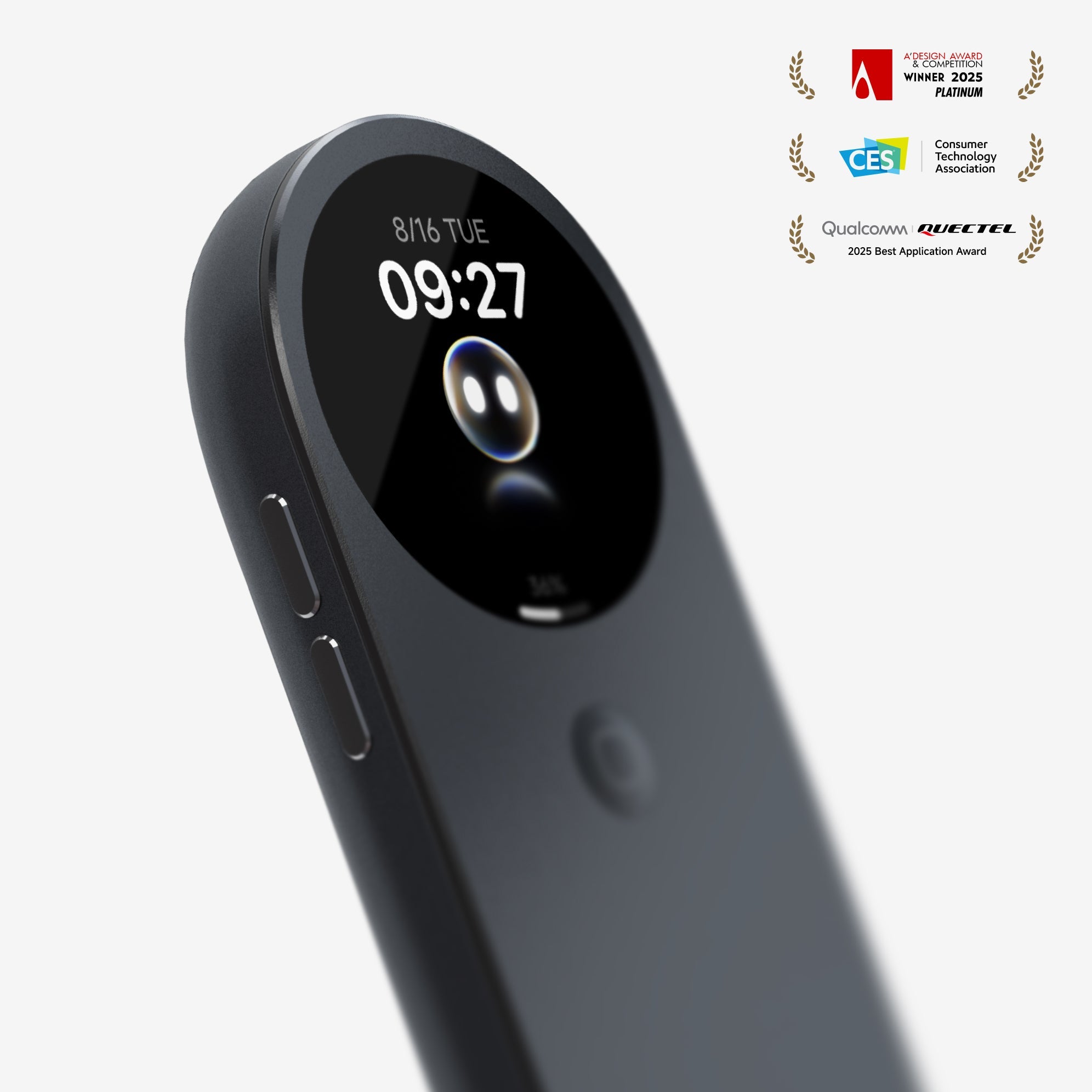
One Hub to Power Them All
In today’s rapidly evolving world of AR glasses, have you ever faced this dilemma? You buy a pair, but its features feel limited. You crave a richer spatial computing experience but don’t know where to start. Or perhaps you own glasses from different brands, but they work in isolation, never living up to their full potential.
What if I told you the solution might already be here? Meet the INAIR Pod Spatial Computing Hub. This device is redefining how we use AR glasses. It’s not just the powerful brain for INAIR’s own glasses—it’s a universal key that can activate third-party AR glasses from brands like XREAL, Rayneo, and Viture, unlocking capabilities you never knew your glasses had.
The INAIR Pod: More Than a Hub, It's a Spatial Computing Platform
 What is a Spatial Computing Hub?
In simple terms, the INAIR Pod is a portable device that integrates a full operating system (INAIR OS), powerful processing, and long-lasting battery life. Unlike traditional AR glasses that need to be tethered to a phone or computer, the Pod is the computer. It provides a complete, untethered spatial computing experience to any connected AR glasses.
How Does Compatibility Work?
Using a standard USB-C cable, the INAIR Pod can connect to the vast majority of AR glasses on the market that support video input. This means no matter which mainstream glasses you own, a single cable is all you need to instantly access the full suite of features powered by INAIR OS.
What Do You Gain by Connecting Third-Party Glasses?
Experience Revolutionary Real-Time 3D Conversion
This is the Pod’s most distinctive core feature. Through its self-developed AI Spatial Rendering Engine, the Pod can transform:
-
Everyday Video Content (like TikTok, Netflix, YouTube) into live 3D stereoscopic displays.
-
Traditional Movies & Games into immersive experiences instantly—no special 3D source files required.
-
Your Work Desktop into a layered, three-dimensional workspace.
Imagine this: using your existing XREAL or Viture glasses to scroll through regular TikTok videos, only to see every clip come to life with depth and dimension. That’s the magic of the INAIR Pod.
Gain Complete Multitasking Capabilities
Third-party AR glasses often function merely as "displays." Once connected to the INAIR Pod, you gain:
-
True Multi-Screen Productivity: Expand up to 6 virtual screens in your field of view to handle documents, research, and data monitoring simultaneously.
-
A Full App Ecosystem: Directly install and use a vast array of Android applications without relying on your phone.
-
Independent Computing Power: Break free from your phone or laptop entirely and achieve genuine mobile productivity.

Access an Exclusive 3D Content Library
INAIR OS comes loaded with rich native 3D resources, including:
-
Weekly-updated exclusive 3D movies and series.
-
Classic films converted into high-quality 3D via AI.
-
A one-click 3D conversion feature for your own uploaded content.
Three Core Scenarios: The True Value of Versatility
Scenario 1: The Home Entertainment Hub
Connect the INAIR Pod to your AR glasses, then link it to a projector or TV via HDMI to:
-
Enjoy 2D-to-3D converted blockbusters with the family—no expensive 3D Blu-rays needed.
-
Share 3D-enhanced short videos with friends during gatherings.
-
Create your personal immersive gaming zone.
Scenario 2: The Mobile Office Solution
For professionals who are always on the go:
-
Deploy a virtual multi-screen workstation on a plane or train.
-
Turn a hotel room into a private 135-inch cinema.
-
Efficiently juggle multiple tasks in a café, unrestricted by your surroundings.
Scenario 3: The "Performance Enhancer" for Existing Gear
If you already own AR glasses but find their functionality limited:
-
Breathe new 3D life into your older glasses.
-
Gain a complete operating system and app support.
-
Extend your device's lifespan and protect your investment.
Technical Edge: Why the INAIR Pod?
Proprietary AI Rendering Engine
INAIR’s real-time 2D-to-3D technology isn’t simple depth simulation. It uses AI to understand scene content, intelligently reconstruct spatial relationships, and ensure natural, convincing 3D effects.
Complete Spatial Operating System
INAIR OS is built from the ground up for spatial computing. It’s optimized for multi-window management, gesture interaction, and 3D content display, delivering a smooth, immersive experience.
Comprehensive Privacy Protection
Even with third-party glasses, the INAIR Pod ensures:
-
Visual Privacy: Only you can see your content.
-
Data Security: Sensitive information is processed locally.
-
Smart Context Awareness: Settings adapt automatically to your environment.
Q&A: Your Questions Answered
Q1: Will all features work normally with third-party glasses?
A: Yes, core features like real-time 3D conversion, multitasking, and the app ecosystem are fully available. Some hardware-specific functions (like adjusting electrochromic lenses) may vary, but the core experience remains intact.
Q2: Are my older AR glasses compatible?
A: If your glasses support video input via USB-C (DisplayPort Alt Mode), they should work. We recommend verifying your specific device's compatibility before purchase.
Q3: What's the difference between using the INAIR Pod and connecting directly to a phone/computer?
A: The fundamental difference is this: when connected to a phone/computer, your AR glasses act merely as a "monitor." When connected to the INAIR Pod, you get a full "spatial computer" experience—complete with standalone apps, multi-screen workflows, and exclusive 3D features.
Q4: What's the battery life like when using both the Pod and glasses?
A: The INAIR Pod has a high-capacity battery, providing up to 4 hours of use in typical scenarios. Total battery life when paired with glasses depends on the glasses' own power draw, but it's generally sufficient for a full half-day or more of use.
Q5: Will more glasses brands be supported in the future?
A: INAIR follows an open compatibility strategy. Any device meeting industry-standard interfaces can be supported. Our team continuously tests and optimizes compatibility for more devices.
Conclusion: Redefine Your AR Experience
The INAIR Pod breaks down the walls of closed ecosystems in the AR world, offering genuine freedom of choice. No matter what brand of AR glasses you own, you now have the opportunity to experience cutting-edge spatial computing and 3D conversion.
This is more than a product—it's a philosophy. Good technology should be open and inclusive, allowing more people to enjoy the convenience and joy it brings. The INAIR Pod embodies this idea. It doesn't ask you to replace your current gear; it empowers your existing devices with new life and capabilities.
If you're looking for a way to get more value from your AR glasses, or if you want to experience true spatial computing without being locked into a single brand, the INAIR Pod might just be the answer you've been searching for.
Technology should not limit possibilities—experiences are meant to be shared. Start today, and see a more dimensional world through every pair of AR glasses you own.
Share:
INAIR 3D Kit – (for Projector) – Your Projector’s New Best Friend and the Ultimate AR Glasses Companion
The Ultimate Portable Multi-Screen Wonder for 2025: INAIR AR Glasses Unlock Infinite Virtual Workspaces