


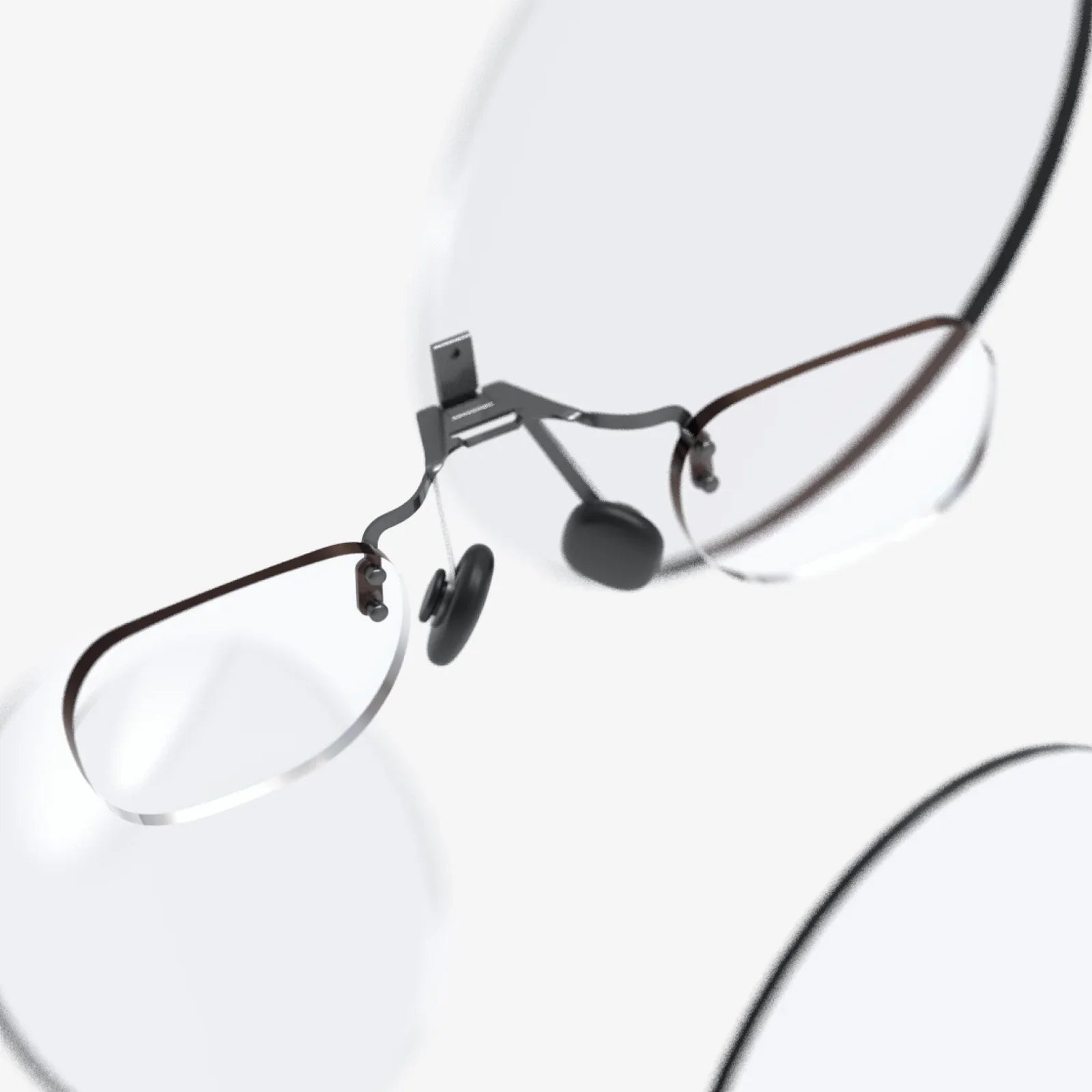
ar glasses overview is not just a tech buzz phrase anymore; it is becoming the entry point into a world where digital information blends seamlessly with the physical environment. From subtle navigation prompts floating in your field of view to real-time translations hovering over foreign text, AR glasses promise to change how you see and interact with everything around you. If you have ever wondered when screens would finally step out of your hands and into your line of sight, this is the moment to pay attention.
This article offers a detailed ar glasses overview, explaining what they are, how they work, the different categories available, and where they are already making a difference. Whether you are a curious consumer, a professional considering AR for your workplace, or a creator exploring new platforms, understanding the current landscape of AR eyewear will help you prepare for what is coming next.
What Are AR Glasses?
Augmented reality glasses are wearable devices shaped like regular glasses or headsets that overlay digital content onto the real world. Unlike virtual reality headsets, which completely block the outside world and replace it with a virtual environment, AR glasses keep you grounded in your surroundings while adding layers of information, graphics, or interactive elements on top.
At their core, AR glasses combine three things:
- Optics: Lenses or displays that show digital imagery within your field of view.
- Sensors: Cameras, depth sensors, and motion trackers that understand your position and environment.
- Computing: Onboard processors or connected devices that generate, track, and update the digital content you see.
The goal is to make the digital overlays feel naturally anchored in the real world, so that a virtual arrow appears to sit on the floor, or a label sticks to a specific object as you move around it.
Key Components in an AR Glasses Overview
To understand why AR glasses are so transformative, it helps to look at the main hardware and software elements that make them work.
Display Technologies
Different AR glasses use different display approaches, each with trade-offs in brightness, clarity, and comfort:
- Waveguide displays: Thin transparent layers in the lenses that guide light from tiny projectors into your eyes, allowing a relatively sleek glasses-like form factor.
- Birdbath or combiner optics: Small reflective elements in front of your eyes that blend projected images with the real world, often used in more robust or industrial designs.
- Micro-OLED or micro-LED projectors: Tiny, high-resolution displays that produce sharp, bright images suitable for outdoor use.
- Monocular vs. binocular: Some AR glasses project information into one eye only (monocular), while others display content to both eyes (binocular) for more immersive depth and 3D effects.
Sensors and Cameras
AR glasses must understand where you are looking and how you are moving. Common sensors include:
- RGB cameras: Standard cameras used for capturing the environment, taking photos, or enabling video communication.
- Depth sensors: Structured light, time-of-flight, or stereo cameras that measure distance to surfaces and objects, enabling accurate placement of digital content.
- IMU (inertial measurement unit): A combination of accelerometers, gyroscopes, and sometimes magnetometers that track head movement and orientation.
- Eye tracking (in advanced models): Sensors that detect where your eyes are looking, allowing more natural interaction and foveated rendering.
Processing and Connectivity
Some AR glasses have built-in processors, while others rely on a connected smartphone, small compute puck, or a computer. Important aspects include:
- Onboard computing: Enables standalone operation but must balance performance with battery life and heat.
- Wireless connectivity: Typically Wi-Fi and Bluetooth for connecting to other devices, cloud services, and remote assistance tools.
- Edge and cloud processing: Offloading heavy tasks like advanced computer vision or 3D mapping to remote servers for better performance.
Input and Interaction Methods
Interacting with AR content must feel natural, even when your hands are busy. AR glasses often support:
- Voice commands: Speaking to control apps, launch functions, or dictate messages.
- Gesture recognition: Using hand and finger movements detected by cameras or sensors.
- Head gaze: Moving your head to point at menus or objects, then selecting with a click or voice.
- Physical controllers or touchpads: Buttons, touch-sensitive frames, or small handheld devices for precise input.
Types of AR Glasses
An ar glasses overview is incomplete without distinguishing the major categories of devices, which vary in design, capability, and intended use.
Smart Glasses with Notifications and Audio
These devices look closest to regular eyewear and focus on lightweight features:
- Display may be minimal or limited to a small area, sometimes only in one lens.
- Typical use includes notifications, simple navigation cues, and hands-free calls.
- Often integrate open-ear audio or bone conduction for discreet listening.
They are ideal for users who want subtle digital assistance without full-blown mixed reality experiences.
Enterprise and Industrial AR Glasses
Designed for workplaces, these AR glasses prioritize durability and productivity:
- Rugged designs, sometimes helmet-mounted or compatible with safety gear.
- Monocular or binocular displays optimized for clear text and diagrams.
- Use cases include remote expert support, workflow guidance, and real-time data visualization in manufacturing, logistics, and field service.
Mixed Reality Headsets
These sit at the high end of an ar glasses overview, blurring the line between AR and VR:
- Wide field of view and advanced depth sensing for realistic 3D overlays.
- Capable of placing full 3D objects into the environment, like virtual monitors or machinery models.
- Often used in design, training simulations, and immersive collaboration.
Consumer AR Glasses for Daily Use
Emerging consumer-focused AR glasses aim to combine style with utility:
- Lightweight frames designed to be worn for long periods.
- Features like navigation, translation, media playback, and simple gaming.
- Integration with smartphones and personal assistants.
These devices represent a key step toward AR becoming as common as smartphones.
Core Features Highlighted in an AR Glasses Overview
Beyond the hardware, certain features define the user experience and determine how useful AR glasses are in daily life.
Field of View
Field of view describes how much of your vision is covered by digital content. A narrow field of view may feel like looking through a small window, while a wider one makes virtual objects feel more natural and immersive. Balancing field of view with device size and weight is one of the main engineering challenges.
Brightness and Image Quality
AR glasses must be readable indoors and outdoors. Important aspects include:
- Brightness: High enough to compete with sunlight.
- Resolution: Fine enough that text and details are sharp.
- Color and contrast: Good enough to differentiate content clearly without washing out the real world.
Comfort and Ergonomics
Since AR glasses sit on your face, comfort is critical:
- Weight distribution across nose and ears.
- Adjustable nose pads and temple arms.
- Support for prescription lenses or clip-ins.
- Thermal management to avoid hot spots near the skin.
Battery Life
Battery life determines how long AR glasses can be worn before recharging:
- Lightweight consumer models often prioritize several hours of mixed use.
- Industrial devices may use hot-swappable batteries to last full shifts.
- Some designs rely on tethered or external battery packs to reduce weight on the head.
Software Ecosystem and Apps
Even the most advanced hardware is only as valuable as the applications available. A strong AR ecosystem includes:
- Navigation and mapping apps with AR directions.
- Communication tools for video calls and remote assistance.
- Productivity apps for note-taking, task lists, and dashboards.
- Creative and entertainment apps for art, games, and media.
Practical Use Cases in an AR Glasses Overview
AR glasses are not just experimental prototypes; they are already solving real problems in multiple fields. Understanding these use cases helps clarify why interest in AR eyewear continues to grow.
Workplace and Industrial Applications
In professional settings, AR glasses can increase efficiency, reduce errors, and improve safety:
- Hands-free instructions: Workers see step-by-step guides overlaid on equipment, reducing the need to check paper manuals or handheld devices.
- Remote expert support: A remote specialist can see what the wearer sees, annotate the view, and guide them through complex tasks.
- Quality inspection: AR overlays can highlight areas to inspect, compare real objects to digital models, and log results automatically.
- Logistics and warehousing: Visual cues can direct workers to the right shelves, highlight packages, and optimize routes through a facility.
Healthcare and Medical Training
Medical professionals are exploring AR glasses for both training and practice:
- Surgical assistance: Overlaying imaging data, such as scans or 3D models, directly onto the patient for better spatial understanding.
- Remote collaboration: Specialists can observe procedures from afar and provide real-time guidance.
- Education: Students can view anatomy overlays on physical models or even live demonstrations.
Education and Learning
AR glasses can transform how people learn by making information contextual and interactive:
- Interactive field trips: Historical scenes reconstructed on-site, or scientific visualizations layered onto real environments.
- Language learning: Real-time translations hovering over signs, menus, and objects.
- STEM education: 3D models of molecules, planets, or mechanical systems anchored in the classroom.
Retail and Shopping
Retailers are experimenting with AR glasses to enhance the shopping experience:
- Product information: Details, reviews, and recommendations appearing next to items on shelves.
- Store navigation: AR routes guiding customers to specific products.
- Virtual try-ons: Seeing how furniture might look in your home or how certain styles fit in a store environment.
Navigation and Travel
For travelers and commuters, AR glasses can make getting around more intuitive:
- Turn-by-turn directions: Arrows and markers overlaid on streets and sidewalks.
- Point-of-interest overlays: Information about landmarks, restaurants, and public transport appearing where you look.
- Real-time translation: Translated text replacing foreign language signage in your view.
Entertainment and Gaming
AR games and media experiences bring digital characters and effects into the real world:
- Location-based games: Missions and collectibles anchored in physical spaces.
- Interactive storytelling: Characters and scenes unfolding around you as you move through your environment.
- Social experiences: Shared AR objects and spaces that multiple users can see and interact with together.
Benefits of AR Glasses
A comprehensive ar glasses overview must address the advantages that make this technology so appealing across industries and lifestyles.
Hands-Free Convenience
Unlike smartphones, AR glasses let you access information without occupying your hands. This is especially valuable when driving, working with tools, or carrying items. It also reduces the constant need to look down at a screen.
Contextual and Just-in-Time Information
AR glasses can deliver information exactly when and where it is needed:
- Instructions appearing only when you look at a specific machine.
- Reminders popping up in the room where you need to perform a task.
- Navigation cues that adapt as you move through a space.
Enhanced Collaboration
By sharing live views and annotations, AR glasses enable new forms of collaboration:
- Remote experts guiding field workers.
- Design teams reviewing 3D models in real-world scale.
- Distributed teams interacting around shared virtual objects.
Improved Training and Knowledge Transfer
AR-based training can be more engaging and effective than traditional methods:
- Step-by-step overlays that reduce cognitive load.
- Simulations that mimic real-world scenarios without the risks.
- Instant access to reference materials without leaving the task.
Challenges and Limitations in Today’s AR Glasses
No honest ar glasses overview would ignore the current limitations. While progress is rapid, several challenges still shape what AR glasses can do today.
Hardware Constraints
Designers must balance performance, comfort, and aesthetics:
- Weight: High-performance components add weight, which can cause fatigue.
- Battery life: Small form factors limit battery capacity.
- Heat: Powerful processors generate heat that must be dissipated safely.
Field of View Limitations
Many current AR glasses offer a narrower field of view than users expect, which can break immersion and limit complex experiences. Expanding field of view without sacrificing brightness or clarity remains a major research area.
Visual Comfort and Safety
Long-term use can cause eye strain or discomfort if not carefully designed:
- Focusing at a fixed virtual distance while real-world objects vary in depth.
- Potential conflicts between real and virtual motion that may cause discomfort.
- Ensuring critical real-world visuals, like traffic or hazards, are never obscured.
Interaction Complexity
Finding intuitive ways to interact with AR content is still evolving:
- Voice commands may be awkward in noisy or public environments.
- Gesture recognition must be accurate without causing fatigue.
- Users need clear feedback to understand what the system is detecting.
Privacy and Social Acceptance
AR glasses raise important questions about privacy and social norms:
- Visible or invisible cameras can make bystanders uncomfortable.
- Recording in public spaces needs clear indicators and responsible use.
- Wearing AR glasses in social settings may change how people interact face to face.
Software and Content Gaps
While many promising applications exist, the ecosystem is still maturing:
- Developers must adapt interfaces to 3D space and new input methods.
- Standards for interoperability and content sharing are still emerging.
- Compelling everyday use cases are needed to drive mainstream adoption.
Design Considerations in an AR Glasses Overview
Design is not just about looks; it affects usability, safety, and adoption.
Form Factor and Style
For many users, AR glasses must look and feel like normal eyewear:
- Thin frames that blend with everyday fashion.
- Multiple styles and colors to suit personal preferences.
- Options for sunglasses, clear lenses, and prescription integration.
User Interface in 3D Space
Traditional flat menus do not translate directly into augmented reality. Designers must consider:
- Spatial placement of menus and notifications so they are visible but not intrusive.
- Use of depth, size, and motion to indicate importance.
- Contextual interfaces that appear only when relevant.
Accessibility
AR glasses can both help and hinder accessibility:
- For some users, AR overlays can provide guidance, captions, or magnification.
- For others, visual clutter or motion may be overwhelming.
- Designing customizable interfaces allows users to adapt AR to their needs.
Security, Ethics, and Responsible Use
An ar glasses overview should address not only technology and benefits but also responsible deployment.
Data Collection and Storage
AR glasses can collect large amounts of data about surroundings and behavior:
- Video and audio of environments and people.
- Location and movement patterns.
- Interaction logs and usage habits.
Clear policies on data storage, anonymization, and user control are essential to building trust.
Consent and Transparency
People around AR glasses users deserve to know when they might be recorded:
- Visible indicators when cameras or microphones are active.
- Social norms and guidelines for responsible recording.
- Settings that restrict certain functions in sensitive areas.
Digital Well-Being
As AR glasses become more present in daily life, managing digital balance will be important:
- Controls for limiting notifications and screen time.
- Modes that minimize distractions in high-risk contexts like driving.
- Design choices that encourage presence rather than constant digital overlay.
The Future Landscape of AR Glasses
Looking ahead, several trends are likely to shape the next phase of AR glasses development.
Miniaturization and Improved Optics
Advances in micro-displays, waveguides, and battery technology will enable:
- Thinner, lighter frames closer to conventional eyewear.
- Wider fields of view with better brightness and clarity.
- Longer battery life without sacrificing performance.
Smarter, More Context-Aware Experiences
As computer vision and artificial intelligence improve, AR glasses will become more proactive:
- Recognizing objects, places, and people to surface relevant information.
- Predicting what you might need based on context and history.
- Adapting interfaces dynamically to your current task.
Integration with Other Devices and Services
AR glasses will not exist in isolation; they will be part of a broader ecosystem:
- Seamless handoff between phones, tablets, computers, and AR glasses.
- Shared AR spaces where multiple devices see the same virtual objects.
- Cross-platform services that remember your preferences across devices.
New Social and Professional Norms
As AR glasses become more common, society will adapt:
- Workplaces may adopt AR as a standard tool for training and collaboration.
- Public spaces may establish guidelines for AR use, similar to mobile phone etiquette.
- Education systems may incorporate AR into curricula as a routine learning medium.
Opportunities for Creators and Developers
For developers, designers, and storytellers, AR glasses open new creative frontiers:
- Designing spatial interfaces that live in the real world.
- Building persistent AR layers over cities, campuses, or venues.
- Experimenting with new forms of narrative that blend digital and physical spaces.
How to Approach AR Glasses Today
If this ar glasses overview has sparked your interest, you may be wondering how to engage with the technology now, even as it continues to evolve.
For Curious Consumers
Start by identifying what you want AR glasses to do for you:
- Hands-free notifications and audio while commuting or exercising.
- Navigation and travel assistance for exploring new places.
- Light productivity and communication while keeping your hands free.
Consider trying devices that prioritize comfort and basic features rather than chasing the most advanced specifications. This can help you understand how AR fits into your lifestyle without committing to complex or heavy hardware.
For Professionals and Organizations
Organizations considering AR glasses should focus on clearly defined problems and measurable outcomes:
- Identify workflows where hands-free information could reduce errors or time.
- Pilot AR solutions with small teams to test usability and impact.
- Plan for training, support, and change management, not just device deployment.
Collaboration between IT, operations, and end users is crucial to ensure AR solutions are practical and well-received.
For Developers and Creators
Developers interested in AR glasses can begin by:
- Learning AR design principles, including spatial UX and 3D interaction.
- Experimenting with AR development kits on existing devices like phones and tablets.
- Staying informed about emerging AR platforms and standards.
Building skills now positions you to take advantage of the expanding AR ecosystem as more capable glasses reach the market.
Why This AR Glasses Overview Matters Now
AR glasses are on a trajectory similar to early smartphones: initially niche, somewhat bulky, and limited, but steadily improving and integrating into everyday life. Understanding the current state of AR eyewear helps you make informed decisions, whether you are considering a pilot program at work, thinking about your next personal device, or exploring a new creative medium.
By grasping the fundamentals covered in this ar glasses overview, you are better prepared for the moment when wearing connected glasses feels as normal as carrying a phone. You will recognize which features truly matter, which use cases fit your needs, and which promises are realistic given the technology’s current maturity. As AR glasses continue to evolve, the people and organizations who understand their capabilities and limitations will be the ones who shape how this powerful medium enters daily life.
If you want a future where information appears exactly when you need it, where work becomes safer and more efficient, and where the boundary between digital and physical feels less like a wall and more like a window, AR glasses are the technology to watch. The next wave of innovation will not just happen on screens in your pocket; it will unfold directly in front of your eyes.
Share:
virtual reality display devices transforming the way we see digital worlds
virtual workspaces limited: How to Turn Constraints into Competitive Advantage