


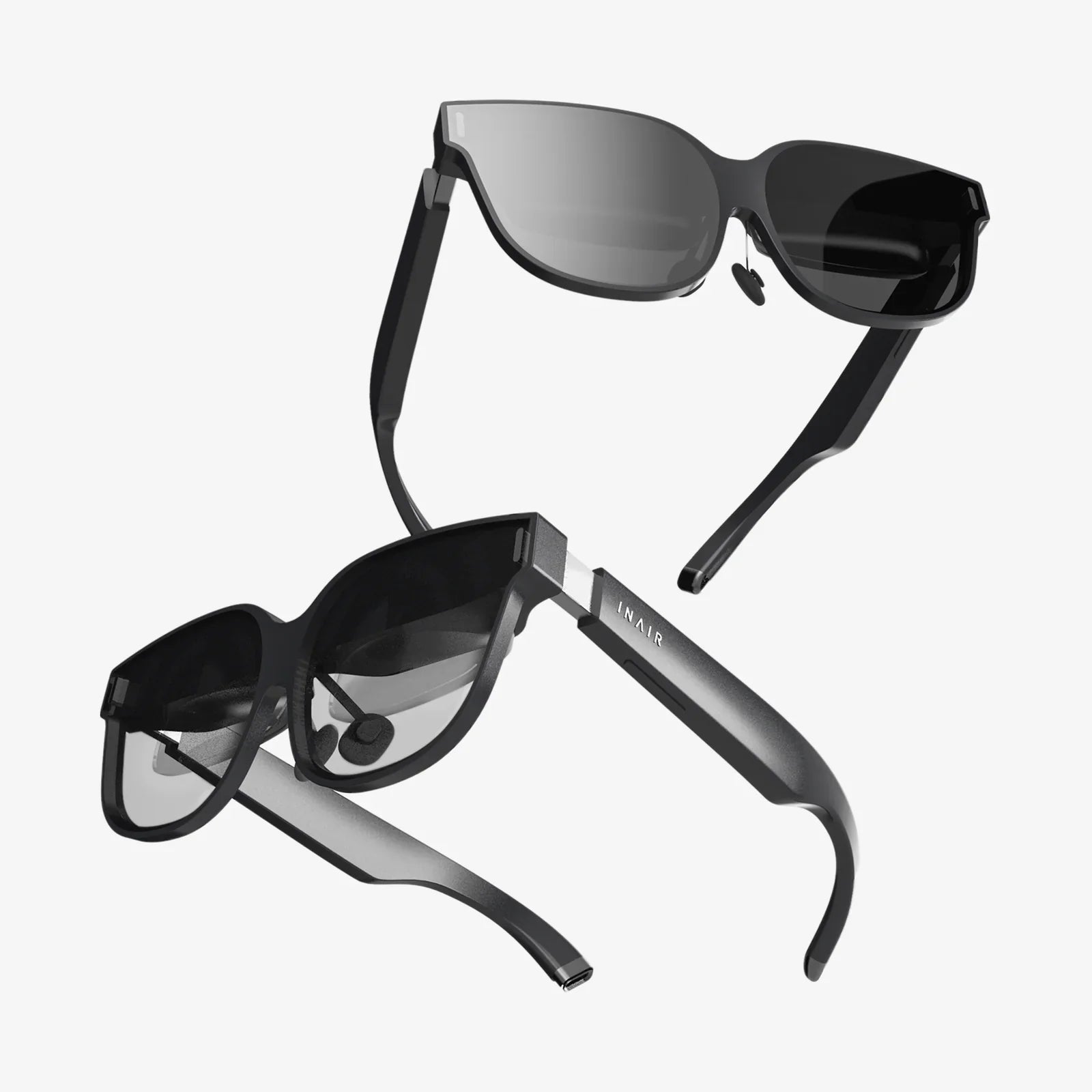
You’ve just invested in a pair of sleek, futuristic smart glasses, a portal to a world of augmented reality, hands-free notifications, and seamless connectivity. They perch on your nose, a perfect blend of sophisticated technology and essential eyewear. But then, it happens. A fingerprint smudge obscures the tiny display. A speck of dust lands near a crucial sensor. You reach for your shirt tail to wipe them clean, but a sudden wave of panic stops you. Are these like my old sunglasses? Can I just use any cleaner? What about the electronics? The question echoes in your mind, a critical one for any owner of such advanced gear: are smart glasses easy to maintain and clean?
Decoding the Anatomy of Smart Glasses: Why They're Different
To understand maintenance, one must first understand what makes smart glasses unique. They are not merely frames with lenses; they are a complex miniaturized computer system worn on your face.
The Sensitive Components
Unlike regular eyeglasses, smart glasses incorporate delicate hardware that demands specific care:
- Micro-Projectors and Waveguides: These are the heart of the AR experience. Tiny projectors beam light onto specially engineered lenses (waveguides or combiners) that reflect it into your eye. These optical surfaces are incredibly precise and can be easily scratched or degraded by harsh chemicals.
- Integrated Cameras and Sensors: Small apertures for cameras, infrared sensors, and ambient light detectors are peppered across the frame. Keeping these clear of obstructions like dirt and grease is crucial for functionality, but poking at them with a sharp object is a recipe for disaster.
- Microphones and Speakers: Audio ports, often as tiny pinholes, are susceptible to blockage from earwax, dust, and moisture, which can muffled sound quality.
- Touch-Sensitive Frames: Many models use capacitive touch surfaces on the arms or temples for control. These can be disrupted by excessive moisture or grime.
- Battery and Internal Electronics: The entire device is a sealed (hopefully) unit containing a battery and circuitry. The primary enemy here is liquid intrusion, which can cause short circuits and irreversible damage.
The Golden Rules of Smart Glasses Maintenance
Before delving into specific cleaning techniques, establishing a foundational maintenance routine is paramount. This proactive approach prevents the majority of cleaning challenges.
Prevention is Better Than Cure: Daily Habits
The easiest smudge to clean is the one that never gets there. Integrating simple habits can dramatically reduce how often you need to perform a deep clean.
- Always Use a Case: This is the single most important rule. The provided hard shell case isn’t just for travel; it’s their home. When not on your face, they should be in their case. This protects them from accidental drops, crushing in a bag, and dust accumulation.
- Mindful Handling: Get into the habit of holding your glasses by the frame, not the arms. Gripping the arms can slowly loosen the hinges over time. Always use both hands to put them on and take them off.
- Keep Them Dry: While some newer models may boast water resistance, they are not waterproof. Avoid wearing them in heavy rain, and definitely take them off before jumping into a pool or shower. Sweat should be wiped away gently with a soft, dry microfiber cloth as soon as possible, as it can be slightly corrosive.
- Environment Matters: Be aware of your environment. Construction zones, beaches, and extremely dusty or sandy areas pose a high risk to tiny ports and sensors. It’s often wiser to leave them in their case during these activities.
The Step-by-Step Guide to Safe and Effective Cleaning
So, they’re dirty. It’s inevitable. Here’s how to tackle it without risking your investment. The overarching principle is always: gentle, gentle, gentle.
Gathering Your Arsenal: The Right Tools
Do not use paper towels, napkins, your shirt, or tissue paper. These materials are made of wood pulp and can be abrasive, leaving micro-scratches on lenses and coatings. Instead, assemble these safe tools:
- Microfiber Cloth: This is your primary tool. The ultra-fine fibers are excellent at trapping dust and grease without scratching. Have a dedicated one that you keep clean and stored in the glasses case.
- Compressed Air: A can of compressed air is excellent for dislodging dry, loose dust from sensor holes, speaker grilles, and hinges without any physical contact.
- Lens Cleaning Fluid: If a dry microfiber cloth isn’t enough, you need a cleaning solution. It is critical that this is a spray specifically designed for coated eyeglass lenses. Isopropyl alcohol-based solutions or household cleaners (like glass cleaner, Windex, etc.) are absolutely forbidden. They will strip the anti-reflective (AR) and oleophobic (anti-smudge) coatings right off the lenses, permanently damaging them.
- Cotton Swabs: These can be useful for very carefully cleaning around hinges and nooks, but they must be used dry or barely dampened with proper lens cleaner, never dripping.
The Cleaning Process: A Delicate Dance
- Power Down: Always turn the device off before cleaning. This is a safety precaution for both you and the electronics.
- Dry Dusting: First, use a blast of compressed air from a short distance (follow can instructions) to blow away any loose grit or dust from the sensors, cameras, and frames. This prevents grinding particles into the lenses during wiping.
- Microfiber First Pass: Using your clean, dry microfiber cloth, gently wipe the lenses and frame. Use a circular motion with very light pressure. Often, this is all that’s needed for light smudges.
- The Wet Method (If Needed): If stubborn grime persists, apply one small drop of the approved lens cleaning fluid to the microfiber cloth—never directly onto the glasses themselves. Spraying directly onto the frame risks liquid seeping into seams and ports.
- Final Wipe: Gently wipe the lenses and frame with the dampened section of the cloth, again using light, circular motions. Immediately follow up with a dry part of the microfiber cloth to buff away any residue and prevent streaking.
- Detail Work: For stubborn grime in crevices, lightly dampen a cotton swab with lens cleaner (wring it out thoroughly) and carefully roll it around the area. Follow immediately with a dry swab.
Common Pitfalls and What to Avoid at All Costs
Knowing what not to do is just as important as knowing the right steps. These actions can cause immediate and irreversible damage.
- Harsh Chemicals: As stated, avoid alcohol, ammonia, acetone, vinegar, or any strong solvent. They eat away at protective coatings and can damage plastic frames and lenses.
- Abrasive Materials: Paper products, rough towels, or your fingernail can scratch surfaces.
- Excessive Pressure: Pushing too hard while cleaning can damage the alignment of the projectors or pressure-sensitive components.
- Submersion: Never, ever run your smart glasses under water or submerge them in cleaning liquid.
- Breath and Wiping: The old trick of fogging up lenses with your breath and wiping them is not recommended. Human breath contains oils and acids that can, over time, degrade coatings. The moisture is also more than what’s ideal.
Troubleshooting Specific Maintenance Challenges
What happens when you encounter a problem beyond a simple fingerprint?
Dealing with Moisture and Fogging
If your glasses get caught in the rain or fog up moving between temperatures, remain calm. Immediately power them down. Use a soft, absorbent microfiber cloth to gently dab away all moisture. Do not use heat (like a hairdryer) to dry them, as excessive heat can damage internal components and warp frames. Leave them in their open case in a dry, warm room for several hours to ensure all internal moisture has completely evaporated before turning them back on.
When Sensors or Ports Get Blocked
If a camera or sensor is obstructed, compressed air is your first and best tool. Hold the can upright and use short, controlled bursts. If a microphone or speaker port is clogged with hardened earwax or debris, a dry cotton swab can be used with extreme delicacy to flick the material away. Never push it further in.
The Long-Term View: Professional Servicing and Lifespan
Even with impeccable care, smart glasses are complex devices with a finite lifespan. The battery will slowly degrade over years of charge cycles. Consider the following:
- Professional Cleaning: For a deep clean or if you suspect internal dust, some manufacturers or authorized service centers offer professional cleaning services.
- Software Updates: Part of maintenance is digital. Keep the device’s firmware updated, as these updates can sometimes include power management optimizations that benefit battery health.
- Battery Care: Avoid constantly draining the battery to 0% or leaving it plugged in at 100% for days on end. For long-term storage, leave the device with around a 50-60% charge.
So, are smart glasses easy to maintain and clean? The answer is nuanced. They are not as carefree as a pair of cheap sunglasses you can toss in a cup holder and wipe on your shirt. They demand respect and a specific, gentle routine. However, they are far from being impossibly fragile museum pieces. By embracing a mindset of preventative care, arming yourself with the right tools—a quality microfiber cloth and approved lens spray—and following a disciplined cleaning ritual, the process becomes simple, quick, and utterly non-threatening. The slight extra effort is a small price to pay for ensuring that your window to an augmented world remains crystal clear, responsive, and by your side for years to come. Your future self, enjoying a pristine display unimpeded by smudges and scratches, will thank you for the care you invest today.
Share:
Virtual Office Desktop for PC: The Ultimate Guide to a Borderless Workspace
Wearable Tech Market Size 2025: A Deep Dive into the Future of Personal Technology