


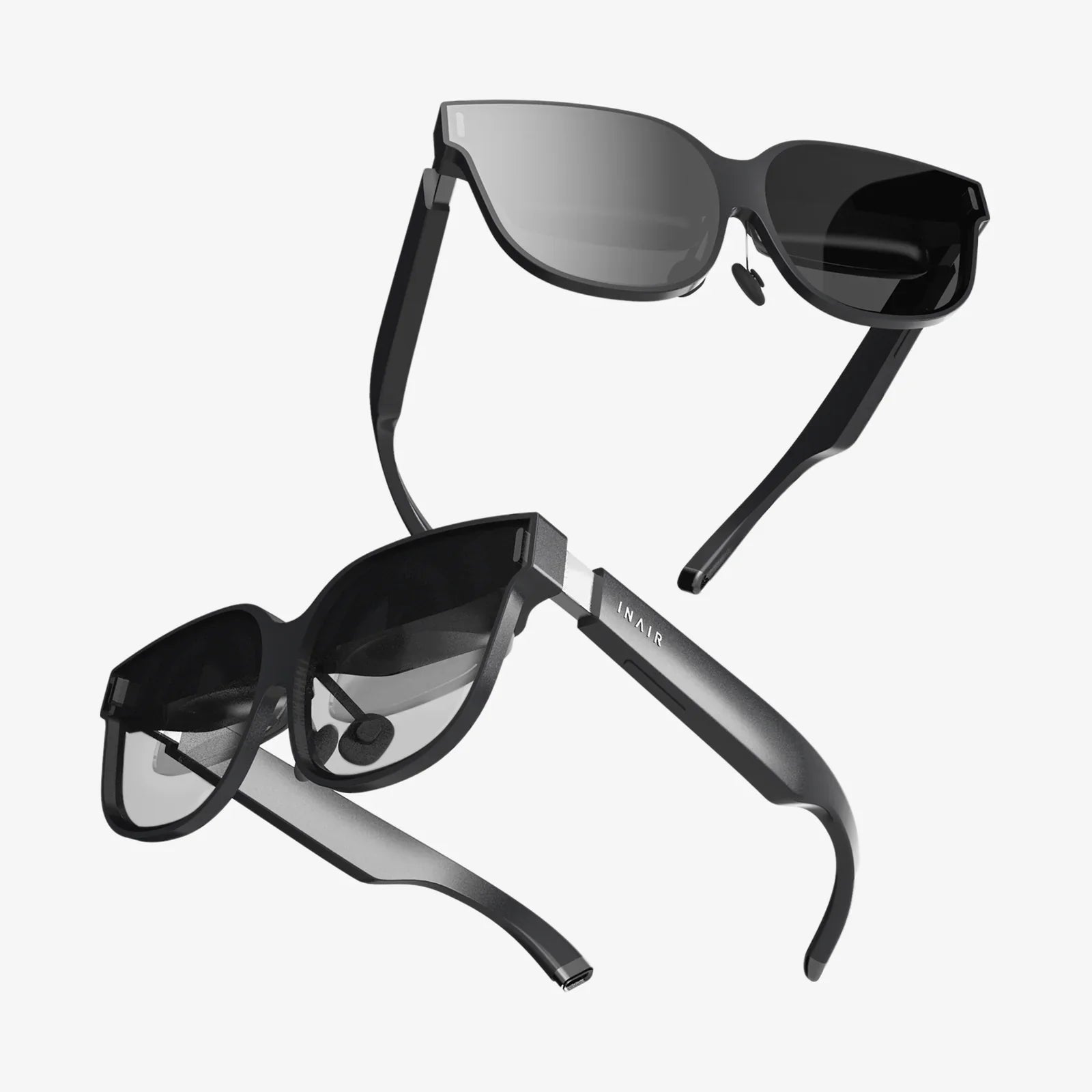
Imagine a world where your digital life doesn't end at the edge of a screen but is seamlessly painted onto the reality around you. For Android users, this future is not a distant dream—it's available now, waiting to be unlocked with the perfect pair of augmented reality glasses. The quest for the best AR glasses for Android is more than a search for a gadget; it's about finding a portal to a richer, more interactive, and infinitely more connected way of living. This guide is your first step into that expansive new world, cutting through the hype to deliver the clarity you need to make an empowered choice.
The Android Ecosystem: A Unique AR Landscape
Unlike a more closed ecosystem, the world of Android is defined by its glorious diversity. This presents both a tremendous opportunity and a unique challenge for AR glasses manufacturers. The best AR glasses for Android aren't just devices that work with an Android phone; they are designed to thrive within its multifaceted environment.
This means prioritizing robust compatibility across a wide range of devices from various manufacturers, ensuring a smooth user experience regardless of the specific Android handset in your pocket. It often involves leveraging the universal standards and protocols that the Android platform supports, creating a more open and flexible AR experience than might be possible elsewhere.
Defining "Best": What to Look For in Android AR Glasses
The term "best" is subjective and hinges entirely on your individual needs and use cases. However, several universal factors separate the exceptional from the mediocre in the realm of AR glasses for Android.
1. Display Technology and Visual Fidelity
This is arguably the most critical aspect. You're looking for a high-resolution, bright, and vibrant display that can overlay digital information convincingly onto the real world.
- Micro-OLED vs. Waveguides: Many high-end models utilize micro-OLED displays paired with advanced optical waveguides. This combination projects a crisp, high-contrast image directly into your field of view, often equivalent to watching a massive virtual screen from a few feet away.
- Field of View (FoV): A wider FoV means a more immersive experience, as the digital content takes up more of your natural vision. Look for a balance between a wide FoV and a compact, comfortable form factor.
- Brightness and Transparency: The lenses must be sufficiently transparent to interact with the real world safely while also being capable of dimming to make digital content visible in bright sunlight.
2. Seamless Android Integration and Compatibility
The glasses should feel like a natural extension of your phone, not a clunky accessory.
- Wireless Connectivity: The best models connect via a low-latency wireless protocol, allowing you to keep your phone in your pocket while streaming content seamlessly. This eliminates the need for cumbersome cables.
- App Ecosystem: Look for glasses that support a wide array of Android applications or have a dedicated AR app store. The ability to mirror your phone's screen or run specific AR-optimized apps is crucial.
- Control Schemes: Intuitive control is key. This can be achieved through a companion app on your phone, a dedicated handheld controller, or even innovative touch-sensitive temples or voice commands powered by Google Assistant integration.
3. Design, Comfort, and Battery Life
If they aren't comfortable to wear, you won't use them.
- Form Factor: The ideal pair strikes a balance between performance and a design that approaches traditional eyewear. Lightweight frames and balanced weight distribution are essential for long-term wear.
- Battery Solutions: Battery life can be handled in two ways: a built-in battery within the glasses themselves or a separate battery pack that connects via a thin cable and can be stored in a pocket. The latter often allows for longer use and easier hot-swapping.
The Contenders: Breaking Down the Categories
When evaluating the best AR glasses for Android, it's helpful to think of them in categories based on their primary function and design philosophy.
Immersive Entertainment Powerhouses
These glasses are designed primarily as personal theater screens, offering a breathtaking, large-scale viewing experience for movies, shows, and gaming. They prioritize a massive virtual display, high-resolution visuals, and immersive spatial audio, often delivered via built-in speakers. For the Android user who consumes a lot of media on their phone or tablet, these glasses transform a cramped experience into a cinematic event, all while remaining completely portable.
The Productivity and Multitasking Champions
This category is for the professional or power user who wants to extend their Android device into a multi-monitor workstation. Imagine having multiple browser windows, your email client, and a document editor floating in your space as you work from a coffee shop or your home office. These glasses emphasize sharp text readability, stable screen anchoring in your environment, and integration with productivity suites and cloud services accessible on Android.
True AR Explorers
Going beyond simple screen mirroring, these glasses are built for true augmented reality. They feature outward-facing cameras for spatial mapping and positional tracking, allowing digital objects to interact with and persist in your physical environment. This enables advanced use cases like immersive gaming where characters hide behind your real furniture, interactive 3D model viewing for design and education, and step-by-step instructions overlaid directly onto a real-world task you're performing. Their compatibility with Android's ARCore platform is a significant advantage here.
Navigating the Purchase: A Practical Checklist
Before you commit, run through this essential checklist to ensure your chosen glasses are the right fit for your Android life.
- Verify Phone Compatibility: Don't assume! Check the manufacturer's official list to confirm your specific Android model is supported. Pay attention to any requirements for specific Android versions or processing power.
- Understand the Connection: Is it a wired USB-C connection or truly wireless? Wireless offers freedom but ensure it uses a modern, low-latency standard to avoid lag or stuttering.
- Assess the App Situation: What can you actually do with them? Research the available apps. Is it purely for media consumption, or are there genuine AR applications that interest you?
- Consider Your Environment: Where will you use them most? If you plan to use them outdoors, high peak brightness is non-negotiable. For office use, text clarity and multi-window support are paramount.
The Future is Now: Where Android AR is Headed
The technology behind AR glasses is advancing at a breakneck pace. The current generation of glasses, which already feel like magic, is merely the foundation for what's to come. We are rapidly moving towards standalone devices with onboard processing, eliminating the need for a phone tether altogether. Advancements in micro-displays and optics will soon make it impossible to distinguish high-end AR glasses from regular fashion frames, all while packing incredible computational power. For the Android ecosystem, this open environment will foster an explosion of innovation, with developers creating experiences we can only begin to imagine. The best AR glasses for Android today are your ticket to the front row of this revolution.
Your Android phone is the key, but the right AR glasses are the doorway. This isn't just about watching a bigger movie or having more screens; it's about fundamentally changing your relationship with technology, making it less of a distraction and more of an enhancement to your perception of the world. The perfect pair is out there, waiting to redefine your reality—all you have to do is take the first step and look.
Share:
Can I Take My VR Headset on a Plane? The Ultimate 2024 Travel Guide
How to Connect Your VR Headset to Your PC: The Ultimate Setup Guide