


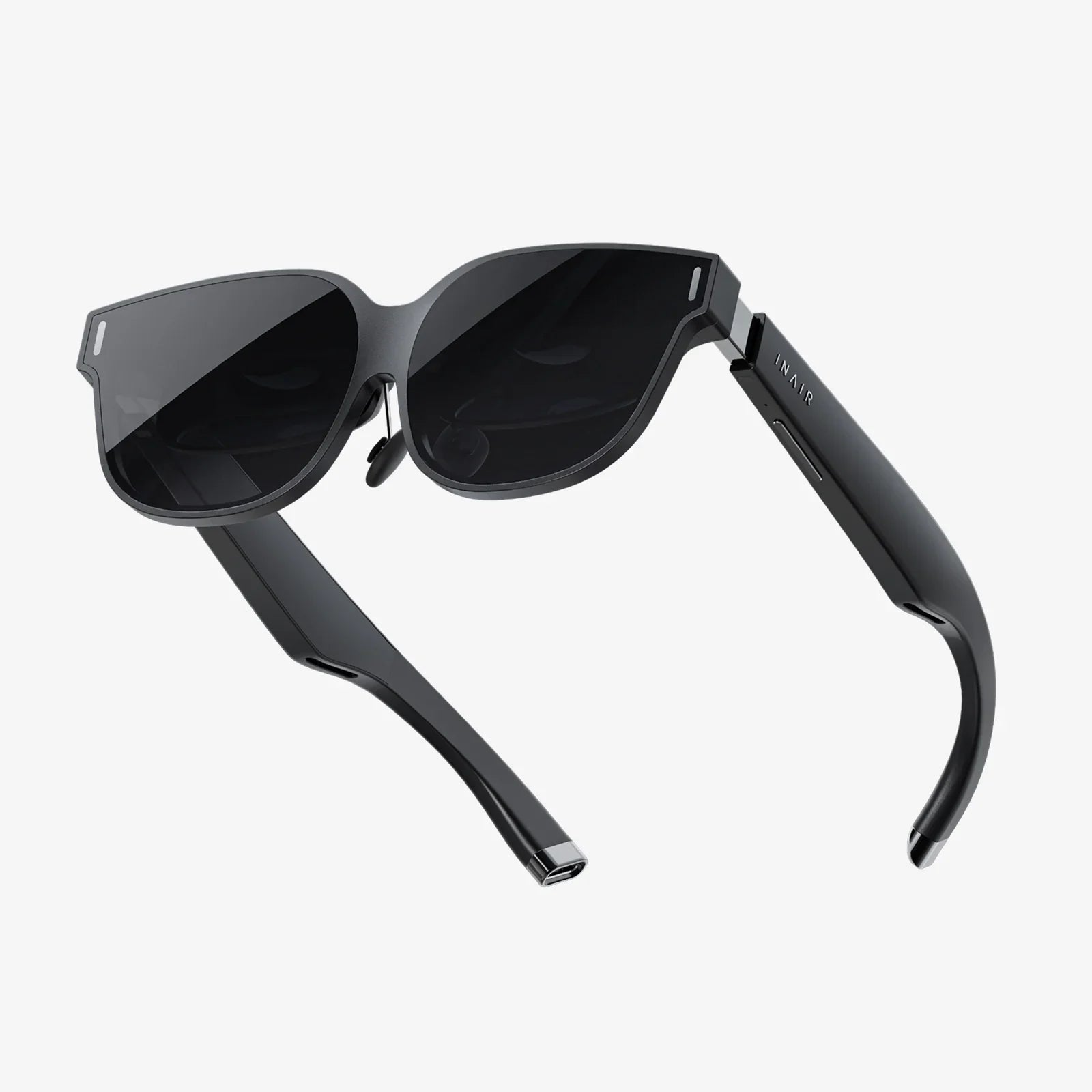
Imagine carrying a 100-inch high-definition monitor in your pocket, ready to unfold a pristine, private digital workspace on a sun-drenched beach, a cramped airplane seat, or your quiet living room couch. This is no longer the stuff of science fiction. The emergence of advanced augmented reality monitor glasses is shattering the physical constraints of traditional displays, promising a revolution in how we compute, play, and connect. This comprehensive guide will navigate the exhilarating landscape of this technology, helping you understand what makes for the best AR monitor glasses and how to choose your window to a wider world.
The Paradigm Shift: From Screens to Sight
For decades, our interaction with digital information has been tethered to glowing rectangles—first the CRT, then the LCD, and now the OLED. Each iteration became thinner, lighter, and brighter, but the fundamental concept remained: a physical object you must look at. Augmented reality, particularly in its application as a virtual monitor, flips this model entirely. Instead of bringing your eyes to a screen, it brings the screen to your eyes. It overlays digital information onto your perception of the real world, creating a seamless blend of the physical and the virtual. The best AR monitor glasses don't seek to replace your reality; they seek to augment it, enhancing your capabilities without isolating you from your environment.
Deconstructing the Technology: What to Look For
Not all AR glasses are created equal. The market is diversifying rapidly, with products targeting different use cases and budgets. Understanding the core technological components is key to identifying which pair is truly the best for your needs.
Optical Engine: The Heart of the Experience
The method by which images are projected into your eyes is the single most important differentiator. The two primary technologies are:
- Birdbath Optics: A common and effective design where micro-displays project images onto a combiner, which then reflects the light into your eyes. This design often allows for good color saturation and brightness but can result in a bulkier form factor.
- Waveguide Optics: A more advanced and sleeker approach. Light is piped through a transparent glass or plastic waveguide using diffraction gratings, allowing for a much thinner and lighter lens. This technology is often associated with higher-end models and provides a more natural-looking overlay.
Display Resolution and Field of View (FoV)
These two specs work in tandem to define the clarity and size of your virtual screens. A high resolution (e.g., 1920x1080 per eye or better) is crucial for reading text clearly without perceiving individual pixels, a phenomenon known as the "screen door effect." The Field of View, measured in degrees, determines how large the virtual image appears in your vision. A wider FoV allows for larger, more immersive virtual monitors, but it often comes at a higher cost and with greater technical complexity. Finding a balance between a high-resolution display and a sufficiently wide FoV is a hallmark of the best devices.
Brightness and Color Accuracy
If you plan to use your glasses outdoors or in brightly lit offices, high brightness (measured in nits) is non-negotiable. It ensures the virtual image remains clear and visible rather than washed out. Similarly, color accuracy is vital for professionals in design, photo editing, and video production who rely on seeing true-to-life colors on their virtual displays.
Form Factor and Comfort
The best technology is useless if it's uncomfortable to wear. The ideal pair of AR monitor glasses should feel as close to regular eyewear as possible. Key considerations include weight distribution, nose pad design, and adjustability. You should be able to wear them for hours on end during a long work session or movie without experiencing fatigue. Many modern designs are comparable to a heavy pair of sunglasses, a significant improvement over the bulky helmets of early AR/VR.
Connectivity and Compatibility
Most AR monitor glasses are not standalone computers; they are peripherals. They typically connect to a host device—be it a laptop, smartphone, gaming console, or a dedicated computing unit. The standard has become USB-C, often with support for DisplayPort Alternate Mode, which allows for a single-cable connection that transmits both video and power. Ensuring compatibility with your existing devices is an essential step before purchasing.
A Universe of Use Cases: More Than Just Work
While the promise of a portable office is a primary driver, the applications for this technology extend far beyond word processing and spreadsheets.
The Ultimate Portable Office
This is the killer app. Professionals, digital nomads, and students can now carry a multi-monitor setup everywhere. You can have a browser window, a code editor, and a communication app open simultaneously, positioned virtually around your physical laptop. It eliminates the need for cumbersome portable monitors and allows for deep focus in any environment, free from the prying eyes of bystanders.
Immersive Entertainment On-the-Go
Transform any seat into a personal theater. Watch movies, binge-watch shows, or play mobile games on a massive virtual screen while on a flight or train. The experience is profoundly more immersive than looking down at a small phone or tablet screen, all while remaining aware of your surroundings—a significant safety advantage over fully immersive VR headsets.
Specialized Professional Applications
Technicians can view schematics or instruction manuals hands-free while repairing equipment. Architects can showcase 3D models to clients in a shared physical space. Researchers can examine data visualizations layered over their lab equipment. The potential for specialized professional use is vast and largely untapped.
Navigating the Limitations and Considerations
As with any nascent technology, there are trade-offs and considerations to acknowledge.
- Battery Life: The glasses themselves often draw power from the host device. For truly untethered all-day use, you'll need to ensure your laptop or portable battery pack can handle the additional drain, which is typically equivalent to charging a smartphone.
- The "Goggle Effect": While much slimmer than VR headsets, some designs can still create a slight tunnel-vision effect, where the periphery of your vision is slightly cut off. This is improving with every new generation.
- Eye Strain: As with any screen, prolonged use can cause eye fatigue. The best models feature blue light filtering and allow for adjustable screen brightness and positioning to mitigate this.
- Privacy and Social Acceptance: Wearing technology on your face in public is still a novel concept. While the screens are private to you, the act of wearing the glasses themselves can draw attention or raise questions in social settings.
The Future is Transparent
The trajectory of AR monitor glasses is incredibly exciting. We are rapidly moving toward a future where this technology is indistinguishable from regular fashion eyewear—lighter, more powerful, and socially normalized. Advancements in micro-OLED displays, battery technology, and spatial computing will continue to blur the line between our devices and our senses. We are heading toward a world where contextually relevant information is simply there when we need it, and vast digital workspaces unfold at a moment's notice.
The quest for the best AR monitor glasses is ultimately a personal one, defined by your unique blend of work, play, and lifestyle. It's about finding that perfect pair that disappears on your face, leaving only a boundless canvas of productivity and imagination in its place. The era of being chained to a desk is ending. The future of computing is not on your desk; it's on your face, and it's inviting you to see everything differently.
Share:
Wearable Technology Deals: Your Ultimate Guide to Smart Savings on the Latest Gear
AI Force Is Working Reality Goggles: The Next Evolution in Human-Machine Collaboration