


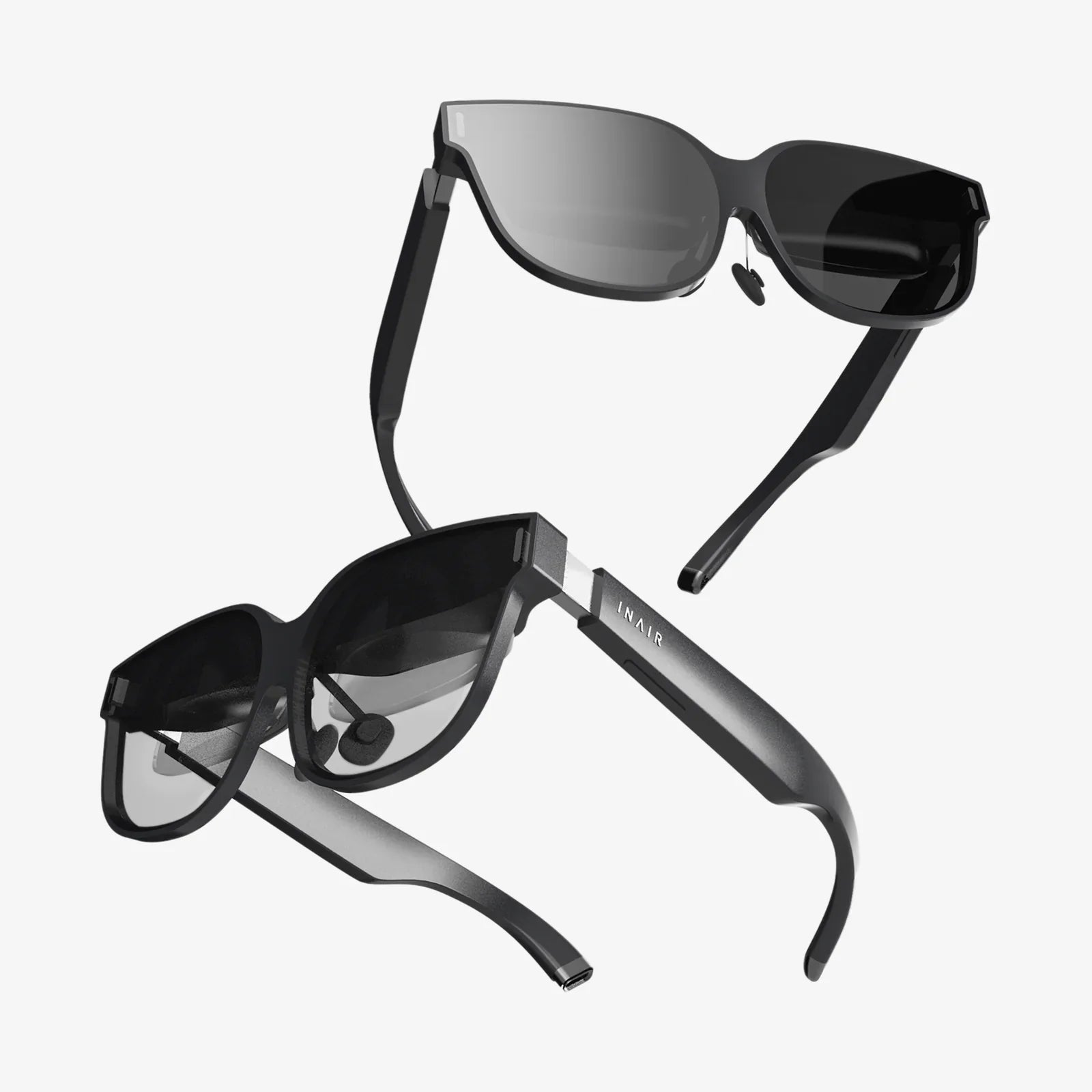
If you have ever felt someone’s eyes on your screen in a cafe, on a train, or even at work, you already know why the best privacy tempered glass screen protector is no longer a luxury but a necessity. From shielding sensitive messages to protecting banking details and work documents, a good privacy glass can transform your device into a secure viewing window that only you control, while still keeping the display sharp and responsive.
Yet choosing the right privacy glass is harder than it looks. Specs like 28-degree viewing angles, 9H hardness, oleophobic coatings, and anti-spy filters sound impressive, but what do they actually mean for daily use? This guide breaks everything down in clear, practical terms so you can confidently pick the best privacy tempered glass screen protector for your phone, tablet, or laptop without wasting money on flimsy or poorly designed options.
Why Privacy Tempered Glass Matters More Than Ever
The way we use our devices has changed dramatically. Phones are wallets, notebooks, workstations, and personal diaries all in one. Tablets and laptops are mobile offices. With so much sensitive information on-screen, visual hacking has become an underestimated threat.
Visual hacking happens when someone simply looks at your screen and gathers information without touching your device. It can be accidental, like a stranger glancing over your shoulder, or intentional, such as someone deliberately watching as you type passwords or view confidential data.
A privacy tempered glass screen protector addresses two major concerns at once:
- Privacy protection: It restricts the viewing angle so only the person directly in front of the screen sees the content clearly.
- Physical protection: It adds a durable glass layer that helps resist scratches, cracks, and everyday wear.
Without a privacy layer, even strong passwords and encryption cannot stop someone from visually capturing information. That is why pairing software security with a physical privacy solution is one of the smartest moves for anyone who uses their device in public or shared spaces.
How Privacy Tempered Glass Works
The best privacy tempered glass screen protector combines two technologies: tempered glass for impact resistance and a micro-louver privacy filter to limit visibility from side angles.
Tempered Glass Basics
Tempered glass is heat-treated to increase its strength compared to regular glass. When used as a screen protector, it offers several advantages:
- High hardness rating: Often marketed as 9H on the pencil hardness scale, meaning strong resistance to scratches from everyday objects like keys and coins.
- Shatter resistance: If it breaks, it tends to crumble into small, less dangerous pieces rather than sharp shards.
- Solid feel: It mimics the original glass screen’s smoothness, preserving a premium touch experience.
Privacy Filter Technology
The privacy effect comes from a layered filter embedded into or laminated onto the glass. This filter uses microscopic louvers that act like tiny blinds, narrowing the viewing angle.
In practical terms, this means:
- The screen appears clear when viewed straight-on.
- The screen darkens or becomes unreadable when viewed from the side.
The exact viewing angle varies by product, but the best privacy tempered glass screen protector typically offers a narrow enough angle to block prying eyes in most real-world scenarios while keeping the central view sharp and bright.
Key Features to Look For in the Best Privacy Tempered Glass Screen Protector
Not all privacy glass is created equal. To avoid disappointment, pay attention to these critical features before buying.
1. Privacy Angle and Direction
The privacy angle determines how far off-center someone can be before your screen becomes unreadable. Two main styles exist:
- Vertical privacy (portrait mode): Restricts side-to-side viewing, ideal for phones used mostly in portrait orientation.
- 4-way privacy: Restricts both side and top/bottom viewing angles, often used for laptops and tablets.
For smartphones, vertical privacy is often enough, since most sensitive tasks like messaging, banking, and email are done in portrait mode. For tablets and laptops used in meetings or on planes, 4-way privacy can provide more comprehensive protection.
2. Glass Thickness and Hardness
Common tempered glass thicknesses range from about 0.2 mm to 0.5 mm. Thicker glass usually feels more robust but may affect touch sensitivity or add slightly more bulk.
Look for:
- Hardness rating: A 9H surface hardness rating is standard for high-quality tempered glass and indicates strong scratch resistance.
- Balanced thickness: Around 0.3 mm is a common sweet spot, offering durability without noticeably impacting touch performance.
3. Clarity and Brightness
Privacy filters inherently reduce brightness and can slightly affect color accuracy. The best privacy tempered glass screen protector will minimize this trade-off so your display still looks vibrant when viewed straight-on.
When evaluating clarity, consider:
- Light transmission: Higher transmission means a brighter, clearer view for you.
- Color shift: Some privacy glasses introduce a gray or brown tint; higher-quality options keep colors closer to the original.
- Graininess: Lower-quality filters may make text look slightly fuzzy; a good protector keeps text crisp.
4. Touch Sensitivity and Screen Responsiveness
Modern devices rely heavily on precise touch input, gestures, and sometimes stylus support. A poorly designed protector can cause missed taps, lag, or reduced accuracy.
Look for features like:
- High touch sensitivity: Explicit support for high-refresh and high-sensitivity touch panels.
- Thin adhesive layer: A quality adhesive ensures the glass sits close to the actual screen, reducing input lag.
- Stylus compatibility: For tablets and some phones, check that the protector works well with active pens.
5. Oleophobic and Anti-Smudge Coatings
An oleophobic coating repels oil and reduces fingerprints. This is critical for maintaining clarity and a smooth touch experience.
Benefits include:
- Less smudging from skin oils.
- Easier cleaning with a soft cloth.
- More comfortable gliding of fingers or stylus.
While most quality glass protectors include an oleophobic coating, the durability of this layer varies. Higher-end versions maintain their resistance longer under heavy use.
6. Edge Design and Coverage
The edges of the protector are often overlooked but make a big difference in comfort and durability.
Important details:
- 2.5D or 3D rounded edges: Smooth edges feel better and are less likely to chip.
-
Full-coverage vs. case-friendly:
- Full-coverage designs extend closer to the device’s edges, sometimes with black borders.
- Case-friendly designs leave a small gap around the edges to prevent lifting when a case is installed.
If you use a protective case, a case-friendly version often provides the best long-term fit. For maximum visible coverage on a bare device, full-coverage designs are appealing, but they must be chosen carefully to avoid compatibility issues.
7. Adhesive Quality and Installation Method
Even the best privacy tempered glass screen protector can fail if the adhesive is poor or installation is difficult. Dust, bubbles, and misalignment are common frustrations.
Look for:
- Full-surface adhesive: Ensures consistent touch response and clarity across the entire screen.
- Easy installation tools: Alignment frames, dust removal stickers, and cleaning wipes help achieve a clean, bubble-free installation.
- Repositioning tolerance: Some adhesives allow limited adjustments before fully bonding.
Benefits of Using a Privacy Tempered Glass Screen Protector
Beyond the obvious privacy boost, a high-quality privacy tempered glass protector brings several additional advantages.
Enhanced Privacy in Public and Professional Settings
Whether you are commuting, working in a shared office, or traveling, privacy glass significantly reduces the risk of visual eavesdropping. This is especially valuable when:
- Entering passwords and two-factor authentication codes.
- Checking banking or investment apps.
- Reviewing confidential work documents or emails.
- Handling customer or patient data in regulated industries.
Improved Screen Protection and Longevity
Tempered glass acts as a sacrificial layer. If your device takes a hit, the protector is more likely to crack instead of the actual screen. Replacing the protector is far cheaper and faster than repairing or replacing an entire display.
Additionally, the scratch resistance preserves the original screen’s condition, helping maintain resale value and long-term usability.
Better Comfort and Reduced Eye Strain
Some privacy protectors incorporate subtle anti-glare or anti-reflective properties. While not a replacement for dedicated anti-glare films, they can:
- Reduce reflections in bright environments.
- Make text easier to read under overhead lighting.
- Provide a slightly softer, more matte finish on certain models.
This can be especially helpful for users who spend long hours on screens, whether for work or study.
Professional and Discreet Appearance
The darkened side view of a privacy screen gives your device a more discreet, professional look. In meetings, on flights, or in client-facing interactions, your screen does not become a distraction or a source of unwanted curiosity.
Common Trade-Offs and Limitations
Even the best privacy tempered glass screen protector involves some compromises. Understanding these helps set realistic expectations and guides you to the right choice for your needs.
Reduced Brightness and Viewing Angle
Privacy filters work by blocking light at certain angles, which naturally reduces overall brightness. You may need to increase your screen’s brightness level slightly to compensate, which can impact battery life.
Additionally, sharing content with others becomes harder. If you often show photos, videos, or presentations to people beside you, you may find the narrow viewing angle inconvenient.
Potential Color Shift and Grain
Some privacy glasses introduce a subtle tint or grainy appearance, especially at lower price points. High-quality options minimize this, but a small difference compared to a bare screen is almost inevitable.
For most users, the trade-off is acceptable, but those doing professional-level color work may prefer using privacy filters only on secondary devices.
Compatibility with Screen Under-Display Sensors
Devices with under-display fingerprint sensors or very sensitive face recognition systems can sometimes be affected by thick or low-quality glass protectors.
To avoid issues:
- Choose protectors explicitly labeled as compatible with your device’s biometric features.
- Re-register fingerprints after installation to improve recognition accuracy.
Choosing the Right Privacy Tempered Glass for Different Devices
The best privacy tempered glass screen protector for a phone may not be ideal for a tablet or laptop. Each device type presents unique challenges and priorities.
For Smartphones
Smartphones are the most common use case for privacy glass, since they are frequently used in public and handle highly personal data.
Key considerations:
- Case compatibility: Ensure the protector fits well with your preferred case style.
- Curved displays: Devices with curved edges may require specialized protectors with adhesive around the edges or flexible glass designs.
- Camera cutouts and sensors: Check that front cameras, sensors, and speakers are not obstructed.
For Tablets
Tablets are often used for media consumption, reading, and productivity. Privacy needs vary depending on whether the device is used mainly at home or in public.
Consider:
- Stylus performance: If you use a stylus for drawing or note-taking, prioritize high touch sensitivity and low input lag.
- Landscape vs. portrait use: If you frequently use the device in landscape mode, a 4-way privacy filter may be more effective.
- Screen size: Larger screens are easier for others to view from a distance, so a strong privacy effect can be more important.
For Laptops and Ultrabooks
Laptops often display sensitive work content, making privacy protection crucial in offices, co-working spaces, and during travel.
When choosing a laptop privacy tempered glass or hybrid solution:
- Mounting style: Some laptop privacy solutions are removable filters, while others are adhesive glass protectors. Decide whether you need a permanent or removable option.
- Keyboard and touchpad compatibility: If the protector extends close to the edges, ensure it does not interfere with closing the lid or contacting the keyboard.
- Display type: High-resolution or color-critical displays benefit from higher-quality filters to preserve clarity.
Installation Tips for a Bubble-Free, Aligned Fit
Even the best privacy tempered glass screen protector can look terrible if installed poorly. A careful installation process is essential.
Prepare a Clean Environment
Dust is the enemy of a clean installation. To minimize particles:
- Install in a relatively dust-free room.
- Consider doing the installation in a bathroom after running a hot shower briefly to reduce airborne dust.
- Wash and dry your hands thoroughly before starting.
Clean the Screen Thoroughly
Use the cleaning tools that typically come with quality protectors:
- Wipe the screen with an alcohol pad to remove oils and residues.
- Use a microfiber cloth to dry and polish the surface.
- Apply a dust removal sticker to pick up any remaining particles.
Inspect the screen under bright light to ensure there are no visible specks or smudges.
Align Carefully Before Applying
Many protectors include an alignment frame or guide. If available, use it. If not:
- Hold the protector by the edges without touching the adhesive side.
- Align with key reference points such as the camera, speaker, or notch.
- Lightly place the protector on the screen without pressing down fully until alignment looks perfect.
Apply and Remove Bubbles
Once aligned, gently press the center of the screen. The adhesive should start spreading outward.
If bubbles appear:
- Use a soft card wrapped in a microfiber cloth to push bubbles toward the nearest edge.
- For tiny bubbles, allow some time; they often dissipate within a day or two.
- If a bubble contains dust, you may need to carefully lift the protector, remove the dust with a sticker, and reapply.
Maintenance and Longevity
To keep your privacy tempered glass performing well for as long as possible, simple maintenance goes a long way.
Regular Cleaning
Even with an oleophobic coating, fingerprints and smudges accumulate over time. Clean the surface using:
- A soft microfiber cloth.
- A small amount of screen-safe cleaning solution if needed.
Avoid harsh chemicals or abrasive materials that could damage the coating or glass.
Monitoring for Damage
Inspect the protector periodically for:
- Cracks or chips, especially around the edges.
- Areas where the adhesive may be lifting.
- Noticeable loss of oleophobic effect or increased smudging.
If you notice significant cracks or compromised adhesion, replace the protector promptly. A damaged protector may no longer provide reliable impact resistance or privacy.
When to Replace
Replacement timing depends on usage patterns and environment, but common signs that it is time for a new privacy tempered glass include:
- Visible cracks or spiderwebbing across the glass.
- Persistent bubbles that cannot be removed.
- Severe scratching that affects visibility.
- Noticeable reduction in privacy performance.
Who Needs the Best Privacy Tempered Glass Screen Protector Most?
While nearly anyone can benefit from privacy and protection, some users have particularly strong reasons to invest in a high-quality solution.
Professionals Handling Sensitive Information
People working in finance, law, healthcare, human resources, and technology often view confidential data on mobile devices and laptops. A privacy tempered glass protector helps align day-to-day behavior with security best practices and regulatory expectations.
Frequent Travelers and Remote Workers
Working from cafes, airports, trains, and co-working spaces exposes your screen to countless strangers. Privacy glass allows you to focus on your tasks without constantly worrying about who might be looking over your shoulder.
Students and Researchers
Students and researchers often work in libraries, labs, and shared study areas. A privacy protector can help keep research notes, exam materials, and personal communications away from prying eyes.
Anyone Who Values Discretion
Even if your work is not confidential, you may simply prefer that your messages, photos, and personal browsing remain private. A privacy tempered glass screen protector offers peace of mind every time you unlock your device in a public place.
Balancing Cost and Quality
Privacy glass protectors span a wide price range. While it is tempting to choose the least expensive option, ultra-cheap models often compromise on clarity, privacy performance, or durability.
When evaluating value, consider:
- How often you use your device in public.
- The sensitivity of the information displayed.
- The cost of potential screen repair versus the price of a quality protector.
- How long you plan to keep the device.
Spending slightly more on a well-designed protector can pay off in daily comfort, better security, and fewer replacements over the life of your device.
Final Thoughts: Turning Your Screen into a Private, Protected Space
Your screen is a window into your personal and professional life, and without protection, that window is wide open to anyone nearby. The best privacy tempered glass screen protector does more than just darken side views; it shields sensitive information, reinforces your device against damage, and gives you the freedom to work, bank, chat, and browse wherever you are without feeling exposed.
By understanding how privacy glass works, what features matter most, and how to install and maintain it properly, you can turn your phone, tablet, or laptop into a secure, resilient tool that fits your lifestyle. Instead of worrying about who might be watching, you can stay focused on what really matters, knowing that your screen has become your own private, protected space.
Share:
Best Screen Protector Glass or Plastic for Everyday Phone Protection
best glass screen protector for s21 ultra: complete buyer’s guide