


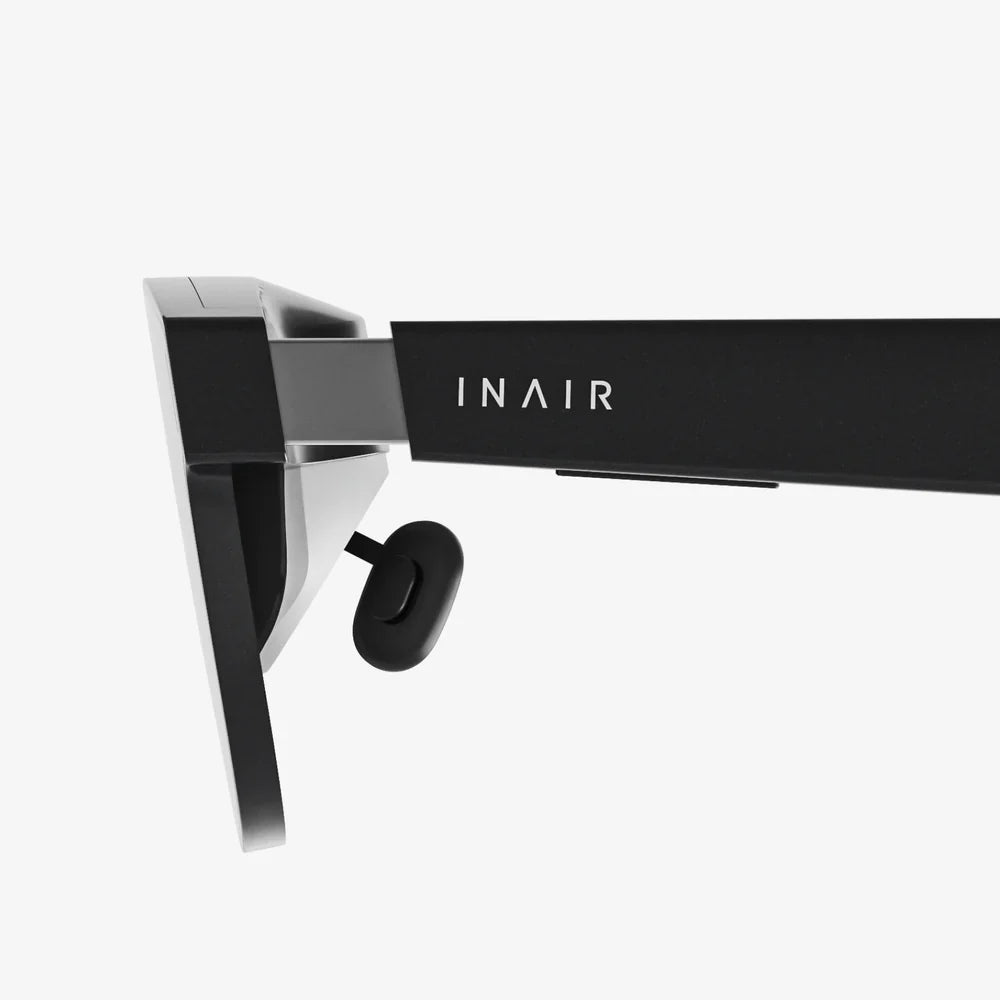
Computer glasses 2.0 are quietly becoming the secret weapon of people who spend long hours in front of screens, and most users have no idea how much performance and comfort they are leaving on the table without them. If you have ever ended a day with tired eyes, a dull headache, or a sense that your focus just evaporates after a few hours of work or gaming, you are exactly the kind of person these next-generation lenses are designed for. This is not just about blocking a bit of blue light anymore; it is about a smarter, more holistic approach to visual ergonomics that can change how you feel at the end of every digital day.
What makes computer glasses 2.0 different is that they are built for the way we actually live now: juggling multiple screens, switching between tasks in seconds, and staring at bright, high-resolution displays in every environment from dim bedrooms to sunlit offices. They combine optical science, lens engineering, and even subtle psychological tricks to support your eyes, your posture, and your concentration. If you think all screen glasses are basically the same, this deep dive into the new generation will change your mind.
What Computer Glasses 2.0 Really Are
Computer glasses 2.0 are an evolution of earlier blue light glasses, but they go far beyond a simple colored coating. They are purpose-built eyewear designed to optimize visual comfort, clarity, and performance during extended screen use across computers, phones, tablets, and televisions. The “2.0” idea captures a bundle of improvements: better optics, smarter coatings, more realistic color perception, and designs tailored to modern work and gaming habits.
Instead of being a one-trick solution for blue light, computer glasses 2.0 typically address several factors at once:
- Digital eye strain and fatigue
- Glare and reflections from screens and lighting
- Subtle focusing effort that builds up over hours
- Sleep disruption linked to evening screen use
- Posture problems caused by leaning toward screens
Think of them as a targeted tool: they do not replace regular prescription lenses if you need those, but they can be customized to integrate prescription needs while optimizing specifically for screen-based tasks.
Why Our Eyes Struggle With Screens
To understand why computer glasses 2.0 matter, it helps to look at what screens do to your visual system. Our eyes evolved to focus on objects at varying distances in natural light, not to lock onto a bright, fixed-distance rectangle for eight to twelve hours a day. Several different stressors add up:
Constant Close Focus
When you look at a near object like a screen, tiny muscles inside your eye contract to change the shape of the lens. Holding a fixed near focus for long periods is like holding a light dumbbell at arm’s length: the weight is not huge, but over time the strain builds. This is one of the main drivers of digital eye strain.
Reduced Blink Rate
During intense concentration, especially on screens, people blink less often. Fewer blinks mean the tear film that protects and lubricates the eye is not refreshed as frequently. The result is dryness, irritation, and a gritty feeling that gets worse as the day goes on.
Brightness, Contrast, And Glare
Modern displays push high brightness and contrast, often in environments that are not perfectly lit. Overhead lights, windows, and reflective surfaces can all create glare that forces your eyes to work harder to maintain clear vision.
Blue-Weighted Light Spectrum
Screens emit a significant amount of short-wavelength (blue) light. This type of light scatters more in the eye, which can reduce contrast and contribute to a sense of visual noise or harshness. In the evening, blue light also interacts with the body’s circadian system, potentially delaying sleep onset.
Computer glasses 2.0 aim to reduce the burden of all these factors simultaneously, rather than treating any one of them in isolation.
The Core Technologies Behind Computer Glasses 2.0
Modern computer glasses are defined less by marketing claims and more by the specific technologies built into the lenses and frames. While designs vary, most advanced models combine several of the following features.
1. Optimized Blue Light Management
Early blue light glasses often used heavy tints that shifted everything toward yellow or amber. That approach could reduce some blue light, but it also distorted color accuracy, which is frustrating for creatives, gamers, and anyone who values natural-looking visuals.
Computer glasses 2.0 typically use more selective filtration. Instead of blocking all blue light, they target specific ranges most associated with glare and circadian disruption while allowing enough blue for normal color perception and daytime alertness. Some designs use subtle coatings that are nearly invisible; others use light tints fine-tuned for different scenarios, such as:
- Daytime productivity lenses with mild filtering that prioritize visual comfort and color accuracy.
- Evening-oriented lenses with stronger filtering to reduce sleep disruption for late-night work or gaming.
The key idea is balance: enough filtering to make screens feel softer and less harsh, without turning the world into a sepia-toned blur.
2. Anti-Reflective And Anti-Glare Coatings
Glare does not just come from screens; it comes from light bouncing off the front and back surfaces of lenses. Advanced anti-reflective coatings on computer glasses 2.0 are engineered to minimize reflections across a broad range of wavelengths, including the blue-heavy spectrum of LED screens.
The benefits are immediate:
- Less distracting halo or ghosting around bright objects on the screen.
- Improved contrast, making text and small details easier to see.
- Reduced eye fatigue from constantly fighting scattered light.
High-quality coatings also tend to be easier to clean, resist smudges, and sometimes add scratch resistance, all of which help keep vision crisp over time.
3. Subtle Focusing Support For Screen Distance
Computer glasses 2.0 often incorporate lens designs that are optimized for intermediate distances, typically in the range where monitors and laptops are used. For people who normally wear distance or reading glasses, this can be a game-changer.
Some lenses add a small boost in focusing power in the lower portion of the lens, easing the effort required to maintain a clear image at screen distance. This can be especially helpful for:
- People in their thirties and beyond who are starting to notice difficulty focusing up close.
- Professionals who switch constantly between documents, screens, and people across a desk.
- Gamers who maintain a fixed focus on a monitor for long sessions.
This is not the same as a full multifocal or progressive lens, which has to cover far, intermediate, and near distances. Instead, it is a targeted optimization for the one distance you use most during digital tasks.
4. Lens Designs That Support Natural Head And Neck Position
One of the hidden benefits of computer glasses 2.0 is ergonomic. If your lenses are not optimized for screen distance, you may unconsciously lean forward or tilt your head to find a clear viewing zone. Over time, this can lead to neck, shoulder, and upper back tension.
By giving you a wide, comfortable field of vision at typical monitor distance, modern computer lenses let you sit back in your chair, keep your head in a neutral position, and maintain better posture. The result is not just happier eyes but a happier spine.
5. Materials Tuned For Lightness And Durability
Since computer glasses are often worn for many hours at a stretch, weight and fit matter. Advanced lens materials and frame designs focus on:
- Lightweight construction to reduce pressure on the nose and ears.
- Thin lens profiles even for higher prescriptions, to avoid front-heavy frames.
- Durable coatings that stand up to frequent cleaning and daily use.
Comfort is not a minor detail; if the glasses are annoying to wear, you will take them off, and all the optical benefits disappear.
Who Needs Computer Glasses 2.0 The Most?
Almost anyone who uses screens heavily can benefit, but some groups stand to gain the most from upgrading to computer-focused eyewear.
Office Professionals And Remote Workers
People who work in front of a computer for most of the day are the classic candidates. For them, computer glasses 2.0 can mean:
- Less eye strain by the afternoon, leading to more consistent productivity.
- Fewer headaches triggered by harsh lighting or screen glare.
- Better concentration, since visual discomfort is no longer a constant distraction.
Remote workers often face mixed lighting conditions, such as bright windows behind or beside the monitor. This makes glare control and contrast optimization especially valuable.
Students And Lifelong Learners
Students at every level now rely on laptops, tablets, and online resources for hours every day. Long study sessions, late-night reading, and frequent device switching all put extra stress on the visual system.
Computer glasses 2.0 can help students:
- Maintain focus longer during reading and research.
- Reduce the eye fatigue that makes it harder to absorb information.
- Protect sleep patterns when studying late in the evening.
Gamers And Streamers
Gamers often push their visual system harder than office workers do. High frame rates, bright colors, rapid motion, and long sessions combine into a demanding visual environment. Streamers add lighting setups and multiple monitors on top of that.
For this group, computer glasses 2.0 offer:
- Sharper perception of contrast and detail, which can support performance.
- Reduced glare from multiple screens and studio lighting.
- Less fatigue over long sessions, making it easier to stay consistent.
People Experiencing Early Focusing Fatigue
Many people in their thirties and forties start to notice that their eyes feel tired more quickly, or that they need to hold screens slightly farther away than before. This gradual change in near focusing ability can make digital tasks more taxing.
Computer glasses 2.0 with mild focusing support at screen distance can ease this transition, allowing comfortable digital work without jumping directly to heavy reading prescriptions or constantly swapping between different pairs of glasses.
How Computer Glasses 2.0 Improve Daily Life
It is one thing to talk about coatings and lens designs; it is another to understand how they translate into everyday experience. Here are some practical ways these glasses can change your day.
1. You Feel Less Drained After Screen-Heavy Days
Instead of rubbing your eyes by mid-afternoon or feeling like your vision is slightly foggy by evening, you may notice that your eyes feel almost the same at 6 p.m. as they did at 9 a.m. The reduction in strain can be subtle at first, but it accumulates into a noticeable difference in how much energy you have left after work.
2. Reading And Detail-Oriented Tasks Become Easier
When contrast is optimized and glare is minimized, small text and fine details are easier to distinguish. This is especially helpful for tasks like coding, editing, design work, spreadsheet analysis, or any job that involves staring at dense information for long periods.
3. Your Sleep May Improve When You Work Late
Evening use of strongly blue-weighted screens can delay the natural rise of melatonin, the hormone that signals your body it is time to sleep. While computer glasses 2.0 are not a magic fix for all sleep issues, lenses designed with evening blue light management in mind can reduce one of the major environmental factors that interfere with sleep onset.
4. You Develop Better Posture Without Thinking About It
When your lenses are optimized for screen distance, you do not need to crane your neck or lean forward to find clarity. Over time, this can help you maintain a more neutral posture automatically, which may reduce tension in your neck and shoulders. It is a subtle but powerful way technology can support ergonomics.
5. You Experience Less Visual Distraction
Reflections, halos, and washed-out contrast all add visual noise that your brain has to filter out. Computer glasses 2.0 reduce this noise, which can make your visual field feel calmer and more stable. That sense of visual calm supports mental focus, especially in complex or high-pressure tasks.
Choosing The Right Computer Glasses 2.0 For You
Not all computer glasses are created equal, and the term “2.0” is more of a concept than a strict standard. To choose wisely, focus on matching the features to your actual use patterns and visual needs.
Step 1: Map Your Screen Habits
Before you buy anything, take a day or two to observe how you really use your screens:
- How many hours per day do you spend on computers, tablets, and phones?
- What is your typical working distance from your main screen?
- Do you use multiple monitors?
- Is your primary use case work, study, gaming, or mixed?
- Do you notice more discomfort during the day or in the evening?
Having a clear picture of your habits will help you choose lens options that actually address your real-world challenges.
Step 2: Decide On Blue Light Filtering Level
Think about when you use screens most:
- Mostly daytime use: A mild-to-moderate filter that preserves color accuracy is usually best.
- Frequent late-night use: A stronger filter, possibly with a light tint, can be helpful.
- Mixed use: Some people opt for two pairs, one optimized for daytime work and one for evening use.
If you do color-critical work, prioritize lenses that specifically emphasize accurate color reproduction while still offering some blue light management.
Step 3: Consider Prescription Integration
If you already wear glasses, you have three main options:
- Dedicated computer prescription: Lenses optimized for your typical screen distance, worn only for digital tasks.
- Enhanced single-vision lenses: Standard prescription with added coatings and mild focusing support for screens.
- Specialized digital progressives: For people who need correction at multiple distances but want a larger intermediate zone for computer work.
Working with an eye care professional who understands digital ergonomics can make a big difference in how well your lenses are tailored to your needs.
Step 4: Evaluate Coatings And Materials
Look for lenses that offer:
- High-quality anti-reflective coating optimized for LED and LCD screens.
- Scratch resistance appropriate for daily cleaning.
- Smudge-resistant or hydrophobic properties for easier maintenance.
For frames, prioritize comfort and stability over fashion alone. Lightweight materials and well-designed nose pads can make a long day of wear much more pleasant.
Step 5: Test And Adjust
When you first start using computer glasses 2.0, give yourself a few days to adapt. Pay attention to:
- Whether your eyes feel less tired at the end of the day.
- Any changes in headaches or neck tension.
- How natural colors and contrast appear on your screens.
If something feels off, small adjustments to frame fit, screen distance, or lens power can make a big difference. Treat the process as tuning a tool, not just buying a commodity product.
Complementing Computer Glasses 2.0 With Smart Habits
Even the best lenses work best when combined with healthy digital habits. Computer glasses 2.0 reduce the load on your eyes, but they do not make you invincible. You will get the most from them if you also:
Follow The 20-20-20 Rule
Every 20 minutes, look at something at least 20 feet away for 20 seconds. This gives your focusing system a chance to relax and can significantly reduce strain over a full day.
Optimize Your Workspace Lighting
Try to minimize harsh overhead lighting and direct glare on your screen. Use indirect lighting when possible, and avoid having bright windows directly behind or in front of your monitor. Computer glasses 2.0 will handle a lot of glare, but a smart setup multiplies their effectiveness.
Adjust Screen Settings
Simple changes in brightness, contrast, and text size can make a big difference. Aim for brightness that matches your environment rather than the maximum your screen can deliver. High contrast and slightly larger text can reduce the effort required to read for long periods.
Maintain A Comfortable Viewing Distance
Most people are comfortable with monitors at roughly arm’s length, with the top of the screen at or slightly below eye level. Computer glasses 2.0 are typically optimized around this range, so keeping within it helps you get the full benefit of your lenses.
Stay Hydrated And Blink Consciously
Dry eyes amplify discomfort. Drinking enough water and occasionally reminding yourself to blink normally can help maintain a healthy tear film. Some people find that linking blinking to natural breaks in their work, such as sending a message or finishing a paragraph, helps build the habit.
Why Computer Glasses 2.0 Are Becoming A Daily Essential
Digital screens are not going away; they are becoming more central to work, learning, entertainment, and communication. As that happens, treating visual comfort as an afterthought no longer makes sense. Computer glasses 2.0 represent a shift from reactive coping to proactive optimization: instead of waiting until your eyes hurt, you equip yourself with tools that keep them comfortable from the start.
For many people, the experience of using these glasses is subtle at first, then obvious in hindsight. You might notice that you no longer dread late-afternoon tasks, or that long gaming sessions leave you feeling more alert and less frazzled. Over weeks and months, the cumulative effect of reduced strain and better sleep can touch everything from your mood to your productivity.
If you are serious about your performance, your comfort, or simply feeling better at the end of every digital day, computer glasses 2.0 are not just a trendy accessory; they are a practical upgrade to how you interact with the modern world. The next time you find yourself squinting at a bright screen or rubbing tired eyes after a marathon session, remember that there is now a smarter, more targeted way to protect your vision and your energy. Your future self, working or playing late without that familiar eye ache, will be glad you made the switch.
Share:
Touch Light Control Model TA 306A Guide for Smarter Lighting
vr capable gaming laptop: How To Choose The Right One For You