


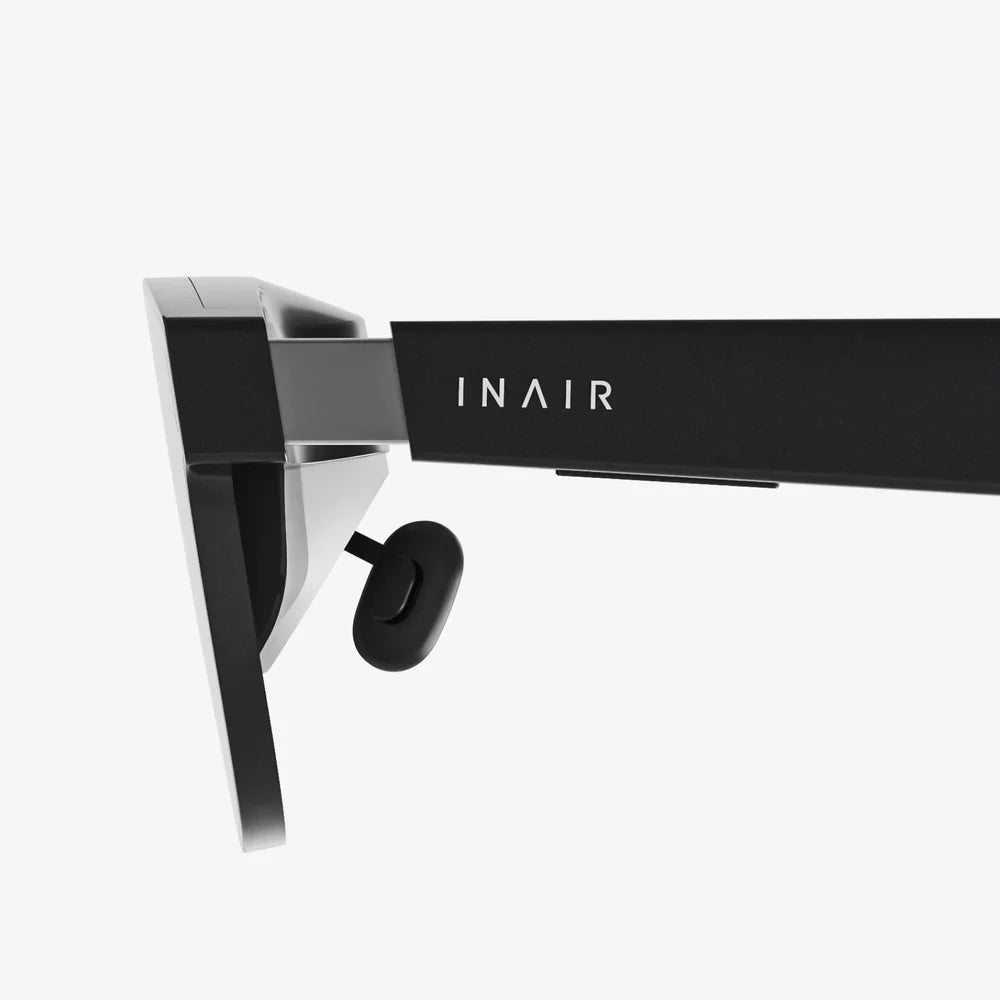
Deploying AR smart glasses is quickly shifting from experimental pilot to competitive necessity, and organizations that move early are quietly building an advantage that will be very hard to catch up with. When hands-free guidance, real-time remote support, and instant access to critical information live directly in a worker’s field of view, productivity, safety, and quality can change dramatically. The real question is no longer whether augmented reality belongs in your operations, but how to deploy it in a way that actually sticks, scales, and delivers measurable value instead of becoming another abandoned tech experiment.
To make sense of the opportunity, it helps to break down where AR smart glasses deliver the most impact and what it takes to introduce them without disrupting your workforce. From frontline maintenance to healthcare, logistics, and manufacturing, the same patterns repeat: organizations that treat AR as a strategic capability, not a gadget, are the ones that see lasting gains. This article walks through the benefits, use cases, technical and human challenges, and a practical roadmap for deploying AR smart glasses in real-world environments.
Why Deploying AR Smart Glasses Is Gaining Momentum
AR smart glasses overlay digital information onto the user’s view of the physical world, enabling hands-free access to instructions, data, and communication tools. Instead of stopping work to look at a manual, a tablet, or a workstation, workers can see what they need while they do the job. When deployed thoughtfully, this capability can reshape how knowledge flows across your organization.
Key Advantages for Modern Operations
- Hands-free workflows: Workers keep both hands on tools, equipment, or patients while receiving real-time guidance.
- Reduced errors: Step-by-step visual instructions reduce reliance on memory and help standardize complex tasks.
- Faster training: New employees can perform at higher levels sooner by following overlaid instructions and remote coaching.
- Remote expertise: Experts can see what the worker sees and guide them without traveling, cutting downtime and costs.
- Better data capture: Photos, video, and notes can be recorded as the work happens, improving traceability and continuous improvement.
- Safer operations: Alerts, warnings, and safety steps can appear at the right moment in the user’s field of view.
These benefits are not limited to one industry. Any environment where workers move, handle equipment, or perform complex procedures can potentially gain from deploying AR smart glasses.
High-Impact Use Cases for Deploying AR Smart Glasses
Identifying the right use cases is the first critical step. Not every task needs AR, and forcing the technology where it does not fit will slow adoption. Focus on areas where information gaps, complexity, or distance from experts create friction.
1. Maintenance, Repair, and Operations (MRO)
Maintenance and repair tasks are natural candidates for AR smart glasses because they often involve complex procedures, specialized knowledge, and high stakes.
- Guided repair procedures: Technicians can see step-by-step instructions, animations, or diagrams overlaid on the equipment they are servicing.
- Error-proofing: AR can highlight the correct component, orientation, or torque sequence, reducing the risk of costly mistakes.
- Remote expert support: When a technician encounters an unfamiliar issue, an expert can connect, view the scene through the glasses, and provide live guidance.
- Compliance documentation: Photos and video captured during the procedure can automatically attach to work orders for audits and quality checks.
Organizations with distributed assets or aging expert populations often see rapid returns from this type of deployment, especially when travel time is a major cost driver.
2. Manufacturing and Assembly
Manufacturing environments benefit from repeatable, standardized processes. AR smart glasses can enforce consistency while speeding up training.
- Assembly instructions: Workers see the next part, its orientation, and where it belongs, directly on the product in front of them.
- Changeover support: When switching production lines or product variants, AR can guide workers through configuration changes step by step.
- Quality inspections: AR overlays can show inspection points, acceptable tolerances, and checklists in real time.
- Real-time performance data: Key metrics like cycle time, defect rates, or machine status can appear in the worker’s field of view without requiring them to walk to a terminal.
By reducing errors and improving first-time-right rates, AR smart glasses can directly influence throughput and scrap costs.
3. Logistics, Warehousing, and Field Services
Logistics operations depend on speed, accuracy, and coordination across multiple moving parts. AR smart glasses can streamline many of these flows.
- Pick-by-vision: Workers receive visual cues pointing to the correct shelf, bin, and item, along with quantity and order details.
- Route optimization: AR can suggest the most efficient path through the warehouse to minimize walking distance.
- Loading and staging: Visual instructions can show the correct loading sequence and placement to optimize space and prevent damage.
- Field service routing: Technicians can receive navigation, job details, and service history while traveling between sites.
In environments where mispicks or delays are costly, deploying AR smart glasses can quickly translate into measurable savings.
4. Healthcare and Clinical Environments
In healthcare, time and precision are critical. AR smart glasses can assist clinicians without forcing them to break focus.
- Hands-free access to records: Clinicians can view patient data, checklists, or protocols while maintaining visual contact with the patient.
- Procedural guidance: Complex procedures can be supported with visual cues, anatomical overlays, or step lists.
- Remote consultation: Specialists can observe procedures remotely through the clinician’s viewpoint and offer real-time advice.
- Training and education: Students can observe procedures from the clinician’s perspective or replay recorded sessions.
Privacy, security, and infection control requirements are higher in healthcare, so deployments must be especially careful about compliance and device hygiene.
5. Training, Onboarding, and Knowledge Transfer
One of the most strategic uses of AR smart glasses is capturing and transferring expertise before it walks out the door.
- On-the-job training: New hires can perform real tasks while following safe, guided workflows in their field of view.
- Expert capture: Experienced workers can record their work, narrate decisions, and create reusable AR-enhanced training content.
- Just-in-time learning: Instead of classroom sessions, workers access short, targeted AR instructions exactly when needed.
- Skill verification: Supervisors can review recorded sessions to confirm that procedures are followed correctly.
As workforce demographics shift and many experts near retirement, deploying AR smart glasses for knowledge capture can be a crucial long-term investment.
Planning a Successful AR Smart Glasses Deployment
Jumping straight into buying devices and handing them out rarely works. A deliberate plan that aligns technology, process, and people is essential.
Define Clear Business Objectives
Start by answering a few foundational questions:
- Which metrics are you trying to improve (downtime, error rate, training time, safety incidents, travel costs)?
- Which processes or teams are most affected by these metrics?
- What does success look like in six, twelve, and twenty-four months?
Translate these into specific, measurable goals such as:
- Reduce average repair time by 20% on critical equipment.
- Cut new-hire training time on a specific line by 30%.
- Lower mispick rates in the warehouse by 40%.
- Reduce expert travel days by half through remote assistance.
These targets will guide your pilot design, hardware selection, and stakeholder conversations.
Choose the Right Initial Use Cases
Ideal early use cases share several characteristics:
- High value: The process has enough volume or cost impact to show meaningful results.
- Manageable complexity: The workflow is complex enough to benefit from AR but not so chaotic that it is impossible to standardize.
- Supportive stakeholders: Managers and frontline workers are open to experimentation.
- Existing pain: There is clear frustration with current methods (paper manuals, long training, frequent errors).
Resist the urge to tackle every possible use case at once. A focused pilot with one or two workflows will teach you more than a scattered deployment.
Assess Technical and Environmental Requirements
Before selecting devices or software, evaluate the environment where the glasses will be used:
- Connectivity: Is there stable Wi-Fi or cellular coverage? Are there dead zones?
- Lighting and noise: Are conditions harsh, dim, or loud? Will voice commands work?
- Safety constraints: Are there helmets, masks, or protective eyewear that must be compatible?
- Hands and movement: Are workers climbing, crawling, or operating heavy machinery?
- Glove use: Will they need to interact without touching the device?
This analysis helps determine form factors, input methods (voice, gestures, touch, gaze), and mounting options that will actually work in your context.
Technical Considerations When Deploying AR Smart Glasses
Even the most enthusiastic pilot can fail if the technical foundation is weak. Pay close attention to hardware, software, integration, and security.
Hardware Factors That Matter
When evaluating AR smart glasses, consider the following dimensions:
- Comfort and ergonomics: Weight, balance, and adjustability affect whether workers can wear the device for hours.
- Display type: Monocular vs. binocular, field of view, brightness, and clarity in various lighting conditions.
- Durability: Resistance to dust, water, drops, and temperature extremes, depending on your environment.
- Battery life: Ability to last a full shift or support hot-swapping batteries.
- Audio and microphones: Noise cancellation and clarity for remote collaboration in loud environments.
- Cameras and sensors: Resolution and field of view for remote experts and documentation.
In many deployments, having a smaller number of comfortable, reliable devices beats having many units that workers avoid using.
Software, Applications, and Content
Hardware enables AR, but software and content determine whether it is useful. Consider:
- Workflow authoring tools: Can non-programmers create and update AR instructions and checklists?
- Remote assistance capabilities: Support for live video, annotations, and session recording.
- Offline functionality: Ability to run critical workflows when connectivity is limited.
- User management: Role-based permissions, single sign-on, and integration with existing identity systems.
- Analytics: Tracking usage, task completion times, errors, and other performance indicators.
Equally important is the process for creating and maintaining AR content. Decide who will own instructions, how they will be reviewed, and how updates will be rolled out to devices.
Integration With Existing Systems
AR smart glasses become much more powerful when connected to the systems you already use:
- Maintenance systems: Pull work orders, equipment history, and parts lists directly into the AR experience.
- Manufacturing execution systems: Sync production orders, quality checks, and process data.
- Warehouse management systems: Integrate picks, inventory locations, and shipping details.
- Document repositories: Access procedures, manuals, and diagrams without manual duplication.
Plan for APIs, middleware, or integration platforms that can connect your AR applications with these systems securely and reliably.
Security, Privacy, and Compliance
Because AR smart glasses often capture video, audio, and operational data, security and privacy cannot be an afterthought.
- Data protection: Ensure encryption in transit and at rest, and define clear retention policies for recordings.
- Access control: Limit who can view sensitive recordings or live feeds, and log access for audits.
- Network security: Segment AR devices on secure networks, apply strong authentication, and keep firmware updated.
- Regulatory compliance: Confirm that data handling meets any applicable industry regulations.
Transparent communication with workers about what is recorded, why, and how it is used will also reduce resistance and build trust.
The Human Side of Deploying AR Smart Glasses
Technology alone does not guarantee success. Worker acceptance, training, and change management often determine whether AR becomes part of daily work or ends up back in the box.
Addressing Worker Concerns and Resistance
Common concerns include:
- Fear of surveillance or micromanagement.
- Worry that technology will replace jobs rather than support them.
- Discomfort with wearing devices or being recorded.
- Frustration if early versions are unreliable or cumbersome.
To address these, communicate clearly and early:
- Explain the goals in terms of safety, support, and skill development.
- Be explicit about what is recorded, who can see it, and how it will not be used.
- Involve frontline workers in testing and feedback, and act on their input.
- Highlight success stories where AR helped workers solve problems faster or avoid errors.
Building trust is as important as building the technical solution.
Training and Onboarding for AR Use
Even intuitive devices require training, especially for workers who are less comfortable with new technology.
- Hands-on workshops: Let workers practice with the glasses in low-pressure scenarios.
- Role-based training: Tailor training for technicians, supervisors, and remote experts.
- Quick reference guides: Provide simple, visual instructions for basic operations and troubleshooting.
- Peer champions: Identify early adopters who can support colleagues and share tips.
Training should be an ongoing process, not a one-time event, especially as new features and workflows are introduced.
Designing User-Centered AR Experiences
Poorly designed AR workflows can overwhelm users with information or distract them at critical moments. Focus on simplicity and safety:
- Display only the information needed for the current step.
- Use clear icons, minimal text, and consistent visual language.
- Avoid blocking critical parts of the user’s field of view.
- Allow easy voice or gesture commands to repeat, skip, or request help.
- Test in real working conditions and iterate based on feedback.
Good design makes the technology feel like a natural extension of the worker’s capabilities instead of a distraction.
Running a Pilot: From Concept to Measurable Results
A well-structured pilot lets you validate assumptions, uncover issues, and build a business case for scaling up.
Set Up the Pilot Scope and Metrics
Define the pilot in concrete terms:
- Which site or department will participate?
- How many devices will be deployed?
- Which specific workflows will be supported?
- How long will the pilot run?
Align this with clear metrics such as:
- Task completion time.
- Error or rework rates.
- Training time for new workers.
- Number of remote support sessions and avoided travel.
- User satisfaction and perceived usefulness.
Collect baseline data before the pilot so you can compare results accurately.
Execute, Monitor, and Iterate
During the pilot:
- Provide close support to early users and supervisors.
- Monitor technical performance, including connectivity and device reliability.
- Gather feedback frequently, both structured (surveys) and informal (interviews).
- Adjust workflows, content, and settings as issues emerge.
Quick iterations build confidence and help refine the solution before a wider rollout.
Evaluate and Build the Business Case
At the end of the pilot, compare results against your baseline and objectives:
- Quantify time savings, error reductions, and travel avoidance.
- Estimate annualized impact across the pilot area.
- Gather quotes and stories from users about how AR helped them.
- Identify remaining gaps that must be addressed before scaling.
This evaluation forms the core of your business case for broader deployment, including projected return on investment and required resources.
Scaling and Operationalizing AR Smart Glasses
Once the pilot proves value, the challenge shifts to scaling without losing quality or overwhelming support teams.
Standardize Processes and Governance
To scale effectively:
- Define standards for AR content creation, review, and version control.
- Establish device management policies, including assignment, maintenance, and replacement cycles.
- Clarify roles and responsibilities for IT, operations, and training teams.
- Set guidelines for when AR should and should not be used.
Governance ensures consistency and avoids fragmented, incompatible implementations across sites.
Build Support and Maintenance Capabilities
As the number of devices and users grows, so does the need for support:
- Create documented procedures for device setup, troubleshooting, and updates.
- Train local champions or “super users” at each site.
- Monitor usage metrics to identify underused devices or struggling teams.
- Plan for spare devices and accessories to minimize downtime.
A mature support model keeps the AR program sustainable over time.
Continuously Improve and Expand Use Cases
After initial success, look for adjacent workflows and departments that can benefit:
- Extend from maintenance to inspections, audits, or commissioning.
- Move from one production line to others with similar processes.
- Apply lessons from one site to another with comparable operations.
- Explore new capabilities like real-time data overlays or advanced analytics.
Continuous improvement keeps the program aligned with evolving business priorities and technological advances.
Common Pitfalls and How to Avoid Them
Many organizations encounter similar obstacles when deploying AR smart glasses. Being aware of these pitfalls can help you sidestep them.
Overemphasizing Hardware Over Use Cases
Investing heavily in devices without a clear plan for workflows and content often leads to low adoption. Start with problems, not gadgets, and let use cases drive hardware decisions.
Ignoring Worker Feedback
If users feel that AR is forced on them without consideration for their reality, they will find ways to avoid it. Make feedback loops explicit and visible by showing how suggestions lead to changes.
Underestimating Change Management
Deploying AR smart glasses changes how people work, collaborate, and learn. Treat it as a transformation initiative, not just a technology rollout, with communication, training, and leadership support built in.
Neglecting Security and Compliance
Rushing ahead without clear policies on data storage, access, and retention can create risks and erode trust. Involve security and compliance teams early to design guardrails that enable innovation safely.
The Strategic Opportunity of Deploying AR Smart Glasses
Organizations that move beyond small experiments and thoughtfully deploy AR smart glasses are discovering that they are not just improving isolated tasks; they are reshaping how knowledge flows, how people collaborate, and how quickly new capabilities spread across the workforce. When a technician in one location can instantly share a solution with colleagues worldwide, or a new hire can perform complex tasks confidently on their first week, the organization becomes more resilient, more agile, and less dependent on being in the right place at the right time.
The path forward is clear: start with targeted, high-value use cases, build a robust technical and human foundation, and scale deliberately with strong governance and continuous learning. Deploying AR smart glasses is not a magic shortcut, but for organizations willing to align technology with real operational needs, it can unlock a level of performance, safety, and collaboration that competitors will struggle to match. The sooner you begin shaping your strategy, the sooner your teams can start working with an augmented advantage instead of watching others define the future of your industry.
Share:
Benefits of AI Design Tools Over Traditional Methods in Modern Creative Workflows
Best Ultra Wide Screen Monitor For Mac: A Complete Buyer’s Guide