


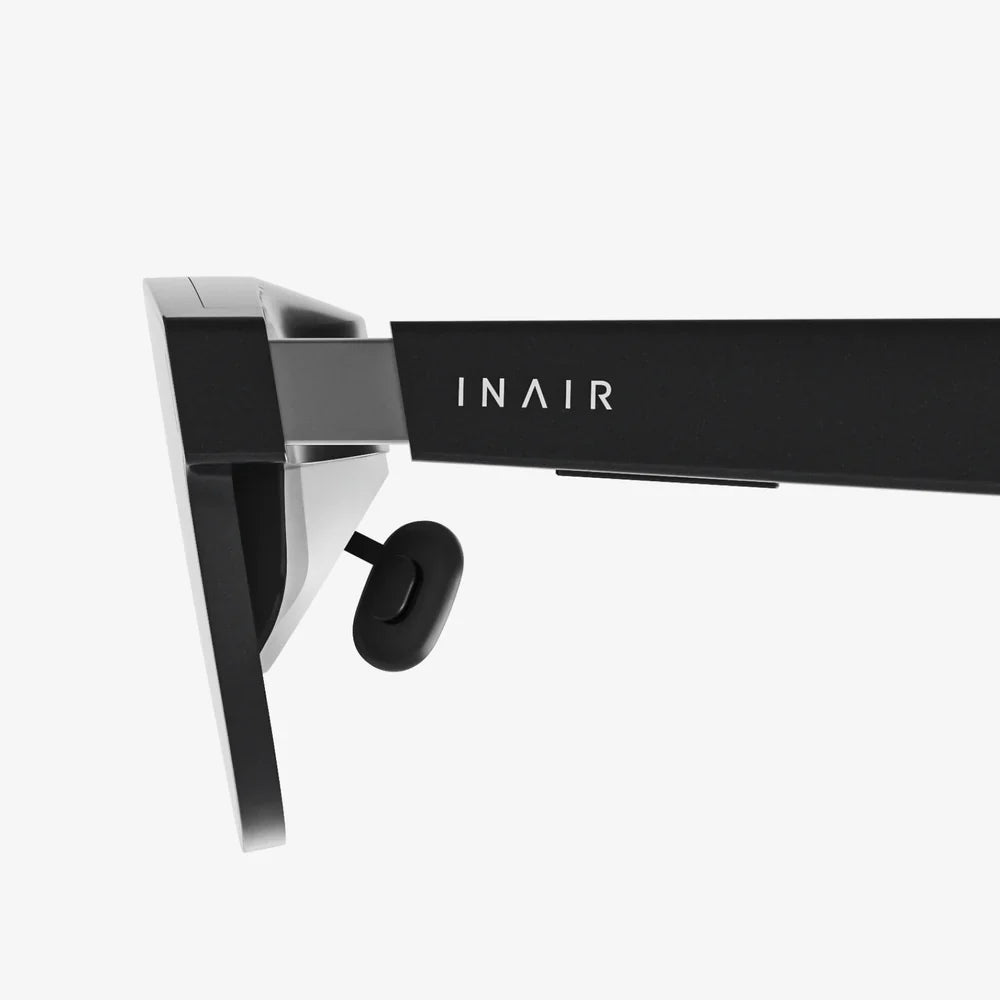
Imagine diving into a coral reef, soaring over mountain peaks, or standing front row at a concert—all from your living room. Virtual reality promises these breathtaking experiences, but what if you don't own a headset? What if that sleek, expensive piece of hardware is the only thing standing between you and another dimension? Here's a secret the tech giants don't advertise: the gateway to immersive worlds might already be in your pocket or on your desk. You can unlock astonishing VR experiences without ever strapping a dedicated device to your head. This isn't a compromise; it's an exploration of accessibility, creativity, and the untapped potential of the devices you already own. Prepare to see your screens in a whole new light as we unravel the magic of immersive viewing.
The Magic of VR: More Than Just a Headset
Before we delve into the "how," it's crucial to understand the "what." Virtual Reality, at its core, is about immersion. It's a simulated experience that can be similar to or completely different from the real world. The goal is to trick your brain into believing you are somewhere you are not. While high-end headsets achieve this with precise head-tracking and dedicated lenses, the fundamental ingredient is the 360-degree video or image itself.
These spherical videos are captured using special cameras that record in every direction simultaneously. When you watch such a video on a regular screen, you're essentially looking at a distorted, warped version of the world—like looking at a map of the Earth on a flat page. A VR headset's job is to unwarp this image and present a correct, perspective-adjusted view to each of your eyes. However, the headset itself is just one delivery mechanism. The content is the true star, and with the right techniques, you can interact with it directly.
Your Smartphone: A Pocket-Sized VR Portal
The most powerful tool for headset-free VR viewing is likely already in your hand. Modern smartphones are equipped with high-resolution displays, powerful gyroscopes, and accelerometers—the very same sensors that make VR headsets so effective. You can harness these capabilities to create a surprisingly immersive experience.
1. The Gyroscope Method: Moving with the Image
This is the simplest way to get a taste of VR. Many video platforms and dedicated VR video apps offer a "magic window" or "gyro" mode. When you play a 360-degree video in this mode, you can physically move your phone to look around the scene. Tilting the phone up, down, left, and right changes your viewpoint within the spherical video, creating a direct connection between your movement and the perspective on screen.
To try this:
- Find a platform that hosts 360-degree videos.
- Look for videos labeled "360," "VR180," or "Spherical."
- Open the video in the platform's mobile app.
- Tap the VR or gyroscope icon (often it looks like a cardboard goggles symbol).
- Hold your phone up and move it around to explore the video environment.
The immersion is significantly enhanced if you use headphones, as spatial audio will cue you to where sounds are coming from in the virtual space.
2. The Cardboard Viewer Hack (A Semi-Headset Solution)
This method is a clever middle ground. While it technically uses a viewer, it's a world away from expensive electronic headsets. Basic viewers are simple plastic or cardboard holders with two lenses. You slot your smartphone into them and wear it on your head. The cost is minimal, often considered an accessory rather than a full device.
The beauty of this approach is its simplicity. Your phone does all the processing and display work, while the viewer simply provides the lenses and blocks out ambient light, dramatically enhancing the sense of immersion. It proves that the core technology for VR viewing resides in the smartphone, making a dedicated headset optional for casual exploration.
Your Computer: A Powerhouse for Immersive Exploration
If you have a laptop or desktop computer, you have access to even more sophisticated methods for experiencing VR content. The larger screen and precise input devices like a mouse and keyboard offer a different kind of control.
1. Mouse and Keyboard Control: Click and Drag to Explore
On most desktop web browsers, interacting with a 360-degree video is intuitive. You can click and drag directly on the video player to change your viewing angle. This gives you complete and effortless control to spin the virtual world around, zoom in on details, and explore the environment at your own pace. It feels less like being "inside" the video and more like having direct manipulative control over a planetarium dome, which is a unique and compelling experience in its own right.
2. Dedicated Media Players and Software
For the highest quality experience, especially with downloaded high-resolution VR video files, dedicated media player software is the way to go. These powerful players allow you to open 360-degree video files directly and offer a suite of customization options.
You can often:
- Adjust the field of view (FOV) to be more immersive.
- Change the projection type to match how the video was filmed.
- Enable high-quality upscaling and smoothing.
- Watch stereoscopic 3D videos in a side-by-side format on your flat screen.
Using this software transforms your monitor into a window into another world, controlled with pinpoint accuracy.
The Big Screen: Transforming Your TV into a Window
Modern smart TVs and media streaming devices have embraced 360-degree content. Many popular video platforms have TV apps that support playing these videos. You can use your TV's remote control to navigate and look around the environment.
While this method is less personal than a headset or phone, it's incredibly social. Watching a 360-degree tour of the Louvre or a breathtaking nature documentary on a large screen becomes a shared adventure, with everyone in the room calling out directions and discoveries. It turns immersive viewing into a group activity, which is a fantastic way to introduce others to the wonders of VR.
Understanding the Limitations and Maximizing the Experience
It's important to have realistic expectations. Watching VR videos without a dedicated headset will not provide the same level of total immersion. You won't get the stereoscopic 3D depth that a headset provides, and the field of view will be limited to the size of your screen. However, you can significantly enhance the experience.
- Darken the Room: Reducing ambient light helps your screen become the sole focus of your vision, reducing distractions and increasing immersion.
- Use High-Quality Headphones: Spatial or binaural audio is half the experience. Good headphones will make sounds feel like they are coming from specific locations around you.
- Seek High-Resolution Content: The better the source video, the better your experience will be. Low-resolution 360 videos can look pixelated when you zoom in.
- Get Close: When using a monitor or phone, sitting closer to the screen helps fill more of your visual field.
Where to Find Captivating VR Content
The ecosystem of free and accessible 360-degree content is vast and growing. The best places to start are on major video platforms, which host millions of user-uploaded and professional 360 videos. You can find everything from animated shorts and music videos to tours of international space stations and guided meditations. Furthermore, many museums, national parks, and educational institutions offer stunning virtual tours designed to be explored from a browser, making them perfect for this type of headset-free viewing.
The world of virtual reality is no longer locked behind a hardware paywall. It's a universe of experiences waiting to be explored through ingenuity and the devices you already cherish. From the gyroscope in your phone to the click of a mouse, the power to look around any corner is now at your fingertips. You don't need to wait for the future of VR; you can start crafting your own immersive adventures today, proving that the most important tool for virtual exploration has always been your own curiosity.
Share:
Are Filters Augmented Reality? The Digital Masks Reshaping Our World
How to Connect VR Headset to PC: The Ultimate Setup Guide