


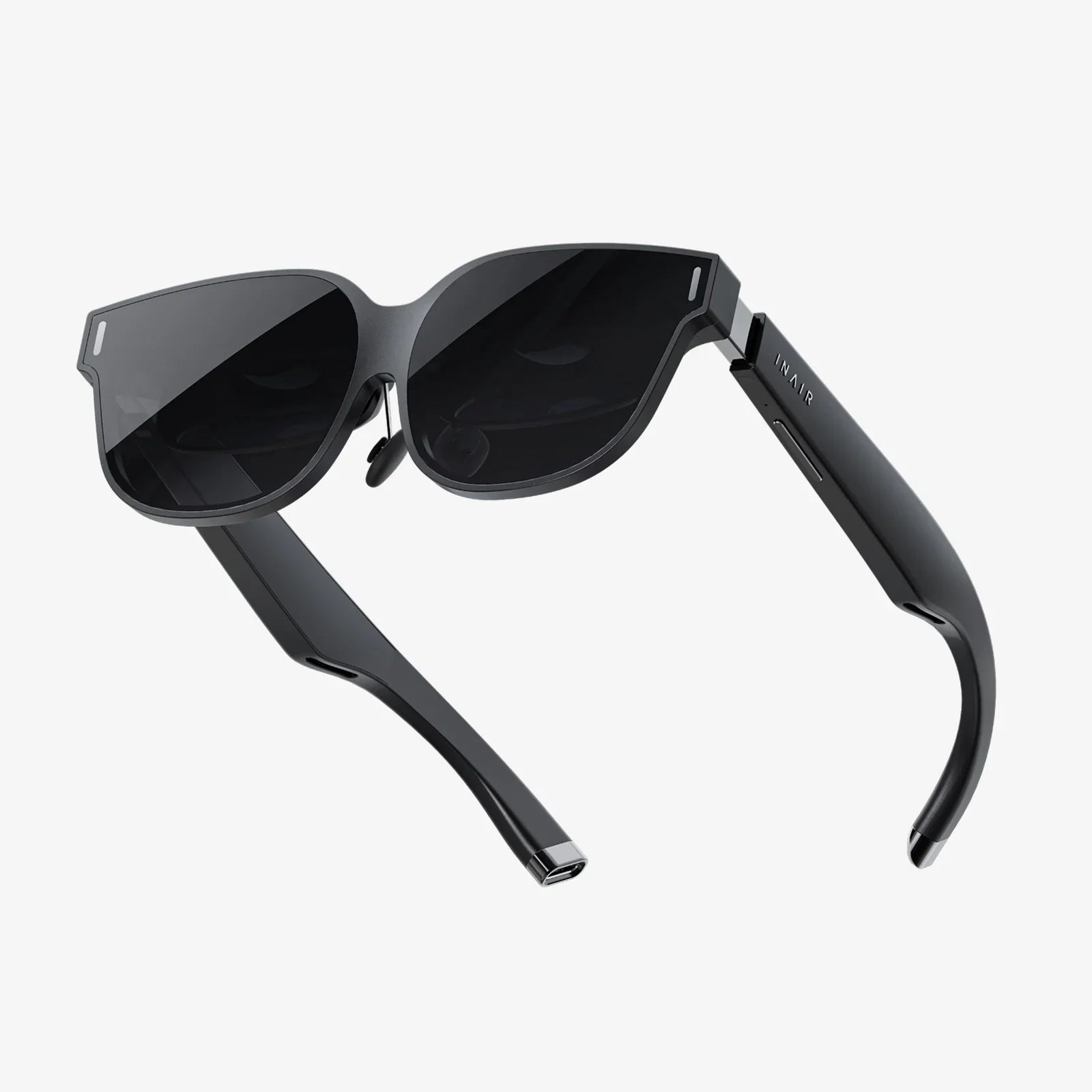
If you are searching for ways to improve smart glass image quality, you are already ahead of most users. Many people assume that blurry visuals, washed-out colors, or eye strain are unavoidable in smart glasses, but the truth is very different. With the right combination of optical design choices, display tuning, sensor calibration, and smart software processing, you can transform a mediocre visual experience into something crisp, comfortable, and genuinely immersive.
This article walks through the full stack of factors that determine how good—or bad—images look in smart glasses. From lens coatings and light engines to rendering pipelines and environmental lighting, you will see where image quality is won or lost, and how to fix the most common issues. Whether you are a product designer, developer, or power user, you will leave with a clear roadmap to visibly improve smart glass image quality in real-world use.
Why Smart Glass Image Quality Is So Challenging
Smart glasses pack a complete visual computing system into a tiny, head-mounted form factor. That compact design introduces unique challenges that do not exist in traditional displays like monitors or phones. Understanding these constraints is the first step to improving image quality.
Limited Space and Optical Path
Smart glasses must remain light, wearable, and socially acceptable. This limits:
- Lens size: Smaller optics reduce the field of view and make alignment more sensitive.
- Optical path length: Shorter paths force more aggressive lens designs, which can introduce distortion and chromatic aberration.
- Display size: Tiny microdisplays or projectors must deliver high resolution in a very small area.
These constraints mean that even small errors in design or alignment can significantly degrade perceived image quality.
Mixed Reality: Virtual Meets Real
Unlike a monitor, smart glasses overlay virtual content on the real world. This creates extra challenges:
- Dynamic backgrounds: The real world behind the content changes constantly in brightness and color.
- Contrast competition: Bright environments can wash out virtual images.
- Focus mismatch: The eye may need to switch focus between real objects and virtual overlays, causing fatigue.
Improving image quality is not only about making pixels sharper, but also about making virtual content readable and comfortable in a wide range of real-world conditions.
Human Vision Sensitivity
The human visual system is extremely sensitive to certain imperfections:
- Glare and reflections that reduce contrast.
- Color fringing at high-contrast edges.
- Latency and jitter that cause motion blur or discomfort.
- Eye-box limitations where a small misalignment causes major blurring.
To improve smart glass image quality, designers must respect these sensitivities and optimize the system for natural visual comfort, not just raw resolution numbers.
Key Components That Determine Image Quality
Smart glass image quality emerges from the entire system working together. The main contributors are:
- Optical system (lenses, waveguides, coatings)
- Display engine (microdisplays, projectors, backlights)
- Sensors (cameras, eye tracking, ambient light sensors)
- Rendering and image processing software
- Mechanical fit and alignment on the user’s face
Optimizing any single component helps, but the most dramatic improvements come from tuning these elements as a coherent system.
Optical Design Strategies to Improve Smart Glass Image Quality
The optical system is the primary gateway through which users perceive digital content. Enhancing its performance is foundational to improving image quality.
Optimize Lens and Waveguide Quality
High-quality optics directly impact clarity and sharpness. Consider the following strategies:
- Use low-distortion lens geometries: Reduce geometric distortion, especially at the edges of the field of view, to prevent bending or stretching of content.
- Control chromatic aberration: Multi-layer or multi-material designs can minimize color fringing around high-contrast edges.
- Improve surface quality: Polished, high-quality surfaces reduce scattering and haze, leading to crisper images.
For waveguide-based designs, uniformity is critical. Non-uniform light extraction can cause brightness variations across the field of view, which users perceive as patchy or uneven imagery.
Apply Effective Anti-Reflective and Polarizing Coatings
Reflections are a major enemy of image quality in smart glasses, especially in bright environments. To combat this:
- Anti-reflective coatings: Apply coatings tuned to the operating wavelength range of the display to reduce stray reflections and ghost images.
- Polarization control: Use polarizing layers to manage reflections from ambient light and internal surfaces, improving contrast.
- Front surface treatments: Slightly matte or specialized coatings can reduce external glare without overly diffusing the image.
These measures directly improve contrast, which users often perceive as a bigger quality improvement than resolution alone.
Maximize Eye-Box and Eye Relief
The eye-box is the region where the user’s eye can move while still seeing the full image. A small eye-box causes:
- Frequent image cut-offs
- Blurred edges when the eye moves
- Increased sensitivity to fit and alignment
To improve the user experience:
- Design for a generous eye-box: Allow natural eye movements without losing image clarity.
- Optimize eye relief: Ensure users with or without prescription glasses can achieve proper focus.
- Provide mechanical adjustments: Include nose pads or frame adjustments to align optics with different face shapes.
A more forgiving optical design reduces the chance that a user will perceive the image as blurry or misaligned.
Address Vergence and Accommodation Issues
Many smart glasses present content at a fixed focal distance, while real-world objects may be at varying distances. This mismatch can cause eye strain and perceived blur. Strategies to mitigate this include:
- Choose a comfortable focal distance: Often around a few meters, suitable for most everyday tasks.
- Use depth cues in rendering: Blur and shading can guide the eye to interpret depth more naturally.
- Explore multi-plane or variable focus systems: Advanced designs can project content at different focal planes to better match real-world depth.
Even when hardware cannot fully solve the accommodation problem, thoughtful rendering and interface design can reduce visual discomfort.
Display Engine and Brightness Optimization
The display engine determines the raw pixel quality and brightness. Even the best optics cannot compensate for a dim or low-quality display source.
Increase Brightness While Managing Power
Outdoor or brightly lit environments can easily overpower the display. To improve visibility:
- Use high-efficiency light sources: Efficient light engines provide higher brightness for the same power.
- Dynamic brightness control: Adjust brightness based on ambient light using sensors, ensuring readability while conserving battery.
- Optimize duty cycles: For scanning or pulsed displays, balance duty cycle and peak brightness to maximize perceived luminance.
Brightness must be high enough to compete with ambient light, but not so high that it causes eye fatigue or drains the battery too quickly.
Enhance Contrast and Black Levels
Contrast often matters more than raw brightness. Users interpret high contrast as sharper, higher-quality imagery. Techniques include:
- Local dimming or modulation: If the display technology allows, reduce light output in dark regions of the image.
- Gamma correction: Tune gamma curves for the specific optical path and environment to maintain detail in both shadows and highlights.
- Ambient-aware contrast adjustments: In bright light, increase contrast and simplify color palettes to keep content legible.
Improved contrast directly enhances readability of text and clarity of graphical overlays.
Improve Resolution and Pixel Density
Resolution is a key factor in perceived sharpness, especially for text and fine lines. To improve effective resolution:
- Use higher pixel density microdisplays: Smaller pixels reduce the screen-door effect.
- Optimize optical magnification: Ensure that the optical system does not excessively magnify pixel structure.
- Apply sub-pixel rendering: Use software techniques that exploit sub-pixel arrangements to increase apparent resolution.
However, raw resolution must be balanced with processing and power constraints. Smart scaling and rendering can often deliver better perceived sharpness without dramatically increasing hardware requirements.
Sensor Calibration and Environmental Awareness
Sensors play a crucial role in adapting the display to the user and the environment. Proper calibration and use of these sensors can significantly improve smart glass image quality.
Use Ambient Light Sensors for Adaptive Display Tuning
Ambient light varies from dim indoor lighting to direct sunlight. Static display settings cannot handle this range effectively. To adapt:
- Measure ambient brightness continuously: Use sensors to monitor the surrounding light levels.
- Adjust brightness and contrast in real time: Increase brightness and contrast outdoors; reduce them in low light to prevent eye strain.
- Change color themes dynamically: Use higher contrast and more saturated colors in bright environments; subtle palettes indoors.
These adjustments help maintain clear, comfortable visuals across diverse conditions.
Leverage Eye Tracking for Optimal Rendering
Eye tracking, when available, can dramatically improve perceived image quality by focusing resources where the user is actually looking.
- Foveated rendering: Render the center of gaze at full resolution and the periphery at lower resolution to save processing power while maintaining perceived sharpness.
- Dynamic focus cues: Slightly adjust depth-of-field effects based on gaze to guide attention.
- Automatic alignment checks: Detect if the user’s eyes are misaligned with the optical center and prompt them to adjust the fit.
By aligning system behavior with the user’s actual visual focus, eye tracking can make the image feel sharper and more natural without necessarily increasing raw resolution.
Calibrate Cameras for Clear Mixed Reality Overlays
For smart glasses that use outward-facing cameras to augment reality, camera quality and calibration directly impact image quality.
- Lens calibration: Correct camera distortion so that overlays align accurately with real-world objects.
- Color and exposure tuning: Ensure camera output matches perceived real-world brightness and color, reducing mismatch between camera feed and virtual content.
- Low-light optimization: Use noise reduction and exposure compensation to keep the scene visible without excessive grain or blur.
When the camera view and virtual content blend seamlessly, users perceive the overall image as more coherent and higher quality.
Software and Image Processing Techniques
Software is a powerful lever to improve smart glass image quality without changing hardware. Rendering pipelines, image processing algorithms, and interface design all influence how content looks and feels.
Apply Optical Distortion and Aberration Correction
Most smart glass optical systems introduce some distortion and color fringing. Software can pre-correct the image before it passes through the optics.
- Geometric distortion correction: Pre-warp the image so that it appears undistorted after passing through the lenses or waveguides.
- Chromatic aberration correction: Slightly shift color channels to counteract color separation introduced by the optics.
- Per-eye calibration: Allow fine-tuning for each eye, since human eyes are rarely identical.
These corrections can dramatically improve edge sharpness and overall visual coherence with relatively modest processing overhead.
Use Advanced Anti-Aliasing and Sharpening
Aliasing and soft edges reduce perceived image quality, especially in high-contrast UI elements. To address this:
- Temporal anti-aliasing: Use motion-aware algorithms to smooth jagged edges without excessive blurring.
- Edge-aware sharpening: Apply sharpening selectively to edges while avoiding noise amplification in flat regions.
- Resolution-aware UI design: Design icons and text specifically for the device’s resolution and optical characteristics.
Well-tuned anti-aliasing and sharpening make text and graphics appear cleaner and more professional, improving user trust and comfort.
Optimize Color Management and Tone Mapping
Color accuracy and tone mapping significantly influence how users perceive image quality.
- Device-specific color profiles: Calibrate the display and optics to a known color space and apply profiles to ensure consistent color reproduction.
- Adaptive tone mapping: Adjust tone curves based on ambient light and content type to preserve detail and avoid clipping.
- Content-aware color schemes: Use color palettes that remain legible against varied real-world backgrounds.
Good color management helps virtual objects feel like a natural part of the user’s environment rather than artificial overlays.
Reduce Latency and Motion Blur
Latency and motion blur can make images feel smeared and unstable, even if static resolution is high. To minimize these effects:
- Lower end-to-end latency: Optimize the pipeline from sensor input and rendering to display output.
- Predictive tracking: Use motion prediction to compensate for inevitable processing delays.
- Higher refresh rates: When possible, increase refresh rates to reduce perceived flicker and blur.
Reducing latency and motion blur is especially important for interactive or immersive applications where head and eye movements are frequent.
User Interface and Content Design for Clarity
Even with excellent hardware and software, poor content design can ruin image quality. Designing with the medium in mind is essential.
Design for Legibility in Mixed Environments
Smart glass content must remain legible against unpredictable backgrounds. To achieve this:
- Use strong contrast: Prefer high-contrast text and icons that stand out against both light and dark backgrounds.
- Outline or shadow text: Add subtle outlines or drop shadows to text to preserve legibility over complex scenes.
- Limit fine detail: Avoid thin lines and tiny text that become unreadable at typical viewing distances.
Designing for legibility ensures that the user perceives the image as clear and purposeful rather than cluttered or fuzzy.
Manage Visual Density and Cognitive Load
Overloading the display with information can make everything feel blurry, even if the optics are perfect. To manage this:
- Prioritize essential information: Show only what the user needs at a given moment.
- Use progressive disclosure: Reveal more detail only when the user asks for it.
- Align content with gaze: Place critical information near the center of the field of view to take advantage of higher visual acuity.
Reducing visual clutter makes the remaining content feel sharper and more impactful.
Respect Comfort Zones for Text and Graphics
There are practical limits to how small text and symbols can be before they become difficult to read in smart glasses.
- Minimum text size guidelines: Establish a minimum angular size for text that remains legible under typical use conditions.
- Test across users: Validate readability with users who have different visual acuity and wear different types of corrective lenses.
- Use consistent visual language: Standardize fonts, icon sets, and spacing to create a coherent visual experience.
Respecting these comfort zones directly improves how users rate the overall image quality and usability of the system.
Mechanical Fit, Alignment, and User Adjustments
Even a perfectly engineered system can deliver poor image quality if it is not properly aligned on the user’s face. Mechanical design and user guidance are therefore critical.
Provide Adjustable Fit Mechanisms
Users have different head shapes, nose bridges, and eye positions. To accommodate this diversity:
- Adjustable nose pads: Allow vertical positioning changes so that the optics align with the user’s pupils.
- Flexible temples or straps: Enable horizontal alignment and stable positioning during movement.
- Optional spacers: Provide accessories to adjust distance from the eyes, especially for users with prescription glasses.
Proper fit reduces eye strain and ensures that the user remains within the optimal eye-box for best image quality.
Guide Users Through Alignment and Calibration
Many users will not intuitively know how to position smart glasses for best image quality. Clear guidance helps:
- Onboarding tutorials: Interactive setup flows can show users how to adjust the device until the image appears sharp and centered.
- Visual alignment markers: Simple visual cues in the display can indicate when the glasses are properly aligned.
- Periodic reminders: Prompt users to re-check alignment if sensors detect frequent misalignment or if the user reports discomfort.
Helping users achieve and maintain correct alignment can make the difference between a blurry, frustrating experience and a crisp, enjoyable one.
Testing, Metrics, and Continuous Improvement
To systematically improve smart glass image quality, you need objective metrics and structured testing, combined with subjective feedback from real users.
Define Objective Image Quality Metrics
Objective measurements help compare design iterations and identify specific weaknesses.
- Modulation transfer function (MTF): Measures how well the optical system preserves contrast at different spatial frequencies.
- Uniformity measurements: Evaluate brightness and color uniformity across the field of view.
- Latency and refresh metrics: Quantify end-to-end delay and frame stability.
Tracking these metrics over time helps ensure that changes intended to improve one aspect of image quality do not degrade another.
Gather Subjective User Feedback
Human perception is the ultimate judge of image quality. Structured user testing should explore:
- Perceived sharpness: How clear do users find text and fine details?
- Comfort over time: Do users experience eye strain or headaches after extended use?
- Visibility in different environments: How well does the image hold up indoors, outdoors, and in mixed lighting?
Combining subjective feedback with objective metrics gives a complete picture of where to focus improvement efforts.
Iterate Across Hardware, Software, and Design
Improving image quality is rarely a one-time effort. It is an iterative process that spans:
- Hardware refinement: Adjusting optics, displays, and sensors based on test results.
- Firmware and software updates: Updating image processing, rendering, and sensor fusion algorithms.
- Content and UI evolution: Refining interface layouts, color schemes, and interaction patterns.
Teams that treat image quality as a continuous, cross-disciplinary responsibility tend to produce smart glasses that users genuinely enjoy wearing.
Practical Steps You Can Take Right Now
Whether you are designing a new smart glass system or trying to get the best out of an existing one, you can apply many of the strategies discussed above immediately.
For Developers and Designers
- Implement distortion and chromatic aberration correction matched to your optics.
- Use ambient light data to drive adaptive brightness, contrast, and color schemes.
- Adopt foveated rendering if eye tracking is available to boost perceived sharpness.
- Redesign UI elements for high contrast and legibility against real-world backgrounds.
- Establish and enforce minimum text and icon sizes based on real user testing.
For Product Teams and Engineers
- Invest in better optical coatings to reduce reflections and increase contrast.
- Optimize the eye-box and provide mechanical adjustments for diverse users.
- Calibrate sensors thoroughly and integrate them into adaptive display behavior.
- Measure and reduce end-to-end latency in the full rendering pipeline.
- Regularly test image quality across different lighting conditions and use cases.
For Advanced Users and Integrators
- Take time to adjust fit and alignment until the image appears centered and sharp.
- Use available settings for brightness, contrast, and color to match your environment.
- Favor high-contrast themes and larger text where customization is possible.
- Report visual issues back to developers so they can refine software and design.
Even small adjustments in these areas can lead to noticeable improvements in everyday use.
Why Focusing on Image Quality Unlocks the Full Potential of Smart Glasses
When you improve smart glass image quality, everything else becomes easier. Users are more willing to wear the device longer, trust the information they see, and explore richer applications. Clearer visuals make training, navigation, remote assistance, and entertainment more effective and more enjoyable.
The path to better image quality is not a single breakthrough, but a combination of thoughtful optics, powerful yet efficient displays, intelligent sensor-driven adaptation, and user-centered software design. Each refinement compounds the others, turning a fragile, finicky device into a reliable companion that feels natural to look through.
If you are ready to push your smart glasses closer to that ideal, start by picking one area from this guide—optical tuning, display optimization, sensor calibration, software processing, or content design—and improve it systematically. As you iterate, you will see a clear pattern: every careful adjustment makes the image crisper, the experience more comfortable, and the technology itself feel less like a gadget and more like an effortless extension of your vision.
Share:
3D Streaming on AR: How Immersive Content Is Transforming Daily Life
Low Latency Head Tracking For Seamless Immersive Experiences