


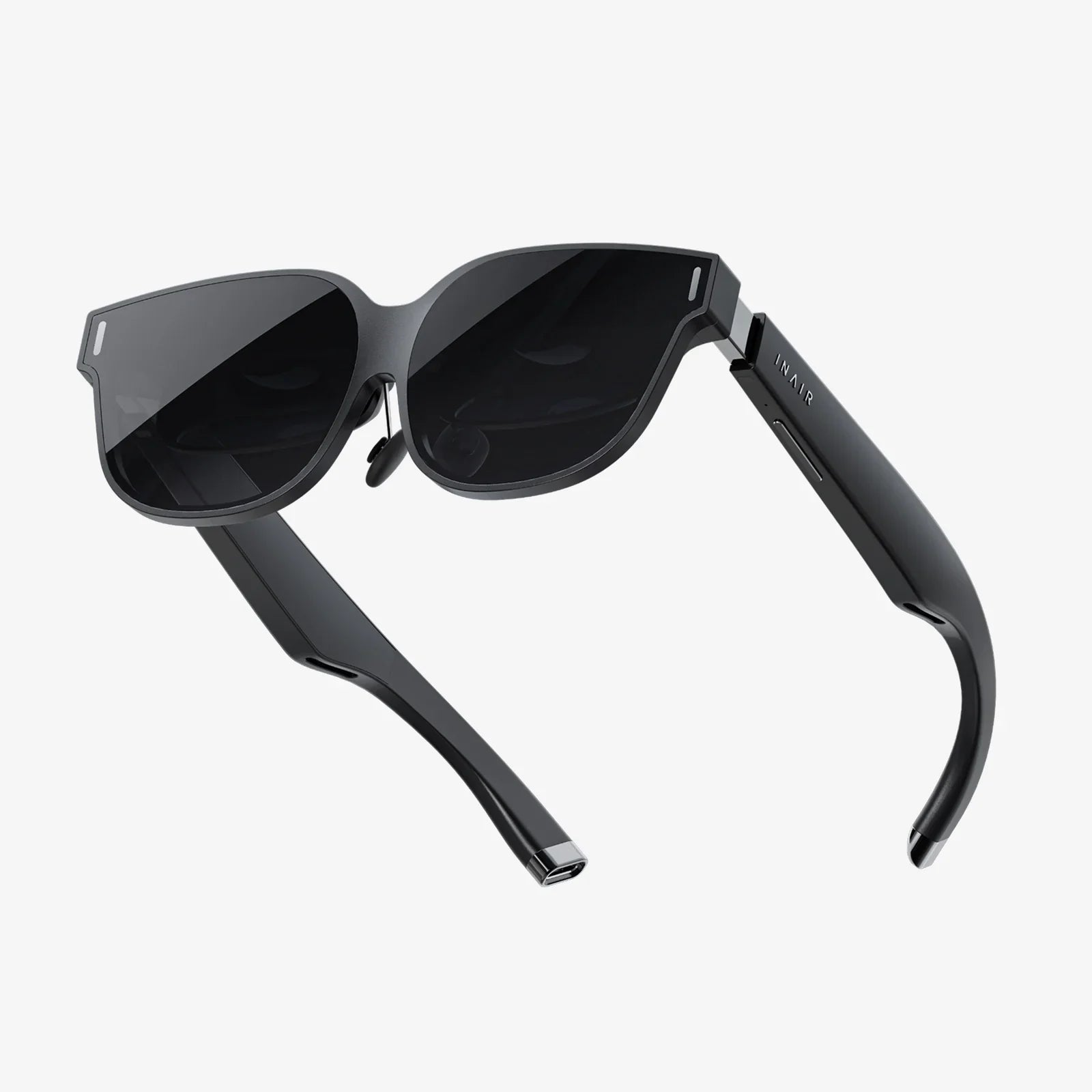
Imagine sinking into your couch, slipping on a sleek pair of glasses, and watching Netflix in 3D on AR glasses as if your living room walls melted away into a private cinema. The screen stretches larger than your TV, depth pops from the image, and your surroundings quietly fade into the background. This is no longer science fiction; it is the next frontier of streaming, and it is closer than most people realize.
Streaming has already changed how we watch movies and shows, but the experience itself has remained relatively flat and confined to screens. Augmented reality (AR) glasses are poised to turn that flatness into a layered, three-dimensional world. With Netflix in 3D on AR glasses, the basic idea is simple: your favorite content appears as a virtual giant screen in your field of view, with 3D depth and spatial effects that make it feel like you are sitting in a premium theater, even if you are in a tiny apartment or on a cramped airplane.
The Evolution of Streaming: From Flat Screens to 3D AR
For years, streaming has focused on convenience: watch anywhere, on any device, at any time. Phones, tablets, laptops, and smart TVs have all played their part. But the core visual experience has remained the same: a rectangular window into a story. AR glasses challenge that fundamental limitation by removing the strict boundaries of the physical screen.
When you watch Netflix in 3D on AR glasses, the content is no longer restricted to a device frame. Instead, the "screen" is a virtual object placed in your environment. It can appear as a floating cinema screen, a wall-sized display, or even a curved theater-style screen. The 3D effect adds a sense of depth, making scenes feel more lifelike and enveloping.
What makes AR different from traditional 3D TVs is the personal, portable nature of the experience. You are not tied to a specific television in your living room. The cinema travels with you, adapting to your surroundings and your preferences. That shift from fixed screens to flexible virtual displays is one of the reasons this technology is attracting so much attention.
How Netflix in 3D on AR Glasses Actually Works
To understand how this experience is possible, it helps to break down the basic technology behind AR glasses and 3D playback. While the underlying engineering is complex, the core concepts are straightforward.
AR Glasses as Personal Virtual Screens
AR glasses typically use one of two main approaches:
- Micro-displays and lenses: Tiny displays project images through lenses that position the visuals in your field of view, making them appear as if they are floating in front of you.
- Waveguides and projection: Light from small projectors is guided through transparent optics, overlaying digital images on the real world.
In both cases, the result is similar: you see a virtual screen suspended at a perceived distance, often several feet or meters away. The system can adjust the size and distance of that screen virtually, so you can make it large and far away like a cinema screen, or smaller and closer like a personal monitor.
Creating the 3D Effect
For Netflix in 3D on AR glasses, the 3D effect is achieved by sending slightly different images to each eye. This mimics how human vision works in the real world: each eye sees a slightly different perspective, and your brain combines them to perceive depth.
AR glasses can create this effect in several ways:
- Separate displays for each eye: Each lens receives its own image, offset just enough to simulate depth.
- Stereoscopic rendering: The content is rendered twice, once for each eye, with subtle differences in angle and perspective.
When compatible content is played, you perceive a three-dimensional scene. Characters appear to stand out from the background, objects move through space with realistic depth, and the environment feels more immersive than a flat image.
Connecting Netflix to AR Glasses
There are several ways Netflix in 3D on AR glasses can be delivered, depending on the device and ecosystem:
- Direct apps on the glasses: Some AR glasses can run streaming apps directly, allowing you to log in and watch without any external hardware.
- Screen casting or mirroring: You can mirror your phone, tablet, or laptop screen to the glasses, turning them into a virtual monitor that displays Netflix content.
- Dedicated streaming modes: Certain setups offer a "cinema mode" that optimizes video playback for a large virtual screen, sometimes with 3D support.
In each case, the goal is the same: to turn ordinary streaming into a cinematic experience that feels larger, deeper, and more immersive than your usual screen.
Why Netflix in 3D on AR Glasses Feels So Different
The appeal of Netflix in 3D on AR glasses is not just about novelty. It fundamentally changes how you experience stories, especially in genres that naturally benefit from depth and scale.
Cinematic Scale in Any Space
One of the most powerful aspects of AR glasses is the sense of scale. You can sit in a cramped room and still feel as if you are watching on a massive screen. This is especially impactful for:
- Epic blockbusters with sweeping landscapes and large-scale action.
- Animated films that use depth and perspective as part of their visual language.
- Nature documentaries where 3D can make environments feel more lifelike and expansive.
Instead of being limited by the size of your physical TV, the virtual screen can be scaled up or down to match your preference and your environment.
Enhanced Presence and Emotional Impact
3D viewing on AR glasses can also heighten emotional engagement. When characters and environments appear with depth, the sense of presence is stronger. Moments of tension, wonder, or intimacy can feel more immediate because your brain interprets the scene as more spatially real.
This does not mean every show or movie benefits equally from 3D. Some content is filmed and edited with flat screens in mind. But for productions that use depth consciously, the combination of Netflix in 3D on AR glasses and careful cinematography can create a more absorbing experience.
Personal, Private Viewing Without Compromise
Another advantage is privacy. You can watch a giant virtual screen without anyone around you seeing what you are watching. This is ideal for:
- Shared apartments where others may not want to hear or see your shows.
- Public transport or flights where you want an immersive experience without disturbing others.
- Late-night viewing when you do not want a bright TV lighting up the room.
Traditional headphones give you private audio; AR glasses extend that privacy to visuals, while still making the experience feel big and cinematic.
Setting Up Netflix in 3D on AR Glasses: What You Need to Know
Getting started with Netflix in 3D on AR glasses involves a few key considerations. While the exact steps vary by device, the core setup process tends to follow a predictable pattern.
Checking Device Compatibility
First, your AR glasses must support:
- High-resolution video for a sharp, comfortable viewing experience.
- Stereoscopic display or dual-eye rendering for 3D playback.
- Connectivity to a phone, computer, or network that can run Netflix.
Some AR devices are designed primarily for productivity and may not emphasize video quality or 3D support. Others are built with media consumption in mind and offer dedicated cinema modes that optimize color, brightness, and contrast for movies and shows.
Connecting to Your Streaming Source
Next, you need a way to access Netflix:
- Native app: If the glasses offer an app store or built-in streaming interface, you can install and run Netflix directly.
- Companion device: Many setups rely on a smartphone, tablet, or laptop to run the Netflix app and then stream the video to the glasses via cable or wireless connection.
- Desktop mirroring: For some AR glasses, you can mirror your computer screen, turning the glasses into a large virtual monitor showing your browser or app.
Once connected, you simply log into your account as usual and start playing content.
Enabling 3D and Optimizing the Experience
To fully enjoy Netflix in 3D on AR glasses, you will want to:
- Use compatible content: Not all titles support 3D. Look for content that is specifically formatted for 3D playback or optimized for stereoscopic viewing.
- Adjust virtual screen size and distance: Most AR systems let you change the size and placement of the virtual screen for comfort.
- Fine-tune brightness and contrast: AR glasses can appear dimmer than traditional screens in bright environments; adjusting settings helps maintain image quality.
- Use quality headphones: Pairing immersive visuals with strong audio dramatically improves the cinema-like feel.
Once everything is tuned, the result can be surprisingly close to sitting in a dedicated home theater, especially in dimly lit environments where the virtual screen stands out clearly.
Comfort, Health, and Practical Considerations
As exciting as Netflix in 3D on AR glasses can be, comfort and health factors matter. Spending long periods with any head-mounted display requires some thought and moderation.
Eye Strain and Viewing Duration
Extended 3D viewing can cause eye fatigue for some people, especially if:
- The virtual screen is set too close or too large.
- The brightness is too high in a dark room.
- There are mismatches between the 3D effect and your natural focus.
To reduce eye strain:
- Take regular breaks, especially during long movie marathons.
- Experiment with screen distance and size until it feels natural.
- Use moderate brightness levels, particularly at night.
Most users adapt to AR viewing over time, but listening to your body is important. If you feel discomfort, adjusting your settings or shortening sessions can help.
Fit, Weight, and Wearing Comfort
AR glasses vary in weight and ergonomics. For Netflix in 3D on AR glasses to be enjoyable, the device must sit comfortably on your face for at least the length of a movie.
Key factors include:
- Nose bridge design to avoid pressure points.
- Balanced weight distribution so the glasses do not slide down.
- Adjustable arms or straps to fit different head shapes.
Some users also wear prescription lenses. Many AR glasses offer ways to accommodate this, either through built-in adjustments or clip-in prescription inserts. Ensuring a proper fit is essential for both clarity and comfort.
Motion and Nausea Concerns
Because AR glasses project a stable virtual screen in front of you, they generally cause less motion sickness than fully immersive VR experiences, where the entire world moves with your head. However, some people may still feel discomfort if:
- The virtual screen moves or jitters as they turn their head.
- There is a mismatch between head movement and screen stability.
Most modern AR systems aim to keep the virtual screen anchored in space, so it feels like a fixed object in front of you. This reduces motion-related discomfort and makes the experience more natural, especially for long viewing sessions.
Social Viewing: Sharing Netflix in 3D on AR Glasses
Streaming has always had a social side, whether it is family movie nights or group watch parties. Netflix in 3D on AR glasses adds a new layer to that social experience.
Virtual Shared Cinemas
One of the most intriguing possibilities is virtual shared viewing. Even if everyone is in a different physical location, AR technology can create the illusion that you are sitting together in the same virtual space.
In these scenarios, each participant wears AR glasses and sees:
- The same 3D Netflix content on a shared virtual screen.
- Virtual representations of other viewers, such as avatars or simple silhouettes.
- Synchronized playback controls, so everyone watches in real time.
This kind of setup blends the intimacy of watching together with the convenience of being apart. It also opens up possibilities for themed virtual environments, like sitting in a digital theater or a stylized lounge while you watch.
Co-Watching in the Same Room
Even when people are in the same physical room, AR glasses can enhance the shared experience. For example:
- Two viewers can each have their own glasses and see the same giant 3D screen, perfectly aligned in space.
- Each person can adjust their personal brightness or subtitles without affecting the other.
- Audio can be shared through a speaker system or kept private through individual headphones.
This approach combines the benefits of a shared viewing session with the personalization that AR makes possible.
Content and Genres That Shine in 3D AR
Not every title will feel dramatically different in 3D, but certain genres and styles are especially well-suited to Netflix in 3D on AR glasses.
Big-Budget Action and Adventure
Action films with large set pieces, sweeping camera moves, and complex environments often gain the most from 3D depth. Explosions, chase sequences, and wide landscape shots can feel more intense and visually impressive when they extend into the space in front of you.
Animated and Family Films
Animation often uses exaggerated depth, playful camera angles, and stylized environments. In 3D, these elements can become even more delightful, especially for younger viewers who are naturally drawn to vivid, dynamic visuals.
Family movie nights can become more engaging when everyone feels like they are sitting in front of a giant, colorful screen that seems to stretch beyond the walls of the room.
Documentaries and Nature Series
Nature documentaries and travel series can benefit from 3D by making environments feel more tangible. Vast landscapes, underwater scenes, and close-ups of wildlife gain an extra layer of realism when depth is present.
Watching a migration across a savanna or diving into coral reefs in 3D through AR glasses can feel closer to being there, particularly when the virtual screen fills your field of view.
Experimental and Artistic Content
As Netflix in 3D on AR glasses becomes more common, creators may begin designing content specifically for this format. That could mean:
- Unconventional framing that plays with depth and perspective.
- Layered visual storytelling that uses foreground and background creatively.
- Interactive or semi-interactive narratives that respond to where you look.
AR viewing opens up aesthetic possibilities that traditional flat screens simply cannot match.
Challenges and Limitations of 3D AR Streaming
Despite its potential, Netflix in 3D on AR glasses is not without challenges. Understanding these limitations helps set realistic expectations.
Hardware Cost and Accessibility
AR glasses are still emerging technology. Many devices are relatively expensive compared to standard TVs or tablets. This can limit adoption, especially for casual viewers who are satisfied with existing screens.
Over time, prices are likely to drop as manufacturing scales and competition increases. But for now, the barrier to entry can be significant for some households.
Battery Life and Heat
High-quality video playback and 3D rendering can be demanding on hardware. This often leads to:
- Limited battery life, particularly during continuous streaming.
- Heat buildup that can affect comfort if the device warms up near your forehead or temples.
Users may need to charge between long viewing sessions or use wired power options in some cases. As hardware improves, efficiency and thermal performance are expected to get better, but these factors are important to consider today.
Content Availability and Standards
Not all streaming content is designed for 3D, and not all platforms prioritize stereoscopic support. While you can still watch standard 2D Netflix content on AR glasses as a giant virtual screen, true 3D experiences depend on:
- Availability of 3D-formatted titles.
- Consistent support for stereoscopic playback across devices.
- Clear labeling so viewers can easily find compatible content.
As more people show interest in Netflix in 3D on AR glasses, there is a strong incentive for platforms and creators to expand their 3D libraries and adopt common standards.
Privacy, Security, and the AR Streaming Lifestyle
Using AR glasses for streaming raises interesting questions about privacy and lifestyle. On one hand, the experience is more private than a TV. On the other hand, the glasses themselves may include sensors and connectivity features.
Visual Privacy in Public and Shared Spaces
One of the biggest benefits of Netflix in 3D on AR glasses is visual privacy. People around you cannot see what you are watching, which is useful in:
- Crowded trains and buses.
- Airports and airplanes.
- Shared living spaces.
This privacy also reduces social friction. You can enjoy your favorite shows without worrying about disturbing others with bright screens or loud audio, especially when combined with headphones.
Data and Sensor Concerns
AR glasses often include cameras, microphones, and motion sensors. While these are primarily used for tracking, interaction, and environment mapping, they also raise questions about data collection and security.
When using AR devices for Netflix in 3D, it is wise to:
- Review privacy settings and permissions.
- Understand what data is collected and how it is used.
- Keep software updated to benefit from security improvements.
As AR technology becomes more mainstream, privacy standards and regulations will likely evolve to address these concerns more directly.
The Future of Netflix in 3D on AR Glasses
The current generation of AR devices already offers a taste of what Netflix in 3D on AR glasses can be, but the future promises even more dramatic changes to how we watch and interact with content.
Higher Resolution and More Natural Visuals
Future AR glasses are expected to feature higher-resolution displays, wider fields of view, and better color reproduction. This will make virtual screens look sharper and more realistic, reducing visible pixels and improving text readability for subtitles and menus.
As display quality improves, the difference between a physical TV and a virtual screen will continue to shrink, making AR-based viewing an increasingly attractive alternative.
Deeper Integration with Streaming Platforms
As more viewers experiment with Netflix in 3D on AR glasses, streaming platforms may introduce features tailored to AR, such as:
- Dedicated AR viewing modes with optimized aspect ratios and interface layouts.
- Enhanced metadata for 3D content, making it easy to discover and filter.
- Interactive elements, like spatial menus or AR-based recommendations.
This deeper integration can streamline the experience, making AR viewing feel less like a workaround and more like a first-class option.
Blurring the Line Between AR and VR
The distinction between augmented reality and virtual reality is already starting to blur. Some devices offer both transparent and fully immersive modes, allowing users to switch from an AR overlay to a VR-like darkened environment.
For Netflix in 3D on AR glasses, this could mean:
- Watching in a virtual theater that completely blocks out the real world.
- Gradually dimming your surroundings as the movie starts, like lights going down in a cinema.
- Customizable virtual environments that match the theme of what you are watching.
These hybrid experiences can combine the best of both worlds: the comfort and awareness of AR with the deep immersion of VR.
Why Now Is the Time to Pay Attention
Netflix in 3D on AR glasses may still feel futuristic, but the building blocks are already here: capable hardware, high-speed internet, and a streaming culture that values flexibility and personalization. As devices become more affordable and content becomes more tailored to 3D and AR, the idea of putting on glasses for a premium cinema experience at home will feel less like a novelty and more like a natural choice.
If you are curious about where entertainment is headed, this is a space worth watching closely. The next time you settle in for a movie night, imagine trading your TV for a floating, wall-sized 3D screen that appears exactly where you want it, no matter where you are. That is the promise of Netflix in 3D on AR glasses, and it is poised to transform the way we escape into stories, one virtual cinema at a time.
Share:
External 6DoF Tracker: The Complete Guide to Precision Motion Tracking
AR glasses locked ecosystem and the future of immersive computing