


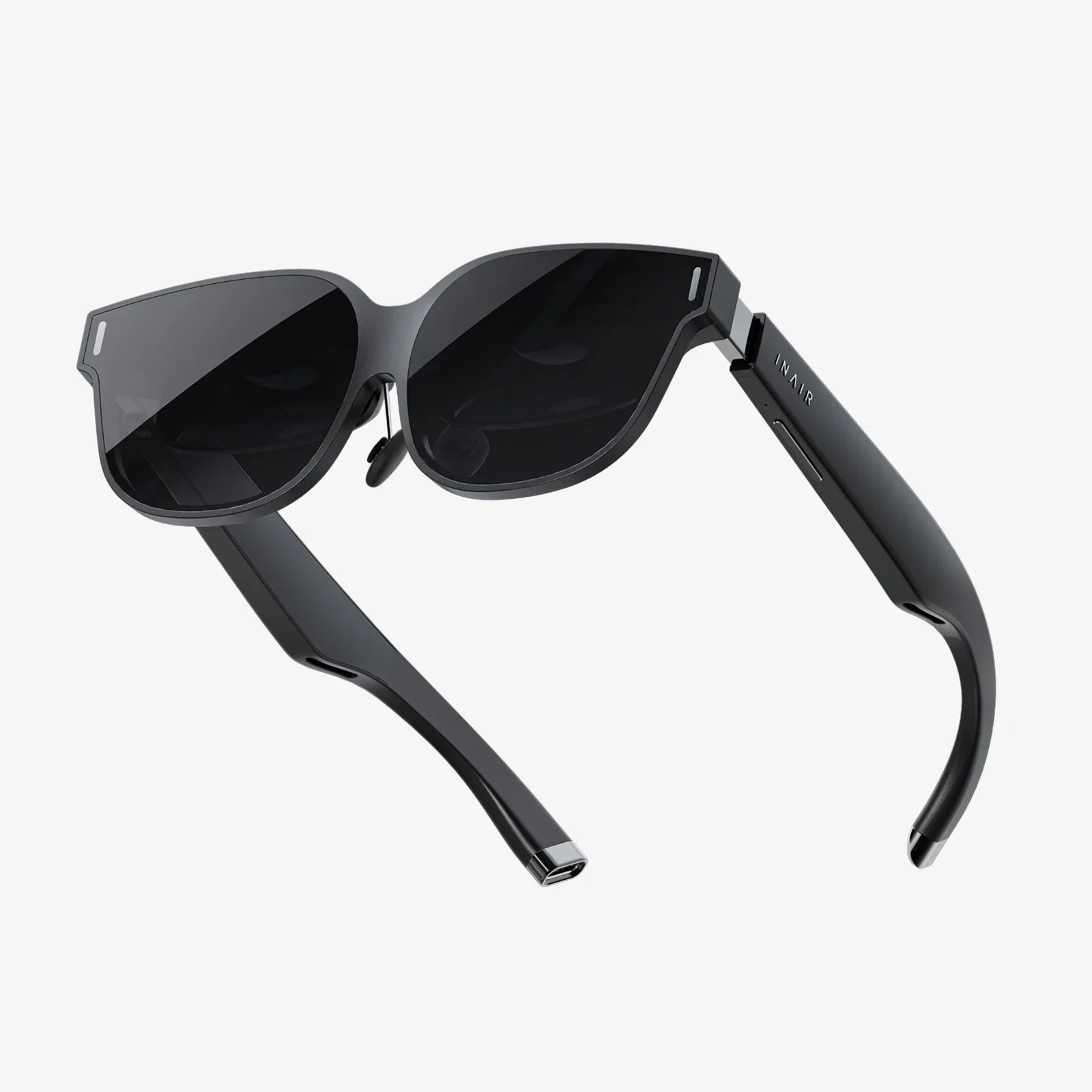
Imagine sitting in the best seat in a private IMAX theater, not just watching a movie, but feeling like you’re inside it. The world around you dissolves, replaced by a breathtaking landscape, a roaring concert crowd, or the silent, infinite expanse of space. This is no longer a fantasy reserved for the distant future; it’s the reality available today with a PC VR headset for videos. This technology has quietly evolved from a niche gaming peripheral into a powerhouse for cinematic immersion, promising to revolutionize how we consume visual media. If you’ve ever dreamed of having a personal theater with screen sizes beyond imagination, the journey begins here.
The Allure of Immersive Video: Beyond the Flat Screen
For over a century, the paradigm of video consumption has been fundamentally two-dimensional. We've progressed from small black-and-white tubes to massive, ultra-high-definition flat panels, but the experience has always been one of looking at a window into another world. A PC VR headset shatters that window, removing the frame and placing you directly within the scene. The effect is not merely visual; it's psychological and deeply emotional.
The sense of presence—the convincing feeling of being in another place—is the holy grail of virtual reality. When watching a 360-degree video of a coral reef, you don't just see fish swim across a screen; you instinctively turn your head to follow a turtle gliding above you. In a narrative film shot with VR techniques, you are no longer a passive observer but an active occupant of the story's environment. This creates a powerful, empathetic connection to the content that traditional media cannot replicate. It’s the difference between hearing about a place and actually visiting it.
Deconstructing the Hardware: What Makes a VR Headset Tick?
To understand the magic, one must appreciate the sophisticated engineering packed into a modern PC VR headset. It's a symphony of components working in perfect harmony to trick your senses.
The Display: Your Window to Other Worlds
At its heart are two high-resolution displays (one for each eye), typically using OLED or Fast-Switch LCD technology. Key specifications include:
- Resolution: Measured in pixels per inch (PPI) or by the combined per-eye resolution (e.g., 2160x2160 per eye). Higher resolution drastically reduces the "screen door effect" (the visible grid between pixels), making the image appear smooth and solid.
- Refresh Rate: Expressed in Hertz (Hz), this dictates how many times the image updates per second. Rates of 90Hz, 120Hz, and even 144Hz are common. A higher refresh rate is crucial for smooth, comfortable viewing, especially during fast-paced action sequences, as it reduces motion blur and latency.
- Field of View (FoV): This is the angular extent of the visible world at any given moment, measured diagonally. A wider FoV (110-120 degrees is common) increases immersion by filling more of your peripheral vision, making the virtual environment feel more natural and less like looking through binoculars.
Lenses and Optics: Bending Light for Comfort
Between the displays and your eyes are sophisticated lenses. Their job is to focus the image from the small, close-up screens to appear clear and sharp across your entire field of view. Modern headsets use Fresnel lenses or advanced pancake lenses, which are thinner and lighter. A critical feature is the Interpupillary Distance (IPD) adjustment, either physical or software-based, which allows you to align the lenses with the distance between your pupils. Proper IPD adjustment is non-negotiable for achieving a sharp image and preventing eye strain.
Tracking and Audio: Completing the Illusion
For videos, inside-out tracking (where cameras on the headset itself track your position relative to the room) is often sufficient and more convenient than external base stations. This allows you to subtly lean in for a closer look or turn your head without breaking immersion.
Audio is half the experience. High-quality spatial audio or integrated headphones are essential. This technology makes sounds appear to come from specific directions in the 3D space. A character speaking behind you will sound like they are actually behind you, completing the sensory illusion and making the virtual world feel tangibly real.
The PC Powerhouse: Why Your Computer is the Engine
The "PC" in PC VR headset is doing the heavy lifting. Unlike standalone headsets that use mobile processors, a connected headset leverages the raw power of a desktop computer. This partnership is crucial for high-fidelity video playback.
- GPU (Graphics Processing Unit): This is the most critical component. A powerful dedicated GPU is required to render two high-resolution images simultaneously (one for each eye) at a very high frame rate. It must also decode high-bitrate video streams, often at resolutions like 4K or 8K, without dropping frames or introducing stutter.
- CPU (Central Processing Unit): A modern multi-core CPU handles the background processes, data decompression, and the overall system overhead needed to keep the experience smooth.
- Ports and Connectivity: Most modern PC VR headsets connect via a single DisplayPort or USB-C (with DisplayPort Alt Mode) cable, which carries both high-bandwidth video data and power. Some older models may use HDMI, but DisplayPort is preferred for its higher bandwidth capabilities, which are necessary for pushing the highest resolutions and refresh rates.
A Universe of Content: What Can You Actually Watch?
The hardware is pointless without compelling content. The library of VR video material has exploded, catering to every conceivable interest.
Traditional Cinema in a Virtual Theater
Applications exist that place you in a virtual cinema environment—from a cozy loft apartment to a grand opera house—where you can watch standard 2D or 3D flat movies on a gigantic virtual screen. It’s like having a private theater with a screen that can be as large as you want, without the distractions of a living room.
180° and 360° Videos: The Front Row Seat
This is native VR content. Cameras capable of capturing a full sphere of view are used to create experiences where you control the perspective.
- Travel and Nature: Stand on the edge of an active volcano, swim with great white sharks, or take a walking tour of Tokyo. It's the next best thing to being there.
- Live Events and Music: Attend sold-out music festivals, stand on stage with your favorite band, or get courtside seats at a major sporting event through official VR broadcasts.
- Documentaries and Journalism: News organizations use VR to create powerful, empathetic reports from the front lines of conflicts or natural disasters, fostering a deeper understanding of world events.
- Narrative Storytelling: A growing number of filmmakers are experimenting with VR, creating short films and experiences where you are a silent character within the story, discovering plot points by looking around.
Navigating the Practicalities: Comfort, Setup, and Considerations
The dream of perfect immersion is tempered by a few practical realities.
Comfort is King: A heavy, poorly balanced headset can become unbearable during a two-hour movie. Look for models with good weight distribution, ample padding, and adjustable straps. For extended viewing sessions, comfort is arguably more important than any other spec.
The Setup Process: While much simpler than it was five years ago, setting up a PC VR system involves installing software, connecting cables, and configuring your play space. It requires a moderate level of technical comfort.
Visual Limitations: Despite rapid advancements, no headset is perfect. Some users may still notice a slight screen door effect, chromatic aberration (color fringing on high-contrast edges), or a "sweet spot" for clarity that requires keeping the headset perfectly positioned.
Motion Sensitivity: While less of an issue for static video viewing than for gaming, some users might experience discomfort or nausea, especially in experiences with simulated movement. This often subsides with repeated use as the brain acclimates.
The Future of Cinematic VR: Where Do We Go From Here?
The trajectory of PC VR for videos is incredibly exciting. We are moving towards headsets with resolutions so high the virtual world is indistinguishable from reality, with varifocal lenses that dynamically adjust to where your eyes are looking, and with advanced haptic feedback that could let you feel the rumble of a spaceship engine or the spray of ocean mist. Lightfield technology, which captures not just light but its direction, promises true photorealistic VR where you can move your head naturally within a recorded space with perfect parallax. The line between recorded video and a fully rendered virtual environment will continue to blur, opening up possibilities for storytelling and experience that we can only begin to imagine.
Your living room is about to become a gateway to any reality you can dream of. The era of passive viewing is ending, replaced by an age of active experience. A high-quality PC VR headset is more than just a piece of technology; it's a passport to the front row of every concert, a VIP ticket to every landmark, and a director's chair in every story. The content library is vast and growing, the technology is more accessible and impressive than ever, and the only limit is your curiosity. The greatest show on Earth—and beyond—is waiting for you to take your seat.
Share:
AR Headset Market: Navigating the Next Frontier of Digital Interaction
Best Buy VR Headset for PC: The Ultimate 2024 Buyer's Guide