


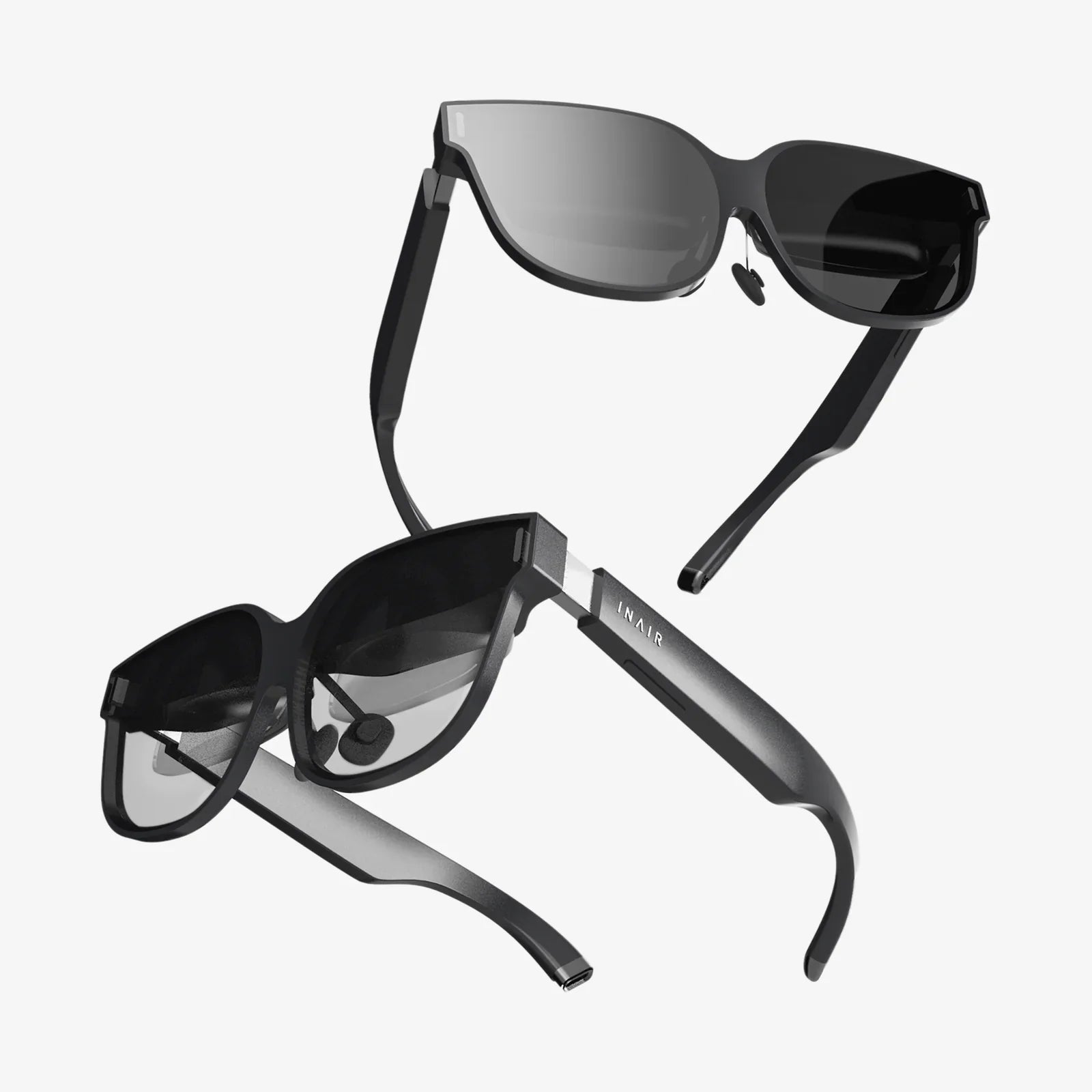
What is portable computing, and why does it feel like it has quietly taken over almost every corner of modern life? From the moment you silence an alarm on your phone to the last time you check messages at night, portable computing is the invisible engine behind your routines, your work, your entertainment, and even your health. Understanding what portable computing really is, how it works, and where it is going can help you make smarter choices about devices, protect your privacy, and get more value from the technology you already carry.
At its core, portable computing is about having the power of a computer wherever you are, without being tied to a desk or a specific location. But that simple idea hides a complex ecosystem of devices, networks, software, and habits that have taken decades to develop. To understand its impact, you need to look beyond the screen in your hand and see the larger picture of how portable computing is reshaping society, work, and even what it means to be “available.”
What Is Portable Computing? A Clear, Practical Definition
Portable computing refers to the use of computing devices that are designed to be easily carried and used in different locations, typically powered by batteries and equipped with wireless connectivity. These devices can perform tasks traditionally associated with desktop computers, such as browsing the web, editing documents, running applications, and communicating over networks, but they do so in a mobile, flexible way.
Three key characteristics define portable computing:
- Mobility: The device is small and light enough to be carried or worn.
- Self-contained power: It runs on batteries or other portable power sources.
- Wireless connectivity: It can connect to networks without physical cables, often using Wi‑Fi, cellular data, or short-range wireless technologies.
Portable computing is not just about one specific device type. It is an umbrella concept that includes a wide range of tools, from laptops and tablets to phones, wearables, and even specialized handhelds used in industry and healthcare.
The Evolution of Portable Computing: From Luggable to Pocket-Sized
Portable computing did not start with sleek smartphones or lightweight laptops. It emerged gradually as engineers tried to free computing from fixed desks and large machines. Understanding this evolution explains why today’s devices look and behave the way they do.
Early Experiments: Luggable Machines and Basic Mobility
In the early days, portable computers were often described as “luggable” rather than truly portable. These machines were smaller than traditional desktops but still heavy, often requiring a handle and two hands to carry. They typically needed to be plugged into power outlets, limiting their real-world mobility.
Despite their awkward size, these early systems introduced important ideas:
- Integrated displays and keyboards that folded into a single unit.
- Removable storage for moving data between locations.
- The concept that work could travel with the user instead of staying at the office.
The Rise of the Laptop: True Mobile Workstations
Improvements in battery technology, display design, and low-power processors eventually led to the modern laptop: a clamshell device with a screen, keyboard, trackpad, and rechargeable battery. Laptops made it possible to work from almost anywhere: airplanes, cafes, client sites, or home offices.
Key milestones in laptop evolution included:
- Color displays that improved readability and visual work.
- Built-in pointing devices replacing external mice.
- Wireless networking that removed the need for cables.
- Solid-state storage that increased durability and speed.
For many years, the laptop was the primary symbol of portable computing. But another revolution was quietly forming in people’s pockets.
Smartphones and Tablets: Computing in the Palm of Your Hand
As mobile phones gained more processing power and better displays, they evolved into smartphones: pocket-sized computers with always-on connectivity. Tablets followed, offering larger screens without the bulk of laptops. These devices shifted portable computing from a work-centric activity to something deeply woven into personal life.
Smartphones and tablets transformed portable computing by:
- Making touchscreens the primary interface for many tasks.
- Integrating cameras, sensors, and location services into a single device.
- Creating app ecosystems that allowed specialized software for almost any need.
- Enabling constant communication through messaging, voice, and video.
Portable computing was no longer limited to professionals on business trips. It became a daily reality for students, families, travelers, and virtually anyone with a mobile device.
Wearables and Beyond: Computing That Disappears into Daily Life
The latest stage of portable computing pushes devices even closer to the body. Wearables such as smartwatches, fitness trackers, and other sensor-equipped accessories bring computing into constant contact with the user.
These devices often focus on:
- Health tracking, such as heart rate, sleep, and activity levels.
- Notifications and quick interactions without pulling out a phone.
- Hands-free control through voice commands and gestures.
- Seamless integration with other devices in a personal network.
As portable computing continues to evolve, devices become less visible but more present, blending into clothing, accessories, and everyday environments.
Core Components of Portable Computing Devices
Regardless of form factor, most portable computing devices share a similar set of core components that enable them to function effectively on the move.
Processing Power and Memory
The central processing unit and memory determine how quickly a device can run applications, switch between tasks, and handle complex operations. Portable devices use processors optimized for energy efficiency, balancing performance with battery life.
Key considerations include:
- Processor architecture: Designs that reduce power consumption while maintaining speed.
- RAM capacity: Enough memory to handle multitasking without slowdowns.
- Graphics processing: Integrated or dedicated solutions for visual tasks like video, gaming, and design.
Battery and Power Management
Battery technology is at the heart of portable computing. Devices must operate for hours or days without being tethered to power outlets. This requires both efficient hardware and intelligent power management.
Important aspects include:
- Battery capacity and chemistry.
- Power-saving modes and adaptive performance scaling.
- Fast charging capabilities for quick top-ups.
- Software that optimizes energy use based on user behavior.
Connectivity: Staying Linked Anywhere
Portable computing depends on the ability to communicate with other devices and networks. Common connectivity options include:
- Wi‑Fi: High-speed local networking for homes, offices, and public spaces.
- Cellular data: Wide-area connectivity for phones, tablets, and some laptops.
- Short-range wireless: Technologies used for connecting accessories, wearables, and peripherals.
- Location services: Global positioning and related systems for mapping and navigation.
These connections allow portable devices to access cloud services, synchronize data, stream media, and support real-time collaboration.
Input and Output: How You Interact with Portable Devices
Portable computing relies on flexible ways for users to input commands and receive information.
Common input methods:
- Keyboards and trackpads on laptops.
- Touchscreens on phones and tablets.
- Stylus input for drawing and handwriting.
- Voice commands through built-in microphones.
- Gesture controls and sensors on wearables.
Common output methods:
- Displays of various sizes and resolutions.
- Speakers and audio outputs for sound.
- Haptic feedback such as vibrations.
- Visual indicators on wearables and small devices.
Types of Portable Computing Devices and Their Uses
Understanding what portable computing is also means recognizing the diversity of devices and how they fit into different scenarios.
Laptops and Ultraportables
Laptops remain the backbone of mobile productivity for many people. They offer full-sized keyboards, larger screens, and operating systems that support complex applications. Ultraportable models emphasize thin, light designs and long battery life, making them ideal for frequent travelers and remote workers.
Common uses include:
- Office work, such as documents, spreadsheets, and presentations.
- Software development and technical tasks.
- Creative work, including design, audio, and video editing.
- Education and research in schools and universities.
Tablets and 2‑in‑1 Devices
Tablets offer touch-first interfaces and portability that works well for media consumption, note-taking, and casual browsing. When combined with detachable keyboards or stands, some tablets function as 2‑in‑1 devices, bridging the gap between laptop and tablet.
Typical scenarios:
- Reading, streaming, and light web browsing.
- Digital note-taking with stylus input.
- Field work where lightweight, rugged devices are needed.
- Interactive presentations and demonstrations.
Smartphones: The Most Ubiquitous Portable Computers
Smartphones are arguably the most widespread form of portable computing. They combine communication, computing, and sensors into a single device that most people carry everywhere.
Everyday uses include:
- Messaging, calling, and video conferencing.
- Navigation and location-based services.
- Mobile payments and digital identification.
- Photography, social media, and content creation.
Because smartphones are always nearby, they often act as hubs that connect and control other portable and smart devices.
Wearables and Specialized Portable Devices
Wearable devices and other specialized portable tools serve focused roles within the broader ecosystem of portable computing.
Examples of specialized uses:
- Health monitoring and fitness tracking.
- Industrial handhelds for inventory, scanning, and data collection.
- Portable gaming devices for entertainment on the go.
- Field devices used in construction, surveying, and environmental monitoring.
These devices often trade general-purpose capabilities for durability, battery life, or specialized features tailored to specific tasks.
How Portable Computing Is Changing Work
To fully answer the question “what is portable computing,” you need to look at its impact on work patterns, not just the devices themselves. Portable computing has reshaped how, where, and when people work.
Remote and Hybrid Work Models
Portable computing enables employees to work effectively outside traditional offices. Laptops, mobile devices, and cloud-based tools make it possible to access files, collaborate with colleagues, and participate in meetings from almost anywhere with an internet connection.
Consequences of this shift include:
- Greater flexibility in where employees live and work.
- Reduced dependence on physical office space.
- New expectations for availability across time zones.
- Challenges in separating personal and professional time.
On-the-Go Productivity
Portable computing allows people to use small pockets of time more efficiently. Work can continue during commutes, travel, or breaks, whether that means answering emails, reviewing documents, or joining quick calls.
While this can increase productivity, it can also create pressure to remain constantly connected. Setting boundaries becomes a crucial skill in a world where work tools fit in your pocket.
Collaboration and Real-Time Communication
Portable devices support a wide range of communication methods: instant messaging, video meetings, shared documents, and more. Teams can stay connected even when distributed across cities or countries.
This constant connectivity has several effects:
- Faster decision-making when information is always accessible.
- Increased transparency through shared workspaces and real-time updates.
- Risk of notification overload and reduced focus.
- New norms for digital etiquette and response times.
Portable Computing in Education and Learning
Education has been deeply affected by portable computing, changing how students learn, how teachers teach, and how institutions deliver content.
Access to Learning Resources Anywhere
Students can access textbooks, lectures, and research materials from laptops, tablets, and phones. Learning is no longer limited to the classroom or library. Digital platforms allow for interactive exercises, quizzes, and multimedia explanations that can be revisited at any time.
Benefits include:
- Self-paced learning and review.
- Greater access to up-to-date resources.
- Opportunities for remote and distance education.
New Forms of Classroom Interaction
Portable devices enable interactive teaching methods, such as live polls, digital whiteboards, and collaborative documents. Students can participate through their own devices, submitting answers, asking questions, or contributing to shared projects in real time.
However, these advantages come with challenges, including:
- Distraction risks when non-educational content is a tap away.
- Equity issues for students without reliable access to devices or connectivity.
- The need for digital literacy skills alongside traditional subjects.
Portable Computing and Everyday Life
Beyond work and school, portable computing shapes daily routines in subtle and pervasive ways. Understanding these patterns reveals just how deeply embedded portable technology has become.
Communication and Social Connections
Portable devices allow people to stay connected with friends, family, and communities regardless of distance. Messaging, social platforms, and video calls provide constant communication channels.
Effects on daily life include:
- Maintaining long-distance relationships more easily.
- Participating in online communities based on shared interests.
- Managing social calendars and events digitally.
- Navigating the pressures of always being reachable.
Navigation, Travel, and Local Discovery
Portable computing devices have largely replaced standalone maps and guides. Navigation apps provide turn-by-turn directions, traffic updates, and even public transit information. Location-based services suggest nearby restaurants, attractions, and services.
This transforms how people explore new places, plan trips, and move through cities. It also raises questions about data collection and how location histories are used.
Health, Fitness, and Personal Tracking
Wearables and smartphones collect detailed data about physical activity, sleep, and other health indicators. Portable computing enables users to set fitness goals, track progress, and receive alerts about potential issues.
Benefits include:
- Greater awareness of daily habits and health trends.
- Motivation through goals, reminders, and progress tracking.
- Early detection of unusual patterns that may warrant medical attention.
At the same time, storing sensitive health data on portable devices highlights the importance of security and privacy practices.
Entertainment and Creativity on the Go
Portable computing devices are powerful entertainment hubs. Users can stream music and video, read books, play games, and create content wherever they are.
This mobility has several consequences:
- Shorter, more frequent engagement with content throughout the day.
- New creative opportunities, such as mobile photography and video editing.
- The blending of consumption and creation in a single device.
Key Advantages of Portable Computing
Understanding what portable computing is also involves recognizing its strengths. These advantages explain why portable devices have become so central to modern life.
Flexibility and Convenience
Portable computing allows tasks to be performed wherever it is most convenient: at home, in transit, at a client site, or in a cafe. This flexibility supports diverse lifestyles and work arrangements.
Users can:
- Access important information without returning to a fixed location.
- Adjust working hours to fit personal schedules.
- Seize opportunities for learning and productivity during idle moments.
Continuous Access to Information
With portable devices, information is rarely out of reach. Whether you need directions, a reference document, or a quick answer to a question, portable computing provides rapid access.
This continuous access supports:
- Better decision-making based on up-to-date data.
- On-the-spot learning and problem solving.
- Reduced dependence on printed materials and static resources.
Enhanced Collaboration and Communication
Portable computing tools make it easier to stay in contact with colleagues, clients, and collaborators. Shared documents, messaging platforms, and video calls can all be accessed from mobile devices.
As a result, teams can:
- Respond quickly to changes and new information.
- Coordinate across distances and time zones.
- Include participants who may not be physically present.
Challenges and Risks of Portable Computing
Alongside its benefits, portable computing introduces real challenges. Recognizing these issues is essential for using portable devices in a balanced and secure way.
Security and Privacy Concerns
Portable devices are easy to lose or steal, and they often store sensitive information. They also connect to networks that may not be secure, such as public Wi‑Fi in cafes or airports.
Common risks include:
- Unauthorized access to personal or business data.
- Malware or phishing attacks via mobile channels.
- Tracking and profiling based on location and usage data.
Mitigating these risks requires strong authentication methods, careful management of app permissions, and awareness of the networks you connect to.
Overload and Distraction
Portable computing devices are designed to capture attention. Constant notifications, alerts, and updates can fragment focus and make deep work or meaningful rest more difficult.
Potential consequences:
- Reduced concentration and productivity.
- Increased stress from constant connectivity.
- Difficulty disconnecting during personal time.
Managing these effects often involves adjusting notification settings, scheduling offline periods, and cultivating intentional use habits.
Dependence on Connectivity and Power
Portable computing relies heavily on battery life and network access. When power outlets or reliable connections are unavailable, even the most advanced device can become limited.
This dependence means:
- Planning around charging opportunities during travel.
- Considering offline capabilities for critical tasks.
- Recognizing that connectivity gaps can disrupt work and communication.
Best Practices for Using Portable Computing Wisely
Knowing what portable computing is and how it works sets the stage for using it more effectively. A few practical habits can significantly improve both security and overall experience.
Strengthening Security on Portable Devices
To protect data and privacy, consider the following practices:
- Use strong, unique passwords and enable multi-factor authentication.
- Keep operating systems and applications updated to patch vulnerabilities.
- Encrypt sensitive data where possible.
- Be cautious when connecting to public networks and avoid transmitting confidential information over unsecured connections.
Managing Attention and Digital Wellbeing
Portable computing does not have to mean constant distraction. Thoughtful configuration can help you stay in control of your attention.
Helpful strategies include:
- Customizing notification settings to focus on what truly matters.
- Using scheduled “do not disturb” periods.
- Creating device-free times or spaces in daily routines.
- Regularly reviewing which apps and services you actually use.
Optimizing for Battery Life and Reliability
To ensure your portable devices are ready when you need them:
- Carry chargers or power banks during long days or travel.
- Use power-saving modes when battery levels are low.
- Close unused apps and reduce screen brightness when appropriate.
- Plan critical tasks for times when both power and connectivity are reliable.
The Future of Portable Computing
Portable computing continues to evolve, and the next wave of changes is already visible. While specific products will come and go, several broad trends are shaping the future.
More Intelligence at the Edge
Devices are increasingly capable of performing advanced tasks directly on the device rather than relying solely on remote servers. This includes features such as language processing, image recognition, and personalized recommendations.
Benefits of this shift include:
- Improved responsiveness and reduced reliance on constant connectivity.
- Better privacy when sensitive data does not leave the device.
- New capabilities for offline or low-bandwidth environments.
Deeper Integration with the Physical World
Portable computing is extending beyond individual devices to interact with surrounding environments. Sensors, smart accessories, and connected infrastructure allow portable devices to control and respond to physical spaces.
Examples include:
- Using portable devices to manage smart home systems.
- Interacting with connected vehicles and transportation networks.
- Enhancing physical spaces with augmented information and guidance.
More Seamless, Less Visible Technology
As devices become smaller and more integrated, portable computing may feel less like carrying a gadget and more like living in an environment where computing is always available when needed. Wearables, smart textiles, and unobtrusive interfaces are early indicators of this direction.
This evolution raises important questions:
- How much technology should fade into the background?
- What boundaries should exist between digital systems and personal life?
- How can individuals maintain control over data and choices as systems become more automated?
Why Understanding Portable Computing Matters Now
Asking “what is portable computing” is not just a technical question. It is a way of examining how you live, work, and interact with the world. Portable devices now mediate everything from professional opportunities to social relationships and health decisions. Knowing how they function, what they enable, and where they can mislead you is a practical form of literacy.
By seeing portable computing as an ecosystem rather than a single device, you can make more intentional choices: which tools to adopt, how to configure them, and when to step away from them. You can strengthen your security, protect your privacy, reduce distraction, and harness the flexibility that portable computing offers without letting it quietly dictate every moment of your day.
The next time you reach for a phone, open a laptop, or glance at a wearable, you will be interacting with a powerful example of what portable computing has become: a networked, ever-present companion that can either amplify your capabilities or fragment your attention. The difference lies in how clearly you understand it—and how deliberately you decide to use it.
Share:
virtual reality explained in simple terms for everyday people
Adaptation AI And The Future Of Intelligent, Self-Tuning Systems