


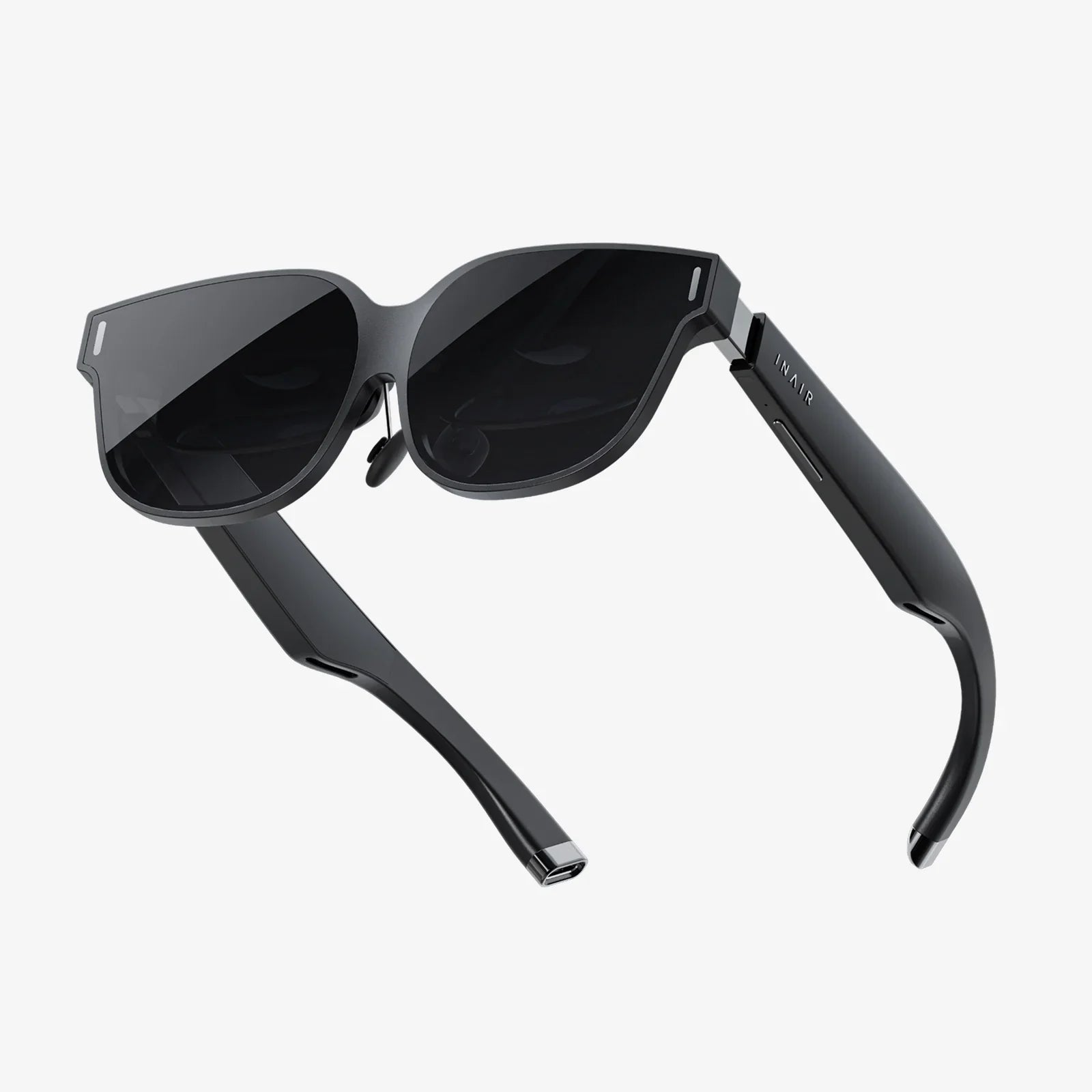
If you have ever wondered what phones are compatible with a virtual reality headset, you are not alone. Many people buy a headset first and only later discover that their phone does not fit, does not have the right sensors, or delivers a blurry, motion-sickening experience. The good news is that with a little guidance, you can quickly figure out whether your current phone is VR-ready or what you should look for in your next upgrade to unlock immersive games, 360-degree videos, and virtual tours that actually feel worth your time.
Smartphone-based VR has changed a lot in the last few years. Some early platforms have disappeared, while others have shifted to standalone headsets that no longer rely on phones at all. Yet phone-based VR remains a powerful, affordable way to explore virtual reality without investing in an expensive dedicated system. This guide breaks down everything you need to know, so you can confidently answer the question: is my phone compatible with a virtual reality headset, and if not, what should I look for instead?
Why Phone Compatibility Matters So Much in VR
Virtual reality is extremely sensitive to hardware quality. Unlike regular mobile apps, VR experiences demand smooth graphics, fast sensors, and a screen that is both sharp and responsive. If your phone falls short in any of these areas, you may face:
- Blurry visuals that ruin immersion
- Lag or stutter that can cause nausea
- Overheating and rapid battery drain
- Apps that refuse to run or crash frequently
- Headsets that physically cannot fit your device
This is why the core question is not only what phones are compatible with a virtual reality headset, but also what phones are actually good enough to deliver a comfortable, enjoyable VR experience. Compatibility is the minimum requirement; quality is what makes VR truly compelling.
Types of Phone-Based VR Headsets You Will Encounter
Before diving into phone requirements, it helps to understand the main categories of VR headsets that work with smartphones:
1. Basic Smartphone VR Viewers
These are simple headsets that act like a shell for your phone. They typically feature:
- A slot or clamp to hold the phone in front of your eyes
- Two lenses to create a stereoscopic effect
- Minimal or no built-in electronics
With these viewers, almost all the work is done by the phone itself. That means the phone’s screen, sensors, and processing power determine most of your VR experience. These headsets are usually compatible with a wide range of phones, as long as the size and basic features match.
2. Advanced Mobile VR Headsets
Some mobile headsets include extra features such as:
- Built-in motion sensors
- Touchpads or buttons on the side
- Integrated audio
- Custom software or app ecosystems
These headsets may require specific phone features or operating system versions. Some support only certain platforms, while others have a broader compatibility list but still enforce minimum specs like screen size, resolution, and performance.
3. Standalone VR vs. Phone-Based VR
Standalone VR headsets contain their own screens and processors and do not need a phone at all. They are outside the scope of this guide, but they are worth mentioning because many people assume all VR headsets require a phone. When you are asking what phones are compatible with a virtual reality headset, be sure you are actually looking at phone-based headsets, not standalone devices.
Core Phone Requirements for VR Compatibility
Most phone-based VR headsets do not rely on a single specific model but instead on a set of hardware and software capabilities. To determine whether your phone is compatible, you should check the following key aspects.
1. Screen Size and Physical Dimensions
Headsets are designed to fit phones within a certain screen size range. Common supported ranges include:
- Minimum: around 4.7 inches
- Maximum: around 6.7–7.0 inches
However, screen size alone is not enough. You also need to consider:
- Phone length and width: Will it fit into the headset tray or clamp?
- Thickness: Very thick phones or phones with bulky cases may not fit securely.
- Bezel shape: Curved screens or unusual shapes can affect how well the phone aligns with the lenses.
Most manufacturers publish minimum and maximum phone dimensions. If you cannot find them, measure your phone and compare it to the headset’s opening or holder. If your phone is significantly smaller than the maximum and larger than the minimum, it is likely to fit.
2. Screen Resolution and Pixel Density
Resolution is one of the most important factors for visual clarity. Because VR lenses magnify the screen, any pixelation becomes much more noticeable. For a usable VR experience, you should aim for:
- Minimum resolution: Full HD (1920 × 1080) or higher
- Better experience: Quad HD or higher
- Pixel density: Ideally 400 pixels per inch (PPI) or more
Lower resolutions can still technically work, but you will see a “screen door” effect where individual pixels are visible. This is not just less immersive; it can also cause eye strain during longer sessions.
3. Operating System Version
VR apps and platforms often require a modern operating system. As a general guideline:
- For Android phones, a recent major version is strongly recommended.
- For iOS devices, a relatively current version is needed to run the latest VR and 360-degree apps.
Older systems may not support newer VR frameworks, controllers, or performance optimizations, even if the hardware seems adequate. Always check the app store listings for your desired VR apps and confirm the minimum OS version.
4. Sensors: Gyroscope and Accelerometer
VR depends heavily on motion tracking. At a minimum, your phone should include:
- Gyroscope: Measures rotation, allowing the system to track where you are looking.
- Accelerometer: Detects linear movement and orientation changes.
Without a gyroscope, most VR experiences will not work properly. Some basic 360-degree video players can fall back on touch controls, but this destroys the immersive feel. When asking what phones are compatible with a virtual reality headset, the presence of a gyroscope is one of the first things to verify.
5. Processor and Graphics Performance
VR rendering is demanding. The phone’s processor and graphics chip must handle:
- High frame rates (ideally 60 frames per second or more)
- Two images at once (one for each eye)
- Real-time head tracking and input processing
To get smooth performance:
- Look for a mid-range or high-end processor from the last few years.
- Avoid entry-level devices designed primarily for basic calling and messaging.
- Check user reviews or benchmarks mentioning VR performance, if available.
If your phone struggles with 3D games outside VR, it will likely struggle even more inside a headset.
6. Battery Capacity and Heat Management
VR sessions drain battery quickly and generate heat. A phone that overheats will throttle performance or shut down apps. Consider:
- Battery size: Larger batteries support longer sessions.
- Cooling: Some phones dissipate heat better than others.
- Case removal: Removing a thick case before VR can help with heat and fit.
While battery and heat do not directly determine compatibility, they heavily influence whether VR is practical on your device.
How to Check If Your Current Phone Supports VR
If you already own a smartphone and want to know whether it is VR-ready, follow these steps.
Step 1: Confirm the Presence of a Gyroscope
On many phones, you can check this by:
- Searching online for your phone model plus the word “gyroscope”
- Installing a sensor test app from your app store
- Checking your phone’s official technical specifications
If your phone lacks a gyroscope, it is technically incompatible with most VR apps that rely on head tracking.
Step 2: Verify Screen Size and Resolution
Look up your phone’s screen size and resolution in its settings or online. Confirm that:
- The diagonal screen size falls within the headset’s supported range.
- The resolution meets at least a Full HD baseline.
If your phone’s screen is significantly smaller than 5 inches, many modern headsets may not hold it securely or provide a wide enough field of view.
Step 3: Check Operating System Version
Open your phone’s settings and find the software or system information section. Compare your OS version to the minimum requirements of:
- Your chosen VR apps
- The headset’s companion app, if it has one
If your OS is several major versions behind and cannot be updated, your VR options will be limited even if the hardware is capable.
Step 4: Assess Performance Through Non-VR Games
Install a few graphically demanding games or benchmarks and observe:
- Frame rate stability
- Heat buildup during 15–20 minutes of gameplay
- Battery drop during that period
If your phone struggles significantly, it may technically support VR but deliver a poor experience. Short, simple VR apps and 360-degree videos may still be fine, but fast-paced VR games could be frustrating.
General Guidelines by Phone Category
Instead of listing specific model names, it is more useful to think in terms of categories and age ranges. This helps you judge compatibility even for phones not explicitly documented by headset makers.
1. Recent Flagship and Upper Mid-Range Phones
Most recent high-end and upper mid-range phones are well-suited for VR. They typically offer:
- High-resolution displays
- Powerful processors and graphics chips
- Gyroscopes and other advanced sensors
- Large batteries and better thermal management
These phones are the safest bet for VR compatibility and quality. If your phone falls into this category and is only one or two generations old, it is very likely compatible with most phone-based VR headsets that support its size.
2. Older High-End Phones
High-end phones from several years ago can still be decent for VR, provided they have:
- A gyroscope
- At least a Full HD screen
- A reasonably fast processor for their time
The main limitations will be:
- Shorter battery life
- Potential overheating
- Inability to update to the latest OS versions
These devices remain a viable starting point for casual VR and 360-degree media, but they may struggle with newer, more demanding applications.
3. Modern Budget Phones
Entry-level phones released recently often focus on cost savings rather than performance or advanced sensors. Many of them:
- Lack a gyroscope
- Use lower-resolution screens
- Have modest processors and limited graphics capabilities
Some budget phones do support basic VR, especially for 360-degree video viewing, but they are more likely to deliver a compromised experience. If VR is important to you, verify the presence of a gyroscope and aim for a device with at least a mid-tier processor.
4. Very Old or Entry-Level Phones
Phones that are many years old or were originally sold as ultra-budget devices are rarely a good match for VR. Common issues include:
- No gyroscope sensor
- Low-resolution displays
- Insufficient processing power
- Outdated operating systems with limited app support
Even if they can physically fit into a headset, their performance and software limitations make them poor candidates for VR use.
Special Considerations for Different Platforms
When evaluating what phones are compatible with a virtual reality headset, the platform your phone uses can influence your options.
Android Phones
Android devices are widely used for phone-based VR due to their variety and flexibility. Key points to consider:
- Sensor support: Most mid-range and high-end Android phones include a gyroscope, but some budget models do not.
- Screen variety: You will find everything from compact to very large screens; ensure your headset supports your phone’s size.
- Software fragmentation: Different manufacturers may customize Android, affecting VR performance or compatibility with certain apps.
Because of the diversity in hardware and software, always verify specifications for your exact model rather than assuming all Android phones behave identically.
iOS Devices
Modern iOS phones generally offer strong performance and high-quality displays, making them well-suited to VR. However:
- Some headsets are designed with Android-specific features or apps in mind.
- App availability may differ between app stores, especially for niche VR experiences.
- Physical dimensions and screen aspect ratios vary, affecting how well the device fits and how the image is displayed.
Still, if you have a recent iOS device with a high-resolution screen, you are likely in a good position for phone-based VR, provided the headset supports its size.
Matching Your Phone to the Right Type of VR Content
Not every VR experience demands the same level of hardware. Understanding the types of content you plan to enjoy can help narrow down which phones are effectively compatible, not just technically supported.
1. 360-Degree Videos and Photos
This is the most accessible form of VR content. Requirements are relatively modest:
- A gyroscope for head tracking
- A reasonably sharp screen for comfortable viewing
- Decent battery life for extended viewing sessions
Most mid-range phones from the last few years can handle this type of content without major issues.
2. Simple VR Apps and Experiences
These include basic VR tours, educational apps, and simple games. They demand more than video playback but less than high-end VR titles. For these apps, you will want:
- A mid-range or better processor
- Solid sensor performance (low latency gyroscope)
- At least a Full HD screen
Many mid-range and high-end phones can support this category smoothly, making it a sweet spot for casual VR users.
3. Intensive VR Games and Simulations
These experiences push your phone to its limits. They require:
- High-end processing and graphics performance
- High-resolution displays
- Efficient thermal management
- Plenty of storage space for large game files
If you are primarily interested in advanced VR gaming, you should focus on recent high-end phones. Less powerful devices may technically run these apps but with frame drops, visual compromises, or overheating issues.
Practical Tips for Getting the Best VR Experience from Your Phone
Once you know your phone is compatible with a virtual reality headset, you can still take steps to improve comfort, performance, and immersion.
Optimize Phone Settings
- Close background apps: Free up memory and processing power before launching VR apps.
- Increase brightness: A brighter screen helps counteract the light loss through lenses, but keep an eye on battery and heat.
- Enable do not disturb mode: Prevent notifications from breaking immersion.
Manage Heat and Battery
- Limit session length, especially on older phones.
- Remove thick protective cases before using VR.
- Allow the phone to cool between sessions.
Monitoring heat is particularly important because excessive temperatures can reduce performance and shorten the lifespan of your device.
Adjust the Headset for Comfort and Clarity
- Align the phone correctly: Make sure the screen is centered behind the lenses.
- Adjust lens distance: Many headsets allow you to move lenses closer or farther to match your eyes.
- Use the head straps properly: The headset should be snug but not painfully tight.
A compatible phone can still look bad if the optical alignment is off. Take a few minutes to adjust everything before judging the quality of your VR experience.
Common Compatibility Pitfalls and How to Avoid Them
Even when people know what phones are compatible with a virtual reality headset in general, they often run into avoidable issues. Here are some of the most common pitfalls.
Assuming All Headsets Support All Phones
Not every headset supports every phone that meets the basic technical requirements. Physical fit, button placement, and lens design can all create compatibility quirks. Always check:
- Supported screen size range
- Maximum phone dimensions
- Whether the headset is optimized for specific platforms or aspect ratios
Overlooking the Gyroscope Requirement
Many users buy a headset first and only later discover that their phone lacks a gyroscope. Without this sensor, VR apps either will not run or will feel awkward and limited. Confirm sensor support before purchasing any headset or VR app.
Ignoring OS and App Store Limitations
Some VR apps are unavailable on older operating systems or certain platforms. Before committing to a VR setup, browse your app store:
- Search for popular VR apps and check their requirements.
- Read reviews mentioning specific phone models or OS versions.
This quick check can save you from discovering that your favorite VR experiences are incompatible with your device.
How to Choose a New Phone with VR in Mind
If you are planning to upgrade your phone and want to use it with a virtual reality headset, you can prioritize features that matter most for VR.
Key Specs to Look For
- High-resolution display: Preferably above Full HD with high pixel density.
- Reliable gyroscope and accelerometer: Confirm their presence in the specifications.
- Powerful processor: A recent mid-range or high-end chip.
- Ample RAM: Enough memory to handle VR apps without frequent reloading.
- Large battery: To sustain extended VR sessions.
Balancing Budget and VR Needs
You do not need the most expensive phone on the market to enjoy VR, but you should avoid the lowest tier if VR is a priority. A solid mid-range phone with a good display and confirmed sensor support can offer excellent value. Decide how important VR is relative to other features like camera quality or storage, and allocate your budget accordingly.
Future Trends in Phone-Based VR Compatibility
The landscape of VR is evolving, and that affects how you should think about phone compatibility.
Increasing Display Quality
As phone displays continue to improve in resolution, refresh rate, and color accuracy, VR experiences will benefit directly. Phones with higher refresh rates can offer smoother VR visuals, reducing motion blur and discomfort.
More Demanding VR Apps
Developers are pushing the boundaries of what is possible in mobile VR. Over time, the minimum recommended specs for a good VR experience will rise. This means that a phone that is “just enough” today may feel underpowered for tomorrow’s VR titles.
Shift Toward Standalone VR
Standalone VR headsets are becoming more popular, reducing reliance on phones for high-end VR experiences. However, phone-based VR still offers a convenient entry point, especially for casual users and those who want to explore VR without buying a dedicated device.
Putting It All Together: Is Your Phone VR-Ready?
By now, you can see that the question of what phones are compatible with a virtual reality headset is not answered by a simple list of models. Instead, it comes down to a combination of hardware, software, and practical considerations:
- Does your phone have a gyroscope and accelerometer?
- Is the screen large and sharp enough for comfortable viewing?
- Does the operating system support modern VR apps?
- Is the processor powerful enough to deliver smooth performance?
- Will the phone physically fit inside the headset you want to use?
If you can answer yes to these questions, your phone is not only compatible with a virtual reality headset but also likely to provide an enjoyable experience. If you find gaps, you can decide whether to adjust your expectations, choose a different headset, or plan for a phone upgrade that places VR performance high on your priority list.
Virtual reality does not have to be mysterious or expensive. With the right information, you can confidently match your phone to a headset, avoid the common pitfalls that frustrate new users, and unlock immersive experiences that make you forget you are even holding a phone at all. Whether you are exploring distant cities, learning new skills, or battling through virtual worlds, a compatible and capable smartphone is your ticket into VR, and now you know exactly how to choose one.
Share:
a i tech Transforming Everyday Life, Business, and the Future of Work
a i tech Transforming Everyday Life, Business, and the Future of Work