


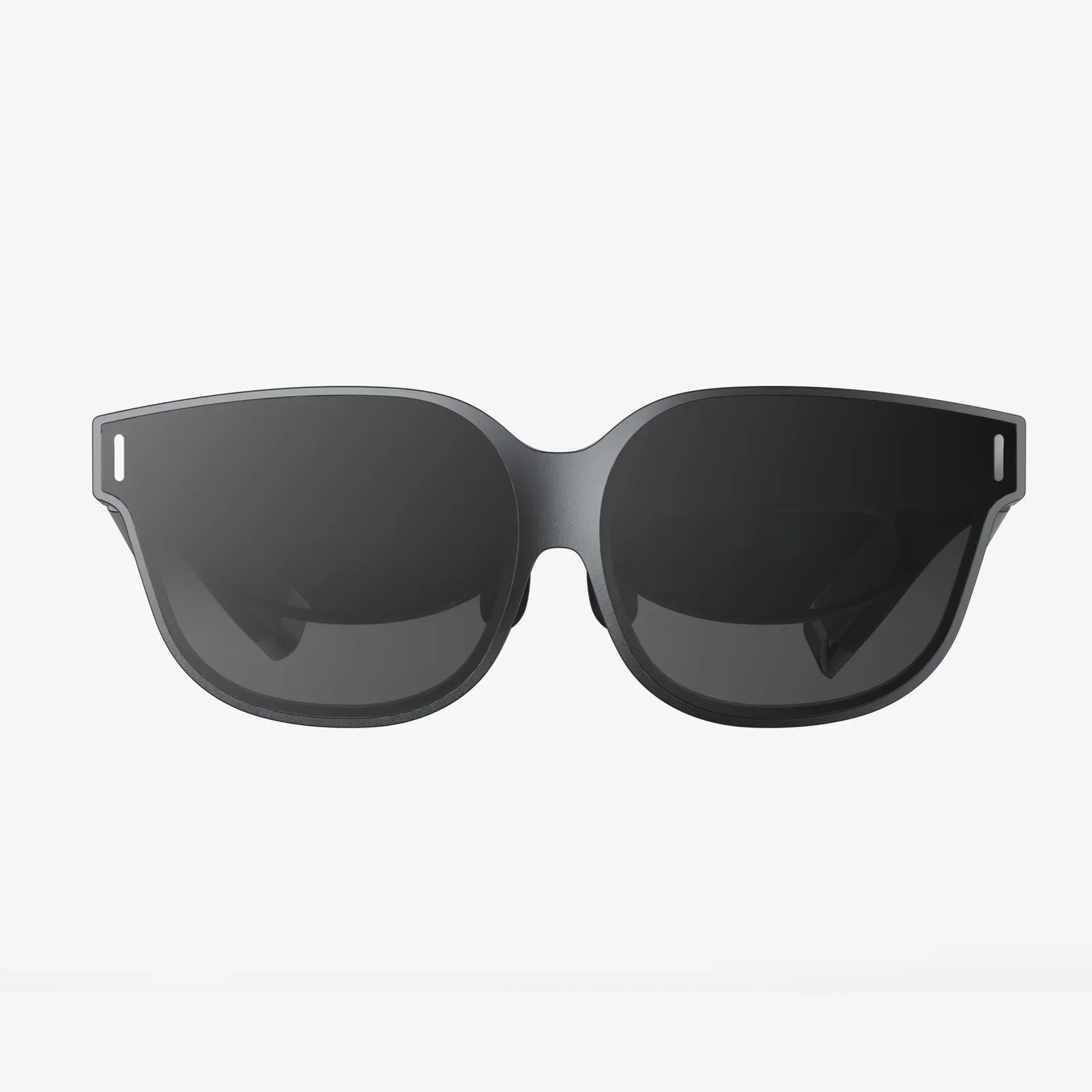
If you have ever closed your laptop at night with burning eyes, a dull headache, and the feeling that your vision is slightly out of focus, you have probably typed a question like which glasses are used to protect eyes from computer screen into a search bar. The explosion of remote work, online learning, and constant smartphone use has turned our screens into essential tools, but your eyes pay the price. The right glasses can dramatically reduce strain, improve comfort, and even help you sleep better after late-night screen sessions, but only if you understand what you actually need.
This guide walks you through every major type of computer-related eyewear, what the science really says about blue light, how lens coatings work, and how to choose glasses that match your eyes, your work, and your budget. By the end, you will know exactly which glasses are worth your money and which claims are mostly marketing.
Why Computer Screens Make Your Eyes Feel Tired
Before deciding which glasses are used to protect eyes from computer screen exposure, it helps to understand what is causing the discomfort in the first place. Several factors combine to produce what eye care professionals often call digital eye strain or computer vision syndrome.
1. Reduced blinking and dry eyes
When you focus on a screen, your blink rate drops significantly. Instead of blinking around 15–20 times per minute, you may blink only 5–7 times. This reduced blinking:
- Disrupts the tear film that keeps the eye surface smooth and moist
- Leads to dryness, burning, or a gritty sensation
- Can cause temporary blurred vision
Glasses themselves do not fix blinking, but certain lens designs and coatings can reduce the glare and strain that make you stare more intensely at the screen.
2. Constant near focusing
Your eyes are not designed to lock onto a near object for eight or more hours per day. Focusing up close requires your eye muscles to contract and hold that position. Over time, this can cause:
- Eye fatigue and aching around the eyes
- Difficulty refocusing from near to far
- Headaches, especially around the temples or forehead
Some types of computer glasses reduce the focusing demand, making near work feel less tiring.
3. Glare and contrast issues
Modern displays are bright and high contrast. Reflections from overhead lighting, windows, or even your own face can bounce off the screen and your lenses, forcing your eyes to work harder. This glare can cause:
- Sensitivity to light
- Squinting and eye strain
- Visual discomfort in bright offices
Anti-reflective coatings and specific lens tints are designed to tackle these issues directly.
4. Blue light exposure
Digital screens emit a high amount of visible blue light, particularly in the short-wavelength range. While blue light is not inherently harmful in normal doses, it can:
- Interfere with sleep-wake cycles when used late at night
- Contribute to visual discomfort for some people
- Increase perceived glare and reduce contrast
Many people searching for which glasses are used to protect eyes from computer screen glare are really asking about blue light filtering lenses. These lenses selectively reduce blue wavelengths to improve comfort and potentially improve sleep quality.
Main Types of Glasses Used for Computer Screen Protection
There is no single type of computer eyewear that suits everyone. Different designs solve different problems. Understanding the main categories will help you match your symptoms and lifestyle to the right solution.
1. Blue light blocking glasses
Blue light blocking glasses are probably the most widely discussed option when people ask which glasses are used to protect eyes from computer screen exposure. These lenses are designed to filter out a portion of the blue light emitted by screens, LED lighting, and other sources.
How blue light blocking lenses work
Blue light glasses use special lens materials or surface coatings that absorb or reflect selected wavelengths in the blue part of the spectrum. They typically come in two main forms:
- Clear or nearly clear lenses: These filter a moderate portion of blue light without dramatically changing color perception.
- Yellow or amber tinted lenses: These block a higher percentage of blue light and can make the screen appear warmer or slightly yellowish.
The idea is to reduce the amount of short-wavelength light reaching your eyes, which may decrease glare and improve visual comfort, especially in the evening.
Benefits and limitations
Potential benefits include:
- Less perceived glare and eye discomfort during extended screen use
- Reduced disruption of melatonin production if used at night
- Slight improvement in contrast for some users
Limitations to keep in mind:
- They do not cure all eye strain; poor posture, lighting, and screen habits still matter.
- Not everyone feels a dramatic difference; some notice subtle comfort improvements only.
- Very strong tints can alter color accuracy, which is a problem for design or color-critical work.
If your main complaint is discomfort at night, trouble falling asleep after late screen use, or sensitivity to bright screens, blue light blocking glasses may be a good starting point.
2. Computer glasses with anti-reflective (AR) coating
Anti-reflective coatings are one of the most effective and underrated features when deciding which glasses are used to protect eyes from computer screen glare. AR coatings are applied to the lens surfaces to reduce reflections from both the front and back of the lens.
How AR coatings help
By minimizing reflections, AR coatings:
- Increase the amount of useful light reaching your eyes
- Reduce distracting reflections of overhead lights and windows
- Improve contrast and clarity, especially under artificial lighting
This makes your screen appear clearer and less harsh, which can significantly reduce squinting and eye fatigue.
Who benefits most from AR-coated computer glasses
AR coatings are especially helpful if you:
- Work in bright offices with overhead fluorescent or LED lighting
- Have multiple screens or glossy monitors
- Notice reflections on your lenses or screen that force you to adjust your head position
In many cases, combining AR coatings with mild blue light filtering provides a balanced approach: less glare, less scattered light, and more comfortable vision.
3. Prescription computer glasses
If you already wear prescription glasses, the most effective answer to which glasses are used to protect eyes from computer screen strain may be customized prescription computer glasses. These are tailored specifically for the distance between your eyes and your screen.
What makes prescription computer glasses different
Standard distance glasses are optimized for far vision, while reading glasses are designed for close-up tasks at around 14–16 inches. Computer screens usually sit somewhere in between, often 20–28 inches away. Prescription computer glasses can be:
- Single-vision lenses set to your typical screen distance
- Office or occupational lenses with zones optimized for near and intermediate vision
- Progressive designs with a larger intermediate area than standard progressives
These designs reduce the focusing effort and awkward head tilts that occur when you use the wrong part of your lens for screen viewing.
Key advantages
Prescription computer glasses can:
- Reduce eye strain by matching your focus precisely to your screen distance
- Improve posture by eliminating the need to lean forward or tilt your head
- Provide clear vision across multiple monitors if designed correctly
If you wear bifocals or progressives and find yourself lifting your chin to see the screen through the lower reading segment, specialized computer lenses can be a major relief.
4. Non-prescription computer glasses
Not everyone needs prescription lenses, but many still experience digital eye strain. Non-prescription computer glasses are designed for people with normal vision who want screen protection features.
What they offer
These glasses usually combine:
- Moderate blue light filtering
- Anti-reflective coatings
- Sometimes a very slight magnification to relax focus
They can be worn over contact lenses or alone, and are often more affordable than custom prescription options.
Who should consider them
Non-prescription computer glasses are suitable if you:
- Do not need vision correction but feel eye fatigue after long screen sessions
- Spend many hours daily on laptops, desktops, or tablets
- Want a simple way to reduce glare and blue light without visiting an eye clinic immediately
They are also useful as a backup pair for travel or for keeping at a work desk.
5. Tinted and contrast-enhancing computer glasses
Some computer glasses use specific tints to improve comfort and contrast. These tints can range from light yellow to amber or even rose-colored hues.
How tints help
Tinted lenses can:
- Soften harsh white backgrounds and bright pixels
- Increase contrast between text and background
- Reduce overall light intensity for sensitive eyes
People who are sensitive to bright light or who work in high-glare environments often find tinted lenses more soothing than completely clear ones.
Considerations with tinted lenses
While tints can be very comfortable, keep these points in mind:
- They may alter color perception, which is problematic for photo or video editing.
- Dark tints are not necessary for normal office screens and may be too dim indoors.
- Very strong tints are better reserved for specific medical or sensitivity issues under professional guidance.
For many users, a light, subtle tint combined with AR and mild blue light filtering creates a good balance between comfort and color accuracy.
6. Photochromic lenses for mixed environments
Photochromic lenses, often called light-adaptive lenses, darken outdoors under UV exposure and become clear indoors. While they are not designed specifically as computer glasses, they can be useful if your day involves moving frequently between indoor screens and outdoor environments.
Pros and cons for screen use
Advantages include:
- Convenience if you do not want separate indoor and outdoor pairs
- Protection from bright sunlight during breaks outside
Limitations:
- They do not darken much under typical indoor LED or fluorescent lighting.
- Their main benefit is UV protection, not blue light filtering or glare reduction from screens.
Photochromic lenses can be combined with AR coatings and blue light filters, but on their own they are not a complete answer to which glasses are used to protect eyes from computer screen strain.
How to Choose the Right Computer Glasses for Your Needs
Knowing the types is only half the story. To decide which glasses are used to protect eyes from computer screen exposure in your specific situation, you need to match features to your symptoms, work habits, and visual requirements.
1. Start with an honest assessment of your symptoms
Different problems call for different solutions. Consider which of these you experience most:
- Burning, dry, or gritty eyes: Often related to reduced blinking and dryness; glasses help indirectly by reducing strain and glare.
- Headaches and eye fatigue: May be due to focusing effort, glare, or uncorrected vision problems.
- Difficulty falling asleep after late screen use: Blue light exposure in the evening is a common contributor.
- Neck and back pain: Often caused by poor posture, sometimes from leaning toward the screen to see clearly.
Write down your main issues and how many hours you spend on screens daily; this will guide your choices.
2. Decide whether you need prescription or non-prescription
If you experience blurry vision at any distance, squint frequently, or have not had an eye exam in the last couple of years, it is wise to get a professional assessment. In many cases, uncorrected or undercorrected vision is a major factor in digital eye strain.
Prescription computer glasses are most appropriate if you:
- Already wear glasses or contact lenses
- Use bifocals or progressives and feel awkward using them at the computer
- Have astigmatism or other refractive errors that make screens look slightly distorted
Non-prescription options are a reasonable starting point if your distance and near vision are otherwise clear and your main goal is comfort.
3. Choose the right lens features
When comparing which glasses are used to protect eyes from computer screen strain, focus on a few key features rather than marketing buzzwords.
Essential features
- Anti-reflective coating: Reduces glare from screens and room lighting; highly recommended for anyone using a computer regularly.
- Blue light filtering: Especially useful for evening use or if you are sensitive to bright screens; look for moderate filtering rather than extreme color distortion.
- Proper lens power: For prescription users, ensure the lenses are optimized for your typical screen distance.
Optional but helpful features
- Light tint: Can improve comfort and contrast for certain users.
- Slight magnification: In non-prescription glasses, a mild boost (for example, similar to low-power reading glasses) may relax focusing effort if you are in your late 30s or older.
- Scratch-resistant coating: Extends the life of your lenses, especially if you use them daily.
4. Consider your work environment
Your surroundings play a big role in determining which glasses are used to protect eyes from computer screen glare and strain effectively.
Office or corporate settings
If you work under bright overhead lighting, in open-plan offices, or with multiple monitors, prioritize:
- Strong anti-reflective coatings
- Prescription computer lenses if you already wear glasses
- Lenses optimized for intermediate distance to cover multiple screens
Home offices
Home setups can vary widely, but common needs include:
- Moderate blue light filtering for late-night work
- Comfortable frames that you can wear for long sessions
- Non-prescription computer glasses if your vision is otherwise clear
Creative and color-critical work
If you work with photography, video, or design, color accuracy matters. In this case:
- Choose clear or nearly clear lenses with subtle blue light filtering.
- Avoid strong yellow or amber tints that distort colors.
- Ensure high-quality AR coatings to keep your view as true-to-life as possible.
5. Frame comfort and fit
The best lenses are useless if the frame is uncomfortable. When choosing which glasses are used to protect eyes from computer screen exposure for long hours, pay attention to:
- Weight: Lightweight frames reduce pressure on the nose and ears.
- Nose pads: Adjustable pads help customize the fit and prevent slipping.
- Frame width: Frames that are too tight cause discomfort; too loose and they slide down your nose.
- Lens size: Larger lenses provide a wider field of view, which is helpful for multi-monitor setups.
Comfort directly affects whether you actually wear the glasses consistently, which is essential for any real benefit.
Common Myths About Computer Glasses
When trying to figure out which glasses are used to protect eyes from computer screen damage, you will encounter many claims. It is important to separate helpful truths from misleading myths.
Myth 1: Blue light glasses completely prevent eye damage
Blue light filtering can improve comfort and support healthier sleep patterns, but it is not a magic shield against all eye problems. Digital eye strain is multi-factorial, involving posture, blinking, lighting, and underlying vision issues. Glasses are one part of a broader strategy, not a complete solution.
Myth 2: Any tinted lens will protect your eyes from screens
Not all tints are designed for digital use. Some may reduce brightness but increase visual effort by distorting colors or reducing contrast. Effective computer glasses use carefully chosen tints and coatings, not just darker lenses.
Myth 3: If you are young, you do not need computer glasses
While younger eyes can focus more easily, they are not immune to digital eye strain. Many students and young professionals spend even more time on screens than older adults. If you experience discomfort, headaches, or sleep disruption, age alone is not a reason to ignore the problem.
Myth 4: Wearing computer glasses weakens your eyes
Using lenses that optimize your vision and reduce strain does not make your eyes weaker. They simply help your visual system work more efficiently under artificial conditions that it was not naturally designed for. Skipping needed correction or protection can actually increase discomfort over time.
Other Ways to Protect Your Eyes From Computer Screens
Even after choosing which glasses are used to protect eyes from computer screen exposure in your daily life, you will get the best results by combining them with healthy screen habits.
1. Follow the 20-20-20 rule
Every 20 minutes, look at something at least 20 feet away for 20 seconds. This simple habit:
- Relaxes the focusing muscles
- Encourages blinking
- Breaks the cycle of intense near work
Set a reminder on your computer or phone until it becomes automatic.
2. Adjust screen brightness and contrast
Your screen should not be significantly brighter or darker than the surrounding environment. If it feels like a light source in a dark room, lower the brightness. Increase text size and contrast to reduce the effort required to read.
3. Optimize your workstation
Proper ergonomics can dramatically reduce strain:
- Place the top of the screen at or slightly below eye level.
- Keep the screen about an arm’s length away.
- Use an adjustable chair to maintain a neutral neck position.
Good posture reduces the temptation to lean forward and squint, which can strain both eyes and muscles.
4. Manage lighting and glare
Whenever possible:
- Position your screen perpendicular to windows, not directly in front of or behind them.
- Use blinds or curtains to control natural light.
- Consider a matte screen filter if reflections are unavoidable.
Even with the best computer glasses, a poorly lit environment can undermine your comfort.
5. Stay hydrated and use artificial tears if needed
Dehydration and dry indoor air can worsen eye dryness. Drinking enough water and, if recommended by an eye care professional, using lubricating eye drops can help maintain a healthy tear film.
When to Seek Professional Advice
If you are still unsure which glasses are used to protect eyes from computer screen strain in your case, or if your symptoms are severe, consulting an eye care professional is important.
Warning signs that require attention
Schedule an eye exam if you notice:
- Persistent headaches that do not improve with breaks
- Frequent blurred or double vision
- Significant difficulty focusing from near to far
- Eye pain, redness, or extreme light sensitivity
These could indicate underlying issues that require more than simple computer glasses.
What to discuss during your exam
Bring up the following points:
- How many hours per day you spend on screens
- Your typical working distance from the monitor
- Any existing glasses or contact lens prescriptions
- Specific symptoms and when they occur
This information helps the professional recommend the most appropriate lens type, coatings, and additional strategies tailored to your routine.
Putting It All Together: Choosing Your Ideal Computer Glasses
By now, the phrase which glasses are used to protect eyes from computer screen should feel less like a vague question and more like a practical decision you can make confidently. The best choice for you depends on a combination of factors: your vision needs, your work environment, your sensitivity to light, and how many hours you spend in front of screens.
If you are a heavy screen user, start by prioritizing anti-reflective coatings and, if you work into the evening, moderate blue light filtering. If you already wear glasses, ask about dedicated prescription computer lenses optimized for your screen distance, especially if you find yourself leaning forward or tilting your head to see clearly. If your vision is otherwise fine but your eyes feel tired, a pair of well-designed non-prescription computer glasses with AR coating and subtle blue light filtering can make long sessions more comfortable.
Most importantly, treat computer glasses as one tool in a larger toolkit for protecting your eyes. Combine them with regular breaks, smart lighting choices, ergonomic adjustments, and routine eye exams. The payoff is not just fewer headaches at the end of the day, but clearer, more comfortable vision that lets you focus on your work, your studies, or your hobbies without feeling like your eyes are constantly fighting the screen. With the right knowledge and the right pair of glasses, your screens can become far less punishing and far more manageable.
Share:
amfilm tempered glass screen protector guide to flawless everyday screen defense
alternative to glass shower screen ideas for modern bathrooms