


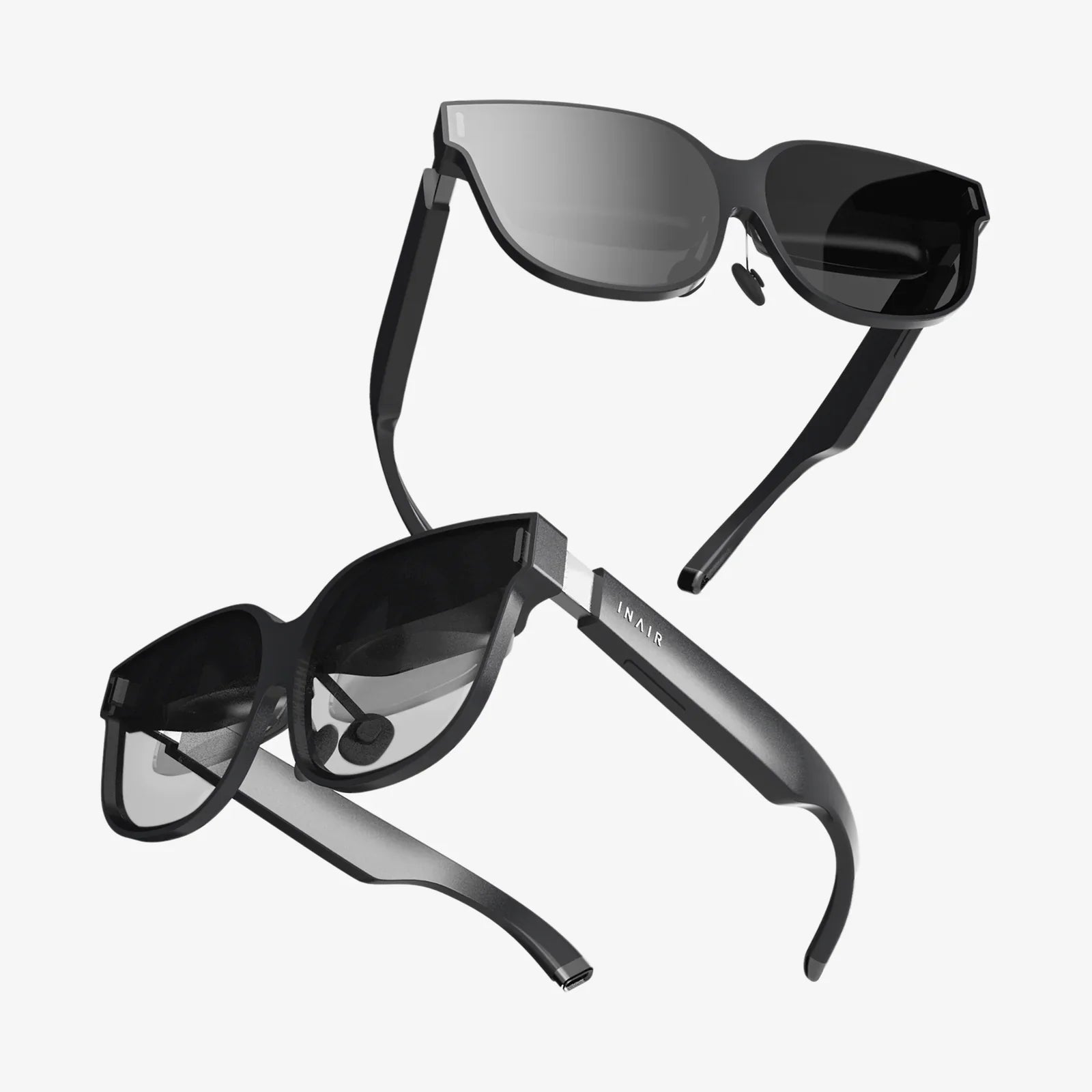
Xreal Air productivity is becoming a secret weapon for people who want a sharper focus, cleaner desk, and the power of multiple giant screens wherever they go. Imagine slipping on a pair of lightweight glasses and instantly having an organized, distraction-free workspace floating in front of you, whether you are on a couch, in a cramped airplane seat, or at a busy coworking table. That is the promise of wearable displays, and when you learn how to use them intentionally, they can fundamentally change how much you get done every day.
Most people still treat wearable displays as a novelty for watching movies or playing games, but the real advantage appears when you start building a workflow around them. Instead of being chained to a bulky monitor setup, you carry a portable multi-screen office that appears only when you need it. The trick is understanding how to set things up, how to position your virtual screens, and how to adapt your habits so that the technology makes you faster instead of just adding more digital clutter.
How Xreal Air Productivity Changes the Way You Work
To unlock serious productivity gains, it helps to understand what makes wearable displays different from traditional monitors or laptops. The key benefits include portability, immersion, and flexible screen arrangement. These three elements combine to create a workspace that is both powerful and personal, tuned to how you think and work rather than constrained by your physical desk.
Unlike a laptop screen that is fixed at a specific size and distance, a wearable display can simulate a large virtual monitor hovering comfortably in your field of view. You can position it higher or lower, closer or further away, and even use multiple virtual screens side by side. This flexibility lets you design a workspace that minimizes head and neck strain while giving you all the digital real estate you need for deep work, research, or creative projects.
Another key factor in Xreal Air productivity is the sense of immersion. When your main workspace floats in front of your eyes, background distractions fade away. You are less tempted to glance at your phone or get pulled into the visual noise of a crowded environment. The result is a more focused mental state, similar to what you might experience in a private office, but available almost anywhere.
Setting Up a Productivity-First Wearable Display Workspace
Getting the most out of Xreal Air productivity starts with a thoughtful setup. Even though the hardware can be plug-and-play with many devices, the way you configure your virtual screens and physical seating position will determine whether you feel empowered or overwhelmed.
Begin by choosing your primary device. Many people connect wearable displays to a laptop, tablet, or compatible smartphone. Think of that device as the “brain” of your workspace, while the glasses are the “window” into it. Make sure your primary device is updated and that you understand how to extend or mirror your display, because this is the foundation of your virtual multi-monitor environment.
Next, decide whether you want one large virtual monitor or multiple smaller ones. For focused writing or coding, a single, large central screen often works best. For research, data analysis, or project management, two or three virtual screens side by side can dramatically speed up your work. For example, you might place a document on the left, a browser in the center, and communication tools on the right, all visible at once without physical monitors.
Pay attention to ergonomics. Sit in a comfortable chair, keep your back supported, and adjust the virtual screen height so your gaze is slightly downward, not craning upward. If your virtual screen is too high, your neck will tire. If it is too low or too close, your eyes may strain. A comfortable setup is essential for turning wearable displays into a daily productivity tool rather than a short-term gimmick.
Using Virtual Monitors to Replace and Enhance Traditional Screens
One of the biggest advantages of Xreal Air productivity is the ability to replace a multi-monitor desk setup with virtual displays. Many knowledge workers rely on two or three monitors to keep multiple applications visible at once. Wearable displays let you recreate that environment on the go, with the added benefit of privacy and portability.
To replicate a dual-monitor setup, extend your display from your main device and position two virtual screens side by side. You can dedicate one to communication and reference material and the other to your main task. This reduces the need to constantly switch windows or alt-tab between apps, which can break your concentration and slow your work.
For more advanced workflows, you can use a three-screen layout. Imagine having a large central screen for your main project, a left screen for research or notes, and a right screen for dashboards, timelines, or task management tools. With practice, you will develop a spatial memory of where each type of information lives, making it easier to glance at what you need without losing track of your primary work.
The key is to avoid clutter. Just because wearable displays can simulate a huge wall of screens does not mean you should fill your view with dozens of windows. The best Xreal Air productivity setups feel spacious and simple, giving each application enough room to breathe and keeping your attention anchored on your main objective.
Deep Focus and Distraction Management
Modern work is full of distractions: notifications, social media, open tabs, and noisy environments. Xreal Air productivity strategies can help you regain control by turning your visual field into a focus zone. When your main workspace is projected in front of you, you can intentionally hide or minimize everything that is not essential.
Start by dedicating specific virtual screens to specific modes of work. For example, you might have a “deep work” layout with only a document editor and a reference window, and a separate “communication” layout where messaging and email are visible. When you are in deep work mode, keep communication tools hidden or on a secondary screen that you only check at scheduled times.
Noise can still be a problem, especially in public spaces. Pair your wearable display with noise-canceling headphones or a white noise soundtrack to build a portable bubble of concentration. Because your main screen is not tied to a physical monitor, you can face away from distractions and position yourself wherever you feel most comfortable, whether that is a corner of a coffee shop or a quiet lounge.
Another useful tactic is to combine time-blocking with your wearable display. Before you start a session, decide exactly what you plan to accomplish and which applications you will need. Open only those apps and arrange them in your virtual workspace. Then commit to working within that layout for a set period, such as 25–50 minutes. When the session ends, take a short break, then adjust your virtual screens for the next block of work.
Remote Work and Travel: A Portable Office Anywhere
Xreal Air productivity shines when you are away from a traditional office. Remote workers, digital nomads, and frequent travelers often struggle with tiny laptop screens, awkward hotel desks, and noisy public spaces. Wearable displays can transform these challenging environments into functional workstations.
On a plane or train, you can use a virtual monitor to create a private workspace that other passengers cannot easily see. This is especially valuable when handling confidential documents or sensitive communications. Since the screen is projected in front of your eyes, you are less dependent on the angle of the seatback tray or the quality of the in-seat power outlet.
In a hotel room, you can sit on a comfortable chair or couch and still enjoy a large, crisp workspace without needing to rearrange furniture or hunt for a suitable spot near an outlet. If you are working across time zones, you can dim the lights and keep your virtual screen bright and clear, reducing eye strain while maintaining focus during late-night sessions.
For coworking spaces or shared offices, wearable displays provide a way to maintain privacy and consistency. Even if you switch desks or locations frequently, your virtual workspace stays the same. Your apps, window layout, and preferred screen sizes follow you, helping you feel grounded and organized no matter where you plug in.
Creative Workflows: Design, Writing, and Media Production
Xreal Air productivity is not just for spreadsheets and emails. Creative professionals can benefit enormously from the flexibility of virtual screens. Designers, writers, video editors, and musicians often need multiple tools visible at once, and wearable displays can provide that space without requiring a massive physical monitor array.
For writing, a clean, distraction-free layout is ideal. You can place your main manuscript in the center, research material on one side, and an outline or notes on the other. Because your virtual screens can be as large as you like, you can see more of your document at once, which helps with structural editing and flow.
Designers can keep design software on the main screen, asset libraries on a secondary screen, and reference images or style guides on a third. This reduces the need to constantly open and close panels or tabs. When you can see everything at once, your creative decisions become more fluid and intuitive.
Video editors and audio producers often work with complex timelines and multiple tool panels. Wearable displays can project a wide timeline across a large virtual screen while keeping effect controls, meters, and media bins on adjacent screens. This setup approximates a professional studio environment without the cost or physical footprint of multiple large monitors.
Collaboration, Meetings, and Presentations
Collaboration is a critical part of modern work, and Xreal Air productivity techniques can make meetings and presentations more efficient. When you join a video call, you can dedicate one virtual screen to the meeting window, another to shared documents, and a third to your own notes or agenda. This lets you stay engaged without constantly switching windows.
During brainstorming sessions, you can keep a virtual whiteboard or mind-mapping tool open on a large screen while referencing documents or previous notes on another. This encourages more active participation because you are not limited by the size of a single laptop display.
If you are presenting to others, wearable displays can serve as a private confidence monitor. You can view your slides, speaker notes, and talking points in your virtual space while maintaining eye contact with your audience. This is particularly helpful for remote presentations, where you might be managing multiple windows, chat messages, and feedback channels simultaneously.
Balancing Comfort, Health, and Long-Term Use
To make Xreal Air productivity sustainable, you need to balance performance with comfort and health. Extended use of any screen, including wearable displays, can lead to eye strain or fatigue if you do not take proper precautions. The goal is to integrate this technology into your day in a way that supports your body rather than working against it.
First, fine-tune brightness and contrast to match your environment. A screen that is too bright in a dim room can tire your eyes, while a screen that is too dim in a bright setting can cause squinting. Adjust the virtual screen size so that text is easily readable without leaning forward or straining.
Second, follow regular break routines. Every 30–60 minutes, look away from the virtual screen, remove the glasses for a moment, and focus on distant objects. This helps your eyes relax and reduces the risk of discomfort. Use these breaks to stand up, stretch, and move around, just as you would with any desk-based work.
Third, pay attention to posture. Because wearable displays free you from a fixed monitor position, you might be tempted to work from awkward angles or slouched positions. Instead, treat your virtual workspace like a high-quality ergonomic desk. Keep your back supported, feet flat on the floor, and shoulders relaxed. Position the virtual screens so that you can maintain this posture naturally.
Optimizing Software and Workflows for Wearable Displays
Hardware is only half of the Xreal Air productivity equation. The software you use and the workflows you design are just as important. With a thoughtful approach, you can streamline your daily tasks and reduce friction across your entire digital environment.
Start by customizing your operating system for multi-screen use. Learn keyboard shortcuts for moving windows between displays, snapping them to specific positions, and switching between virtual desktops. The faster you can rearrange your workspace, the more responsive and fluid your work will feel.
Next, standardize a few core layouts for different types of work. For example, you might have a “writing layout,” a “research layout,” a “meeting layout,” and a “creative layout.” Each layout uses a consistent arrangement of apps and windows. Over time, your brain will associate each layout with a specific mode of thinking, helping you switch contexts more smoothly.
Consider using task management tools that work well across multiple screens. You can keep your task list or project board visible on a side screen while focusing on the current task in the center. This keeps your priorities in view without cluttering your main workspace. Combine this with calendar tools and time-blocking to create a visual schedule that supports your goals.
Automation can further enhance productivity. Use scripts, shortcuts, or automation tools to open sets of applications and arrange them automatically in your preferred positions. This reduces setup time and ensures that each work session begins with a clean, optimized virtual environment.
Privacy, Security, and Professionalism
As wearable displays become more common in professional settings, privacy and security considerations grow more important. Xreal Air productivity setups can actually enhance privacy because your main screen is visible only to you, even in public spaces. This makes it easier to work with sensitive documents, financial data, or confidential communications without worrying about shoulder-surfing.
However, you should still follow best practices. Use secure connections, strong passwords, and encryption where appropriate. When working in public, be mindful of your surroundings and avoid discussing confidential information aloud. Wearable displays protect what is on your screen, but they do not silence your voice.
Professionalism also matters. In meetings, be transparent about when you are using wearable displays. Because the glasses can obscure your eyes slightly, some people may wonder whether you are fully present or distracted. Explain that you are using them as your main monitor and that they help you stay organized and focused. This simple communication builds trust and avoids misunderstandings.
Over time, as more people see the benefits of Xreal Air productivity, wearable displays are likely to become as normal as laptops in meetings. Early adopters who use them respectfully and effectively will help shape expectations and etiquette in a positive way.
Building Habits That Turn Technology into Results
Ultimately, Xreal Air productivity is less about the hardware and more about the habits you build around it. You can have the most advanced virtual workspace in the world and still struggle if your routines are chaotic. The key is to align your technology with clear goals, disciplined time management, and intentional focus.
Start by defining what productivity means to you. Do you want to ship more creative work, respond faster to clients, learn new skills, or reduce overtime? Once you have clarity, design your virtual layouts and daily routines to support those specific outcomes. For instance, if your goal is deep creative work, prioritize layouts that minimize distractions and maximize screen space for your main project.
Track your progress. Use simple metrics like tasks completed, pages written, designs delivered, or hours of focused work. Notice how your performance changes when you use your wearable display versus a traditional setup. Over time, refine your layouts, break schedules, and app choices based on what actually helps you produce better results.
Finally, treat your Xreal Air productivity setup as a craft you are constantly improving. Experiment with new arrangements, test different lighting conditions, and refine your ergonomics. Pay attention to how you feel at the end of the day: energized or drained, clear-headed or scattered. Use that feedback to adjust your approach.
When you combine the power of wearable displays with deliberate habits, your workspace becomes more than just a collection of screens. It turns into a personal command center that travels with you, supports your health, and amplifies your best work. If you are ready to move beyond cramped laptop displays and cluttered desks, exploring Xreal Air productivity may be the edge that helps you focus harder, create more, and reclaim control over your time—one virtual screen at a time.
Share:
Coolest AI Tools Transforming Work, Creativity, and Everyday Life
Viture Luma 3D SBS: Unlocking Immersive Portable 3D Entertainment Anywhere