


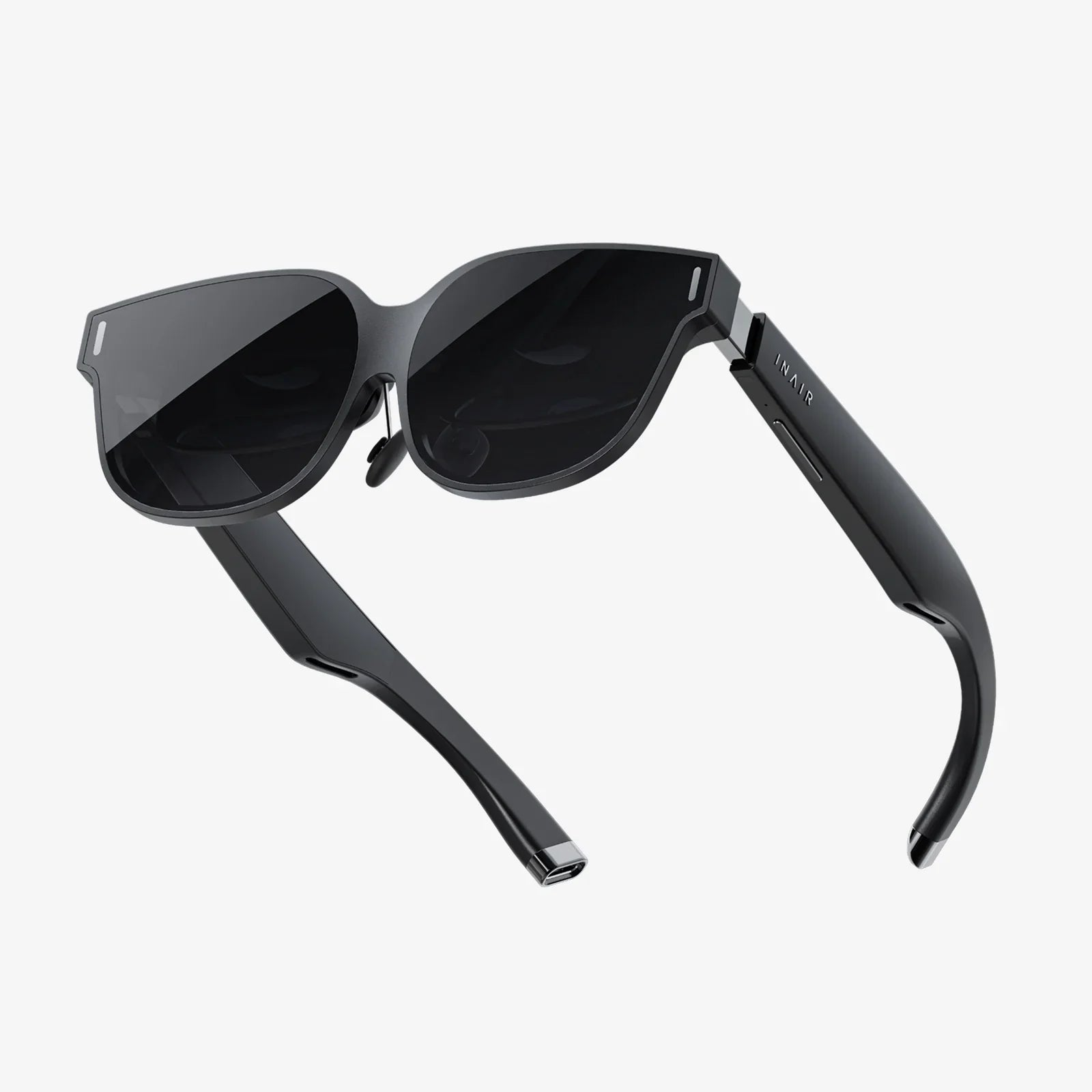
Imagine walking into any room, putting on a lightweight headset, and instantly surrounding yourself with as many screens as you want, in any size or layout. No bulky monitors, no tangled cables, no desk clutter. That is the promise of AR multiple monitors: turning the empty space around you into a flexible, infinite digital workspace that follows you wherever you go.
As remote work, digital collaboration, and immersive entertainment become the norm, more people are searching for ways to expand their screen real estate without expanding their physical setup. Augmented reality (AR) offers a compelling answer. Instead of buying more physical monitors, AR multiple monitors let you create virtual displays that float in your environment, anchored to your walls, desk, or even the sky outside your window. This article dives deep into how AR multiple monitors work, why they are gaining attention, and how they might completely change the way you work and play.
What Are AR Multiple Monitors?
AR multiple monitors are virtual screens generated by an augmented reality device, such as a headset or glasses, that appear to float in your real environment. They behave like traditional monitors but exist only in your field of view.
Unlike virtual reality (VR), which replaces your surroundings with a fully digital world, AR overlays digital elements onto the real world. In this context, AR multiple monitors are digital windows you can position around your room or workspace. You can place a large screen above your desk for your main work, a smaller one off to the side for chat or email, and another hovering near your couch for media or reference documents.
Key Characteristics of AR Multiple Monitors
- Virtual, not physical: No physical panels; all screens are rendered digitally.
- Spatially anchored: Displays can be locked to specific locations in your room.
- Resizable and rearrangeable: You can change size, position, and orientation at will.
- Device-agnostic content: They can mirror or extend content from laptops, desktops, or mobile devices.
- Portable workspace: Your layout can follow you from place to place, as long as you have your AR device.
How AR Multiple Monitors Work
To understand the power of AR multiple monitors, it helps to know the basic technology stack behind them. While implementations differ, most systems rely on a similar combination of hardware and software.
1. The AR Display Device
The core of any AR multi-monitor setup is the display device, typically an AR headset or smart glasses. These devices use one of several optical approaches:
- Waveguide displays: Light from tiny projectors is routed through transparent lenses, making digital content appear in front of your eyes.
- Optical see-through: You see the real world directly through transparent lenses, with digital elements overlaid.
- Video see-through: Cameras capture the real world and display it on screens inside the headset, with digital content composited on top.
Regardless of the method, the result is similar: the user sees both the real environment and digital screens that appear to exist in physical space.
2. Spatial Tracking and Mapping
To place virtual monitors in your room and keep them stable, the AR device must understand its position and the geometry of the environment. This usually involves:
- Inside-out tracking: Cameras and sensors on the headset track features in the environment to determine movement and orientation.
- Depth sensing: Some devices use depth sensors to build a 3D map of walls, desks, and other surfaces.
- Plane detection: Algorithms detect flat surfaces where virtual monitors can be anchored.
With this spatial awareness, virtual screens can be pinned to a specific wall or location and will stay there even as you move around.
3. Virtual Monitor Rendering
AR multiple monitors are essentially 2D panels rendered in 3D space. The AR software creates planes that act as screens and displays content from your computer or apps onto them. This requires:
- Graphics rendering: The AR device renders the virtual monitors at a high frame rate to avoid motion sickness and lag.
- Perspective correction: The system adjusts the image based on your head position so that screens look stable and readable from different angles.
- Occlusion and lighting: Advanced systems may simulate how virtual screens interact with real-world lighting and objects, making them feel more natural.
4. Connectivity with Your Devices
To use AR multiple monitors as an extension of your computer, the AR system must connect to your laptop, desktop, or mobile device. This can happen via:
- Wireless streaming: Content is streamed over Wi-Fi or a similar connection.
- Wired connections: Some setups use cables for lower latency and higher bandwidth.
- Native applications: Certain apps may run directly on the AR device, eliminating the need for streaming.
Once connected, each virtual monitor can be treated as an additional display in your operating system, allowing you to drag windows and applications onto them as if they were physical screens.
5. Input and Interaction
Interacting with AR multiple monitors can happen in several ways:
- Traditional input: Use your existing keyboard and mouse or trackpad, with your cursor moving across virtual screens.
- Hand tracking: Some AR systems let you pinch, grab, and move windows in mid-air using your hands.
- Voice commands: You can open apps, resize monitors, or rearrange layouts using voice control.
- Controllers: Dedicated controllers can act as laser pointers or 3D mice.
This combination of familiar and novel input options gives AR multiple monitors the flexibility to adapt to different work styles and accessibility needs.
Why AR Multiple Monitors Are So Appealing
The appeal of AR multiple monitors goes beyond simple novelty. They address several real-world pain points that knowledge workers, creatives, and gamers face every day.
1. Infinite Screen Real Estate
One of the biggest limitations of traditional setups is desk space. Even if you want four or five monitors, your desk and budget may only support two. AR multiple monitors remove this limitation. You can create:
- A massive central monitor for your primary task.
- Several smaller side monitors for reference documents, chat, or email.
- A vertical monitor for code, long documents, or social feeds.
- Floating dashboards for analytics, system monitoring, or project tracking.
All of this can exist in the same physical footprint as a small laptop.
2. Portable, Personalized Workspaces
With AR multiple monitors, your workspace becomes something you carry with you instead of something tied to a specific desk. You could:
- Work from a hotel room with the same multi-monitor layout you use at home.
- Turn a small coffee shop table into a sprawling productivity hub.
- Use a compact laptop on the road while enjoying the feel of a full desktop setup.
This portability is especially attractive for remote workers, digital nomads, and frequent travelers who do not want to compromise on screen space.
3. Reduced Physical Clutter
Physical monitors require stands, cables, power outlets, and mounting hardware. They dominate your desk and can make even a minimalist setup feel crowded. AR multiple monitors eliminate:
- Extra cables and adapters.
- Bulky monitor stands and arms.
- The need for large desks just to support multiple screens.
With fewer physical components, your workspace can be cleaner and more flexible. You can reconfigure your layout in seconds without moving any furniture.
4. Dynamic, Context-Aware Layouts
Traditional monitors are static. Once mounted, they rarely move. AR multiple monitors, on the other hand, can adapt to what you are doing in real time. For example:
- When you start a video call, a large monitor could automatically appear in front of you with participants’ faces.
- When coding, your editor could expand while documentation and logs appear on side monitors.
- During research, web pages, notes, and PDFs could arrange themselves in an arc around your field of view.
Over time, intelligent layouts could learn your habits and automatically present the right screens at the right time.
5. Enhanced Focus and Flow
AR multiple monitors can help you manage distractions more deliberately. You might position less important screens slightly out of your central vision, so they are available but not intrusive. You can:
- Keep messaging apps to the far right, visible only when you glance over.
- Place task lists or calendars above your main monitor as a subtle reminder.
- Create a dedicated “focus zone” with minimal windows when deep work is required.
This spatial separation of tasks can support better mental organization and productivity.
Use Cases for AR Multiple Monitors
AR multiple monitors are not just a futuristic concept; they have practical applications across many fields.
1. Knowledge Workers and Remote Professionals
For people who spend their days in documents, spreadsheets, email, and meetings, AR multiple monitors promise a huge productivity boost. Typical scenarios include:
- Project management: Keep task boards, timelines, and communication tools all visible at once.
- Data analysis: View dashboards, spreadsheets, and reports on separate virtual screens.
- Customer support: Monitor multiple chat windows, ticket systems, and knowledge bases simultaneously.
Instead of constantly alt-tabbing between windows, you can glance between them as if they were separate physical monitors.
2. Developers and Engineers
Developers often juggle code editors, terminals, documentation, and debug tools. AR multiple monitors can give each of these a dedicated space:
- A tall central monitor for your main editor.
- Side monitors for logs and terminal windows.
- A floating reference screen for documentation or design specs.
Engineers working with simulations, CAD models, or robotics dashboards can also benefit from placing different views and tools in a spatial layout that mirrors their mental model of the system.
3. Creatives: Designers, Artists, and Video Editors
Creative professionals often rely on multi-monitor setups to manage complex tool palettes and timelines. AR multiple monitors can provide:
- A large canvas monitor for the main artwork or video timeline.
- Separate screens for toolbars, layers, and color panels.
- Reference boards with images, mood boards, or storyboards pinned around the workspace.
This can free the main screen from clutter and provide a more immersive creative environment.
4. Gamers and Streamers
Gamers often use multiple monitors to keep an eye on chat, performance stats, or guides while playing. AR multiple monitors can:
- Place game overlays just outside the main field of view to avoid blocking the action.
- Show streaming controls, chat, and alerts on separate virtual screens.
- Create a theater-like experience with a massive virtual display for games.
Streamers could manage their entire broadcast environment without filling their desk with extra hardware.
5. Education and Training
Students and lifelong learners can use AR multiple monitors to:
- Keep lecture videos, notes, and reference materials open simultaneously.
- Organize study materials spatially, with different subjects in different parts of the room.
- Participate in virtual classrooms where shared screens and personal notes coexist.
In professional training, instructors can present multiple data streams or perspectives at once, creating richer learning environments.
6. Finance, Trading, and Operations Centers
Traders and operations professionals are known for using huge walls of monitors to track markets, systems, or logistics. AR multiple monitors could:
- Recreate a trading wall without the physical hardware.
- Allow each person to customize their view without changing the physical setup.
- Scale up the number of visible data sources as needed.
This flexibility can be invaluable in fast-moving environments where situational awareness is critical.
Practical Considerations and Current Limitations
Despite their potential, AR multiple monitors are not yet perfect. Anyone considering adopting them should understand the current trade-offs.
1. Comfort and Ergonomics
Wearing a headset or AR glasses for hours at a time can be challenging. Key factors include:
- Weight and balance: Heavy or front-loaded devices can cause neck strain.
- Heat: Prolonged use may generate warmth near the face.
- Fit and adjustability: Poorly fitting devices can lead to discomfort or headaches.
While newer devices are improving in comfort, many people may find long sessions more tiring than using traditional monitors, at least for now.
2. Visual Quality
Traditional monitors offer high resolution, color accuracy, and brightness at relatively low cost. AR multiple monitors must catch up in several areas:
- Resolution and clarity: Text must be sharp enough for extended reading and detailed work.
- Field of view: A limited field of view can make large virtual screens feel cut off.
- Brightness and contrast: In bright environments, virtual screens may be harder to see.
These factors can affect how comfortable it is to use AR multiple monitors for tasks like coding, writing, or spreadsheet work.
3. Eye Strain and Health Concerns
Extended use of any screen can cause eye strain, and AR devices introduce additional variables:
- Vergence-accommodation conflict: Your eyes focus at a fixed distance while perceiving depth, which can be fatiguing.
- Motion and latency: Lag between head movement and screen updates can cause discomfort.
- Blue light exposure: As with other screens, prolonged exposure may affect sleep and comfort.
Users may need to adopt healthy habits, such as regular breaks, proper lighting, and careful adjustment of virtual monitor distance and size.
4. Performance and Latency
To feel natural, AR multiple monitors must respond quickly to head movements and input. Challenges include:
- Wireless streaming latency: Network delays can make cursor movement feel laggy.
- Rendering load: Rendering multiple large virtual screens can tax the AR device.
- Battery life: High performance often reduces battery duration, limiting session length.
For tasks that demand precision, such as fast-paced gaming or detailed editing, these performance factors are critical.
5. Software Ecosystem
The value of AR multiple monitors depends heavily on software support. Important aspects include:
- Compatibility with operating systems: Seamless recognition of virtual monitors as standard displays.
- Window management tools: Easy ways to snap, resize, and organize virtual screens.
- App optimization: Applications designed to take advantage of spatial layouts.
While basic multi-monitor functionality is often available, advanced, spatially aware workflows are still evolving.
6. Cost and Accessibility
High-quality AR devices can be expensive compared to a basic dual-monitor setup. Factors to consider include:
- Upfront device cost: The price of the AR headset or glasses.
- Required hardware: A capable computer or network infrastructure for streaming.
- Maintenance and upgrades: Software updates and potential replacement cycles.
However, for users who would otherwise invest in several high-end monitors and mounting hardware, AR multiple monitors may become cost-competitive over time.
Designing an Effective AR Multiple Monitor Workspace
To get the most from AR multiple monitors, it is important to design your virtual workspace thoughtfully. A few principles can help.
1. Respect Natural Ergonomics
Even though your monitors are virtual, your body is not. Apply the same ergonomic principles you would use for physical monitors:
- Place your primary virtual monitor directly in front of you, at eye level.
- Aim for a comfortable viewing distance that reduces eye strain.
- Position secondary monitors within easy glance range, without requiring extreme neck rotation.
Because you can easily move virtual screens, experiment with slight adjustments until you find a layout that feels natural.
2. Use Spatial Grouping
One of the unique strengths of AR multiple monitors is spatial organization. Instead of random window placement, group screens by function:
- Work-related apps on the left, communication tools on the right.
- Reference materials above your main work area.
- Less frequently used screens further away or higher up.
This spatial grouping can make it easier to remember where things are and reduce cognitive load.
3. Balance Screen Size and Density
It is tempting to make every virtual monitor enormous, but larger is not always better. Consider:
- Using moderate sizes for monitors you read closely, to avoid excessive eye movement.
- Reserving truly large displays for content like video, dashboards, or presentations.
- Avoiding clutter by limiting the number of simultaneously visible screens.
Think of your AR space as a room you can walk through mentally, not a wall to cover with as many windows as possible.
4. Create Modes or Scenes
Instead of one static layout, consider setting up different scenes for different tasks:
- A focused writing mode with one or two central monitors.
- A research mode with several reference screens surrounding your main document.
- A meeting mode with video, notes, and shared content arranged for easy viewing.
Switching scenes can help you transition between tasks and avoid distraction from irrelevant windows.
5. Leverage Automation Where Possible
As AR software matures, more automation features are likely to appear. Even now, you can:
- Use scripts or shortcuts to open sets of apps in predetermined positions.
- Assign specific apps to specific virtual monitors.
- Experiment with tools that remember and restore your layouts.
The more your AR multiple monitors behave predictably, the more they will feel like an extension of your thinking rather than a novelty.
The Future of AR Multiple Monitors
AR multiple monitors sit at the intersection of several rapidly advancing technologies: spatial computing, wearable displays, and intelligent user interfaces. Looking ahead, several trends are likely to shape their evolution.
1. Lighter, More Comfortable Devices
Future AR devices are expected to become smaller, lighter, and more glasses-like. Improvements in optics, batteries, and chip efficiency will make it more realistic to wear AR displays for a full workday. As comfort improves, AR multiple monitors will become a practical everyday tool rather than an occasional experiment.
2. Higher Visual Fidelity
Advances in display technology will bring:
- Higher resolutions that make text as crisp as on high-end monitors.
- Wider fields of view that allow truly expansive virtual walls of screens.
- Better brightness and color reproduction, suitable for professional creative work.
These improvements will reduce one of the main barriers to using AR multiple monitors for serious productivity tasks.
3. Smarter, Context-Aware Workspaces
As AR systems gain more intelligence, they will be able to adapt your virtual monitors to your context automatically. Potential capabilities include:
- Recognizing the task you are doing and rearranging screens accordingly.
- Remembering layouts for different physical locations and restoring them when you return.
- Integrating with personal assistants to surface relevant information on nearby monitors when needed.
Over time, your AR workspace could feel less like a manually arranged collection of windows and more like a living environment that collaborates with you.
4. Deeper Integration with Collaboration Tools
Collaboration is likely to be a major driver of AR adoption. For AR multiple monitors, this might mean:
- Shared virtual screens that multiple people can see and edit simultaneously.
- Presence indicators that show where colleagues are looking or pointing in a shared AR space.
- Hybrid meetings where some participants join from traditional devices and others from AR, all interacting with the same content.
This could make remote collaboration feel more natural and spatially grounded, narrowing the gap between in-person and virtual teamwork.
5. Blending 2D and 3D Content
Currently, AR multiple monitors mostly display 2D content: windows, documents, and videos. In the future, expect richer integration with 3D elements:
- 3D models and visualizations placed alongside traditional 2D screens.
- Interactive dashboards that combine charts with spatial representations.
- Workflows where 2D tools control or complement 3D scenes in the same environment.
This blend of 2D and 3D could unlock new ways of thinking about data, design, and problem-solving.
Is Now the Right Time to Try AR Multiple Monitors?
Whether you should adopt AR multiple monitors today depends on your needs, tolerance for early-stage technology, and curiosity about new workflows.
Who Might Benefit Most Right Now
Early adopters who may find real value today include:
- Remote workers who travel frequently but want a consistent, expansive workspace.
- Developers and power users comfortable experimenting with new tools.
- Professionals whose productivity is heavily constrained by limited physical screen space.
- Enthusiasts who enjoy exploring the frontier of spatial computing.
For these users, the trade-offs may be worth the benefits, even if the experience is not yet perfect.
Who Might Prefer to Wait
Others may want to wait for the next generation of devices and software:
- People sensitive to motion sickness or eye strain.
- Users who require color-critical or pixel-perfect visual accuracy.
- Those who prefer mature, plug-and-play solutions with minimal setup.
As hardware improves and prices drop, AR multiple monitors will become more appealing to a broader audience.
Taking Your First Steps into AR Multiple Monitors
If you are intrigued by the idea of AR multiple monitors and want to explore them, it helps to start small and deliberate. Begin with a simple setup: one or two virtual monitors extending your existing laptop or desktop. Use them for specific tasks, such as keeping reference material open while you work on a main screen.
Pay attention to comfort, both physical and visual. Adjust virtual monitor distance, brightness, and size until they feel natural. Experiment with different layouts for different tasks, and notice which arrangements actually improve your workflow instead of just looking impressive.
Over time, you may find that your expectations for what a workspace can be start to shift. Instead of thinking in terms of “one monitor or two,” you will think in terms of spatial zones, scenes, and information landscapes that bend to your needs. That shift is at the heart of what makes AR multiple monitors so compelling.
The next time you feel limited by the edges of your screen, remember that those boundaries are increasingly optional. AR multiple monitors offer a way to step beyond them, turning every room into a canvas for your ideas and every empty wall into potential screen space. As the technology matures, the people who learn to think and work in this expanded, spatial way will have a powerful advantage. Exploring AR multiple monitors today is not just about adding more screens; it is about getting an early glimpse of how computing itself is being reshaped.
Aktie:
Difficult To Control AR Glasses And How To Finally Master Them
virtual display management for seamless multi-monitor productivity and control