


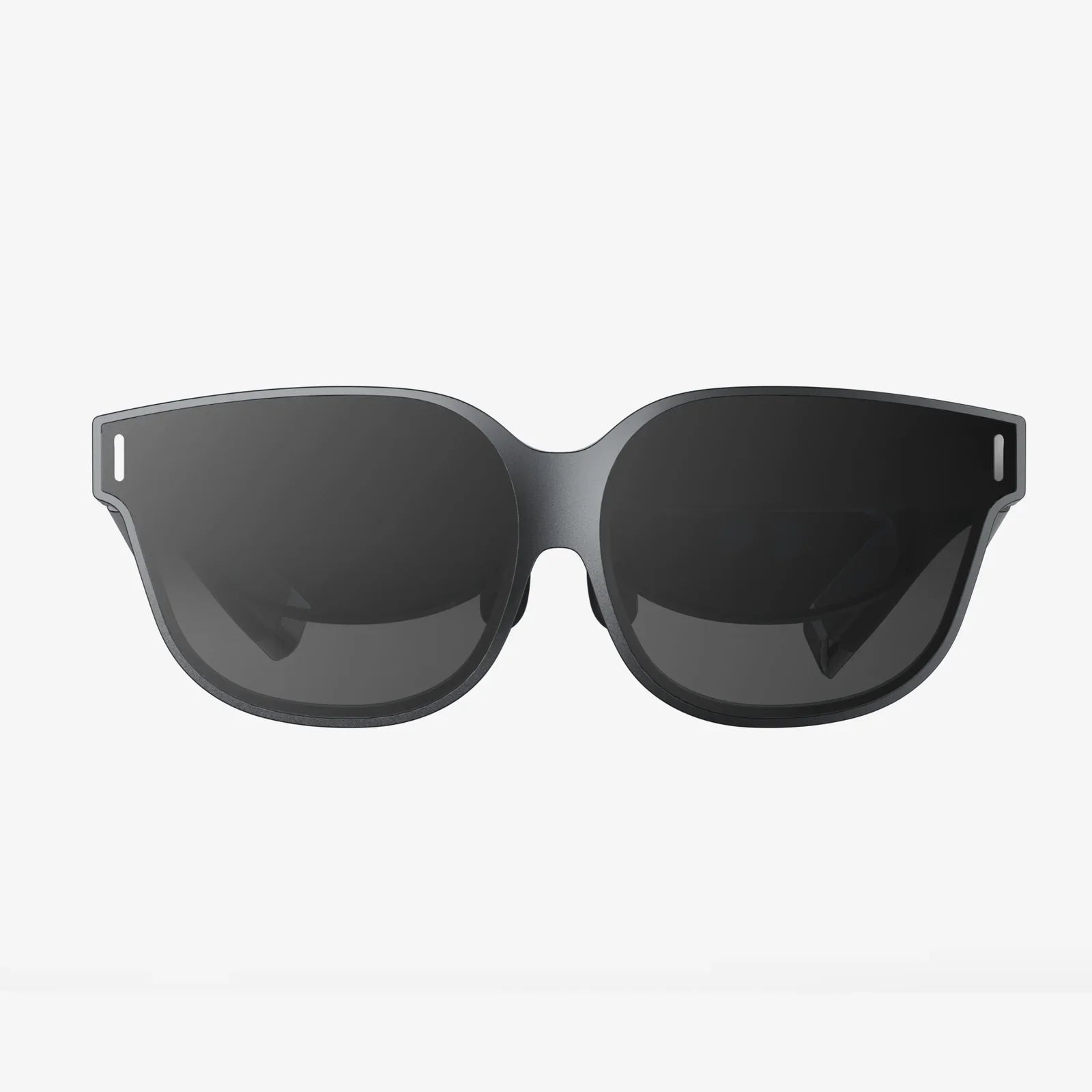
AR office experiences are no longer science fiction teasers in tech demos; they are quietly reshaping how teams focus, collaborate, and make decisions. If you could see your data floating next to your monitor, your teammates joining you as life-sized avatars, and your training materials guiding you step by step in the real workspace, how different would your workday feel? That is exactly the promise of the AR office, and organizations that understand it early are positioning themselves for a decisive advantage.
At its core, an AR office blends the physical workspace with digital overlays that are visible through headsets, smart glasses, or even mobile devices. Instead of being trapped behind flat screens and static dashboards, workers interact with 3D information that appears anchored to desks, walls, machines, and meeting rooms. This shift turns the office into a dynamic interface, where every surface can become a display, every corridor can become a learning path, and every meeting room can transform into an immersive collaboration hub.
What is an AR office and why it matters now
An AR office is a work environment enhanced by augmented reality technologies that overlay digital elements onto the physical space. These elements can include 3D models, live data panels, contextual instructions, virtual whiteboards, and remote participants represented as spatial avatars. Unlike traditional digital tools that exist only inside screens, AR content is integrated into the environment and responds to your position, gestures, and gaze.
The AR office matters now for several reasons:
- Hybrid work is here to stay: Organizations need ways to make remote and in-office collaboration feel unified and natural.
- Information overload is rising: Workers are overwhelmed by tabs, dashboards, and notifications; AR can organize information spatially to reduce cognitive load.
- Complex workflows demand better guidance: From onboarding to maintenance, people need contextual instructions at the point of action, not in separate manuals.
- Real estate is expensive: AR can make smaller offices feel bigger and more versatile by dynamically changing their function.
When these forces converge, the AR office stops being a futuristic luxury and becomes a practical tool for productivity, learning, and engagement.
Core components of an AR office environment
To understand how an AR office functions, it helps to break it down into core components that work together.
1. AR display devices
The most visible part of an AR office is the hardware that renders digital overlays. This can include:
- Head-mounted displays: Wearable devices that project digital objects into the user’s field of view while keeping the physical environment visible.
- Smart glasses: Lightweight eyewear that shows notifications, text, or simple 3D objects in the user’s line of sight.
- Mobile devices: Smartphones or tablets that use their cameras and screens to create AR views of the office.
These devices track head movement, position, and sometimes eye movement to keep virtual objects stable in the real world, so a virtual whiteboard can remain fixed on a physical wall or a data panel can hover above a specific desk.
2. Spatial mapping and anchoring
For an AR office to feel natural, the system must understand the layout of the space. Spatial mapping uses cameras and sensors to build a 3D model of walls, furniture, and other objects. Once the space is mapped, digital content can be anchored to specific locations, such as:
- Meeting room tables
- Desk surfaces
- Equipment or machinery
- Entrance areas and hallways
This anchoring allows different users to see the same virtual object in the same place, making shared AR experiences possible. For example, a project timeline can be pinned to a wall, and every team member wearing AR devices will see the same timeline in the same position.
3. Content management and integration
An AR office is only as useful as the information it presents. Content management systems for AR allow organizations to create, organize, and update digital assets such as:
- 3D models of products, components, or layouts
- Interactive charts, dashboards, and data visualizations
- Step-by-step guides and checklists
- Virtual sticky notes and task boards
To be truly effective, AR content must integrate with existing tools such as project management platforms, communication apps, document repositories, and analytics systems. This integration ensures that data shown in the AR office is always up to date and actionable.
4. Collaboration and presence features
One of the most powerful aspects of an AR office is the ability to bring people together in shared immersive spaces. Collaboration features may include:
- Shared virtual whiteboards that multiple users can draw or write on simultaneously.
- Spatial avatars or video feeds representing remote participants positioned around a table.
- Gesture-based interactions, such as pointing at a 3D model to highlight a feature.
- Voice and spatial audio that makes it sound like colleagues are speaking from specific locations in the room.
These features help remote team members feel less like observers on a screen and more like active participants in the same room.
How an AR office changes daily work
To see the value of an AR office, consider how it transforms everyday activities across roles and departments.
Spatial productivity for knowledge workers
Traditional office work often involves switching between windows and devices, which can fragment attention. In an AR office, knowledge workers can arrange their digital tools around them in three-dimensional space. For example:
- Place a live analytics dashboard above the main monitor.
- Pin reference documents to the left side of the desk.
- Keep a to-do list floating at the edge of the peripheral vision.
- Anchor a calendar view to the wall behind the monitor.
This spatial arrangement reduces the need to constantly alt-tab between applications and can help workers maintain context. The brain is naturally good at remembering locations, so associating tasks with physical positions can make complex workflows easier to manage.
Immersive meetings and presentations
Meetings in an AR office can move beyond slide decks on a single screen. Imagine a project review where:
- A full-scale 3D model of a product is placed in the center of the room.
- Participants walk around it, inspect details, and annotate directly on the model.
- Data about performance, cost, or user feedback appears as floating panels next to relevant components.
- Remote colleagues join as life-sized avatars or floating video windows arranged around the model.
This format makes complex topics more tangible and encourages active participation. Instead of passively watching slides, attendees can interact with information, highlight concerns, and explore scenarios together.
Onboarding and training in context
New employees often struggle to connect written manuals or videos with the actual workspace. AR office training solves this by delivering instructions directly in context. During onboarding, a new hire might:
- Follow an AR tour that highlights key areas of the office with floating labels and explanations.
- See step-by-step instructions appear next to equipment or tools they need to learn.
- Complete interactive checklists that verify each step has been understood and performed.
Because the training is tied to the physical environment, knowledge retention tends to be higher. The same approach can be used for ongoing skills development, compliance procedures, or complex operational tasks.
Remote assistance and expert support
In an AR office, experts do not have to be physically present to help colleagues solve problems. With remote assistance features, a specialist can:
- See the live view from a colleague’s AR device.
- Draw annotations that appear anchored to real objects in the colleague’s field of view.
- Guide them step by step through troubleshooting or configuration tasks.
This is especially powerful in offices that support technical teams, labs, or specialized equipment. It reduces downtime, cuts travel costs, and accelerates problem resolution.
Designing an AR office: physical and digital considerations
Creating an AR office is not just about buying devices; it requires thoughtful design of both the physical space and the digital layer.
Optimizing the physical layout
The physical environment should support clear spatial mapping and comfortable AR use. Key considerations include:
- Lighting: Balanced lighting helps sensors capture the environment accurately. Extremely dark or overly reflective surfaces can interfere with tracking.
- Distinctive visual features: Walls and furniture with unique patterns or textures improve spatial recognition, making it easier to anchor content reliably.
- Open zones for shared AR experiences: Designate areas with enough space for people to move around safely while wearing AR devices.
- Clear pathways: Avoid clutter that could create tripping hazards for users focused on digital content.
Many organizations find that flexible furniture layouts, movable partitions, and multi-use rooms pair well with AR, because the digital layer can reconfigure the space without physical changes.
Designing the digital layer
The digital layer of an AR office should be consistent, intuitive, and aligned with how people actually work. Consider the following principles:
- Minimalism: Avoid overwhelming users with too many floating elements. Show only what is contextually relevant.
- Spatial consistency: Keep certain types of information in predictable places, such as project boards on one wall and metrics above desks.
- Role-based views: Customize AR layouts based on job function so that each person sees the tools and data they need most.
- Accessibility: Provide options to adjust text size, color contrast, and interaction modes to accommodate different needs.
Effective digital design in an AR office respects the limits of human attention while leveraging the strengths of spatial memory and 3D perception.
Benefits of an AR office for organizations
When implemented thoughtfully, an AR office can deliver measurable benefits across multiple dimensions.
Enhanced productivity and focus
By organizing information spatially and reducing context switching, employees can stay in a state of flow for longer periods. For example:
- Developers can keep code, documentation, and debugging tools arranged around them without crowding a single screen.
- Analysts can compare multiple dashboards and reports side by side in their field of view.
- Managers can maintain a real-time overview of team tasks, deadlines, and alerts in a dedicated part of the office.
This spatial organization can translate into faster decision-making and fewer errors caused by losing track of information.
Stronger collaboration and team cohesion
An AR office blurs the line between physical and remote presence. Teams benefit from:
- Shared AR workspaces where everyone can see and manipulate the same digital objects.
- More engaging workshops and brainstorming sessions with virtual sticky notes and 3D diagrams.
- Reduced sense of isolation for remote members, who appear in the room as spatial participants rather than small rectangles on a screen.
This can improve communication quality and foster a stronger sense of belonging, even across distributed teams.
Faster learning and knowledge transfer
Contextual AR instructions and visualizations make complex topics easier to grasp. Employees can:
- Learn new processes by following overlays that highlight exactly what to do.
- Explore interactive 3D models that reveal internal structures or workflows.
- Access just-in-time guidance without leaving their workspace.
These capabilities shorten the learning curve for new hires and help experienced staff adapt quickly to changes in tools or processes.
More flexible and efficient use of space
Because AR can change the function of a room with digital overlays, organizations can do more with less physical space. A single room might serve as:
- A project war room with virtual Kanban boards and timelines.
- A training lab with interactive simulations anchored to desks and walls.
- A client presentation suite with immersive product demonstrations.
This flexibility can reduce the need for multiple specialized rooms and support agile ways of working.
Challenges and risks in adopting an AR office
Despite its potential, transitioning to an AR office is not without obstacles. Understanding these challenges helps organizations plan realistic strategies.
Hardware comfort and ergonomics
Wearing AR devices for extended periods can raise concerns about comfort, eye strain, and overall ergonomics. Organizations must consider:
- Limiting continuous AR use to appropriate time blocks.
- Providing adjustable straps and fit options for different head sizes.
- Offering regular breaks and alternative non-AR workflows.
User feedback should guide decisions about which tasks are best suited for AR and which are better handled with traditional screens.
Privacy and data security
AR office devices often include cameras, microphones, and sensors that capture detailed information about the environment and people. This raises important questions:
- What data is recorded, and where is it stored?
- Who has access to spatial maps and usage analytics?
- How are sensitive documents or conversations protected from unintended capture?
Clear policies, secure infrastructure, and transparent communication with employees are essential to building trust and complying with regulations.
Change management and adoption
Even if the technology is ready, people may be hesitant to change how they work. Common concerns include:
- Fear of complexity or steep learning curves.
- Worries about being monitored or evaluated through AR usage data.
- Discomfort with wearing devices in front of colleagues or clients.
Successful AR office initiatives invest in user education, pilot programs, and open feedback channels. Early adopters can act as champions, demonstrating practical benefits to their peers.
Cost and return on investment
Implementing an AR office involves costs for hardware, software, integration, and training. To justify these investments, organizations need to:
- Identify specific use cases with measurable outcomes, such as reduced training time or faster project cycles.
- Start with targeted pilots rather than full-scale deployments.
- Track metrics like task completion time, error rates, and employee satisfaction before and after AR adoption.
Over time, the insights from these pilots can guide broader rollouts and refinements.
Practical steps to start building an AR office
For organizations interested in exploring AR office capabilities, a structured approach reduces risk and maximizes learning.
Step 1: Clarify goals and use cases
Begin by identifying where AR can solve real problems or unlock clear opportunities. Examples include:
- Improving remote collaboration on complex designs or layouts.
- Accelerating onboarding for roles with detailed procedures.
- Enhancing client presentations with interactive, spatial demonstrations.
- Supporting technical teams with remote expert assistance.
Each use case should have a defined objective and success criteria, such as reducing training time by a specific percentage or increasing meeting engagement scores.
Step 2: Select appropriate devices and platforms
Based on your use cases, choose the device types and software platforms that best fit your environment. Consider:
- Whether employees will be mostly stationary at desks or moving through the office.
- The complexity of the content you need to display.
- Integration requirements with existing systems.
- Comfort and usability for different roles.
It is often wise to test multiple device options with small groups before standardizing.
Step 3: Prepare the physical space
Evaluate your office layout and identify areas where AR will be used. Make adjustments such as:
- Clearing pathways and removing unnecessary obstacles.
- Improving lighting in key zones.
- Adding visual markers or distinctive features to support spatial mapping if needed.
Designate pilot zones where you can experiment with AR setups before expanding to the entire office.
Step 4: Develop and test AR content
Create sample AR experiences aligned with your chosen use cases, such as:
- An interactive project board for a specific team.
- A guided onboarding tour for one department.
- A remote assistance workflow for a technical support scenario.
Run small tests with real users, gather feedback, and iterate on design. Pay attention to simplicity, clarity, and ease of interaction.
Step 5: Train users and support adoption
Provide hands-on training sessions where employees can:
- Learn how to wear and adjust devices comfortably.
- Practice basic gestures and navigation.
- Explore sample AR scenes in a low-pressure environment.
Encourage questions and collect suggestions. Visible leadership support and early success stories can help build momentum.
Step 6: Measure impact and refine
As pilots progress, track both quantitative and qualitative metrics, such as:
- Time saved on specific tasks.
- Reduction in errors or rework.
- Employee satisfaction and perceived usefulness.
- Adoption rates and frequency of use.
Use these insights to decide where to expand, what to improve, and which use cases deliver the strongest value.
Future directions for the AR office
The AR office is still evolving, and several trends are likely to shape its future.
Blending AR with AI for intelligent workspaces
As AI capabilities grow, AR offices will become more proactive and context-aware. Potential developments include:
- Virtual assistants that appear in your field of view to summarize meetings, suggest next steps, or surface relevant documents.
- Adaptive layouts that rearrange AR panels based on your current task and schedule.
- Real-time translation overlays for multilingual teams, showing subtitles next to speakers.
These intelligent features can further reduce friction and help workers focus on high-value thinking rather than manual coordination.
Convergence with virtual and mixed reality
Boundaries between AR, virtual reality, and mixed reality will continue to blur. Future offices may support fluid transitions between:
- Lightweight AR overlays in the physical workspace.
- Fully immersive virtual rooms for deep focus or large-scale visualizations.
- Hybrid spaces where some participants are in physical rooms and others in virtual replicas.
This convergence will give organizations more flexibility in how they design work experiences across locations and time zones.
Standardization and interoperability
As more organizations adopt AR office technologies, standards will emerge for spatial data formats, collaboration protocols, and security practices. This will make it easier to:
- Share AR content across different devices and platforms.
- Integrate AR workflows with existing enterprise systems.
- Ensure consistent user experiences across offices and regions.
Standardization will lower barriers to entry and support broader innovation in AR-enabled workplaces.
Why now is the time to explore the AR office
The AR office represents a rare opportunity to rethink how work happens at a fundamental level. Instead of accepting flat screens, rigid layouts, and fragmented tools as inevitable, organizations can design environments where information lives in the space around us, where remote colleagues feel truly present, and where learning is woven directly into the workplace.
You do not need a massive budget or a full-scale deployment to get started. A single pilot room, a focused use case, and a small group of curious employees can reveal how AR office capabilities fit your culture and objectives. As those experiments uncover real gains in productivity, collaboration, or engagement, you will be better prepared to scale with confidence.
Teams that begin this exploration today will have a significant head start when AR office technologies become mainstream expectations rather than optional enhancements. The question is not whether workplaces will become more augmented, but which organizations will be ready to shape that future instead of reacting to it. If you are looking for a practical way to modernize your work environment and give your teams an edge, the AR office is one of the most compelling frontiers you can explore.
Aktie:
XR Headset Guide: Immersive Experiences, Key Features, and Future Trends
AR guidance and the Future of Seamless Real-World Navigation