


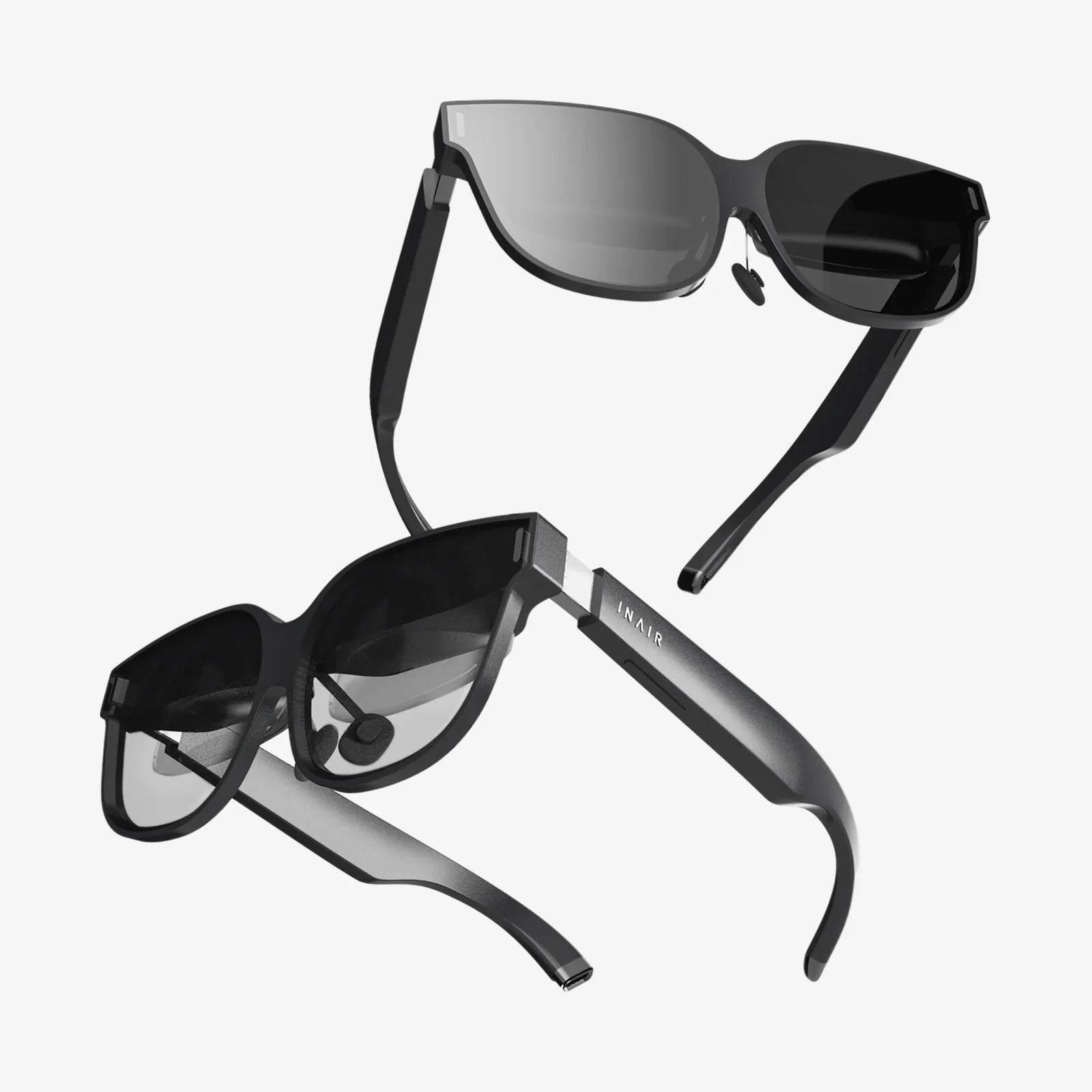
An XR headset is no longer a futuristic gadget reserved for tech enthusiasts; it is quickly becoming the gateway to a new layer of reality that blends digital and physical worlds. Whether you want to step inside cinematic worlds, collaborate in virtual offices, or learn complex skills through immersive simulations, an XR headset can transform how you see, hear, and interact with information. Understanding what these devices can really do, how they work, and how to choose the right one will help you avoid expensive mistakes and unlock the most compelling experiences available today.
Before spending money on an XR headset, it helps to know what “XR” actually means, how it differs from traditional screens, and why so many industries are betting on it. This guide walks through the fundamentals, from the underlying technology and key features to real-world use cases, comfort considerations, and future trends. By the end, you will have a clear roadmap for evaluating devices and making a choice that fits your needs, budget, and imagination.
What Is an XR Headset?
XR stands for “extended reality,” an umbrella term that covers virtual reality (VR), augmented reality (AR), and mixed reality (MR). An XR headset is a wearable device, typically worn like a pair of goggles, that places digital content directly in front of your eyes and often tracks your head and hand movements to make that content feel responsive and alive.
Instead of looking at a flat screen, you put on the headset and see a virtual environment, digital overlays, or a combination of both. The device usually includes displays, lenses, sensors, and audio components. Some models are self-contained with built-in computing, while others rely on a connected computer, console, or mobile device.
XR vs VR vs AR vs MR
To understand an XR headset, it helps to break down the main categories it can support:
- Virtual Reality (VR): Fully immersive digital environments that block out the real world. You might stand on a virtual cliff, walk through a fantasy city, or sit in a simulated theater.
- Augmented Reality (AR): Digital elements layered on top of the real world. Instead of replacing your surroundings, AR adds information, graphics, or interactive objects that appear to float in your environment.
- Mixed Reality (MR): A more advanced form of AR in which virtual objects are aware of and interact with the physical environment. A virtual object might sit on your real table and stay there as you walk around it.
- Extended Reality (XR): The broad category that includes VR, AR, and MR, as well as future variations that blend digital and physical experiences.
An XR headset may focus on one of these modes or support multiple modes in a single device, letting you switch between full immersion and real-world overlays as needed.
How an XR Headset Works
Under the sleek exterior, an XR headset is a complex system that combines optics, computing, tracking, and audio. Understanding the basic components will help you interpret technical specifications and make more informed decisions.
Displays and Lenses
Most XR headsets use one or two small displays positioned close to your eyes. These displays can be LCD, OLED, or other emerging technologies. Lenses sit between your eyes and the screens, magnifying and reshaping the image so it appears at a comfortable distance and fills a wide field of view.
Key display-related concepts include:
- Resolution: Describes how many pixels are available to render the image. Higher resolution reduces the “screen-door effect” and makes text and fine details easier to see.
- Refresh rate: The number of times per second the image is updated, measured in Hertz (Hz). Higher refresh rates (for example, 90 Hz or above) generally provide smoother motion and help reduce motion sickness.
- Field of view (FOV): How much of your visual field the display covers, measured in degrees. A wider FOV feels more immersive because you see more of the virtual world at once.
Sensors and Tracking
To make virtual content feel responsive, an XR headset needs to know where your head and hands are in space. This is achieved through a combination of sensors such as:
- Gyroscopes and accelerometers to detect rotation and acceleration.
- Depth sensors or cameras to map the environment or track hand movements.
- Infrared or visible-light cameras to track controllers, your hands, or the room around you.
Tracking can be performed in different ways:
- Inside-out tracking: Cameras on the headset observe the environment and track your movement without external sensors.
- Outside-in tracking: External sensors or cameras placed in the room track the headset and controllers.
- Hand and eye tracking: Advanced systems can detect hand gestures and eye movements, enabling more natural interaction and foveated rendering (where the device focuses graphical detail where you are looking).
Audio Systems
Sound is crucial for immersion. Many XR headsets include built-in speakers, near-ear audio, or headphone jacks. Spatial audio technologies can make sounds appear to come from specific directions in the virtual or mixed environment, helping you locate objects or people around you even when you cannot see them directly.
Processing and Connectivity
Some XR headsets contain onboard processors and storage, functioning as standalone devices. Others connect to a PC, console, or mobile device for processing power. Connectivity options may include wired connections, wireless streaming, or both.
When evaluating processing capabilities, consider:
- Onboard chip performance for standalone experiences.
- Compatibility with your PC or console if the headset depends on external hardware.
- Network requirements for cloud-rendered or streamed experiences.
Core Use Cases for an XR Headset
XR headsets are versatile tools that extend far beyond gaming. Understanding the main use cases can help you match features to your interests and goals.
Immersive Gaming and Entertainment
Gaming is often the first experience people imagine with an XR headset. Immersive games allow you to step inside virtual worlds, interact with objects using hand controllers or gestures, and experience environments from a first-person perspective.
Beyond gaming, XR headsets offer:
- Virtual cinemas where you watch movies on massive virtual screens.
- 3D video experiences that place you inside recorded scenes or performances.
- Interactive stories where you influence the narrative through your actions.
Work, Collaboration, and Productivity
XR headsets are increasingly used for remote work and collaboration. Instead of staring at flat video call windows, you can enter virtual meeting spaces, stand around a digital whiteboard, and manipulate shared 3D models.
Productivity-focused experiences can include:
- Virtual offices with multiple floating screens and custom layouts.
- Design review sessions where teams inspect 3D prototypes at true scale.
- Training simulations that mimic real-world equipment and workflows.
Education and Training
Education is one of the most promising areas for XR. With an XR headset, learners can explore virtual laboratories, walk through historical sites, or study complex anatomy in 3D. Interactive simulations let students practice procedures, experiment with variables, and see immediate feedback.
Training applications can cover:
- Technical skills such as operating machinery or performing maintenance.
- Medical procedures where repeated practice is essential.
- Soft skills such as public speaking or conflict resolution through role-play scenarios.
Fitness and Well-Being
XR headsets are also emerging as fitness companions. Virtual workout programs can transform exercise into an engaging game, guiding you through routines in scenic or fantastical environments. Guided meditation and relaxation experiences place you in calming virtual landscapes, helping you focus and unwind.
Creative Work and Design
Artists, architects, and designers can use XR headsets to create and manipulate 3D content directly in space. Instead of relying solely on 2D screens and input devices, creators can sculpt, paint, and prototype with natural motions, walking around their creations and viewing them from any angle.
Key Features to Evaluate in an XR Headset
When comparing XR headsets, a long list of specifications can be overwhelming. Focusing on a few core categories will help you narrow down the options based on your priorities.
Comfort and Ergonomics
Comfort is critical because even the most advanced headset is useless if you cannot wear it for more than a few minutes. Consider:
- Weight distribution: A well-balanced headset feels lighter, even if the actual weight is similar to others.
- Strap design: Headbands, halo straps, and adjustable harnesses each fit differently. Look for a design that supports your head without creating pressure points.
- Face interface: The padding and material that contact your face should be breathable, easy to clean, and compatible with your skin.
- Glasses compatibility: If you wear glasses, ensure the headset can accommodate them or offers lens adjustment options.
Visual Quality
Visual clarity and comfort are central to the XR experience. Evaluate:
- Resolution per eye for sharpness and detail.
- Pixel density to reduce visible pixel structure.
- Lens quality to minimize glare, distortion, and chromatic aberration.
- Interpupillary distance (IPD) adjustment so you can align the lenses with your eyes for optimal clarity and comfort.
Tracking and Interaction
How you interact with virtual content shapes the entire experience. Some XR headsets rely on hand controllers, while others emphasize hand tracking or even eye tracking. Consider:
- Controller ergonomics and button layout.
- Hand tracking reliability in different lighting conditions.
- Eye tracking features for advanced interaction and performance optimization.
- Room-scale tracking if you plan to walk around a physical space.
Mixed Reality Capabilities
If you are interested in AR or MR experiences, look closely at how the headset handles passthrough and environmental awareness:
- Color passthrough quality to see your surroundings clearly.
- Depth sensing for accurate placement of virtual objects in your real environment.
- Lighting and occlusion handling so virtual objects appear consistent with real-world lighting and can be properly hidden behind physical objects.
Content Ecosystem
A powerful XR headset is only as good as the content available for it. Consider:
- App stores and platforms that the device supports.
- Library breadth across games, productivity tools, education, and creative apps.
- Developer support to ensure a steady stream of new experiences.
Battery Life and Portability
For standalone XR headsets, battery life determines how long you can use the device between charges. If you plan to travel with it or use it away from a desk, portability and charging convenience become important factors.
Consider:
- Battery duration for typical use.
- Charging time and whether fast charging is available.
- Support for external battery packs if you need extended sessions.
Privacy and Data Handling
XR headsets often collect sensitive data, including positional tracking, hand movements, and potentially eye tracking information. Some devices may also map your environment using cameras and sensors. It is wise to review:
- Privacy policies to understand how data is stored and used.
- On-device processing versus cloud processing for sensitive information.
- Options to opt out of data collection where possible.
Health, Safety, and Comfort Considerations
While XR headsets can be captivating, they also require attention to health and safety. With thoughtful habits, you can minimize discomfort and enjoy longer, more productive sessions.
Reducing Motion Sickness
Some users experience motion sickness, especially when virtual motion does not match physical motion. To reduce this risk:
- Start with short sessions and gradually increase duration.
- Choose experiences with teleportation movement or stationary viewpoints at first.
- Ensure high frame rates and avoid content that stutters or lags.
- Adjust the headset fit so the image is clear and stable.
Eye Strain and Visual Fatigue
Staring at screens close to your eyes can cause fatigue if not managed properly. To reduce eye strain:
- Take regular breaks, following a pattern such as five minutes off every 30 minutes.
- Adjust brightness to match your environment.
- Fine-tune IPD and focus so the image is sharp and comfortable.
Physical Safety in Your Play Area
When wearing an XR headset, your vision of the physical world may be limited. To stay safe:
- Clear the area of obstacles, pets, and fragile objects.
- Use built-in boundary systems that warn you when you approach the edge of your safe zone.
- Avoid intense movement on slippery or uneven surfaces.
Hygiene and Shared Use
If multiple people use the same XR headset, hygiene becomes important. Consider:
- Replaceable or washable face covers to keep the device clean.
- Sanitizing wipes designed for electronics and skin-safe surfaces.
- Separate user profiles so each person can have their own settings and preferences.
Choosing the Right XR Headset for Your Needs
With so many options on the market, choosing an XR headset can feel overwhelming. A structured approach can help you make a decision that balances performance, price, and use cases.
Step 1: Define Your Primary Use Cases
Start by ranking your priorities:
- Are you mainly interested in gaming and entertainment?
- Do you need productivity and collaboration features for work?
- Are you focused on education and training?
- Is mixed reality with real-world overlays essential for your projects?
Your top two or three priorities will guide which features matter most.
Step 2: Decide on Standalone vs Tethered
Standalone XR headsets offer convenience and portability, while tethered devices can deliver higher-end graphics and more demanding applications when connected to a powerful computer or console.
- Choose a standalone headset if you want quick setup, minimal cables, and portability.
- Choose a tethered headset if you already have capable hardware and prioritize top-tier performance.
Step 3: Set a Realistic Budget
XR headsets span a wide price range. Beyond the headset itself, account for:
- Controllers and accessories such as extra straps, face covers, or external sensors.
- Software purchases for games, productivity tools, or specialized training apps.
- Potential PC upgrades if the headset requires powerful external hardware.
Step 4: Compare Comfort and Fit
If possible, try on different XR headsets or read detailed user feedback about comfort and fit. Head shapes vary, and small differences in strap design or padding can make a big impact on long-term comfort.
Step 5: Evaluate the Content Ecosystem
Look at the platform’s library and roadmap. Ask yourself:
- Does it offer the types of experiences you care about?
- Is there a steady flow of new content and updates?
- Are there tools for developers and creators if you plan to build your own applications?
Step 6: Consider Future-Proofing
XR technology moves quickly. While no device is truly future-proof, you can look for:
- Regular software updates that add features or improve performance.
- Support for open standards and cross-platform compatibility.
- Expandable storage or accessory support where relevant.
Practical Tips for Getting the Most from an XR Headset
Once you have chosen an XR headset, a few practical habits can dramatically improve your experience and help you integrate it into daily life.
Optimize Your Play Space
Choose a room or area with enough space to move safely. Set up a dedicated zone where the floor is clear and the lighting is consistent. Use the headset’s boundary or guardian system to mark a safe area, and re-scan your environment if you move furniture or change rooms.
Fine-Tune Fit and Settings
Spend time adjusting the straps, face interface, and IPD settings. A good fit can reduce motion sickness, eye strain, and pressure points. Explore the device’s settings menu to adjust brightness, audio levels, and comfort options such as reduced motion or vignette effects during movement.
Curate Your Content Library
Start with a mix of short, comfortable experiences and gradually branch into longer or more intense applications. Look for:
- Introductory tutorials that teach navigation and interaction basics.
- Comfort-rated experiences designed to minimize motion sickness.
- Productivity or learning tools that align with your personal or professional goals.
Integrate XR into Daily Routines
Instead of viewing your XR headset as a novelty, consider how it can enhance existing routines:
- Use virtual workspaces for focused deep work sessions.
- Schedule short exercise routines or guided meditation in XR.
- Dedicate weekly time to learning a new skill through immersive training apps.
Stay Informed and Experiment
XR is evolving rapidly. Follow news, communities, and educational resources to discover new applications, best practices, and experimental experiences. As you become more comfortable, you may find creative ways to use your XR headset that you did not initially consider, such as virtual travel, language learning, or collaborative art projects.
The Future of XR Headsets
The XR headset you buy today is part of a larger wave of innovation that is reshaping how humans interact with digital information. Several trends are likely to define the next generation of devices and experiences.
Thinner, Lighter, and More Stylish Designs
Future XR headsets are expected to become more compact and comfortable, moving closer to the look and feel of everyday eyewear. Advances in optics, such as pancake lenses and waveguides, aim to reduce bulk without sacrificing visual quality.
Improved Mixed Reality and Environmental Awareness
As sensors and processing power improve, XR headsets will better understand the physical environment. This will enable more convincing mixed reality experiences, where virtual objects behave realistically, respond to real-world lighting, and integrate seamlessly into your surroundings.
Natural Interaction Through Hands, Eyes, and Voice
Interaction methods are moving beyond controllers. Hand tracking, eye tracking, and voice recognition will make XR experiences more intuitive and accessible. You may simply look at an object and speak a command, or use natural gestures to manipulate virtual elements.
Deeper Integration with Everyday Devices
XR headsets will increasingly connect with laptops, phones, and other devices, turning them into components of a broader spatial computing ecosystem. You might pull a window from your laptop into your XR workspace, or receive notifications as floating elements in your field of view.
Expanding Professional and Industrial Applications
Beyond consumer use, XR headsets are poised to become standard tools in fields such as engineering, healthcare, architecture, education, and logistics. Companies are exploring how immersive training, remote assistance, and digital twins can improve efficiency, safety, and decision-making.
Standing at this intersection of physical and digital worlds, an XR headset offers far more than entertainment. It can become a personal theater, a portable office, a classroom without walls, and a creative studio that fits in your bag. By understanding the technology, evaluating key features, and aligning your purchase with your goals, you can turn a simple headset into a powerful extension of how you learn, work, and play. As the ecosystem grows and devices become more refined, the question will not be whether to use XR, but how you want it to reshape your daily experience.
Aktie:
Wearable HMD Revolution: How Head-Mounted Displays Are Redefining Reality
AR office transformations reshaping how we work every day