


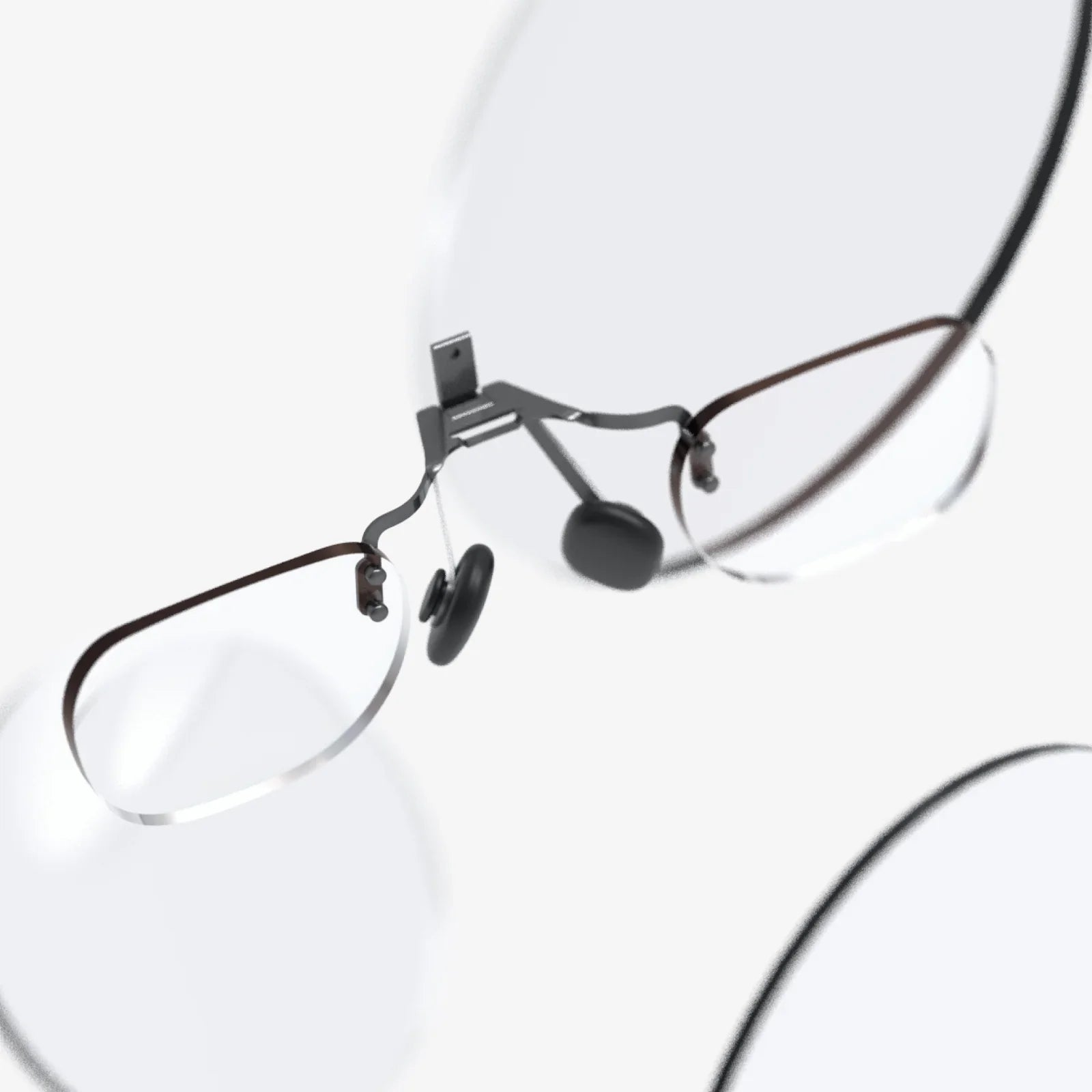
Imagine stepping onto a train, slipping on an Inair wearable display, and instantly finding yourself in a personal cinema, a productivity cockpit, or an interactive classroom floating before your eyes. No bulky monitors, no crowded screens, just a seamless visual layer tailored to you. That is the promise of the Inair wearable display concept: turning any space into your own private screen-filled world, while keeping your hands free and your eyes on what matters.
What Is an Inair Wearable Display?
An Inair wearable display is a head-worn or face-adjacent device that projects or presents visual content directly in front of your eyes. Instead of looking down at a phone or sitting in front of a monitor, you see virtual screens that appear to float in the air. These displays can be transparent, semi-transparent, or opaque, depending on whether they are designed for augmented reality, mixed reality, or fully immersive viewing.
At its core, the Inair wearable display concept combines optics, micro-displays, sensors, and software to create a personal, portable visual environment. It can be used for entertainment, work, navigation, training, and more, all while reducing the need for traditional physical screens.
How Inair Wearable Display Technology Works
Although different designs vary, most Inair wearable display systems rely on a similar set of core components and principles:
- Micro-displays: Tiny high-resolution displays, such as OLED or microLED panels, generate the visual content.
- Optical systems: Lenses, waveguides, or mirrors route and reshape the light so that images appear at a comfortable distance in front of your eyes rather than directly on the surface of the device.
- Sensors and tracking: Gyroscopes, accelerometers, and sometimes cameras track head movement and orientation, helping stabilize the virtual screen and, in some cases, align it with the real world.
- Processing hardware: Onboard or tethered processors handle graphics, networking, and interaction logic.
- Connectivity: Wireless protocols like Wi-Fi and Bluetooth connect the display to phones, laptops, or cloud services.
When you put on an Inair wearable display, the device projects images that your eyes perceive as hovering at a distance, often several feet away. This reduces eye strain compared to focusing on a very close object, and it allows multiple virtual screens to be arranged in your field of view. In more advanced systems, you can pin windows in space, interact with them using gestures or controllers, and move between apps as if you were surrounded by an invisible array of monitors.
Key Benefits of an Inair Wearable Display
The appeal of the Inair wearable display idea goes beyond novelty. It promises tangible benefits in multiple areas of daily life.
Immersive Entertainment Anywhere
One of the most obvious advantages is portable, immersive entertainment. With an Inair wearable display, you can transform a cramped airplane seat, a small living room, or a dorm bed into a large-screen viewing experience.
- Virtual big screen: Watch movies or shows on a virtual display that appears as large as a home theater screen, without needing a projector or TV.
- Private viewing: Visuals are visible only to you, so you can enjoy content without disturbing others or worrying about prying eyes.
- Gaming immersion: Games can feel more enveloping, with expansive virtual worlds filling your field of view.
This creates a personal cinema experience that travels with you, making long commutes and flights more enjoyable and productive.
Productivity Without Physical Monitors
For professionals, students, and creators, the Inair wearable display can replace or supplement traditional monitors:
- Multiple virtual screens: Arrange several windows around you for documents, browsers, and communication tools, without needing extra physical displays.
- Space savings: Ideal for small apartments, shared workspaces, or hot-desking environments where large monitors are impractical.
- On-the-go work: Turn any table, cafe, or hotel room into a full-featured workstation with a multi-monitor layout.
Instead of carrying portable monitors or relying on small laptop screens, you can access an expansive virtual workspace wherever you go.
Improved Focus and Reduced Distractions
By isolating your visual environment, an Inair wearable display can help you create a focused bubble when needed:
- Distraction filtering: Visual noise from your surroundings is less prominent, helping you concentrate on tasks or content.
- Context switching control: You can arrange apps and windows to minimize clutter and keep only critical information in view.
- Custom environments: Backgrounds and layouts can be tailored to calm, motivate, or inspire you.
This can be especially useful in open offices or noisy public spaces where maintaining focus is a constant challenge.
Ergonomic and Posture Benefits
Traditional screens often encourage poor posture: hunching over a laptop or craning your neck toward a phone. An Inair wearable display can help mitigate this:
- Neutral head position: Virtual screens can be positioned at eye level, encouraging a more natural neck and spine alignment.
- Flexible viewing angles: Adjust the position and distance of virtual displays without moving physical hardware.
- Reduced screen clutter: Less need to twist or lean to see multiple displays spread around a desk.
While proper ergonomics still require mindful use, the flexibility of virtual layouts can support healthier viewing habits.
Core Use Cases for Inair Wearable Display Devices
Beyond the general benefits, the Inair wearable display concept opens specific, compelling use cases across different domains.
Travel and Commuting
Travelers stand to gain significantly from portable immersive displays:
- Long flights and trains: Enjoy a personal cinema, catch up on work, or learn something new without relying on built-in seat screens.
- Privacy in public: Review sensitive documents or messages on a virtual screen visible only to you.
- Navigation overlays: In future designs, transparent displays could show directions or travel information while you remain aware of your surroundings.
Instead of juggling a phone, tablet, and laptop, a single Inair wearable display can consolidate your travel toolkit into a hands-free visual interface.
Remote Work and Hybrid Offices
Remote and hybrid work environments are a natural match for wearable displays:
- Virtual multi-monitor setups: Create a full office-like configuration from any location, whether you are at home, in a coworking space, or traveling.
- Virtual meeting rooms: Interact with colleagues in shared virtual spaces, with documents, whiteboards, and presentations floating around you.
- Personalized work zones: Maintain a consistent virtual workspace even as your physical environment changes.
This continuity can boost productivity and comfort, making remote work feel more structured and less ad hoc.
Education and Training
Learning experiences can become more engaging and interactive with Inair wearable display systems:
- Immersive lessons: Visualize complex concepts as 3D models or interactive diagrams hovering before your eyes.
- Guided practice: Step-by-step instructions can overlay real-world tasks, such as lab experiments or technical training.
- Virtual classrooms: Students can share a synchronized virtual environment, even when physically distant.
By blending visual immersion with real-world context, wearable displays can support deeper understanding and retention.
Creative Work and Design
Artists, designers, and engineers can potentially benefit from expanded visual canvases and 3D visualization:
- Large virtual canvases: Sketch, edit, and arrange content on expansive virtual boards without needing wall-sized screens.
- 3D modeling in context: Inspect and manipulate virtual models at various scales, from handheld to room-sized.
- Collaborative visualization: Share designs in shared virtual spaces where collaborators can walk around and annotate models.
This can streamline design workflows and encourage experimentation without the constraints of physical screen real estate.
Healthcare, Field Work, and Specialized Tasks
Inair wearable display technology can also support specialized professional tasks:
- Hands-free information access: Field technicians, healthcare workers, and engineers can view instructions, data, or schematics while keeping their hands free.
- Real-time overlays: Contextual information can appear in the user’s field of view, reducing the need to look away from the task.
- Remote assistance: Experts can guide on-site workers by sharing visual cues and annotations in the wearable display.
These applications can improve accuracy, reduce errors, and speed up training in complex environments.
Design Considerations for an Inair Wearable Display
For the Inair wearable display concept to succeed, several design factors must be carefully balanced.
Comfort and Fit
Because these devices are worn on the head or face, comfort is critical:
- Weight distribution: Even a small increase in weight can cause neck strain over long sessions if not properly balanced.
- Adjustability: Straps, nose pieces, and other contact points need to accommodate different head and face shapes.
- Breathability: Materials and design should minimize heat buildup and pressure points.
A well-designed Inair wearable display should feel natural enough that you can forget you are wearing it after a few minutes.
Visual Quality and Eye Comfort
Visual quality is just as important as comfort:
- Resolution and clarity: Text, icons, and fine details must be sharp to support reading and productivity tasks.
- Brightness and contrast: Displays must be bright enough for varied environments while avoiding glare and eye fatigue.
- Field of view: A wider field of view can enhance immersion but may increase complexity and cost.
- Eye strain management: Proper focal distance, refresh rates, and software options such as dark modes can reduce fatigue.
When evaluating or designing such devices, eye health and comfort should be central priorities, not afterthoughts.
Interaction Methods
How you control an Inair wearable display significantly shapes the experience:
- Physical controllers: Handheld controllers or clickers can offer precise input for complex tasks.
- Touch surfaces: Side-mounted touchpads or companion devices can handle navigation and gestures.
- Voice control: Voice commands can be convenient, especially when hands are busy, though they may be limited in noisy environments.
- Gesture recognition: Cameras and sensors can track hand movements, enabling more natural interactions.
Often, a hybrid approach works best, allowing users to choose the input method that fits the context and task.
Battery Life and Portability
Battery performance is a practical constraint for any wearable device:
- Usage patterns: Lightweight tasks like document viewing may consume less power than high-brightness, high-motion video or gaming.
- Tethered vs. untethered: Some designs may rely on a connected device for processing, offloading power demands from the wearable.
- Charging convenience: Fast charging and accessible ports can make daily use more manageable.
For the Inair wearable display concept to be truly mobile, battery life must align with real-world usage, such as full workdays or long travel segments.
Privacy and Security
Because wearable displays can handle sensitive data, privacy and security are crucial considerations:
- On-device data handling: Minimizing the transmission of sensitive information and using encryption where necessary.
- Secure pairing: Ensuring that connections to phones, laptops, or networks are protected against unauthorized access.
- Physical privacy: While others cannot see your screen, you should be aware of how your usage might be perceived in social or professional settings.
Thoughtful design and user education can help mitigate risks and build trust in the technology.
Potential Challenges and Limitations
Despite its promise, the Inair wearable display concept faces several challenges that must be addressed for widespread adoption.
Social Acceptance and Aesthetics
Wearing a head-mounted display in public can still feel unconventional:
- Appearance: Bulky or conspicuous designs may discourage everyday use.
- Social cues: Others may find it difficult to tell whether you are engaged with them or focused on virtual content.
- Etiquette: Norms around wearing immersive devices in meetings, classrooms, or public spaces are still evolving.
Designers must balance functionality with subtle, approachable aesthetics that feel acceptable in diverse settings.
Motion Sickness and Eye Fatigue
Some users may experience discomfort when using wearable displays:
- Latency: Delays between head movement and visual updates can cause motion sickness.
- Visual mismatch: Discrepancies between what your eyes see and what your inner ear senses can be disorienting.
- Extended use: Long sessions may lead to dry eyes, headaches, or general fatigue if not managed carefully.
Optimized hardware, careful software design, and user-friendly settings such as breaks and visual comfort modes can help mitigate these issues.
Content and App Ecosystem
Hardware alone is not enough; the value of an Inair wearable display depends heavily on the content and apps available:
- Optimized interfaces: Apps need layouts and controls designed for floating virtual screens, not just mirrored flat displays.
- Immersive experiences: Specialized content that leverages spatial layouts, 3D visualization, and context-aware overlays can set the platform apart.
- Cross-device compatibility: Seamless integration with phones, computers, and cloud services is essential for everyday workflows.
Developers and platform providers will play a key role in shaping the real-world utility of wearable displays.
Cost and Accessibility
Advanced optics and micro-displays can be expensive, especially in early generations:
- Initial price: High costs can limit adoption to enthusiasts and professionals.
- Maintenance: Repairs, battery replacements, and accessories can add to long-term expenses.
- Accessibility features: Support for users with vision or mobility challenges must be integrated from the start.
As manufacturing scales and technology matures, prices may come down, but thoughtful design can also help ensure that early devices deliver clear value for their cost.
How to Decide if an Inair Wearable Display Is Right for You
If you are considering adopting this type of technology, it helps to evaluate your own needs and habits.
Assess Your Primary Use Cases
Start by identifying where an Inair wearable display could make the biggest difference:
- Frequent travel: Do you spend many hours on planes, trains, or buses where a private, immersive screen would be useful?
- Remote or hybrid work: Would a portable multi-screen setup significantly improve your productivity?
- Entertainment focus: Are you looking mainly for a personal cinema and gaming experience?
- Specialized tasks: Do you work in a field where hands-free, heads-up information access could improve performance?
Understanding your priorities will help you weigh benefits against limitations.
Consider Comfort and Health Factors
Not everyone responds to wearable displays in the same way:
- Try before committing: If possible, test a similar device to gauge your tolerance for extended use.
- Monitor eye comfort: Pay attention to dryness, strain, or headaches and adjust settings or usage time accordingly.
- Plan for breaks: Just as with traditional screens, regular breaks can help maintain comfort and long-term eye health.
Comfort should be a non-negotiable factor in your decision-making process.
Evaluate Integration with Your Existing Devices
An Inair wearable display will likely be part of a broader device ecosystem:
- Compatibility: Check whether it can connect easily to your preferred phone, laptop, or desktop platforms.
- Workflow fit: Consider how it will integrate into your daily routines, such as video calls, document editing, or creative work.
- Cloud and app access: Ensure that the apps and services you rely on can be accessed smoothly.
A device that integrates seamlessly is far more likely to become a daily tool rather than a novelty.
The Future of Inair Wearable Display Experiences
The Inair wearable display concept sits at the intersection of several technological trends: augmented reality, virtual reality, mobile computing, and cloud services. As these fields evolve, wearable displays are likely to gain new capabilities and become more refined.
Smaller, Lighter, and More Stylish Designs
Future generations are expected to be lighter, more compact, and closer in appearance to everyday eyewear:
- Improved optics: Advances in waveguides and micro-displays can reduce bulk while maintaining or improving image quality.
- Battery innovations: More efficient components and better power management can extend usage time without adding weight.
- Fashion-conscious design: Aesthetic options and modular components may help the devices blend into personal style.
As wearables become less conspicuous, social acceptance and everyday usage are likely to increase.
Smarter, Context-Aware Interfaces
Software will play a growing role in shaping the experience:
- Adaptive layouts: Interfaces that automatically adjust to your activity, location, and preferences.
- Contextual information: Relevant data and tools appearing when and where you need them, without manual searching.
- Personalized environments: Virtual workspaces and entertainment setups that remember your ideal configurations.
Such intelligent interfaces can make wearable displays feel less like gadgets and more like natural extensions of your daily routines.
Deeper Integration with the Physical World
As sensors and spatial mapping improve, Inair wearable displays may blend virtual and physical environments more seamlessly:
- Object-aware overlays: Information and controls anchored to real-world objects and locations.
- Shared mixed reality spaces: Collaborative environments where multiple users see and interact with the same virtual elements.
- Task-specific guidance: Step-by-step overlays aligned precisely with physical tasks, from repairs to cooking.
This fusion of digital and physical could make wearable displays indispensable tools in both professional and personal contexts.
Preparing for the Inair Wearable Display Era
If the idea of carrying a personal, floating screen wherever you go sounds compelling, now is the time to start preparing. Explore how your current workflows, entertainment habits, and learning routines might evolve with a hands-free visual layer always available. Consider which tasks could become more immersive, more efficient, or simply more enjoyable when freed from the constraints of traditional screens.
The Inair wearable display concept is more than a futuristic accessory; it is a potential rethinking of how we see and interact with digital information. Those who understand its strengths and limitations early will be best positioned to take advantage of its capabilities, whether to transform travel into a personal cinema, turn any table into a multi-monitor workstation, or unlock new ways of learning and creating. As the technology matures, the question will not be whether you need another screen, but whether you are ready for your screens to follow you, float with you, and adapt to you wherever you go.
共有:
Visual Smart Device Trends Transforming Everyday Life and Work
No Built-in Battery Glasses for Safer, Lighter, Smarter Everyday Wear