If you could stop someone in their tracks with a single visual moment, a 3d object show is one of the most powerful ways to do it. From glowing sculptures and interactive installations to projection-mapped architecture that seems to bend reality, 3D shows are quickly becoming the secret weapon behind unforgettable events, exhibitions, and brand experiences. Whether you are planning a small gallery piece or a massive outdoor spectacle, understanding how these shows work can be the difference between a forgettable display and a jaw-dropping, share-worthy experience.
This guide breaks down the essential concepts, tools, and techniques behind a successful 3d object show. You will learn how to plan, design, and execute shows that combine storytelling, technology, and physical space to fully engage your audience. Even if you are not a technical expert, you will walk away with a clear roadmap for creating immersive 3D experiences that feel magical yet are grounded in solid, practical planning.
What is a 3d object show?
A 3d object show is a visual experience built around physical or virtual three-dimensional objects that are enhanced with light, projection, motion, sound, or interactivity. The core idea is to transform ordinary shapes, products, buildings, or sculptures into dynamic storytelling mediums that feel alive.
These shows can be:
-
Physical installations where projectors, LEDs, or lasers map visuals onto real objects.
-
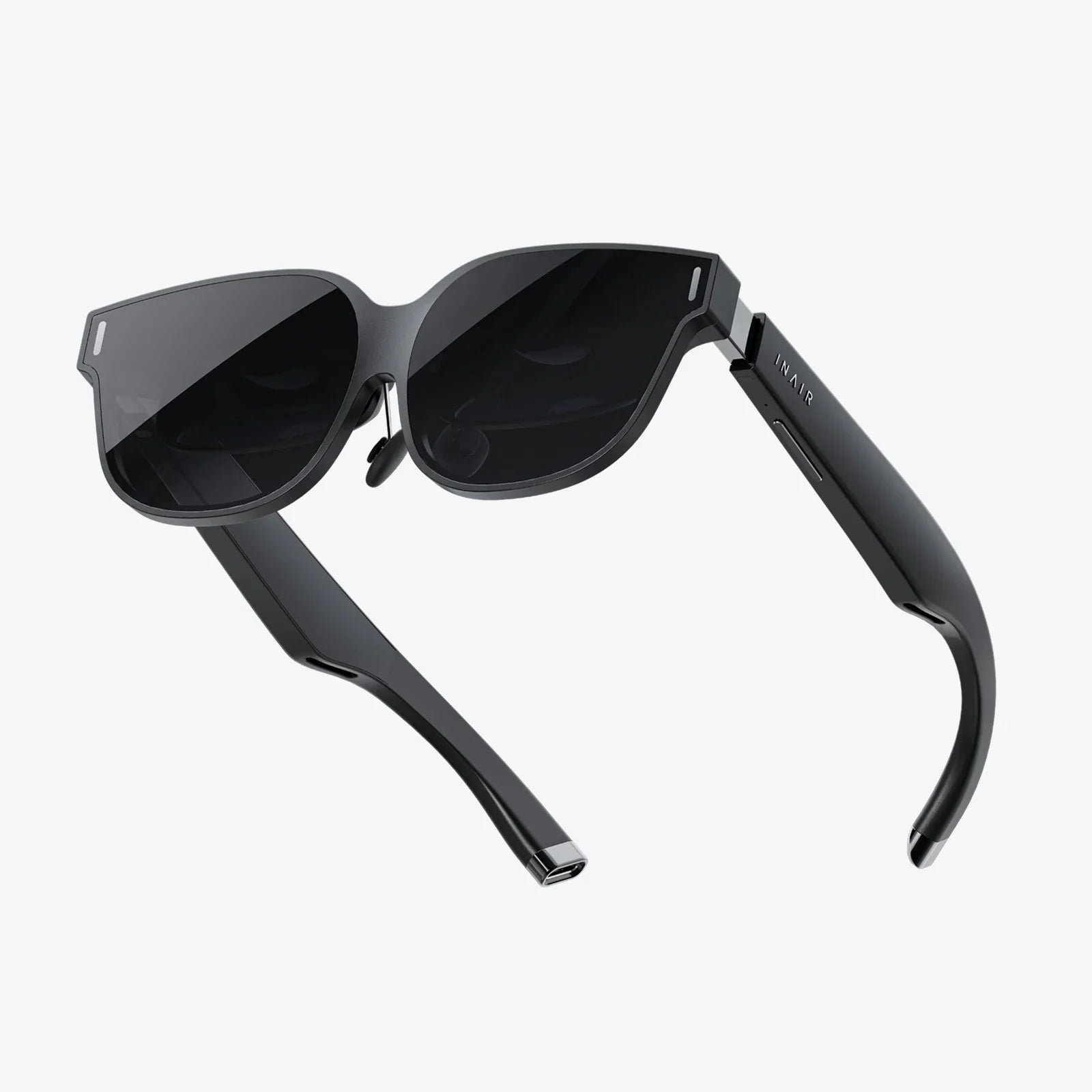
Virtual or mixed reality experiences where 3D models appear through headsets or mobile devices.
-
Hybrid shows that combine real objects with digital overlays, such as holographic illusions or AR layers.
Unlike flat screens or traditional signage, a 3d object show uses depth, volume, and perspective to create a sense of presence. Viewers feel like they are standing inside the story, not just watching it from the outside.
Why 3d object shows are so effective
The power of a 3d object show lies in how it engages multiple senses and emotions at once. When done well, it:
-
Captures attention instantly – Motion, light, and depth trigger curiosity faster than static visuals.
-
Creates stronger memories – Immersive experiences are more likely to be remembered and talked about.
-
Supports storytelling – Objects can transform, morph, and react in ways that reinforce a narrative.
-
Encourages sharing – Spectacular visuals are naturally photographed and posted online, extending the reach of your show.
-
Bridges physical and digital – Ideal for events, retail, museums, and online campaigns that need a cohesive experience.
Because of this, 3D shows are used in product launches, art exhibitions, festivals, trade shows, educational spaces, and even permanent installations in public areas.
Core components of a 3d object show
Every 3d object show, whether simple or complex, comes down to a handful of key components. Understanding these building blocks helps you plan more effectively and avoid expensive mistakes.
1. The physical or virtual object
The object is the heart of the show. It could be:
- A sculpture, mannequin, or display piece.
- A scale model of a building, car, or product.
- An entire façade of a building or stage set.
- A virtual 3D model viewed through AR, VR, or a 3D screen.
Key considerations for the object include:
-
Shape complexity – More complex shapes can be visually rich but require more precise mapping.
-
Surface material – Matte, light-colored surfaces are ideal for projection; reflective or transparent surfaces may need special treatment.
-
Scale – Larger objects demand more powerful projectors and careful viewing distance planning.
2. Content and visuals
The visuals are what transform a static object into a dynamic experience. These include:
-
Animated textures that flow over the surface of the object.
-
3D transformations that make the object appear to break apart, rebuild, or morph.
-
Lighting simulations that shift mood and time of day.
-
Text and symbols integrated into the object’s form.
Creating content for a 3d object show requires thinking in three dimensions from the start. Instead of designing for a flat rectangle, you design for curves, edges, and perspective.
3. Light and projection technologies
There are several ways to bring visuals onto or around your object:
-
Projection mapping – Projectors cast images precisely onto the object’s surface, aligned with its geometry.
-
LED lighting – Strips, panels, and spotlights create color shifts, highlights, and effects.
-
Laser effects – Sharp beams or outlines emphasize contours and motion.
-
Holographic-style displays – Transparent screens or reflective setups create floating 3D illusions.
The choice depends on your budget, environment, and the level of realism or spectacle you want to achieve.
4. Sound and music
While visuals attract the eye, sound locks in the emotional impact. A strong 3d object show often includes:
-
Soundscapes that match the environment (urban, natural, futuristic).
-
Music that builds tension, release, and rhythm with the visuals.
-
Spatial audio that moves with the visuals, especially in immersive rooms.
Synchronizing sound with visual cues is one of the most effective ways to make the show feel intentional and polished.
5. Interactivity and control
Some 3D shows are fully automated, while others respond to the audience. Interactive elements can include:
-
Motion sensors that trigger animations when someone approaches.
-
Touchscreens or tablets that let users choose scenes or themes.
-
Mobile-based interaction where visitors scan a code to control or augment the show.
-
Live operator control for shows integrated into performances or presentations.
Interactivity increases engagement, but it also adds complexity. It is important to keep the interaction simple and intuitive.
Types of 3d object shows
Different contexts call for different approaches. Here are some common types of 3d object show and where they shine.
Architectural projection shows
These shows use building facades as giant canvases. The structure appears to crumble, transform, or reveal hidden layers through precisely mapped projections. They are perfect for public events, festivals, and city celebrations.
Key characteristics:
- Large-scale, often outdoors.
- Requires powerful projectors and careful alignment.
- Usually designed for viewing from a specific area or plaza.
Product-focused 3D displays
In retail, trade shows, and showrooms, a 3d object show can highlight a single hero object, such as a model, prototype, or artwork. Visuals can reveal inner workings, customization options, or lifestyle scenes around the object.
Key characteristics:
- Smaller scale but highly detailed.
- Often uses a combination of projection, LED lighting, and glass enclosures.
- Designed for close-up viewing and photography.
Museum and educational installations
In museums and science centers, 3D object shows can bring history, biology, or technology to life. For example, a fossil replica might be animated to show how a creature moved, or a historical artifact might be surrounded by contextual scenes.
Key characteristics:
- Content is educational as well as entertaining.
- Interactivity is common, especially for younger audiences.
- Shows may run in loops throughout the day.
Artistic and experimental shows
Artists often use 3D shows to explore abstract concepts, emotional narratives, or sensory overload. These can appear in galleries, festivals, or pop-up spaces, and may involve unconventional materials and layouts.
Key characteristics:
- Highly creative and conceptual.
- May combine sound, scent, motion, and tactile elements.
- Less focus on explanation, more on experience.
Virtual and mixed reality 3D shows
Not all 3d object shows require physical objects. In virtual or mixed reality, the object exists as a digital 3D model, and users can walk around it, scale it, or interact with it in ways that are impossible in the physical world.
Key characteristics:
- Delivered through headsets, mobile apps, or AR-capable devices.
- Ideal when physical setup is impractical or costly.
- Can be distributed globally as a digital experience.
Planning a 3d object show: step-by-step
To build a 3d object show that works from both a creative and technical standpoint, you need a structured process. Here is a practical step-by-step approach.
Step 1: Define your goals and audience
Before thinking about technology, clarify:
-
What do you want people to feel or do? Awe, curiosity, understanding, purchase intent, social sharing?
-
Who is your audience? Families, professionals, art lovers, students, or general public?
-
What is the context? A one-night event, a trade show, a permanent installation?
These answers shape everything from content style to technical choices.
Step 2: Choose the object and space
Next, decide what object will be at the center of your show and where it will live. Consider:
- Size and shape of the object.
- Viewing distance and angles – where will people stand or walk?
- Ambient light – is it indoors, outdoors at night, or in a bright space?
- Traffic flow – will people move past quickly or stay for a while?
If possible, sketch the space or create a simple 3D mockup to visualize the layout.
Step 3: Develop the narrative
Even the most advanced visuals fall flat without a clear idea behind them. A narrative does not have to be a literal story with characters, but it should have structure, such as:
-
Introduction – The object is revealed or subtly illuminated.
-
Transformation – The object changes, reveals hidden layers, or travels through different scenes.
-
Climax – A peak moment of intensity, surprise, or beauty.
-
Resolution – The visuals calm, loop, or reset to a resting state.
Think in terms of emotional beats: curiosity, wonder, tension, relief. Map these to specific visual and audio cues.
Step 4: Design the visuals in 3D
Creating content for a 3d object show typically involves:
- Scanning or modeling the object in 3D, especially for complex shapes.
- Building an animation timeline aligned to your narrative.
- Testing how textures and effects wrap around the object’s geometry.
When designing, keep in mind:
-
Legibility – Small details may be lost at a distance; prioritize bold forms and motion.
-
Contrast – Ensure sufficient brightness and contrast, especially in partially lit environments.
-
Rhythm – Alternate between calm and intense moments to avoid visual fatigue.
Step 5: Select hardware and setup
Based on your space and content, choose:
- Projector brightness and lens type for projection mapping.
- Number and placement of projectors or lights.
- Media servers or playback devices to run the show.
- Audio systems sized for the venue.
Plan for cable runs, power access, ventilation, and equipment mounting. For outdoor shows, factor in weather protection and security.
Step 6: Calibrate and map
For projection-based shows, calibration is critical. This involves:
- Aligning the projected image with the object’s surfaces.
- Correcting for distortion caused by projector angle.
- Blending multiple projectors if needed.
This step often takes longer than expected, so allow generous setup time, especially for complex objects.
Step 7: Test with real viewers
Before your official launch, run tests with a small group of viewers. Ask them:
- What moments stood out the most?
- Was anything confusing, too fast, or too bright?
- Did they feel compelled to take photos or share the experience?
Use this feedback to refine timing, brightness, or narrative clarity.
Design principles for a powerful 3d object show
Beyond the technical steps, certain design principles consistently separate average shows from unforgettable ones.
Focus on the object’s personality
Every object has implied character: futuristic, organic, mechanical, elegant, playful. Embrace that personality and amplify it. For example:
- A sleek, minimal object might feature clean lines, controlled motion, and subtle gradients.
- An organic sculpture might use flowing textures, natural colors, and evolving patterns.
When visuals fight the object’s inherent character, the result feels disjointed.
Use light to guide attention
Light is one of your most powerful storytelling tools. You can:
- Highlight specific parts of the object to reveal details in sequence.
- Darken surrounding areas to make the object feel like it is floating in space.
- Use color temperature shifts to change mood instantly.
Always ask: where should the viewer be looking at this moment? Design your lighting around that answer.
Balance realism and abstraction
Some of the best 3d object shows alternate between recognizable imagery and abstract patterns. Realistic scenes give viewers context, while abstract sequences provide emotional impact and visual delight.
For example, you might:
- Start with realistic lighting that matches the environment.
- Transition into abstract forms that reveal hidden geometries.
- Return to a realistic view for the final reveal.
Respect the viewer’s comfort
It can be tempting to overload the viewer with intense motion, bright flashes, and loud sound. However, comfort is crucial for keeping people engaged. Consider:
- Avoiding excessive strobing or rapid flicker.
- Allowing moments of visual rest between high-energy sequences.
- Keeping sound levels powerful but not overwhelming.
When viewers feel physically comfortable, they are more likely to stay, explore, and absorb your message.
Common challenges and how to avoid them
Even well-planned 3d object shows can run into problems. Here are some frequent challenges and practical solutions.
Challenge 1: Misalignment and distortion
If projections do not line up with the object, the illusion breaks. To minimize this risk:
- Use stable, rigid mounts for projectors.
- Limit the number of moving parts in your setup.
- Recheck alignment regularly, especially in outdoor or long-running shows.
Challenge 2: Ambient light washing out visuals
Bright surroundings can make projections look dull. Solutions include:
- Choosing darker environments or scheduling shows after sunset.
- Using higher brightness projectors.
- Designing content with strong contrast and bold shapes.
Challenge 3: Technical complexity overwhelming the team
Too many systems can lead to confusion and failure points. To stay in control:
- Start with a simpler version of your idea and scale up gradually.
- Document your setup clearly, including wiring, settings, and backup procedures.
- Assign specific roles for setup, operation, and troubleshooting.
Challenge 4: Content that looks better on a screen than on the object
What looks impressive on a computer monitor may not translate to a physical surface. To avoid disappointment:
- Test early prototypes directly on the object.
- Adjust color, contrast, and motion based on real-world viewing.
- Design with the object’s shape in mind from the very beginning.
Enhancing a 3d object show with interactivity
Interactive elements can turn passive viewers into active participants. Here are a few ways to integrate interaction thoughtfully.
Gesture and motion-based triggers
Using sensors, your show can respond when someone approaches or moves around the object. For example:
- Approaching the object triggers a reveal animation.
- Walking to a different side of the object changes the scene or highlights that area.
This type of interaction feels magical when it is smooth and responsive.
Interactive control panels
Touchscreens or physical control panels can allow visitors to:
- Select different themes or time periods.
- Toggle between internal and external views of a model.
- Control the pace of the show for educational purposes.
When designing controls, keep them simple and clearly labeled, especially in public spaces.
Mobile and web-based interaction
Visitors can use their own devices to interact with the show by:
- Scanning a code to unlock AR layers around the object.
- Voting on what happens next in a live show.
- Accessing extended information, behind-the-scenes content, or alternate views.
This approach extends the experience beyond the physical space and encourages post-visit engagement.
Practical tips for different budgets
You do not need a massive budget to create an effective 3d object show. What matters most is clarity of concept and thoughtful execution.
Low-budget approaches
- Use a single projector and a small, well-chosen object.
- Work in a dark room to maximize impact with modest equipment.
- Focus on a short, looping sequence that is carefully crafted.
Mid-range setups
- Use multiple projectors for more coverage and depth.
- Add synchronized sound and subtle interactivity.
- Invest in better calibration tools and stable mounting.
High-end productions
- Combine large-scale projection mapping with spatial audio and kinetic elements.
- Integrate real-time rendering for interactive or generative visuals.
- Design custom structures specifically for the show.
Measuring the impact of your 3d object show
To understand whether your show is delivering value, track both qualitative and quantitative indicators.
Quantitative metrics
- Visitor counts and dwell time around the object.
- Photo and video activity in the area.
- Social media mentions and shares related to the show.
- Conversion metrics if the show supports a campaign or product launch.
Qualitative feedback
- Interviews or quick surveys asking what people remember.
- Observation of emotional reactions and body language.
- Comments collected through digital channels or guest books.
Use this information to refine future iterations, update content, or expand the experience into new spaces.
The future of 3d object show experiences
The world of 3D shows is evolving rapidly as technology becomes more accessible and audiences grow more accustomed to immersive experiences. Several trends are shaping what comes next:
-
Real-time visuals driven by live data or audience input, making each show unique.
-
Deeper integration with AR and VR, allowing physical objects to act as anchors for expansive virtual content.
-
Smarter environments where sensors, lighting, and sound systems work together automatically.
-
Portable setups that can be deployed quickly for pop-up events and touring exhibitions.
As these tools mature, the barrier between physical and digital will continue to blur, turning everyday spaces into potential canvases for storytelling and spectacle.
If you are ready to move beyond flat screens and static displays, a carefully planned 3d object show can become the centerpiece of an experience that people talk about long after the lights go down. Start with a clear idea, respect the strengths of your object and space, and build from there. With the right combination of narrative, technology, and design, you can transform simple shapes into living stories—and give your audience a reason to stop, look twice, and remember what they saw.