


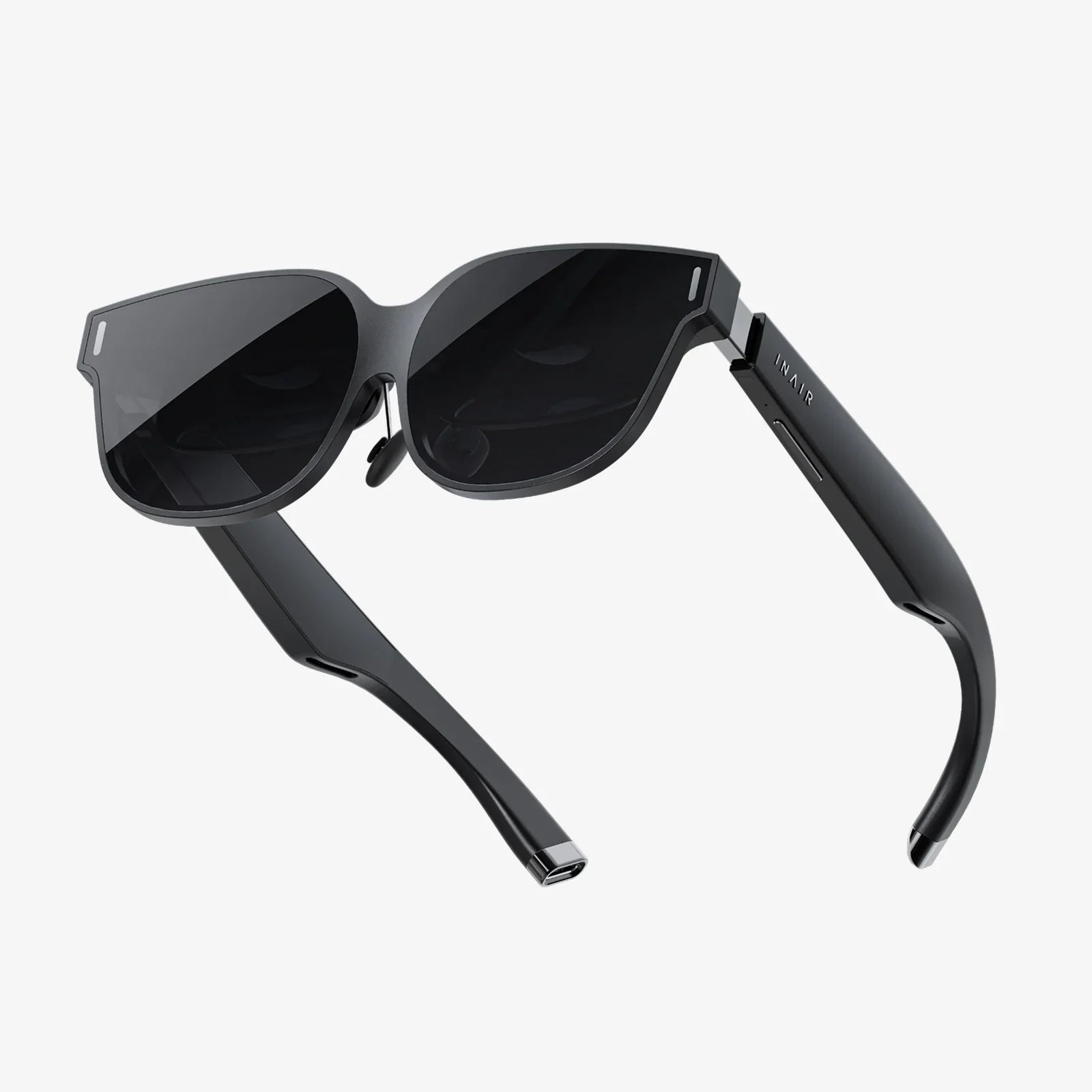
Imagine a world where digital information doesn't just live on a screen in your hand but is woven seamlessly into the fabric of your reality. This is the promise of Android XR glasses, a new frontier in wearable technology that is rapidly transitioning from science fiction to tangible, market-ready hardware. The ecosystem surrounding Android provides a robust, flexible, and accessible foundation for this revolution, and the features embedded within these glasses are the very keys to unlocking this blended world of physical and digital. Understanding these features is essential to grasping not just a new product category, but a potential new way of working, playing, and connecting.
The Visual Gateway: Displays and Optics
At the heart of any XR experience is the visual interface. How digital content is presented to your eyes is the single most critical feature, and Android XR glasses employ cutting-edge technology to achieve the illusion of seamless integration.
Micro-OLED and Advanced LCD Panels
Gone are the days of bulky, low-resolution displays. Modern Android XR glasses typically utilize Micro-OLED displays. These panels offer exceptionally high pixel density, ensuring that text is razor-sharp and virtual objects lack the distracting screen-door effect of earlier technologies. They also provide superior contrast ratios with true blacks, which is crucial for rendering convincing digital objects within a dimly lit real environment. Some devices may use advanced mini-LCDs with precise local dimming to achieve similar results, offering a bright image suitable for use in various lighting conditions.
Pancake Optics
The optical stack is what sits between the tiny displays and your eyes, and the shift to pancake optics represents a monumental leap forward. This complex arrangement of lenses and polarizers uses folded light paths to dramatically reduce the distance needed between the display and the eye. This is the primary innovation enabling the sleek, sunglasses-like form factor that is becoming standard for newer Android XR glasses, moving away from the bulky goggles of the past.
See-Through Capabilities: Optical vs. Video Passthrough
There are two primary methods for blending the real world with the virtual one, and the choice defines a significant part of the user experience.
- Optical See-Through (OST): Commonly used in Augmented Reality (AR) glasses, OST uses semi-transparent waveguides or holographic mirrors. Light from the real world passes directly through these optics to your eye, while a projector overlays digital images onto the same plane. This method offers a natural, lag-free view of reality but can struggle with displaying solid, dark virtual objects.
- Video See-Through (VST): Used in more immersive Virtual Reality (VR) and full Mixed Reality (MR) headsets, VST employs high-resolution cameras on the outside of the glasses to capture the real world. This video feed is then combined with digital content and displayed on the internal screens. This allows for incredible flexibility—digital objects can occlude real ones, and the entire environment can be altered—but it requires extremely low-latency cameras and processing to avoid nausea and feel natural.
Perceiving the World: Sensors and Tracking
For digital content to interact convincingly with the real world, Android XR glasses must possess a sophisticated understanding of their environment and the user's position within it. This is achieved through a suite of powerful sensors.
Inside-Out Tracking
Modern glasses have eliminated the need for external base stations or lighthouses. They use a technology called inside-out tracking, which relies on multiple wide-angle and ultra-wide-angle cameras placed around the frame. These cameras continuously scan the surrounding environment, tracking the position of static features like furniture, walls, and door frames. By comparing these data points frame-by-frame, the glasses can precisely understand their own movement through space with six degrees of freedom (6DoF)—meaning they track not just rotation (pitch, yaw, roll) but also translational movement (forward/back, up/down, left/right).
Depth Sensing
Understanding the geometry of a room is key to placing digital objects on a table or having a virtual character hide behind a real sofa. This is the job of dedicated depth sensors. Many Android XR glasses use a structured light system or a time-of-flight (ToF) sensor. These project invisible infrared dots or pulses of light into the environment and measure how they deform or how long they take to return, creating a real-time 3D map of the room. This depth data is fused with the camera tracking for a comprehensive spatial map.
Eye Tracking
This is a premium feature that significantly enhances both performance and user experience. Infrared cameras inside the frame are trained on the user's eyes to pinpoint exactly where they are looking.
- Foveated Rendering: The human eye only sees in high resolution in its central focal point (the fovea). Eye tracking allows the system to render the area where you are directly looking in full detail while intelligently reducing the rendering quality in your peripheral vision. This massively reduces the GPU workload, improving performance and battery life without the user perceiving any drop in quality.
- Intuitive Interaction: Menus can be selected simply by looking at them, and social avatars in virtual meetings can have realistic eye contact, conveying non-verbal cues and a powerful sense of presence.
Interacting with the Digital: Control and Input
A seamless interface is worthless without an intuitive way to interact with it. Android XR glasses are pioneering methods of control that feel more natural than a mouse or a touchscreen.
Hand Tracking
This is arguably the most magical input method. Using the same outward-facing cameras used for positional tracking, sophisticated computer vision algorithms model all 26 degrees of freedom of the human hand. You can pinch, point, grab, and push virtual objects with nothing but your bare hands. This creates an immediate and instinctive connection to the digital content, eliminating the barrier of learning a new controller scheme.
Voice Commands
Powered by the Google Assistant and other on-device AI, voice control is a fundamental feature of the Android XR experience. Users can launch apps, search for information, control playback, and send messages entirely hands-free. This is especially useful for productivity scenarios where your hands are otherwise occupied or for quick commands without breaking immersion.
Optional Controllers
For applications requiring high precision, such as professional CAD design or hardcore gaming, many glasses support optional 6DoF motion controllers. These controllers are themselves tracked by the headset's sensors and provide physical buttons, joysticks, and haptic feedback, offering a familiar and precise input method for specific use cases.
The Brain and Senses: Processing, Audio, and Connectivity
The magic of blending realities requires serious computational power and a multi-sensory approach to immersion.
Powerful Standalone Processing
Leading Android XR glasses are standalone devices, meaning all the processing happens on the device itself, untethered from a computer or phone. They are powered by bespoke chipsets, often referred to as XR platforms, which combine a powerful CPU, GPU, and a dedicated AI processing unit (NPU). This NPU is crucial for handling the immense and constant workload of processing camera feeds, running hand and eye tracking algorithms, and understanding voice commands in real-time, all while maintaining smooth performance.
Immersive Spatial Audio
Sound is half the immersion. Built-in directional speakers or personal audio solutions beam spatial audio directly into the user's ears without blocking ambient noise. This allows digital sounds to be placed precisely in 3D space—a notification can ping from your left, or a virtual bird can chirp from a specific tree branch behind you. This audio passthrough is vital for maintaining awareness of your real environment while engaged in a digital one.
Comprehensive Connectivity
While standalone, these devices are deeply connected. Wi-Fi 6/6E ensures high-bandwidth connectivity for streaming high-resolution content and cloud processing. Bluetooth allows for connecting peripherals like keyboards and gamepads. Furthermore, some glasses offer the ability to tether to an Android smartphone, leveraging its data connection and allowing for a seamless integration with your existing mobile ecosystem.
The Software Foundation: Android XR OS
The hardware features are enabled and unified by the software. The Android operating system has been extended and optimized for XR, providing a consistent platform for developers and users.
3D System Shell and UI
The user interface is no longer a 2D grid of icons. It's a 3D spatial environment. The system shell allows users to pin application windows anywhere in their physical space, resize them to monumental scales, and arrange multiple apps for a truly multi-tasking workflow that dwarfs what's possible on a traditional desktop.
Robust App Ecosystem
Access to the Google Play Store and dedicated XR app stores means users have a vast library of content at their fingertips. This includes everything from 3D games and immersive storytelling experiences to professional applications for remote assistance, design visualization, and medical training. The Android foundation makes it easier for mobile developers to adapt their apps for this new medium.
Privacy and Security
Given the deeply personal data these devices collect—your environment, your eye movements, your hand gestures—privacy is a paramount feature. Android's sandboxing, permissions model, and on-device processing for sensitive data ensure that user information is protected. Features like a hardware kill switch for cameras and microphones provide users with tangible control over their privacy.
The convergence of these features—high-fidelity displays, precise environmental understanding, intuitive interaction models, and powerful standalone processing—is what makes modern Android XR glasses more than just a novelty. They represent a fundamental shift in our relationship with computing, moving it off our desks and out of our pockets to become a contextual layer over our lives. The hardware is finally capable, the software is maturing, and the possibilities are expanding at a breathtaking pace. We are standing at the threshold, not of a new screen, but of a new reality.
Share:
Cheapest XR Glasses - A Realistic Look at Affordable Immersion
Difference Between VR and Augmented Reality: A Comprehensive Guide to Immersive Technologies