


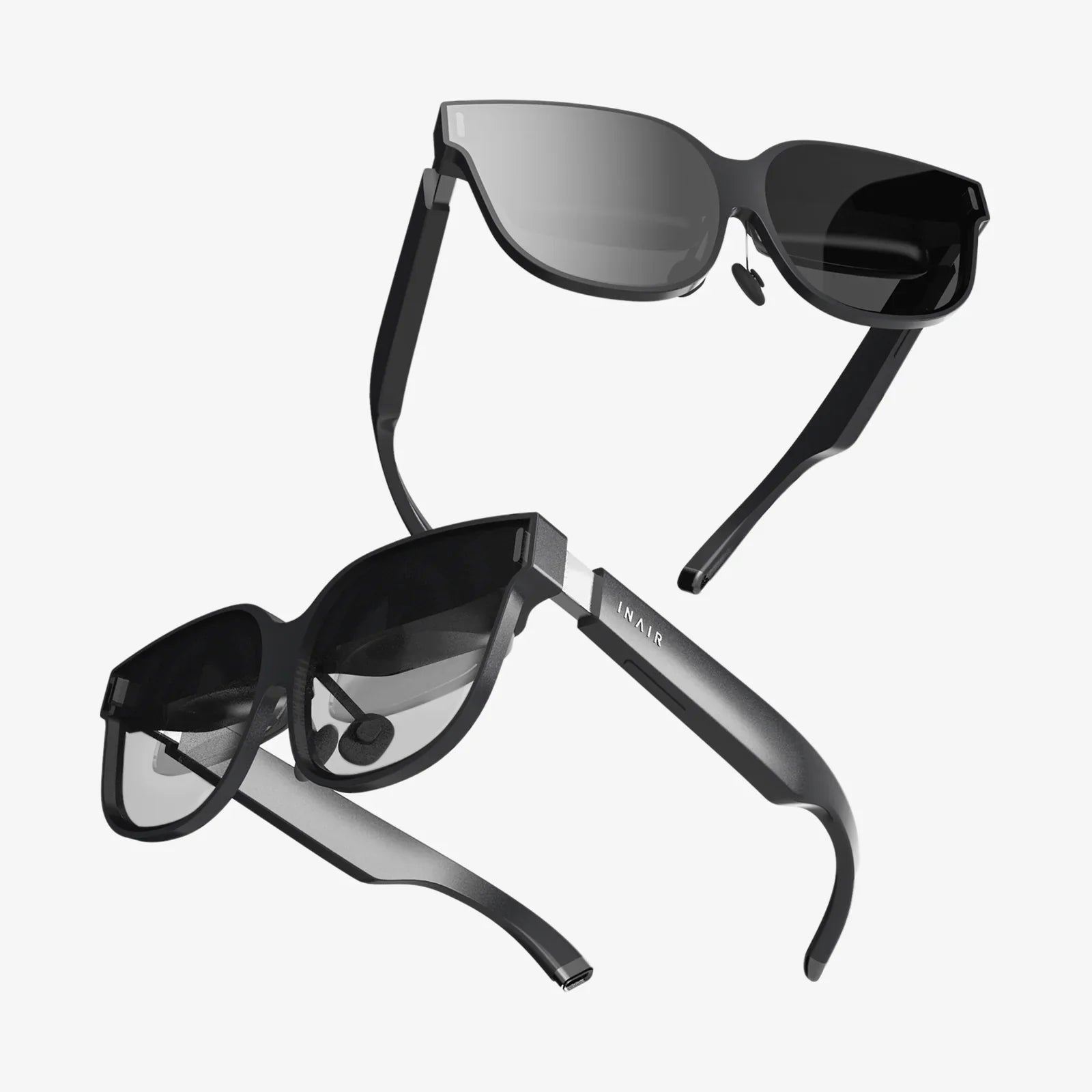
AR analysis is quietly reshaping how people see data, turning flat dashboards into living, interactive experiences that almost feel like stepping inside your spreadsheets. If you have ever struggled to explain complex results to a team, or wished you could literally walk around your data and see patterns jump out at you, AR analysis is the bridge between numbers and intuition that you have been missing.
At its core, augmented reality (AR) overlays digital information on the real world, while analysis is about extracting meaning from data. Combine them, and you get AR analysis: a way to visualize, explore, and understand information in three dimensions, directly in the environment where decisions are made. Instead of staring at charts on a flat screen, you can place 3D graphs on a conference table, visualize machine performance hovering over equipment, or see customer behavior mapped onto a real store layout.
What AR analysis actually means
AR analysis is the use of augmented reality to display, explore, and interpret data and analytical results in a spatial, interactive way. It does not replace traditional analytics; it enhances it by changing how people interact with the outputs.
Three elements define AR analysis:
- Data and models: The same kinds of data you already use, from sales numbers to sensor readings to survey responses.
- Analytical methods: Statistical analysis, forecasting, optimization, machine learning, and other techniques that turn raw data into insights.
- Augmented reality interface: Headsets, smart glasses, or mobile devices that overlay visualizations and insights onto the real world.
The difference from traditional dashboards is not just cosmetic. By anchoring data to physical space, AR analysis can change how quickly people understand information, how well they remember it, and how effectively teams collaborate around it.
Key benefits of AR analysis
Organizations and individuals are drawn to AR analysis because it offers advantages that ordinary screens struggle to match.
1. More intuitive understanding of complex data
Many datasets have multiple dimensions: time, location, category, performance metrics, and more. In a normal dashboard, these dimensions are squeezed into 2D charts, often requiring multiple views and filters. AR analysis lets you:
- Map data directly onto physical locations, like visualizing store traffic on the actual floor plan.
- Use 3D space to show extra dimensions, such as height for volume, color for category, and motion for change over time.
- Walk around a visualization, literally changing your perspective, which can highlight patterns and outliers that are easy to miss on a flat screen.
2. Faster, more confident decision-making
When information is easier to grasp, decisions become faster and more confident. AR analysis can:
- Reduce the time it takes to explain complex findings to non-technical stakeholders.
- Allow decision-makers to interact with scenarios in real time, adjusting assumptions and immediately seeing the impact.
- Help people recognize risks and opportunities that only become obvious when data is viewed in context.
3. Stronger collaboration and communication
AR analysis naturally lends itself to collaborative sessions. Instead of staring at one person’s laptop or a distant projector, participants can share a common 3D model in the same room or remotely. This can:
- Encourage more engagement from team members who usually stay quiet during technical presentations.
- Make it easier to point, annotate, and discuss specific data points or regions.
- Support remote collaboration by synchronizing AR views for people in different locations.
4. Bridging the gap between the field and the office
Traditional analytics often happens far from where the data originates. AR analysis can bring insights directly to the point of action. For example:
- A field technician can see performance metrics overlaid on machinery while inspecting it.
- A warehouse manager can visualize inventory flows directly on the warehouse floor.
- A retail manager can see heatmaps of customer movement in the actual store aisles.
This alignment between data and reality reduces misinterpretation and speeds up response.
Core components of an AR analysis workflow
To understand how AR analysis works in practice, it helps to break it into stages. While specific setups vary, most AR analysis workflows include the following components.
1. Data collection
AR analysis is only as useful as the data feeding it. Typical sources include:
- Operational data: Production rates, failure logs, maintenance records, throughput.
- Customer and user data: Sales transactions, web or app behavior, in-store movement, feedback.
- Sensor and IoT data: Temperature, vibration, location, energy usage, occupancy.
- Geospatial data: Maps, building layouts, GPS traces, asset locations.
Data needs to be collected in a structured way, with clear timestamps, identifiers, and units, so it can be reliably linked to physical objects or locations in AR.
2. Data processing and modeling
Raw data is rarely ready for AR. Before it can be visualized, it needs to be cleaned, transformed, and often modeled. Common steps include:
- Removing duplicates and obvious errors.
- Handling missing values through imputation or exclusion.
- Aggregating data to meaningful levels (per minute, per device, per room, per day).
- Building predictive models, forecasts, or simulations where needed.
The analytical methods behind AR analysis are the same ones used in non-AR analytics: regression, clustering, anomaly detection, time-series forecasting, and more. The difference is how their outputs will be displayed and interacted with.
3. Spatial mapping and anchoring
To overlay data on the real world, AR systems must understand the physical environment. This involves:
- Creating or importing 3D models, floor plans, or maps.
- Using computer vision to recognize surfaces, objects, and positions.
- Anchoring data points to specific coordinates or recognized objects.
For example, a machine in a factory can be recognized by its shape or by a marker, and its performance metrics can be anchored above it. A warehouse shelf can be identified by its location, and its stock levels can appear next to it in AR.
4. Visualization design
Designing visualizations for AR is different from designing for a flat screen. Good AR analysis visualizations consider:
- Depth and occlusion: Ensuring important information is not hidden behind objects or other data layers.
- Readability at distance: Choosing fonts, colors, and sizes that are legible in different lighting conditions.
- Cognitive load: Avoiding clutter by showing only the most relevant metrics at once.
- Interaction: Allowing users to tap, gaze, gesture, or voice-command to filter, drill down, or switch views.
Effective AR analysis emphasizes clarity over spectacle. The goal is not to create flashy 3D scenes, but to make insights obvious and usable.
5. Interaction and exploration
The true power of AR analysis appears when users begin exploring data and asking questions in real time. Typical interactions include:
- Selecting an object or region to see detailed metrics.
- Stepping closer to zoom in, or walking around a visualization to see it from different angles.
- Using filters to highlight specific time periods, categories, or thresholds.
- Triggering simulations to see how changes affect the system.
This exploratory capability builds understanding in a way that static reports rarely can.
Practical use cases of AR analysis
AR analysis is not limited to one industry. It can be adapted wherever data, space, and decisions intersect. Here are several domains where it is especially powerful.
Manufacturing and industrial operations
Factories and plants generate vast amounts of data, yet many frontline workers still rely on paper checklists and verbal instructions. AR analysis can change that by:
- Overlaying real-time performance metrics on machines, such as throughput, temperature, and error rates.
- Highlighting bottlenecks on the shop floor with color-coded indicators visible at a glance.
- Visualizing historical trends above each machine to show whether performance is improving or deteriorating.
- Allowing supervisors to walk through the facility and see predictive maintenance alerts hovering over equipment.
This spatial, real-time view helps teams prioritize interventions and coordinate improvements more effectively than static reports.
Supply chain and logistics
In warehouses and distribution centers, AR analysis can:
- Map inventory levels onto shelves, highlighting items at risk of stockouts.
- Show optimal picking routes through the facility based on current orders.
- Visualize congestion points where workers or vehicles frequently slow down.
- Overlay performance metrics on loading docks, such as average loading time and error rates.
By seeing these patterns in the physical space, managers can redesign layouts, adjust staffing, and refine processes more effectively.
Retail and customer experience
Retailers can use AR analysis to understand and optimize how customers interact with physical spaces. Examples include:
- Visualizing customer movement patterns as heatmaps on the store floor.
- Overlaying sales performance on product displays to identify which placements are most effective.
- Testing alternative layouts in AR before physically rearranging the store.
- Analyzing how promotional signage affects traffic and conversions.
These insights help retailers design spaces that are both more profitable and more enjoyable for customers.
Healthcare and clinical environments
In healthcare settings, AR analysis can support both clinical and operational decisions. Potential applications include:
- Showing bed occupancy, wait times, and patient flow metrics overlaid on hospital floor plans.
- Helping staff visualize the impact of triage decisions on overall throughput.
- Supporting infection control by highlighting risk zones based on movement and contact patterns.
- Providing physicians with outcome statistics and guideline reminders during ward rounds in a context-aware way.
While privacy and safety considerations are critical, the potential to make complex hospital systems more transparent is significant.
Urban planning and smart cities
City planners and infrastructure teams can use AR analysis to see how policies and projects play out in real space. For example:
- Overlaying traffic data, pollution levels, and pedestrian flows on city streets.
- Visualizing the impact of proposed bike lanes or road changes before construction.
- Mapping energy usage and outage statistics onto neighborhoods.
- Showing emergency response times and incident hotspots in a spatial context.
These views can also be shared with the public to make planning decisions more transparent and participatory.
Education and training
AR analysis is a powerful teaching tool, especially for topics that involve spatial reasoning or complex systems. Educators and trainers can:
- Let students explore 3D data sets in the classroom, walking around models and interacting with variables.
- Simulate business scenarios where learners see analytics overlaid on a virtual store, factory, or city.
- Teach statistical concepts by letting students manipulate distributions and see the impact in AR.
- Use immersive case studies where data is tied to realistic environments.
This approach can make abstract concepts more tangible and engaging, improving retention and understanding.
Analytical techniques behind AR analysis
AR analysis is not a new statistical method; it is an interface for existing ones. Still, certain analytical approaches are especially well suited to AR.
Time-series and trend analysis
Many AR analysis scenarios involve time: performance over hours, days, or months. Time-series analysis can be enhanced in AR by:
- Displaying timelines as 3D curves or surfaces that users can walk along.
- Stacking multiple time-series in space to compare locations or devices.
- Using motion or animation to show how metrics evolve in the environment.
Forecasting models can project future values, which can be shown as translucent or differently colored extensions of the current data.
Spatial and geospatial analysis
Because AR is inherently spatial, geospatial analysis is a natural fit. Techniques include:
- Heatmaps for density or intensity of events.
- Cluster analysis to identify hotspots or patterns in locations.
- Spatial interpolation to estimate values between known points.
- Network analysis for flows of people, goods, or information.
When these methods are visualized in AR, they can be directly overlaid on the relevant physical spaces, making interpretation more intuitive.
Anomaly detection
Identifying unusual patterns is a common goal of analytics. In AR analysis, anomalies can be highlighted in the physical environment, for example:
- Machines with abnormal vibration or temperature glowing in a different color.
- Store sections with unexpectedly low sales or foot traffic flagged visually.
- Zones in a building with unusual energy usage marked with icons.
By making anomalies visually obvious in context, AR analysis speeds up response and investigation.
Simulation and scenario analysis
AR analysis can also present simulations, allowing users to test what-if scenarios. For example:
- Adjusting staffing levels in a virtual model of a call center and seeing predicted wait times.
- Changing production schedules in a simulated factory and observing throughput and bottlenecks.
- Modifying store layouts and seeing projected changes in customer flow.
Because users can see these scenarios in a realistic environment, they may develop a stronger intuition for trade-offs and consequences.
Challenges and risks in AR analysis
Despite its promise, AR analysis is not a magic solution. Implementing it effectively requires overcoming several challenges.
Data quality and integration
AR analysis amplifies both strengths and weaknesses in data. If data is incomplete, inaccurate, or poorly integrated, the results may be visually impressive but misleading. Key issues include:
- Ensuring consistent identifiers so data can be reliably linked to physical objects.
- Maintaining accurate maps and layouts as environments change.
- Synchronizing data from multiple systems and timeframes.
Without robust data governance, AR analysis can inadvertently create a false sense of confidence.
Usability and user adoption
Not everyone is comfortable with AR devices or 3D interfaces. Poorly designed experiences can cause discomfort, confusion, or frustration. To encourage adoption:
- Start with simple, high-value use cases rather than complex, flashy prototypes.
- Design interfaces that mirror familiar concepts from existing dashboards.
- Provide training and support, especially for users who are not tech-savvy.
Successful AR analysis feels like a natural extension of how people already work, not a complete replacement.
Hardware and environment constraints
AR headsets and devices have limitations, such as field of view, battery life, and comfort. Environments may also present challenges, including:
- Poor lighting or reflective surfaces that interfere with tracking.
- Noisy or hazardous spaces where headsets must be rugged and safe.
- Connectivity issues that limit access to real-time data.
Planning and testing are essential to ensure AR analysis works reliably in real-world conditions.
Privacy, security, and ethics
AR analysis often involves sensitive data: customer behavior, employee performance, health information, and more. Misuse or careless handling can damage trust and create legal risks. Responsible implementation requires:
- Clear policies on what data is collected, how it is used, and who can see it.
- Strong security measures to protect data in transit and at rest.
- Thoughtful design to avoid intrusive or dehumanizing visualizations, especially when people are directly represented.
Ethical considerations should be built into AR analysis from the start, not added as an afterthought.
How to get started with AR analysis
For organizations and individuals interested in exploring AR analysis, a structured approach can help avoid wasted effort and disappointing results.
1. Identify high-impact questions
Instead of starting with technology, start with questions. Ask:
- Where do we struggle to understand complex data?
- Which decisions would benefit from seeing data in physical context?
- Where do communication gaps slow down action?
Look for scenarios where space, movement, or physical objects play a key role. These are prime candidates for AR analysis.
2. Map existing data and systems
Once you have candidate use cases, assess your data:
- What data is already available, and how reliable is it?
- How easily can it be linked to physical locations or assets?
- What additional data would significantly improve insight?
It is often better to start with a narrow, well-understood dataset than to attempt an ambitious, multi-system integration on day one.
3. Prototype simple AR visualizations
Early prototypes do not need to be perfect. The goal is to learn how AR analysis fits your context. Consider:
- Using existing 3D models or simple markers to anchor data.
- Creating a basic set of metrics and visualizations for one process or location.
- Testing with a small group of users and observing how they interact and what questions they ask.
Feedback from these prototypes will inform better designs and highlight unexpected challenges.
4. Focus on user experience and storytelling
AR analysis is not just about numbers; it is about narrative. Ask:
- What story should this AR experience tell?
- What is the first thing a user should see and understand?
- What path should they follow to go from overview to detail?
Design the experience so that insights unfold naturally, guiding users from big-picture patterns to specific actions.
5. Plan for scaling and governance
If early experiments are successful, think ahead:
- How will AR analysis be maintained as layouts, machines, or processes change?
- Who owns the data, models, and visualizations?
- What standards and guidelines will ensure consistency and quality?
Treat AR analysis as part of your broader analytics strategy, not as a one-off project.
The future of AR analysis
AR analysis is still evolving, but several trends are shaping its future and expanding what will be possible.
More natural interfaces
As AR hardware improves, interactions will become more natural and less intrusive. Expect:
- Lighter, more comfortable devices that can be worn for longer periods.
- Better hand tracking, eye tracking, and voice recognition.
- Adaptive interfaces that respond to user focus and context.
These advances will make AR analysis feel less like a tool and more like an extension of everyday perception.
Deeper integration with AI
Artificial intelligence can enhance AR analysis by:
- Automatically highlighting important patterns or anomalies.
- Recommending which metrics to view in a given situation.
- Summarizing complex findings in natural language, displayed in AR.
This combination can help users focus on decisions rather than on searching for relevant data.
Shared, persistent analytical environments
In the future, AR analysis environments may become persistent, meaning:
- Data visualizations stay anchored in specific places over time.
- Teams can return to the same AR workspace days or weeks later.
- Annotations and insights are preserved and shared across sessions.
This persistence will turn AR analysis into a living layer of intelligence over physical spaces.
Wider accessibility and democratization
As devices become more affordable and software more user-friendly, AR analysis will move beyond specialized teams. Frontline workers, small businesses, educators, and individuals will gain access to tools that once required dedicated analysts and complex setups. The ability to see and understand data in context may become as common as checking a chart on a phone is today.
Why AR analysis is worth your attention now
AR analysis sits at the intersection of data, space, and human perception. It does not demand that you abandon your existing analytics; it invites you to unlock more value from them. By making insights visible where work actually happens, AR analysis can shorten the distance between information and action, turning confusing reports into clear guidance.
If you are responsible for decisions, operations, or learning, ignoring AR analysis means overlooking a powerful way to make data speak more clearly. Starting with a single, well-chosen use case, you can experiment, iterate, and discover how much easier it becomes to align teams, spot opportunities, and explain complex results when the numbers are no longer trapped on a flat screen, but instead are woven directly into the world around you.
Share:
Ray-Ban Meta Smart Glasses: A Deep Dive Into Everyday Wearable Tech
AR workspace transformations: how augmented reality is reshaping the way we work