


- by wangfred
AR Clip-On Display: The Wearable Screen Changing Everyday Life
- by wangfred
Imagine glancing up from your morning coffee and seeing your schedule, navigation, and messages hovering neatly in front of your eyes, all without lifting your phone. That is the promise of the AR Clip-On Display: a tiny, wearable screen that attaches to your existing glasses and turns them into a powerful, always-available information hub. As this technology matures, it is quietly reshaping how we work, play, learn, and move through the world, and it may soon be as common as wireless earbuds.
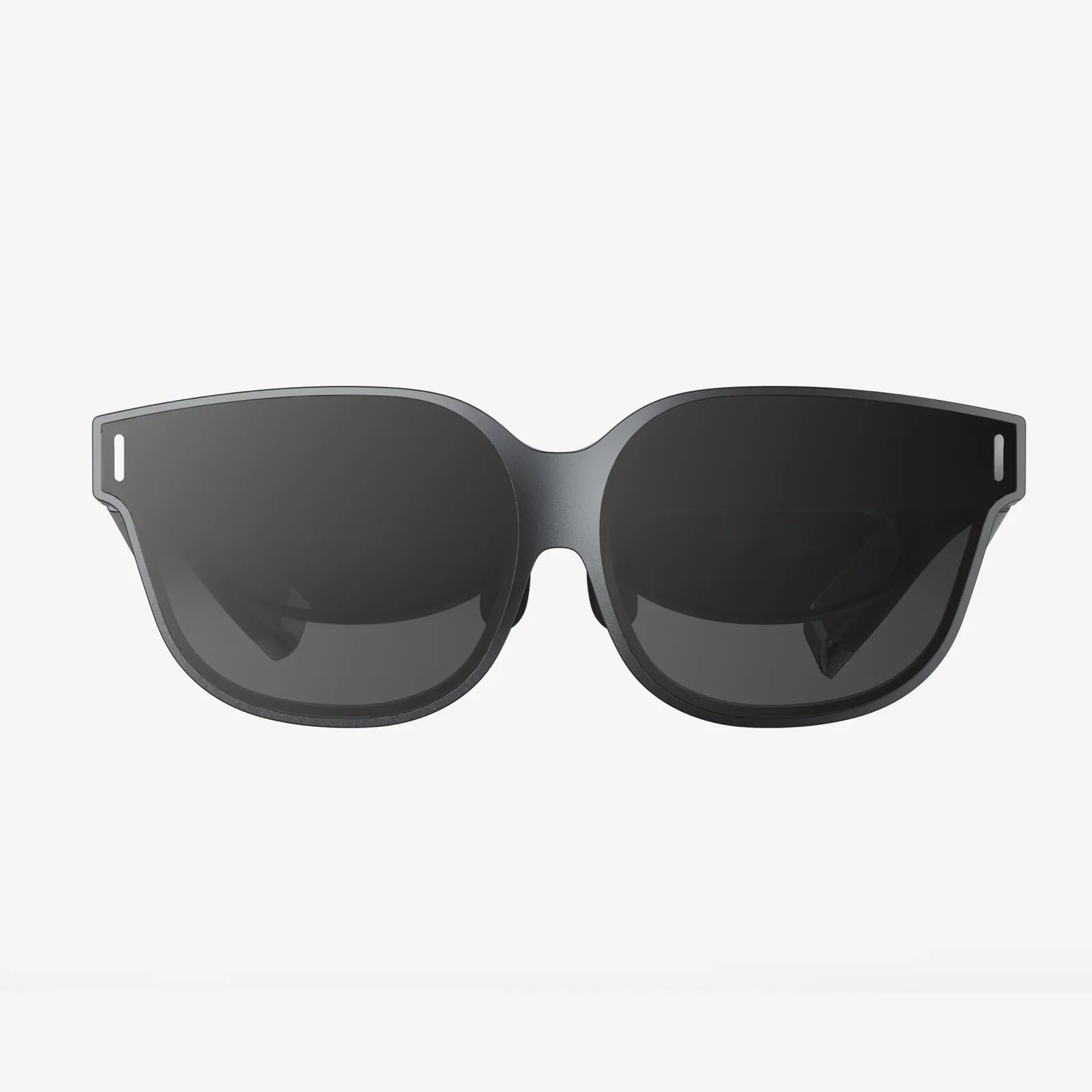
An AR clip-on display is a compact augmented reality module that attaches to the frame of regular eyewear. Instead of replacing your glasses, it upgrades them. The device typically includes a micro-display, optics to project images into your field of view, sensors, and connectivity hardware. By overlaying digital content onto the real world, it creates a blended visual experience where information appears anchored to the environment around you.
Unlike bulky headsets, an AR clip-on display aims to be lightweight and discreet. It is designed for all-day wear, short sessions, or anything in between. You can clip it on when you need it, remove it when you do not, and use the same device across multiple pairs of glasses. This flexibility is one of its most compelling advantages over traditional AR headsets.
To understand why AR clip-ons are so promising, it helps to break down the core components and how they work together to create a seamless augmented experience.
At the heart of every AR clip-on display is a tiny screen, often based on technologies such as micro-OLED or micro-LED. This screen is smaller than a postage stamp yet capable of producing high-resolution images with rich colors and deep contrast. Because it sits off to the side of your normal line of sight, the device uses optics to redirect and shape the image.
Typical optical systems include:
The goal is to create a virtual image that appears at a comfortable distance, reducing eye strain and making it easy to glance between digital content and your surroundings.
Modern AR clip-on displays often incorporate a mix of sensors to understand your movements and environment. These can include:
By combining sensor data, the device can keep content anchored in a consistent position relative to your gaze or your environment, making the experience feel natural rather than jittery or disorienting.
An AR clip-on display usually connects to a smartphone, tablet, or small computing puck via Bluetooth or Wi-Fi. The external device handles heavy processing tasks such as rendering graphics, running apps, and managing connectivity, while the clip-on focuses on display and input.
This offloading strategy keeps the clip-on lighter, cooler, and more comfortable. It also allows software updates and new applications to arrive through the companion device, extending the life of the hardware.
Because the display is close to your eye and your hands are often busy, interaction must be intuitive and minimally disruptive. Common control methods include:
The best systems combine several interaction modes so you can choose what feels most natural in a given context, whether you are in a noisy workshop or a quiet office.
Wearables are everywhere: smartwatches, fitness bands, wireless earbuds, and even smart rings. An AR clip-on display occupies a unique place in this ecosystem by focusing on visual information rather than notifications alone.
Smartphones demand your hands and your full attention. Smartwatches reduce that burden but still require you to glance down and often tap or swipe. An AR clip-on display brings information directly into your natural field of view, allowing you to stay heads-up and engaged with the real world.
This is particularly valuable in situations where your hands are occupied or where situational awareness is critical: driving, cycling, operating machinery, or assisting customers in a busy retail environment.
Unlike dedicated AR glasses that replace your eyewear entirely, an AR clip-on display is modular. You can attach it when you need augmented information and detach it when you prefer simplicity. This modularity has several advantages:
This flexible approach lowers the barrier to entry for new users who may feel hesitant about committing to full-time smart glasses.
The real power of an AR clip-on display becomes clear when you look at how it can change specific activities. From navigation to training, the technology offers practical benefits that go beyond novelty.
Navigation is one of the most compelling use cases. Instead of listening to spoken directions or glancing at a phone, you can see arrows and markers overlaid directly onto the road or sidewalk.
Potential features include:
For travelers in unfamiliar cities, an AR clip-on display can act as a silent, visual guide, reducing the stress of navigation and helping you keep your attention on your surroundings instead of on a screen in your hand.
In professional settings, an AR clip-on display can function as a lightweight, wearable workstation. Instead of juggling paper manuals, tablets, and radios, workers can receive instructions, diagrams, and checklists directly in their field of view.
Examples of workplace applications include:
Because clip-ons are lighter and less intrusive than full AR headsets, they are more likely to be accepted in environments where comfort, hygiene, and appearance matter.
Learning becomes more engaging and efficient when information is presented in context. An AR clip-on display can overlay labels, diagrams, and explanations on real-world objects, transforming everyday environments into interactive classrooms.
Potential educational scenarios include:
Because the device is portable and easy to share, it can be deployed in classrooms, labs, factories, or even outdoor field trips without major infrastructure changes.
For athletes and outdoor enthusiasts, an AR clip-on display can provide real-time performance metrics without breaking stride. Cyclists, runners, hikers, and skiers can see speed, distance, heart rate, elevation, and route information in their line of sight.
This approach offers several benefits:
Outdoor scenarios also highlight the importance of brightness, battery life, and ruggedness, driving innovation in AR clip-on display design.
Augmented reality gaming has already shown how overlaying digital elements on the real world can create compelling experiences. An AR clip-on display takes this further by freeing your hands and allowing more natural movement.
Possible entertainment experiences include:
Because the clip-on can be worn casually, it can support quick, spontaneous experiences rather than requiring a dedicated gaming session with a bulky headset.
The success of any AR clip-on display depends on thoughtful design choices that balance functionality, comfort, and aesthetics. Several factors are especially important.
Even a few extra grams can feel heavy when attached to the side of your glasses. Designers must keep the device as light as possible while maintaining durability and battery capacity.
Key comfort considerations include:
Because comfort is subjective, the ability to fine-tune the fit can make the difference between a device you wear all day and one that ends up in a drawer.
An AR clip-on display must be bright enough to remain visible in sunlight yet dim enough to be comfortable in low light. Text and icons must be crisp to avoid eye strain, especially if you are reading small fonts or detailed diagrams.
Important display factors include:
Because the display is monocular in many designs (visible to one eye only), the visual layout must be carefully planned to avoid discomfort and to ensure that critical information is easy to locate.
Battery life is a constant challenge for compact wearables. An AR clip-on display must balance brightness, connectivity, and processing demands against the need for long usage times.
Effective power management strategies include:
Some users may prefer a device that lasts all day with light usage, while others may accept shorter battery life in exchange for higher performance. Clear communication about expected usage patterns is essential.
Any wearable device that sits on your face raises questions about privacy and social norms. People around you may wonder whether they are being recorded, and you may worry about appearing distracted or impolite.
Responsible design can address these concerns through:
Safety considerations also matter. The display should not obscure critical parts of your vision, especially when driving or operating machinery. Content must be presented in a way that minimizes distraction and respects the context in which you are using the device.
If you are considering adopting an AR clip-on display, it helps to know which features will have the greatest impact on your experience. While specific offerings vary, several criteria are broadly applicable.
Because the device attaches to existing frames, compatibility is crucial. Look for:
If you wear prescription lenses, verify that the device does not interfere with your vision or create awkward angles that force you to strain your eyes.
The value of an AR clip-on display depends heavily on the software available for it. Consider:
A strong ecosystem ensures that the device continues to gain capabilities and remains useful as your needs evolve.
Onboarding should be simple enough for non-technical users. Key aspects include:
If using the device feels like a chore, you are less likely to integrate it into your daily routine. The most successful AR clip-on displays will feel like a natural extension of your existing habits.
The current generation of AR clip-on displays is only the beginning. Several trends suggest how the technology may evolve in the coming years.
Advances in micro-displays, batteries, and chip design will allow future devices to shrink in size while gaining performance. This could lead to:
As the hardware becomes less noticeable, social acceptance is likely to grow, making AR clip-on displays a more common sight in public spaces.
As software improves, AR clip-on displays will become better at understanding your context and anticipating your needs. Potential capabilities include:
The goal is to reduce cognitive load rather than add to it, presenting only the most relevant information at the right moment.
AR clip-on displays will increasingly act as part of a broader personal ecosystem of devices. Integration opportunities include:
When these devices work together seamlessly, the AR clip-on display becomes a central, visual interface for your digital life, accessible anywhere you go.
The transition from smartphones as our primary digital companions to more ambient, wearable interfaces will not happen overnight. Yet AR clip-on displays are an early, practical step toward that future. They offer a way to experiment with augmented reality in a flexible, low-commitment form factor that respects your existing preferences for eyewear and personal style.
As you consider whether an AR clip-on display fits into your life, think about the moments when you are juggling too many devices, glancing down at your phone when you would rather be looking up, or wishing you had just the right piece of information at exactly the right time. Those are the gaps this technology aims to fill.
Whether you are a professional seeking hands-free productivity, an athlete chasing performance gains, a learner hungry for context-rich information, or simply someone curious about the next evolution of personal technology, the AR clip-on display offers a glimpse of what it means to live in a world where the boundary between digital and physical is thinner, smarter, and more responsive than ever before. The question is not just how this wearable screen will change your everyday life, but how quickly you will decide to clip it on and find out for yourself.