


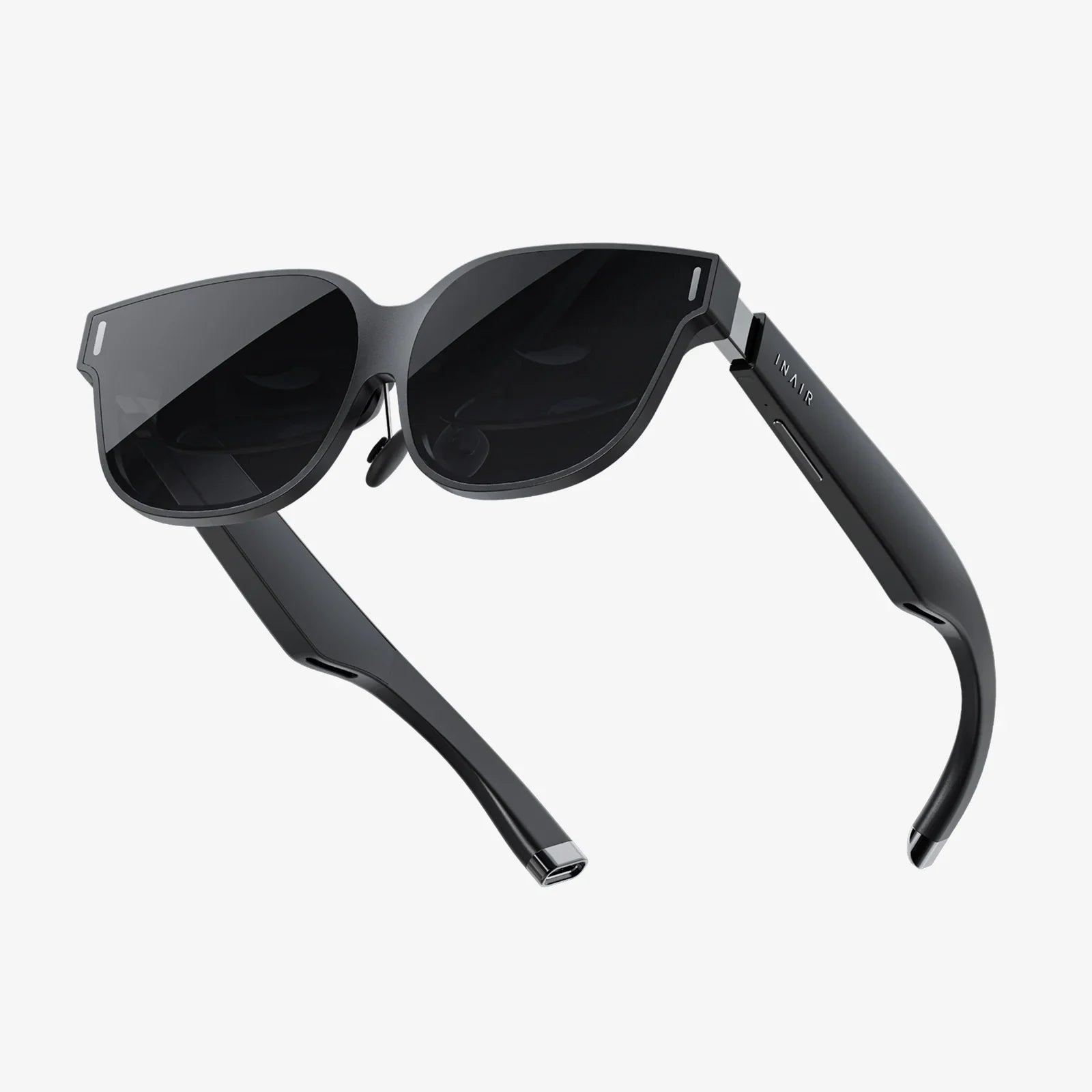
Ar glasses battery milliamps might sound like a dry technical detail, but getting this number right can be the difference between immersive all-day augmented reality and a frustrating gadget that dies when you need it most. Whether you are exploring AR for work, gaming, navigation, or hands-free productivity, understanding how battery capacity in milliamps (mAh) really works will help you avoid expensive disappointments and pick hardware that fits your lifestyle instead of fighting it.
This guide breaks down what battery milliamps actually mean, how they translate into real-world usage time, and why the biggest battery is not always the best choice for AR glasses. You will learn how display type, sensors, processors, connectivity, and even your charging habits all interact with battery size to shape your daily experience. By the end, you will be able to look at a spec sheet and immediately know whether those ar glasses battery milliamps match your expectations or are quietly hiding trade-offs you will notice on day one.
What Does "Ar Glasses Battery Milliamps" Actually Mean?
When you see ar glasses battery milliamps listed as a number like 800 mAh, 1200 mAh, or 2000 mAh, you are looking at a measure of battery capacity. In simple terms, milliamps-hour (mAh) tells you how much electric charge the battery can store.
The basic idea is:
- Higher mAh = more stored energy = potential for longer runtime
- Lower mAh = less stored energy = shorter runtime
However, that is only half the story. Capacity alone does not determine how long AR glasses will last on your face. You also have to know how fast the device uses that stored energy, which is measured in milliamps (mA) of current draw.
A simplified formula looks like this:
Estimated battery life (hours) = battery capacity (mAh) / average current draw (mA)
So a pair of AR glasses with a 1000 mAh battery drawing 250 mA on average might last around 4 hours. But if those same glasses use 500 mA because you turn up brightness, enable advanced tracking, and stream video over wireless networks, battery life could drop to around 2 hours even though the ar glasses battery milliamps number has not changed.
Why Battery Capacity Matters So Much for AR Glasses
Unlike phones or laptops, AR glasses sit directly on your face. That makes the design constraints around ar glasses battery milliamps much tougher:
- Weight and comfort: Larger batteries add weight, which can cause nose and ear fatigue.
- Heat: Bigger batteries and higher power draw can generate more heat near your skin.
- Size and aesthetics: AR glasses must look and feel like eyewear, not a helmet.
Because of these constraints, AR designers cannot simply drop in massive batteries to achieve all-day life. Instead, they balance:
- Battery capacity in mAh
- Power efficiency of displays and processors
- Thermal limits and comfort
- Battery placement (in the frame, temples, or external packs)
Understanding this balance helps you see why two devices with similar ar glasses battery milliamps can feel very different in daily use. One might be lighter and cooler but last a bit less, while another might push capacity and feel heavier or bulkier.
How Battery Milliamps Translate Into Real-World Usage Time
When evaluating ar glasses battery milliamps, you should focus less on the raw number and more on the expected usage patterns. AR glasses rarely run at a constant power level. Instead, they move through modes like:
- Idle or standby, with minimal display and sensor use
- Notification or glance mode, with brief bursts of display activity
- Full immersive mode, with continuous rendering, tracking, and connectivity
Each mode draws different current levels. For example:
- Idle mode: 50–100 mA (mostly sensors and wireless on low power)
- Basic overlay mode: 150–300 mA (simple graphics, moderate brightness)
- High-intensity AR mode: 400–800 mA or more (3D rendering, high brightness, heavy tracking)
If an AR device has a 1200 mAh battery, you might see usage like:
- Mostly idle with quick glances: 8–10 hours
- Mixed use (notifications, occasional AR, some media): 3–5 hours
- Heavy AR (gaming, navigation, continuous overlays): 1.5–3 hours
This is why marketing numbers can feel misleading if you only look at ar glasses battery milliamps. A high capacity battery does not guarantee long immersive sessions if the device is power hungry. The best way to interpret capacity is to combine it with manufacturer estimates for different usage modes, then compare that to how you realistically plan to use the glasses.
Typical Battery Capacity Ranges for AR Glasses
While exact numbers vary widely, ar glasses battery milliamps usually fall into a few broad ranges depending on the category of device:
Lightweight notification-focused AR glasses
These are designed mostly for:
- Simple heads-up notifications
- Text, calls, and calendar alerts
- Occasional navigation prompts
Typical battery capacity:
- 300–600 mAh in-frame batteries
Key characteristics:
- Very light and comfortable
- Limited graphics and processing
- Can last most of a day with light use
Productivity and navigation-focused AR glasses
These devices aim at:
- Workplace tasks
- Real-time navigation
- Document viewing or remote assistance
Typical battery capacity:
- 600–1500 mAh combined capacity
Key characteristics:
- Moderate weight and more noticeable frames
- Better displays and sensors
- Several hours of active use, often with power-saving modes
High-end immersive AR headsets and glasses
These push advanced features like:
- Complex 3D overlays
- Hand and eye tracking
- High-brightness displays
Typical battery capacity:
- 1500–4000 mAh or more, sometimes in external packs
Key characteristics:
- Heavier and bulkier
- High performance but also higher power draw
- Often designed for 1–3 hour sessions, not all-day wear
When you see ar glasses battery milliamps within these ranges, think about which category the device fits into and whether that category matches your real-world needs.
The Trade-Off Between Battery Milliamps and Comfort
It is tempting to assume that more ar glasses battery milliamps are always better, but AR wearables are all about comfort and usability. A large battery can introduce several trade-offs:
1. Weight distribution and pressure points
Battery cells are relatively dense. Placing them in the temples or frame can create:
- Pressure on the bridge of your nose
- Uneven weight on the ears
- Slippage during movement
Some designs move the battery to a rear module or external pack to balance weight, but that can introduce cables or additional hardware. When comparing devices, consider not just ar glasses battery milliamps but how that battery is distributed.
2. Heat and thermal comfort
Higher capacity batteries can support higher power draw, which often means more heat from:
- Processors and graphics units
- Display drivers
- Wireless radios
Because AR glasses sit close to your skin, even mild warmth can feel uncomfortable over time. Efficient design is crucial so that extra mAh does not translate into hot hardware on your face.
3. Aesthetics and social acceptability
Bulky frames and large battery housings can make AR glasses stand out in ways you might not want in public or professional settings. Designers must balance:
- Discreet appearance
- Battery size
- Functional runtime
If a device boasts very high ar glasses battery milliamps but looks like a small helmet, it may not be suitable for everyday wear outside specialized environments.
How Features and Components Affect Battery Usage
To understand how far ar glasses battery milliamps will actually take you, you need to look at the components that consume power. Several elements are especially important:
Display technology
Display type is one of the biggest power consumers in AR glasses. Common technologies include:
- MicroLED or similar: High brightness and efficiency, but may still draw significant power at maximum brightness.
- Liquid crystal on silicon (LCoS): Often used for waveguide-based displays; power draw depends heavily on brightness and optics.
- Other projection or waveguide systems: Each has different efficiency characteristics.
Key factors affecting power:
- Brightness level (outdoor use often requires high brightness)
- Refresh rate and resolution
- Color versus monochrome overlays
Processors and graphics
AR glasses rely on compact, efficient chips for:
- Rendering graphics
- Running the operating system
- Processing sensor data
Modern low-power processors can deliver impressive performance on modest energy budgets, but heavy 3D rendering, spatial mapping, and complex visual effects still consume a lot of power. This is why the same ar glasses battery milliamps can behave very differently on simple notification glasses versus advanced mixed reality devices.
Sensors and tracking systems
AR depends on sensors like:
- Cameras
- Depth sensors
- Inertial measurement units (IMUs)
- Eye-tracking sensors
Continuous camera and depth sensing can be especially power hungry. Some devices reduce sensor usage when you are not actively interacting with AR content, extending battery life. Others keep sensors running continuously for instant responsiveness, trading battery life for smoother experiences.
Connectivity
Wireless connectivity modes include:
- Wi-Fi
- Cellular connections via tethering or built-in radios
- Bluetooth
Streaming video, cloud-based processing, and constant data sync can dramatically increase power consumption. If you plan to use cloud-heavy applications, ar glasses battery milliamps become even more critical because wireless radios will be active much of the time.
On-Device Versus Tethered Power: How It Changes Battery Needs
Not all AR glasses rely solely on their internal battery. There are three main power approaches:
1. Fully self-contained glasses
These devices house all processing, sensors, and batteries in the glasses themselves. For this category:
- Ar glasses battery milliamps directly determine runtime.
- Designers must carefully balance weight and capacity.
- They are convenient but have stricter power limits.
2. Tethered to a smartphone or computing pack
In this configuration:
- The glasses offload heavy processing to a phone or small compute unit.
- The glasses themselves may have smaller batteries (lower mAh).
- Overall system power comes from both the glasses battery and the tethered device.
This can allow lighter glasses with modest ar glasses battery milliamps while still providing rich experiences, though it adds dependency on a second device and can affect convenience.
3. External battery packs
Some AR setups use:
- Clip-on or pocket battery packs
- Cables running from the pack to the glasses
This approach can deliver higher total capacity without making the glasses themselves heavy, but it introduces extra gear to manage. When comparing products, note whether the stated ar glasses battery milliamps refer only to the on-head unit or include external packs.
Estimating Your Ideal Battery Capacity
Choosing the right ar glasses battery milliamps starts with your use case. Ask yourself:
How long do you need between charges?
Consider realistic daily patterns:
- Short sessions (30–60 minutes at a time): Lower capacity can be fine if you are comfortable charging between uses.
- Half-day use (2–4 hours of active AR): Aim for mid-range capacity with efficient hardware.
- Near all-day presence (8+ hours of light use): Look for designs optimized for low power with smart standby modes, not just large mAh numbers.
What intensity of AR do you expect?
- Notification and glance usage can stretch modest batteries over long time spans.
- Navigation, remote assistance, and media viewing will shorten runtime.
- High-end gaming or advanced mixed reality will stress even large batteries.
If you expect heavy use, higher ar glasses battery milliamps become more important, but you should still examine how efficiently the device uses that capacity.
How often can you realistically charge?
Think about your environment:
- Desk workers can dock or charge glasses during breaks.
- Field workers may need hot-swappable batteries or external packs.
- Commuters may rely on portable charging solutions.
Your charging opportunities can compensate for lower ar glasses battery milliamps if the device supports fast charging or dock-based top-ups.
Battery Lifespan and Degradation: Beyond the mAh Number
Battery capacity is not static. Over time, all rechargeable batteries lose some of their ability to hold charge. For AR glasses, this matters because:
- They often use small, tightly integrated batteries.
- Replacement may require professional service or may not be possible.
Key points to consider:
Cycle life
A battery cycle is one full charge and discharge. Many modern batteries are designed for hundreds of cycles before noticeable capacity loss. However, if you use your AR glasses heavily every day, degradation will eventually reduce effective ar glasses battery milliamps, shortening runtime.
Charging habits
To preserve capacity as long as possible:
- Avoid leaving the glasses at 0% for extended periods.
- Avoid constant exposure to very high temperatures.
- Use recommended chargers and avoid questionable power sources.
Some devices manage charging intelligently to reduce stress on the battery, but mindful habits still help maintain the real-world value of those ar glasses battery milliamps over time.
Fast Charging and Power Management Features
Raw capacity is only one part of the battery story. Smart charging and power management features can make moderate ar glasses battery milliamps feel much more generous in day-to-day life.
Fast charging
Fast charging support allows you to:
- Gain significant runtime from short charging sessions.
- Top up during coffee breaks or between meetings.
- Reduce anxiety about running out of power mid-day.
When evaluating devices, check not only the mAh rating but also how quickly the battery can be recharged and whether there are convenient charging docks or cases.
Adaptive power modes
Some AR glasses offer power-saving features such as:
- Automatic brightness adjustment based on ambient light.
- Smart standby that turns off displays when you are not looking at them.
- Reduced refresh rates when content is static.
- Selective activation of sensors only when needed.
These features can effectively stretch ar glasses battery milliamps without changing the physical battery size, making the device feel more efficient and reliable.
Safety Considerations for AR Glasses Batteries
Ar glasses battery milliamps are not just about performance; they also relate to safety. AR glasses use compact, high-energy-density cells placed close to your face and eyes, so responsible design and usage are essential.
Thermal management
Well-designed AR glasses include:
- Thermal sensors to monitor battery and processor temperatures.
- Software limits that reduce performance if temperatures get too high.
- Physical insulation between hot components and skin contact areas.
Be cautious if you notice excessive heat during use or charging. Persistent high temperatures can signal poor power management or hardware issues.
Charging safety
To keep your ar glasses battery milliamps safe and stable:
- Use the recommended charging accessories.
- Avoid covering the glasses while charging to allow heat to dissipate.
- Do not charge in environments with extreme temperatures.
These simple practices reduce stress on the battery and help maintain long-term reliability.
How to Read Spec Sheets and Reviews for Battery Clues
Spec sheets often highlight ar glasses battery milliamps, but they may not tell the full story. To get a realistic picture, look for:
Usage-based runtime claims
Look for statements like:
- "Up to X hours of mixed use"
- "Y hours of video playback"
- "Z hours of continuous AR"
Compare these to your expected usage. A device that promises long standby but short immersive AR time may be fine for notifications but not for gaming or fieldwork.
Display brightness and modes
If a device advertises outdoor-readable brightness, understand that using maximum brightness will cut into battery life. Reviews that test real-world outdoor performance can give you a better sense of how those ar glasses battery milliamps hold up in challenging lighting conditions.
Thermal and comfort feedback
User reviews often reveal:
- Whether the glasses get warm during extended use.
- How heavy they feel after an hour or two.
- Whether battery life degrades noticeably over months of use.
These practical details can matter more than the raw mAh number on paper.
Practical Tips to Extend Battery Life on Any AR Glasses
Regardless of the specific ar glasses battery milliamps your device has, you can often extend runtime with a few simple adjustments:
- Reduce brightness: Lowering display brightness can significantly cut power draw, especially indoors.
- Use smart notifications: Limit notifications to what truly matters to avoid unnecessary wake-ups and display time.
- Disable unused features: Turn off sensors or connectivity options you are not using, such as continuous location tracking or always-on cameras.
- Leverage standby modes: Let the device sleep when not in active use; avoid leaving full AR overlays running when you are not looking at them.
- Keep software updated: Firmware updates often improve power management and efficiency.
These habits can make a modest battery feel surprisingly capable and help you get the most out of whatever ar glasses battery milliamps your device offers.
Matching Battery Capacity to Different User Profiles
To tie everything together, it helps to think in terms of user profiles and how they map to ar glasses battery milliamps.
The notification-focused professional
Usage pattern:
- Calendar alerts, messages, quick glances at information.
- Mostly indoor or office environments.
Battery needs:
- Moderate capacity (400–800 mAh) may be enough.
- Strong power-saving and standby features are more important than huge mAh numbers.
The field worker or technician
Usage pattern:
- Extended periods of navigation, remote assistance, or documentation.
- Less frequent access to power outlets.
Battery needs:
- Higher ar glasses battery milliamps, possibly supplemented by external packs.
- Durable design with good thermal management.
- Optional hot-swappable batteries if available.
The enthusiast gamer or creator
Usage pattern:
- Intensive AR sessions with 3D content, spatial mapping, and media.
- Prioritizes performance and immersion.
Battery needs:
- High capacity batteries or tethered solutions to handle heavy loads.
- Realistic expectations of 1–3 hour immersive sessions per charge.
- Fast charging to quickly get back into action.
By identifying which profile you fit, you can better judge whether the ar glasses battery milliamps advertised for a given device align with your expectations and daily habits.
Ar glasses battery milliamps are more than just a number buried in the specifications; they are a direct signal of how long your augmented reality experiences can last before reality intrudes in the form of a low-battery warning. Once you understand how capacity interacts with display technology, sensors, processing power, connectivity, and your personal usage patterns, you gain the ability to see past marketing claims and evaluate AR hardware on your own terms. The right balance of battery size, comfort, and power management can turn AR glasses from an occasional novelty into a tool you rely on every day, so treat that mAh figure as your starting point for smarter, more satisfying choices in the rapidly evolving world of wearable augmented reality.
Share:
Mobile 3D: The Invisible Revolution Reshaping Our Digital World
AR Glasses 4K for Gaming Wearables: The Ultimate Immersive Experience