


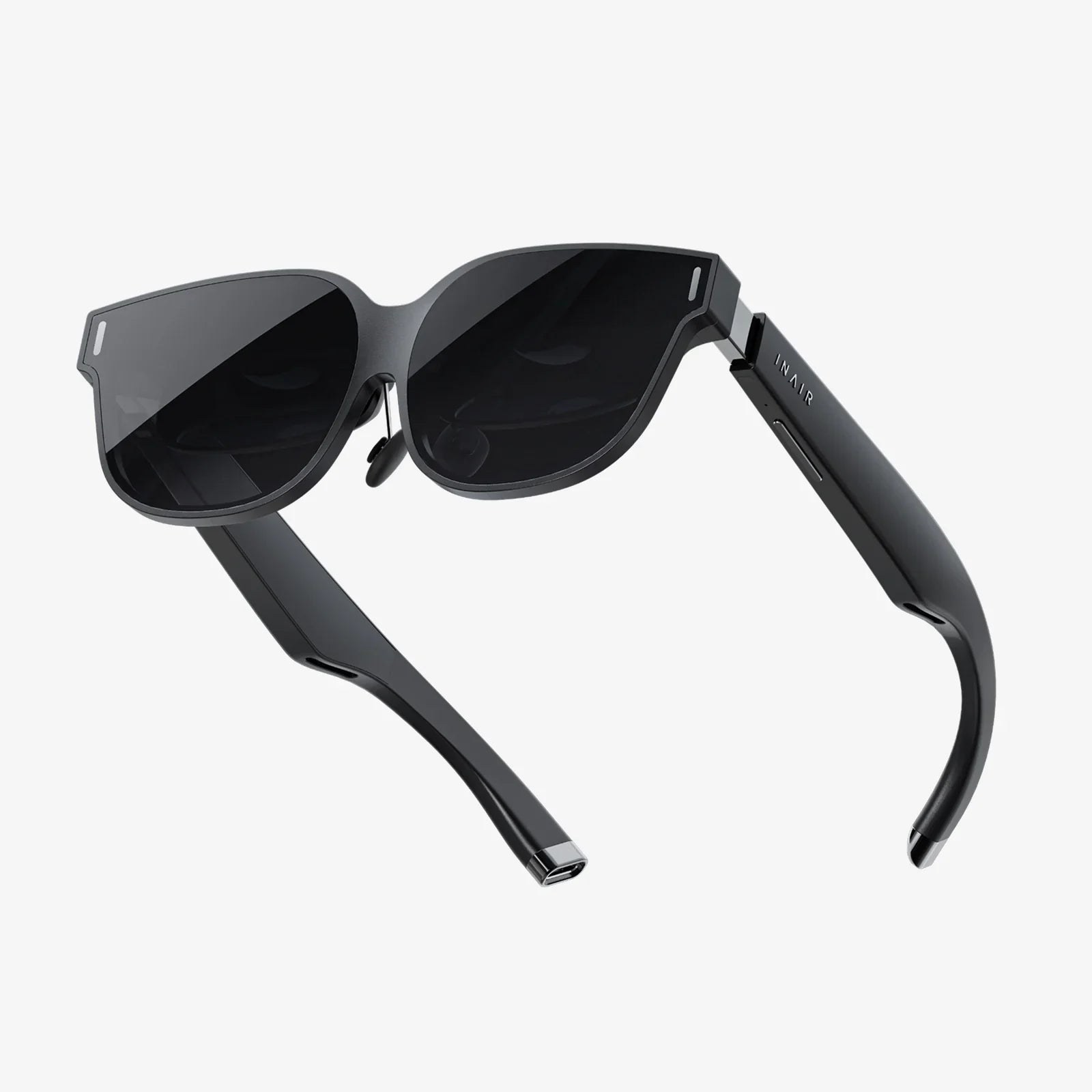
AR glasses developer news is starting to read less like science fiction and more like a roadmap for the next decade of computing. From lightweight optical engines to full-stack spatial computing platforms, the pace of change is rapid enough that missing a few months of updates can leave even seasoned developers scrambling to catch up. If you are building for augmented reality today, the choices you make about frameworks, interaction models, and data pipelines will determine whether your experiences feel like clunky prototypes or the first wave of truly useful everyday tools.
This is a moment when developers can still shape the norms of how AR is used, how it looks, and how it fits into daily life. That means there is huge opportunity, but also a growing list of skills and technologies to track: new rendering pipelines, cross-device runtimes, hand and eye tracking APIs, spatial mapping SDKs, and design patterns that keep people safe and comfortable in mixed reality. The latest news is not just about hardware announcements; it is about the maturing ecosystem that will define what AR glasses can actually do for real users.
The New Wave of AR Glasses Hardware
Modern AR glasses are moving away from bulky, head-mounted displays and toward devices that look and feel closer to everyday eyewear. For developers, this shift has major implications for power budgets, rendering strategies, and interaction design.
On the hardware side, several trends stand out:
- Optical engines are getting thinner: Waveguides and micro-projectors are enabling slimmer frames, but they also impose constraints on brightness, field of view, and color reproduction that developers need to understand.
- On-device compute is improving: Dedicated AI accelerators, low-power GPUs, and specialized spatial processors are making it possible to run more complex models on the glasses themselves, reducing latency and network dependence.
- Battery life remains a bottleneck: Even with more efficient chips, continuous high-resolution rendering and sensor fusion can drain batteries quickly, forcing developers to design experiences that are bursty, context-aware, and power-conscious.
- Sensors are more capable and more numerous: Depth cameras, eye-tracking sensors, inertial measurement units, and environmental microphones are becoming standard, giving developers a richer understanding of the user and their surroundings.
Developer news in this space often highlights improvements in field of view, resolution, and comfort, but the deeper story is about trade-offs. A wider field of view may mean more power draw and heat. Higher brightness can impact battery life and thermal design. As a developer, staying current with hardware updates helps you refine your visual fidelity targets, choose the right rendering techniques, and decide when to offload work to edge or cloud services.
Core Software Stacks Behind AR Glasses
Underneath every AR glasses experience is a software stack that handles tracking, mapping, rendering, and interaction. While the names and implementations vary, the architecture often includes similar layers:
- Operating system layer: A specialized OS or extended mobile/desktop platform that manages processes, permissions, sensors, and power.
- Spatial computing runtime: A core runtime responsible for tracking head pose, building spatial maps, and anchoring digital content in the real world.
- Graphics and rendering engine: A 3D engine that supports stereoscopic rendering, foveated rendering, and optimized shaders for transparent displays.
- Interaction frameworks: APIs for hand tracking, controller input, gaze, voice commands, and sometimes haptic feedback.
- Application layer: The AR apps and services that sit on top of all of this and deliver value to the user.
Developer news frequently focuses on new SDK releases, runtime updates, and cross-platform compatibility. For example, runtime updates might add support for more accurate plane detection, persistent anchors that survive device reboots, or improved occlusion that lets virtual objects convincingly hide behind real ones.
One important trend is the push toward interoperable spatial runtimes. Instead of building entirely device-specific code, developers are increasingly targeting abstraction layers that can run across multiple AR glasses and even across phones and tablets. This not only reduces maintenance overhead, it also helps ensure that experiences can reach a wider audience as new devices enter the market.
Tracking, Mapping, and the Spatial Understanding Stack
The magic of AR glasses depends on how well they understand the real world. This is handled by a stack of algorithms often described as SLAM (simultaneous localization and mapping) and related techniques.
Key components of the spatial understanding stack include:
- Head and device tracking: Estimating the position and orientation of the glasses in real time using cameras and inertial sensors.
- Environment mapping: Building a 3D map of the surroundings, often using point clouds, meshes, or voxel grids.
- Plane and surface detection: Identifying walls, floors, tables, and other surfaces where virtual content can be placed.
- Semantic understanding: Classifying objects and regions (such as doors, screens, or furniture) to enable context-aware behavior.
Recent AR glasses developer news often highlights progress in semantic mapping, where the device not only knows the geometry of a room but can also label it: recognizing a desk, a monitor, or a doorway. For developers, this opens up possibilities like automatically placing productivity tools near a user’s workstation, or adapting training content to the specific equipment in front of them.
Another area of rapid advancement is shared spatial maps. Multiple users wearing AR glasses can see the same content anchored to the same real-world locations. This requires synchronization of maps, alignment of coordinate systems, and often a cloud-based service to manage shared anchors. Developers building collaborative tools, multiplayer games, or shared visualization apps need to follow these updates closely to take advantage of new APIs and protocols.
Interaction Models: Hands, Voice, Gaze, and Beyond
Interaction is where AR glasses either feel magical or frustrating. The field has moved well beyond simple clickers and basic gestures. Developer news increasingly focuses on multimodal input and context-aware interactions.
Common interaction modalities include:
- Hand tracking: Pinch gestures, grab interactions, and direct manipulation of virtual objects in space.
- Gaze and head direction: Using where the user is looking as a primary pointing mechanism, sometimes combined with dwell-based selection.
- Voice commands: Natural language input for navigation, search, and complex commands that would be cumbersome with gestures alone.
- Controllers: Handheld or ring-style controllers that provide precise input and sometimes haptic feedback.
- Contextual triggers: Automatic behavior based on location, time, or detected objects, reducing the need for explicit input.
Recent developments are pushing toward blended interaction models. Instead of relying on a single primary input, AR glasses can combine gaze, hand motion, and voice into a fluid experience. For example, a user might look at an object, say a command, and confirm with a subtle hand gesture.
For developers, this means designing interfaces that:
- Minimize repetitive or fatiguing gestures.
- Offer multiple ways to accomplish the same task, accommodating different abilities and environments.
- Provide clear feedback when the system has recognized input correctly.
- Handle noisy conditions where voice might fail or low light where hand tracking struggles.
Developer tools are evolving to support this complexity. UI frameworks for AR glasses now often include spatial UI components, gaze-aware widgets, and support for voice-driven navigation. Staying current with these frameworks helps developers avoid reinventing basic interaction patterns and focus on higher-level experience design.
Rendering Techniques and Performance Tuning
Rendering for AR glasses is different from rendering for a standard screen. The display is transparent or semi-transparent, the field of view is limited, and the user’s eyes can focus at multiple depths. Performance is constrained by thermal and power limits, and latency is critical to avoid discomfort.
Developers need to pay attention to techniques such as:
- Foveated rendering: Rendering at high resolution where the user is looking, and lower resolution in the periphery, often guided by eye-tracking data.
- Depth-aware compositing: Correctly blending virtual content with the real world, including occlusion and lighting consistency.
- Stabilization and reprojection: Techniques that keep virtual objects stable in the world even when tracking data is noisy or delayed.
- Adaptive quality scaling: Dynamically adjusting effects, resolution, and complexity to maintain frame rate and reduce heat.
AR glasses developer news increasingly highlights advances in real-time global illumination approximations, physically based rendering tuned for transparent displays, and AI-driven upscaling that can improve perceived quality without a large performance cost. For developers, the challenge is to choose rendering techniques that match the capabilities of the target device while still meeting user expectations shaped by high-end screens and consoles.
Cloud, Edge, and Hybrid Architectures
Because AR glasses are constrained devices, many experiences rely on offloading computation to the cloud or to nearby edge servers. This is especially true for applications involving complex AI models, large-scale environment mapping, or multi-user synchronization.
Common patterns include:
- Cloud-based recognition: Sending images or feature data to a server for object recognition, then receiving labels or metadata.
- Edge-assisted tracking: Using local servers to maintain shared maps and anchors for multiple users in the same environment.
- Hybrid AI inference: Running lightweight models on-device and heavier models in the cloud, with graceful degradation when connectivity is poor.
Developer news often covers new APIs for secure streaming, low-latency networking, and synchronization of spatial data. As networks improve, especially in enterprise and campus environments, developers have more flexibility to design experiences that rely on remote compute without sacrificing responsiveness.
However, this also raises issues of privacy and data governance. Offloading sensor data to external servers requires careful handling of personally identifiable information and compliance with regional regulations. Developers need to architect systems that minimize data collection, anonymize where possible, and provide transparent controls to users and organizations.
Privacy, Safety, and Ethical Design in AR
AR glasses are uniquely intimate devices. They see what the user sees, hear what the user hears, and can infer sensitive details about their environment, habits, and social interactions. Developer news is increasingly focusing on guidelines, regulations, and best practices to handle this responsibly.
Key concerns include:
- Visual recording and bystander privacy: How to indicate when cameras are active, and how to avoid capturing people who have not consented.
- Biometric data: Eye-tracking, gait analysis, and other biometric signals can be highly sensitive and must be protected.
- Workplace monitoring: In enterprise deployments, AR glasses can inadvertently become surveillance tools if data is misused.
- Distraction and safety: Poorly designed overlays can distract users in hazardous environments, such as while driving or operating machinery.
Best practices for developers include:
- Collect only the data strictly necessary for the experience.
- Process data on-device whenever possible, and encrypt data in transit and at rest.
- Provide clear indicators when sensors are active and options to disable them.
- Design interfaces that minimize occlusion of critical real-world cues.
Regulators and industry groups are beginning to publish guidelines tailored to AR and spatial computing. Following AR glasses developer news in this area is essential, not just to avoid legal issues, but to build user trust and differentiate your applications as safe and respectful.
Use Cases Driving AR Glasses Adoption
While consumer entertainment gets a lot of attention, many of the most impactful AR glasses deployments today are in professional and industrial contexts. Developer news often highlights case studies that show where AR is already delivering measurable value.
Common use cases include:
- Remote assistance: Technicians wearing AR glasses can receive live guidance from experts who see their view and overlay instructions.
- Training and simulation: New workers can learn complex procedures with step-by-step AR overlays on real equipment.
- Logistics and warehousing: AR can guide workers to the right shelves, highlight items, and reduce picking errors.
- Healthcare support: Surgeons and clinicians can access relevant data within their field of view without looking away from the patient.
- On-site design and visualization: Architects and engineers can see proposed changes overlaid on real spaces, enabling faster iteration.
For developers, these use cases translate into patterns and requirements: robust offline modes for remote sites, integration with enterprise systems, support for protective gear, and interfaces that can be used while wearing gloves or in noisy environments. The more you study real-world deployments, the better you can anticipate edge cases and design for reliability rather than demos.
Developer Tools, SDKs, and Cross-Platform Strategies
The AR glasses ecosystem is fragmented, with multiple operating systems, hardware capabilities, and distribution channels. In response, developer tools are evolving to reduce friction and support cross-platform deployment.
Important trends in tools and SDKs include:
- Cross-device AR runtimes: Frameworks that provide a common API for tracking, anchors, and spatial mapping across phones, tablets, and AR glasses.
- Cloud-based development environments: Web-based editors and build systems that let teams collaborate on AR scenes and logic without installing heavy local tools.
- Low-code and no-code AR builders: Tools that allow designers and domain experts to prototype AR workflows visually, with developers adding custom logic where needed.
- Testing and simulation tools: Desktop simulators and virtual environments that help developers test AR interactions without always needing physical devices.
Developer news often covers new releases of these tools, along with sample projects and reference implementations. Taking advantage of these resources can dramatically shorten development cycles and help teams focus on unique features rather than basic plumbing.
Monetization Models and Business Opportunities
As AR glasses move from pilot projects to broader deployment, developers are exploring sustainable business models. The news in this area is shifting from speculative talk about future app stores to concrete strategies that are working today.
Common monetization approaches include:
- Enterprise licensing: Selling AR solutions as subscriptions or per-seat licenses to organizations, often bundled with support and integration services.
- Usage-based pricing: Charging based on hours of use, number of sessions, or processed data, especially for remote assistance and analytics tools.
- Content and training libraries: Offering ready-made AR training modules or visualization libraries that can be customized for different clients.
- Companion services: Providing analytics dashboards, authoring tools, and integration connectors as value-added services around the core AR experience.
Consumer-facing monetization is still evolving. Potential models include:
- Premium AR experiences such as games, fitness coaching, or creative tools.
- Subscriptions for ongoing content updates and new scenarios.
- Contextual commerce, where AR overlays assist with shopping decisions in physical spaces.
For developers, the key is to align monetization with real, recurring value. AR glasses are likely to be used for specific tasks rather than endless browsing, so models that tie revenue to productivity gains, training outcomes, or measurable engagement are more likely to succeed than simple one-time purchases.
Design Principles for Comfortable, Useful AR Experiences
Beyond technology, creating successful AR glasses applications requires careful attention to human factors. Developer news increasingly includes design guides and research findings on what makes AR comfortable, intuitive, and genuinely helpful.
Core design principles include:
- Respect the real world: Avoid cluttering the user’s view with too many overlays. Use subtle, context-aware visuals that support the task at hand.
- Minimize cognitive load: Present information in small, digestible chunks. Use spatial organization to group related elements rather than relying on dense menus.
- Support glanceable interactions: Design for quick checks and short interactions rather than long, sustained focus, which can be tiring.
- Account for motion and comfort: Avoid rapid movements of virtual objects, sudden flashes, or patterns that can cause discomfort or motion sickness.
- Provide clear exit paths: Users should always know how to dismiss content, pause overlays, or temporarily disable AR elements.
Iterative user testing is critical, especially with diverse users in realistic environments. What works in a lab may fail in a noisy factory, a bright outdoor setting, or a crowded office. Developers who follow design-focused AR glasses news can learn from others’ usability studies and avoid repeating common mistakes.
Skills and Learning Paths for AR Glasses Developers
Developing for AR glasses is inherently multidisciplinary. The most successful teams blend expertise in graphics, computer vision, interaction design, networking, and domain-specific knowledge. For individual developers, this can feel overwhelming, but the news cycle also brings a steady stream of learning resources.
Useful skills to cultivate include:
- 3D graphics fundamentals: Understanding transforms, lighting, shaders, and performance optimization.
- Spatial computing concepts: Familiarity with coordinate systems, anchors, meshes, and spatial mapping APIs.
- Human-computer interaction: Knowledge of usability principles, accessibility, and ergonomics for head-worn displays.
- AI and computer vision basics: Awareness of how object detection, segmentation, and tracking models are used in AR.
- Backend and cloud integration: Ability to design APIs and services that support AR experiences with low latency and high reliability.
Developer news often points to new courses, tutorials, sample projects, and open-source libraries. Following these resources systematically can help you build a portfolio of small, focused experiments that gradually add up to full-fledged AR applications.
Future Directions Highlighted in AR Glasses Developer News
Looking ahead, several themes recur in conversations about the future of AR glasses development:
- More natural interfaces: Progress toward interfaces that feel less like operating a device and more like interacting with the world itself, including better hand tracking, subtle haptics, and adaptive interfaces.
- Context-aware intelligence: Experiences that proactively assist based on what the user is doing, where they are, and what they are looking at, without overwhelming them.
- Blended physical-digital workflows: Seamless transitions between screens, AR glasses, and other devices, with shared context and persistent spatial data.
- Standardization and interoperability: Efforts to standardize spatial data formats, interaction patterns, and security models, making it easier to build cross-device ecosystems.
- Everyday wearability: Hardware that is comfortable and stylish enough for all-day wear, opening the door to continuous, low-intensity AR services.
For developers, this future means that AR glasses will gradually shift from specialized tools to general-purpose computing companions. The apps you build today, even if targeted at niche use cases, can serve as stepping stones toward more pervasive, mainstream experiences.
As AR glasses developer news continues to evolve, the opportunity is not just to keep up but to lead: to define new interaction patterns, invent new use cases, and build the infrastructure that will support a world where digital content lives naturally in physical space. The developers who pay attention now, experiment boldly, and design responsibly will be the ones whose work defines what augmented reality actually becomes in everyday life.
Share:
Autostereoscopic 3D Video: The Future of Screen-Based Immersion
How To Know If Glasses Have AR Coating And Why It Matters