


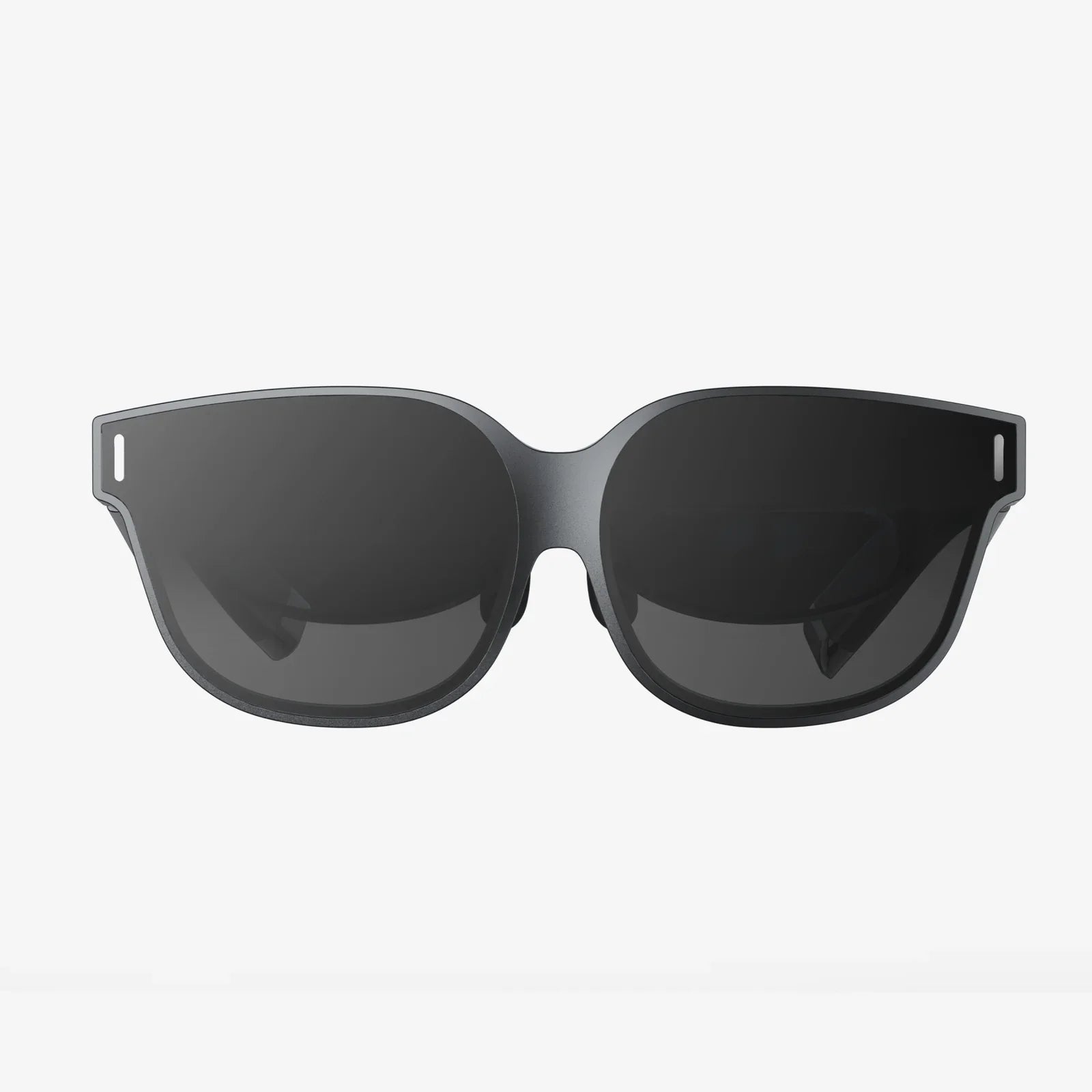
AR glasses for productivity are no longer science fiction toys reserved for tech enthusiasts; they are quietly becoming the secret weapon of high-performing professionals, teams, and entire industries. Imagine walking into your workspace and having your most important dashboards, notes, and workflows floating in your field of view, hands-free, exactly where you need them. That is the promise of augmented reality at work, and it is arriving faster than most people realize.
As organizations search for ways to do more with less, AR glasses are emerging as a powerful answer. They streamline complex tasks, reduce errors, and enhance collaboration in ways that traditional screens cannot match. Whether you are a remote worker, a field technician, a surgeon, or a warehouse operator, understanding how AR glasses can unlock new levels of productivity may be the competitive edge you have been looking for.
What AR Glasses for Productivity Actually Are
AR glasses for productivity are wearable devices that overlay digital information onto the real world in real time. Unlike virtual reality headsets that immerse you in a fully digital environment, AR glasses keep you anchored in your physical surroundings while adding helpful layers of data, instructions, and visuals.
These devices typically include transparent or semi-transparent lenses, built-in displays, cameras, sensors, microphones, and connectivity options such as Wi-Fi or Bluetooth. The goal is to keep your hands free and your attention anchored to the task at hand, while still giving you access to the digital tools and information you need to perform at your best.
Why AR Glasses Are a Game-Changer for Productivity
Productivity is not just about working faster; it is about working smarter, with fewer errors and less friction. AR glasses address several productivity bottlenecks that traditional devices cannot solve as efficiently.
1. Hands-Free Access to Information
One of the most obvious advantages of AR glasses for productivity is hands-free operation. Workers no longer have to stop what they are doing to check a manual, a tablet, or a laptop. Instructions, diagrams, and checklists appear in their field of view while they continue working.
For example, a technician repairing complex machinery can see step-by-step guidance overlaid directly on the equipment. A medical professional can view patient data while keeping their hands sterile and focused on the procedure. This reduces context switching and saves crucial time in high-pressure environments.
2. Reduced Cognitive Load
Constantly shifting attention between screens and physical tasks creates cognitive friction. AR glasses support productivity by presenting only the most relevant information at the right moment and in the right place. Instead of memorizing long procedures or flipping through pages, workers follow visual cues in real time.
This context-aware approach minimizes mental fatigue and errors. When people no longer need to juggle as much information in their heads, they can focus more on decision-making and problem-solving, which are the true drivers of value.
3. Enhanced Multitasking Without Chaos
Traditional multitasking often leads to distraction and lower performance. AR glasses introduce a new kind of multitasking: parallel streams of information that are spatially organized in your environment. You might have a live chat window floating to the side, a workflow checklist near your workstation, and a 3D model anchored above your desk.
Because these digital elements are tied to physical space, they feel more natural and less overwhelming than juggling multiple windows on a monitor. This spatial computing approach can dramatically increase the amount of information you can handle without feeling overloaded.
4. Fewer Errors and Rework
Errors are expensive. In manufacturing, healthcare, logistics, and field service, a single mistake can result in lost time, damaged equipment, or serious safety risks. AR glasses for productivity reduce errors by providing real-time guidance, visual confirmations, and automated checks.
For instance, AR overlays can highlight the correct component to install or the correct wire to connect. They can verify that a step has been completed before allowing a worker to proceed. This not only increases first-time-right performance but also builds confidence among employees, especially those who are still learning.
5. Improved Knowledge Transfer and Training
Training new employees or upskilling existing staff is one of the biggest challenges for organizations. Traditional methods rely heavily on manuals, videos, and in-person shadowing. AR glasses transform training into an interactive, real-time experience.
New workers can follow on-glasses tutorials, see instructions directly on the equipment they are learning to use, and receive immediate feedback. Experienced workers can record their workflows as AR-guided procedures, capturing institutional knowledge that would otherwise be difficult to document. This accelerates onboarding and reduces dependence on a few key experts.
Key Use Cases of AR Glasses for Productivity
While AR glasses can theoretically benefit almost any knowledge or manual worker, some use cases stand out as early success stories. These examples illustrate how augmented reality can be applied in practical, measurable ways.
Remote Assistance and Collaboration
Remote work is here to stay, and AR glasses take remote collaboration to a new level. Instead of relying solely on video calls, experts can see exactly what a frontline worker sees through the glasses and provide real-time guidance.
For example, a specialist in a central office can help a technician in the field diagnose and repair equipment by drawing annotations that appear in the technician’s view. They can point to specific components, highlight danger zones, or overlay diagrams on top of physical objects. This reduces travel time, speeds up problem resolution, and allows a small group of experts to support a large distributed workforce.
Field Service and Maintenance
Field service teams are often under pressure to solve problems quickly with limited on-site resources. AR glasses for productivity are particularly powerful in this context. Technicians can access equipment history, step-by-step repair instructions, and real-time sensor data without leaving the site or calling for backup.
AR overlays can show which parts need replacing, display torque specifications, or warn of potential hazards. By guiding technicians through each step and verifying actions, AR reduces repeat visits and increases customer satisfaction.
Manufacturing and Assembly
In manufacturing, even minor improvements in efficiency can translate into significant savings. AR glasses can guide workers through complex assembly tasks, quality inspections, and changeover processes.
Workers see visual cues indicating which part to pick next, where to place it, and how to fasten it. Sensors can confirm that the correct part was used and that it was installed properly. This reduces training time, boosts throughput, and improves consistency across shifts and locations.
Warehouse and Logistics Operations
Warehouses are ideal environments for AR glasses for productivity. Workers often spend a large portion of their time walking, searching for items, and scanning labels. AR glasses can display optimized pick paths, highlight the correct shelves, and show item details without requiring handheld scanners.
By minimizing search time and reducing mis-picks, AR improves both speed and accuracy. It also reduces physical strain by eliminating the need to constantly look down at handheld devices or paper lists.
Healthcare and Medical Procedures
In healthcare, every second and every decision matters. AR glasses can assist medical professionals by displaying patient data, vital signs, imaging results, and procedural checklists in their field of view.
During procedures, AR can overlay anatomical guides, highlight critical structures, or provide step-by-step prompts for complex protocols. In training environments, students can follow AR-guided simulations that mirror real-world scenarios while receiving immediate feedback on their actions.
Architecture, Engineering, and Construction
Architects, engineers, and construction professionals often struggle to translate 2D plans into 3D reality on the job site. AR glasses allow them to overlay digital models directly onto physical spaces.
Workers can see where walls, pipes, and cables should go before they are installed, reducing rework and clashes. Inspectors can compare as-built structures with digital plans in real time. This alignment between design and execution saves time, reduces mistakes, and improves communication across project stakeholders.
Office and Knowledge Work
AR glasses for productivity are not limited to industrial environments. Knowledge workers can also benefit from spatial computing. Instead of being constrained by one or two physical monitors, users can create virtual screens of any size and arrange them around their workspace.
Imagine having your email, project management board, reference documents, and video call all visible at once, without cluttering a single screen. AR can also support focused work by hiding distractions and surfacing only the tools relevant to the task you are currently performing.
Core Features That Enable Productivity Gains
Not all AR glasses are created equal, and not every feature is equally important for productivity. The following capabilities are particularly relevant when evaluating or designing AR solutions for work.
Comfortable and Ergonomic Design
For AR glasses to truly enhance productivity, people must be willing to wear them for extended periods. Comfort, weight distribution, and fit are critical. Devices should feel similar to regular glasses or lightweight headgear, with adjustable nose pads and straps.
Ergonomics also extends to how information is displayed. Text must be readable, colors should be chosen carefully, and visual elements should not obstruct critical parts of the user’s view. Poor design can cause eye strain, headaches, or motion discomfort, which quickly erode any productivity benefits.
High-Quality Displays and Optics
Clear, bright, and stable visuals are essential. Workers need to be able to read small text, distinguish colors, and see overlays in both indoor and outdoor environments. High-quality optics ensure that digital content appears anchored in the real world rather than floating awkwardly or jittering.
Field of view is another important factor. A larger field of view allows more information to be displayed without feeling cramped. However, it must be balanced with comfort and power consumption.
Robust Tracking and Spatial Mapping
AR glasses rely on sensors and cameras to understand the environment. Accurate tracking and spatial mapping allow digital objects to stay aligned with physical objects, even as the user moves.
This is crucial for tasks like overlaying instructions on equipment or anchoring virtual monitors to specific locations. If the alignment drifts or lags, users will quickly lose trust in the system and may revert to traditional tools.
Voice and Gesture Controls
Hands-free interaction is a core promise of AR glasses for productivity. Voice commands and simple gestures allow users to navigate menus, open documents, or trigger actions without touching a device.
Voice control must be accurate in noisy environments and support domain-specific terminology. Gesture recognition should be intuitive and require minimal physical effort. When done well, these input methods can feel more natural than keyboard and mouse for many tasks.
Integration with Existing Systems
AR glasses become truly powerful when they connect seamlessly with the tools and platforms organizations already use. This includes enterprise resource planning systems, maintenance management software, collaboration platforms, and cloud storage.
Integration allows data to flow in both directions: AR glasses can pull in relevant information like work orders or inventory levels, and they can push back updates, photos, and completion reports. Without this integration, AR risks becoming an isolated gadget rather than a core productivity tool.
Security and Privacy Features
Because AR glasses often capture video, audio, and environmental data, security and privacy are paramount. Organizations must ensure that data is encrypted, access is controlled, and sensitive information is not exposed to unauthorized parties.
Role-based access, secure authentication, and compliance with industry regulations are essential. Clear policies about where and how AR devices can be used will help build trust among employees and stakeholders.
How to Successfully Implement AR Glasses for Productivity
Adopting AR glasses is not just a technology project; it is a change management effort. To realize the full productivity benefits, organizations must plan carefully and involve the right people from the start.
1. Identify High-Impact Use Cases
Begin by mapping out workflows where workers frequently need information while their hands are busy, where errors are costly, or where remote expertise is often required. These are prime candidates for AR.
Examples include equipment maintenance, quality inspections, complex assembly tasks, and training scenarios. Start with a small number of high-impact use cases rather than trying to deploy AR everywhere at once.
2. Involve Frontline Workers Early
The people who will actually wear the AR glasses should have a voice in the selection and design process. Their feedback on comfort, usability, and content design is invaluable.
Involve them in pilot projects, gather their suggestions, and iterate on workflows. When workers feel that AR is being introduced to help them rather than monitor them, adoption rates rise and resistance drops.
3. Design Clear, Simple Interfaces
AR interfaces must be even more focused than traditional desktop or mobile interfaces. Overloading users with too many elements or tiny text will undermine productivity.
Design content with clarity in mind: use large, readable fonts, intuitive icons, and minimal clutter. Highlight only the information needed for the current step or decision. Use color and motion sparingly to draw attention without causing distraction.
4. Pilot, Measure, and Iterate
Run pilot programs with clear success metrics, such as reduced task time, lower error rates, shorter training periods, or fewer site visits. Collect both quantitative data and qualitative feedback from users.
Use these insights to refine workflows, adjust content, and address technical issues. A successful pilot not only proves the value of AR but also builds internal champions who can support broader rollout.
5. Plan for Training and Support
Even though AR is designed to be intuitive, workers still need training on how to wear, operate, and care for the devices. Provide simple onboarding sessions, quick reference guides, and ongoing support.
Encourage a culture of experimentation where users feel comfortable asking questions and reporting issues. The more confident employees are with the technology, the more likely they are to discover new ways to use it productively.
6. Address Safety and Policy Considerations
AR glasses must not compromise safety. In environments with heavy machinery, vehicles, or hazardous materials, ensure that digital overlays do not block critical views or distract workers at dangerous moments.
Establish clear policies about where AR glasses can be worn, what can be recorded, and how data is stored. Communicate these policies transparently to build trust and avoid misunderstandings.
Overcoming Common Challenges
While the benefits of AR glasses for productivity are compelling, organizations should be realistic about the challenges they may encounter and plan accordingly.
Hardware Limitations
Battery life, device weight, and display quality can limit how long and how comfortably AR glasses can be used. To mitigate this, focus on use cases that deliver high value even with intermittent use or shorter sessions.
As hardware continues to improve, these limitations will diminish, but early adopters should design workflows that respect current constraints.
Change Resistance
Some employees may be skeptical or worried about being monitored. Clear communication about the purpose of AR, combined with visible productivity and safety benefits, can help overcome resistance.
Highlight success stories from early users and emphasize that AR is a tool to support workers, not to replace or surveil them.
Integration Complexity
Connecting AR glasses to legacy systems and data sources can be technically challenging. Start with integrations that provide the most immediate value, such as access to work orders, manuals, or live support.
Over time, build a more robust integration strategy that aligns with broader digital transformation initiatives.
Content Creation and Maintenance
AR workflows require well-structured content: procedures, 3D models, diagrams, and annotations. Creating and maintaining this content can be time-consuming if not planned properly.
Standardize how procedures are documented, use modular content that can be reused across tasks, and leverage tools that simplify authoring for non-technical staff. Treat AR content as a living asset that evolves with your processes.
The Future of AR Glasses for Productivity
The current generation of AR glasses already delivers substantial productivity gains, but the future promises even more transformative capabilities.
AI-Driven Assistance
As artificial intelligence becomes more integrated with AR, glasses will not only display information but also interpret situations and suggest actions. AI can recognize patterns, detect anomalies, and propose optimal next steps in real time.
For example, AI could analyze live sensor data from equipment and alert a technician to a potential failure before it occurs, then guide them through preventive maintenance. In knowledge work, AI could summarize documents, highlight key insights, and surface relevant information based on what the user is looking at.
More Natural Interaction
Future AR glasses will support increasingly natural interactions, including better voice recognition, more accurate hand tracking, and even eye-tracking for gaze-based control. These improvements will make AR feel less like a gadget and more like an extension of human perception.
When interaction becomes effortless, adoption will accelerate, and new productivity workflows will emerge that are difficult to imagine today.
Smaller, Lighter, and More Stylish Devices
Hardware will continue to shrink and become more comfortable. AR glasses are likely to evolve into devices that are nearly indistinguishable from regular eyewear, making them suitable for all-day wear in both industrial and office settings.
As form factors improve, social acceptance will grow, and AR will become a normal part of how people interact with information at work and beyond.
Deeper Integration with Digital Twins
Digital twins are virtual replicas of physical assets, processes, or environments. When combined with AR glasses, they allow workers to see the digital twin overlaid on the real-world asset.
This enables powerful productivity scenarios: visualizing internal components of a machine without opening it, simulating different configurations on-site, or comparing live performance with expected behavior. As digital twins become more common, AR will be the most intuitive way to interact with them.
Practical Steps for Individuals and Teams
You do not need to wait for a massive corporate initiative to start exploring AR glasses for productivity. Both individuals and small teams can begin experimenting and building a business case.
For Individual Professionals
Knowledge workers, freelancers, and remote professionals can explore AR glasses as a way to extend their workspace. Virtual monitors, always-available notes, and immersive focus modes can help manage complex projects and information flows.
Start by identifying tasks where you frequently switch between windows or devices. Consider how spatially arranging information could reduce friction. Even simple setups, like having a virtual reference screen anchored above your desk, can make a noticeable difference.
For Team Leaders and Managers
If you manage a team in a field service, manufacturing, logistics, or healthcare environment, look for bottlenecks where workers must stop to consult information, wait for expert help, or redo work due to errors.
Propose small pilot projects that target these pain points. Document baseline performance metrics, then measure the impact of AR-guided workflows. Use these results to secure support for broader deployment.
For IT and Innovation Teams
Technology and innovation leaders should evaluate AR glasses not as isolated gadgets but as part of a larger digital ecosystem. Map how AR could connect with existing systems, data sources, and processes.
Develop guidelines for device management, security, and integration. Collaborate with operations and frontline teams to ensure that technical capabilities align with real-world needs.
Why Now Is the Time to Pay Attention
AR glasses for productivity are at a tipping point. The hardware is maturing, software ecosystems are expanding, and early adopters are reporting measurable gains in efficiency, quality, and training speed. What was once experimental is rapidly becoming practical.
Organizations that start learning, testing, and iterating with AR today will be better positioned to take advantage of future breakthroughs in AI, spatial computing, and digital twins. Individuals who become comfortable working in augmented environments will have skills that are increasingly in demand across industries.
If you are looking for ways to cut through complexity, empower your workforce, and unlock new levels of performance, AR glasses may be the most underused tool in your productivity toolkit. The next wave of competitive advantage will not just belong to those who work harder, but to those who work smarter with augmented reality at their side.
Share:
Multitasking on Smart Glasses for Work, Play, and Everyday Life
Multitasking on Smart Glasses for Work, Play, and Everyday Life