


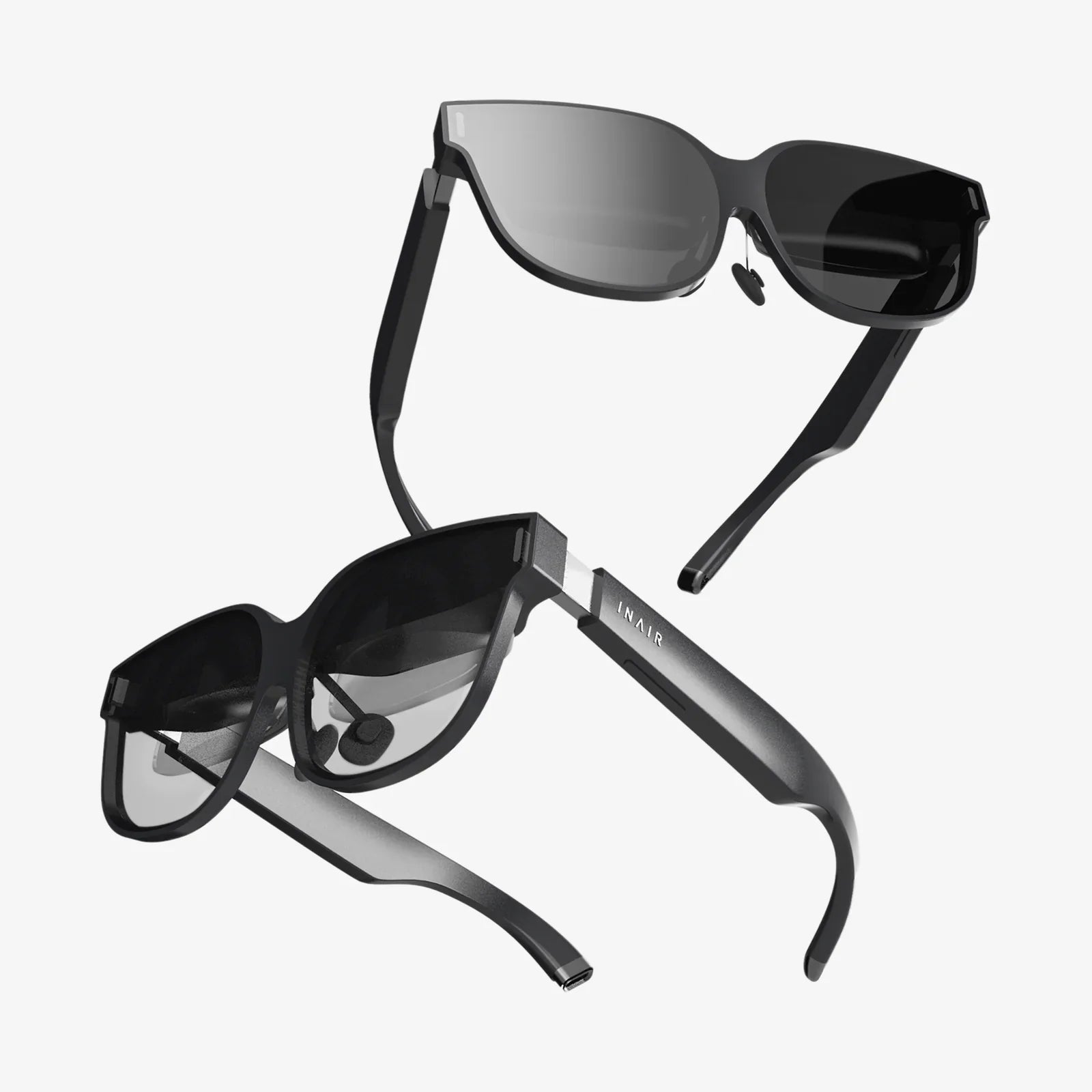
Multitasking on smart glasses is no longer a sci-fi fantasy; it is rapidly becoming the secret advantage of people who want to work faster, move freely, and stay connected without constantly staring at a phone. If you have ever wished you could see your calendar, answer a message, follow navigation, and keep your hands free at the same time, you are already imagining what smart glasses can do. This emerging way of working and living is quietly reshaping how we focus, collaborate, and manage information.
As more people experiment with wearable displays, one question keeps coming up: how does multitasking on smart glasses actually work in real life, and is it truly better than juggling apps on a phone or laptop? To answer that, you need to look beyond the hype and understand the core ideas: how information is displayed, how you control it, and how your brain handles multiple streams at once. When you get those pieces right, smart glasses can feel like a personal command center floating right in front of your eyes.
What Multitasking on Smart Glasses Really Means
Multitasking on smart glasses is not just about opening several apps at once. It is about orchestrating different types of information in a way that supports what you are doing in the physical world. Unlike a phone, which pulls you into a small screen, smart glasses push information into your field of view while you stay engaged with your environment.
At a basic level, multitasking on smart glasses usually involves:
- Running several apps or tools at the same time, such as navigation, messaging, and media playback.
- Layering information on top of the real world, like instructions, labels, or alerts.
- Switching context quickly between tasks using voice, gestures, or gaze.
- Managing attention so you do not get overwhelmed by too many notifications.
Instead of thinking of multitasking as doing many things at once, it is more accurate to think of it as rapid task switching with minimal friction. Smart glasses aim to reduce that friction by keeping critical information close, visible, and easy to control without using your hands.
Core Technologies That Enable Multitasking on Smart Glasses
To understand how multitasking on smart glasses works, it helps to break down the key technologies working together behind the scenes.
Display and Visual Layout
The display system determines how much information can fit comfortably in your view. Common approaches include:
- Heads-up overlays: Small floating panels that show essentials like time, battery, and notifications.
- Fixed-position widgets: Mini-windows for things like music controls or call status anchored to the edge of your view.
- Contextual overlays: Information that appears only when relevant, such as directions at a turn or a label on an object.
Effective multitasking depends on a clear visual hierarchy. Primary tasks (for example, navigation while walking) need to be prominent, while secondary tasks (such as incoming messages) should be subtle and non-intrusive.
Input Methods: Voice, Gesture, and Gaze
Because your hands are often busy, smart glasses rely on alternative input methods:
- Voice commands: Natural language instructions like “open messages,” “pin this note,” or “start recording.”
- Head or hand gestures: Nods, swipes in the air, or taps on the frame to switch views or confirm actions.
- Gaze tracking: Using where you are looking as a cursor to highlight and select elements.
Multitasking becomes powerful when you can fluidly combine these inputs. For example, you might glance at a notification, nod to open it, then respond by voice while keeping your hands on your work.
Background Processing and Context Awareness
Behind the scenes, software must manage multiple tasks without draining battery or overwhelming you. This includes:
- Background services for navigation, health tracking, or recording.
- Context awareness using sensors like GPS, cameras, and motion sensors to understand what you are doing.
- Smart notification routing that delays or prioritizes alerts depending on your activity, such as walking, driving, or sitting.
Context awareness is especially important. For example, if the glasses detect that you are crossing a busy street, they might temporarily hide non-critical content and focus only on navigation or safety alerts.
Everyday Use Cases of Multitasking on Smart Glasses
To see the real value of multitasking on smart glasses, consider how they fit into everyday life. Here are some practical scenarios where they shine.
Commuting and Navigation
Imagine you are walking through an unfamiliar city. With smart glasses you can:
- Keep a navigation overlay at the edge of your vision showing arrows and distance.
- Receive public transit updates in real time without pulling out your phone.
- See incoming messages as small banners you can respond to by voice.
- Control your music or podcasts with a quick voice command.
Here, multitasking is not about doing five things fully at once, but about combining navigation, communication, and entertainment in a smooth, low-effort way.
Fitness and Outdoor Activities
During a run, hike, or bike ride, multitasking on smart glasses might include:
- Live fitness metrics like pace, distance, or heart rate floating at the top of your view.
- Turn-by-turn directions so you do not get lost on new routes.
- Voice-controlled music or audio coaching.
- Quick call handling so you can answer or reject calls without stopping.
You stay fully engaged with the environment while still tracking performance and staying reachable. This is a form of multitasking that supports, rather than distracts from, physical activity.
Home and Everyday Chores
At home, multitasking on smart glasses can quietly streamline small tasks:
- Follow step-by-step recipes while cooking, with timers and ingredient reminders appearing as you need them.
- View shopping lists as you check your pantry, adding items by voice.
- Control smart home devices such as lights or thermostats while your hands are busy.
- Attend a video call while moving around the house, glancing at participants when needed.
These small efficiencies add up, especially when you can flow between tasks without repeatedly unlocking a phone or switching screens.
Professional Workflows Enhanced by Multitasking on Smart Glasses
The workplace is where multitasking on smart glasses can have some of the biggest impact. By layering digital information over real-world tasks, they can reduce errors, speed up training, and improve collaboration.
Field Service and Maintenance
For technicians repairing equipment or inspecting infrastructure, multitasking might look like:
- Viewing schematics or diagrams while looking directly at the machinery.
- Receiving remote guidance from an expert who can see what the technician sees.
- Logging inspection results by voice without stopping to write.
- Checking checklists and safety procedures as overlays instead of flipping through manuals.
This allows a technician to keep both hands on tools while juggling documentation, communication, and diagnostics in parallel.
Healthcare and Medical Settings
In clinical environments, multitasking on smart glasses must be handled carefully but can be powerful when done right:
- Displaying patient information and vital signs while a clinician performs an examination.
- Showing procedure checklists or guidelines in a subtle overlay.
- Recording hands-free notes or dictating observations.
- Enabling remote consultations where a specialist can observe through the glasses.
The key is to prioritize patient safety and minimize distraction, using context-aware systems that only surface the most relevant information in critical moments.
Manufacturing and Warehousing
On the factory floor or in a warehouse, multitasking can streamline complex workflows:
- Providing pick-by-vision instructions that guide workers to the right items and locations.
- Displaying assembly steps one at a time while workers use both hands.
- Tracking inventory status and scanning barcodes through the glasses’ camera.
- Sending alerts about machine status or safety issues without requiring a computer terminal.
Workers can simultaneously follow instructions, report progress, and stay aware of their surroundings, which is a much richer form of multitasking than switching between clipboards and screens.
Knowledge Work and Remote Collaboration
For office and remote workers, smart glasses can create new ways to juggle digital tasks:
- Pinning virtual monitors around your space, such as a document in front of you and a chat window to the side.
- Keeping meeting notes visible while you present or speak.
- Monitoring live dashboards or metrics in your peripheral vision.
- Joining immersive meetings where colleagues appear as floating windows or avatars.
Here, multitasking is about spatial organization of information. Instead of stacking windows on one laptop screen, you arrange them around you in a way that feels natural and reduces constant tab switching.
Cognitive Load: The Hidden Challenge of Multitasking on Smart Glasses
Even though smart glasses make it easier to access multiple streams of information, your brain still has limits. Cognitive load is the mental effort required to process information and switch between tasks. If multitasking on smart glasses is not designed carefully, it can lead to overload, distraction, and fatigue.
Types of Cognitive Load to Consider
When designing or using multitasking features, it helps to consider three types of cognitive load:
- Intrinsic load: The inherent difficulty of the task itself, such as understanding a complex diagram.
- Extraneous load: Unnecessary complexity added by poor design, like cluttered interfaces or irrelevant notifications.
- Germane load: Useful mental effort that helps learning and problem solving.
Smart glasses can reduce extraneous load by presenting only what is needed, when it is needed, and by keeping visual layouts clean. They can also support germane load by providing timely hints, context, or examples that help you learn faster.
Attention Management and Safety
Because smart glasses sit directly in your field of view, designers must be especially careful with attention management:
- Minimalist overlays that do not block critical real-world elements.
- Adaptive brightness and contrast so information remains readable without becoming intrusive.
- Activity-aware modes that reduce visual clutter when you are performing high-risk tasks, such as driving or operating machinery.
As a user, you can also take control by customizing notification settings and choosing which apps are allowed to interrupt you in different situations.
Practical Strategies to Multitask Effectively on Smart Glasses
To get real value from multitasking on smart glasses, you need more than just features; you need a strategy. Here are practical guidelines to help you use them effectively.
1. Define Your Primary Task First
Before enabling multiple overlays, decide what your main activity is at any moment: walking, presenting, repairing, learning, or relaxing. Then configure your glasses so that:
- The primary task gets the largest, clearest visual space.
- Secondary information stays smaller and near the edges of your view.
- Only critical alerts are allowed to interrupt the primary task.
This prevents secondary tasks from silently taking over your focus.
2. Use Layers and Zones
Think of your field of view as divided into zones:
- Central zone: For your main task, such as instructions or content you are actively reading.
- Upper and lower edges: For status information like time, battery, or progress.
- Side zones: For notifications, chat snippets, or controls you glance at occasionally.
By assigning each type of information to a consistent zone, you reduce the mental effort required to find things and switch tasks.
3. Master Quick Controls
Multitasking works best when you can rapidly switch context without thinking about the controls. Practice:
- Voice shortcuts for your most common actions, like “next step,” “mute notifications,” or “pin this here.”
- Gestures for basic navigation, such as swiping between task views or dismissing a panel.
- Gaze-based selection to highlight items by looking at them, then confirming with a tap or voice command.
The more automatic these interactions become, the more natural multitasking will feel.
4. Customize Notifications Aggressively
On a phone, a flood of notifications is annoying. On smart glasses, it can be overwhelming. To stay in control:
- Allow only high-priority apps to show visual alerts.
- Use grouped notifications so multiple messages appear as a single summary.
- Set context-based rules, such as “no social alerts while driving” or “only urgent messages during workouts.”
This transforms multitasking from chaotic interruption into intentional, manageable information flow.
5. Schedule Focus and Downtime
Just because smart glasses can keep you connected constantly does not mean they should. To avoid burnout:
- Use focus modes that temporarily hide non-essential overlays.
- Schedule notification-free periods for deep work or rest.
- Occasionally remove the glasses entirely to reset your attention.
Healthy multitasking is about flexibility and control, not about being “always on.”
Design Principles for Multitasking Experiences on Smart Glasses
If you are designing apps or interfaces for smart glasses, there are some key principles that support effective multitasking.
Prioritize Context Over Raw Power
Having the ability to run many parallel processes is less important than knowing which ones matter right now. Design systems that:
- Use sensor data and user behavior to infer context.
- Surface just-in-time information instead of constant clutter.
- Offer simple overrides so users can quickly adjust what they see.
Context-aware multitasking feels almost invisible: the right information appears when needed and fades when it is not.
Design for Peripheral Vision
Smart glasses can place information near the edges of your vision, where it is noticeable without being intrusive. To take advantage of this:
- Use subtle motion or color changes to draw attention without flashing or blocking vision.
- Place secondary indicators in peripheral zones, such as small icons that expand only when you look at them.
- Reserve the center of the view for the primary task at all times.
This aligns with how people naturally scan their environment and reduces distraction.
Keep Interactions Short and Reversible
Multitasking interactions should be quick and easy to undo:
- Use single-step confirmations for common actions.
- Provide clear feedback when a command is recognized.
- Allow fast undo for changes like closing a panel or sending a message.
This lowers the risk of errors while users are splitting their attention between digital and physical tasks.
Design for Battery and Performance
Running multiple apps on a wearable device is demanding. To keep experiences smooth:
- Optimize for low-power background tasks.
- Use lightweight overlays instead of full-screen animations.
- Pause or throttle non-essential processes when battery is low.
Efficient multitasking ensures that users can rely on their glasses throughout a full day of mixed activities.
Privacy and Security Considerations in Multitasking on Smart Glasses
With multiple apps running and cameras and microphones potentially active, multitasking on smart glasses raises important privacy and security questions.
Managing Data Streams
When several tasks run in parallel, they may access sensitive data at the same time, such as location, audio, or video. Good practice includes:
- Clear permission controls for each app and sensor.
- Visual indicators when cameras or microphones are active.
- Local processing where possible to reduce dependence on external servers.
Users should be able to quickly see which tasks are active and what data they are using.
Protecting Bystanders
Because smart glasses can capture the environment, bystanders may not realize they are being recorded or observed. Responsible use involves:
- Disabling or limiting recording in sensitive environments like restrooms or secure facilities.
- Using visible cues that indicate recording is in progress.
- Respecting local laws and workplace policies about cameras and audio capture.
Ethical multitasking means balancing your convenience with the privacy of others.
Future Directions for Multitasking on Smart Glasses
Multitasking on smart glasses is still evolving. As hardware and software mature, several trends are likely to shape the next generation of experiences.
Smarter Context Engines
Future systems will be better at predicting what information you need before you ask for it. This might include:
- Automatically surfacing relevant documents when you enter a meeting room.
- Suggesting quick replies or actions based on the content you are viewing.
- Adjusting layouts based on your history of multitasking patterns.
Instead of manually arranging your workspace, you will increasingly collaborate with an intelligent assistant that does much of the setup for you.
Richer Spatial Interfaces
As tracking and rendering improve, the line between physical and digital workspaces will blur:
- You may create persistent virtual dashboards anchored to specific locations in your home or office.
- Shared collaborative spaces could allow multiple people to see and interact with the same overlays.
- Multitasking will feel like arranging tools on a workbench rather than juggling windows on a screen.
This spatial approach plays to the strengths of human memory and spatial reasoning, making complex multitasking feel more natural.
Deeper Integration with Other Devices
Smart glasses will not exist in isolation. They will coordinate with phones, laptops, vehicles, and home devices:
- Tasks may move fluidly from one device to another as you change context.
- Notifications and apps will route themselves to the most appropriate device.
- Multitasking will become a cross-device experience, with glasses acting as a central, always-available display.
This ecosystem view will make multitasking more seamless and less tied to any single device.
Why Multitasking on Smart Glasses Matters Now
As the world becomes more information-dense, the ability to manage multiple streams of data without losing focus is turning into a critical skill. Multitasking on smart glasses offers a new way to do this by shifting information from your pocket to your field of view, and from flat screens to spatial experiences. When done well, it can reduce friction, cut down on constant device switching, and free your hands and attention for the things that matter most.
The real power of multitasking on smart glasses is not just in showing more information, but in showing the right information at the right time and in the right place. Whether you are navigating a busy city, repairing complex equipment, training for a new role, or simply trying to stay on top of your day, smart glasses can become a quiet, ever-present assistant. The people who learn how to harness this new form of multitasking early will have a distinct advantage in productivity, learning, and everyday convenience. If you are curious about what comes next in personal computing, paying attention to how multitasking evolves on smart glasses is one of the smartest moves you can make.
Share:
AR glasses for productivity: How Augmented Reality Is Transforming Work
AR glasses for productivity: How Augmented Reality Is Transforming Work