


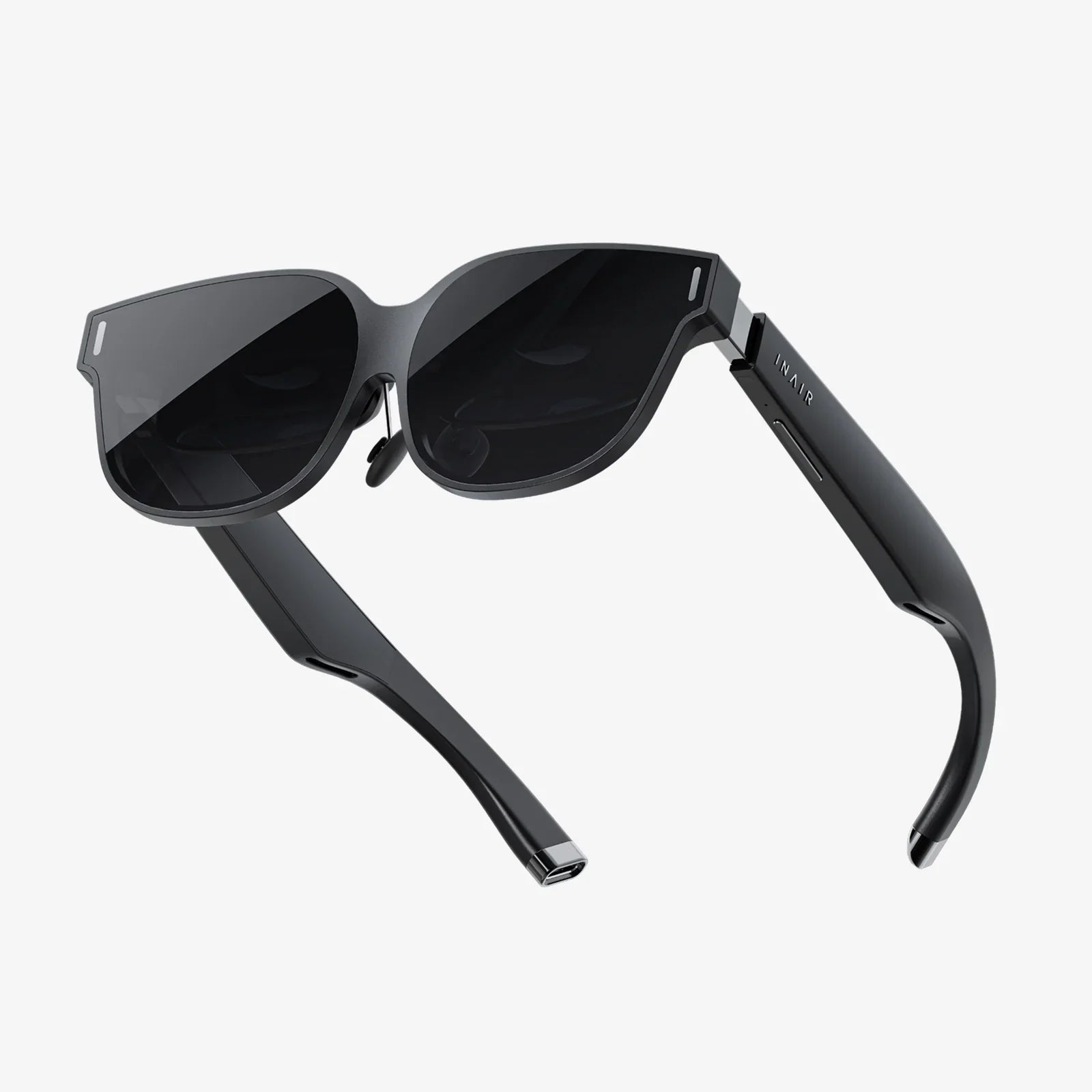
Imagine walking into a room and seeing digital notes hovering over your desk, a life-sized 3D model of a building in the corner, and a guided path glowing on the floor to lead you to your next meeting. That is the promise of AR spatial technology: a world where digital content is not trapped behind screens but woven directly into the spaces where you live, work, and play.
AR spatial experiences are rapidly moving from sci-fi to daily reality. Instead of simply overlaying flat images on your phone, modern augmented reality understands depth, surfaces, and context. It knows where your walls are, how far the table is, and what path you are walking. This deeper understanding of space is unlocking new ways to learn, collaborate, shop, design, and navigate the world.
What AR Spatial Actually Means
AR spatial refers to augmented reality systems that understand and interact with three-dimensional physical space. Rather than just placing a floating sticker on a camera view, AR spatial technology builds a digital model of your environment and anchors content precisely to it.
At its core, AR spatial involves three key capabilities:
- Spatial mapping: Scanning and reconstructing the environment as a 3D map of surfaces and geometry.
- Spatial understanding: Recognizing floors, walls, ceilings, and objects so digital content can interact with them realistically.
- Spatial anchoring: Pinning digital objects to specific points in the real world so they stay put as you move.
These capabilities allow AR experiences that feel stable, believable, and useful. A virtual chair can sit on the floor without sliding around. A digital sign can stay above a doorway. A training guide can highlight the exact button on a real machine.
How AR Spatial Works Behind the Scenes
To understand why AR spatial is so powerful, it helps to look briefly at the underlying technologies. While the details can be complex, the main components are easy to grasp.
1. Sensors and Cameras
AR spatial systems rely on a combination of sensors to understand the environment:
- RGB cameras capture color images of the world.
- Depth sensors measure how far away surfaces are.
- IMU sensors (accelerometer, gyroscope, magnetometer) track motion and orientation.
By fusing these data sources, AR devices can estimate where you are in space and what is around you.
2. SLAM and Spatial Mapping
A foundational technique in AR spatial is SLAM (Simultaneous Localization and Mapping). SLAM algorithms do two things at once:
- Figure out the device’s position and orientation in real time.
- Build a 3D map of the environment from camera and sensor data.
The result is a constantly updated digital model of your surroundings. This model is often represented as point clouds, meshes, or spatial surfaces that describe where floors, walls, and objects are located.
3. Plane Detection and Object Understanding
Once the environment is mapped, the system identifies useful structures:
- Plane detection finds flat surfaces like tables, floors, and walls.
- Object detection can recognize specific items, such as chairs, doors, or machinery.
These features allow AR content to be placed intelligently. A virtual screen can snap to a wall; a 3D character can stand on the floor without appearing to float.
4. Spatial Anchors and Persistence
Spatial anchors are reference points in the environment that digital content can attach to. When you place a virtual object on your coffee table, the system creates an anchor at that location. Even if you leave the room and come back later, the anchor helps the device rediscover where to render the object.
With cloud-based spatial anchors, multiple devices can share the same anchors, enabling multi-user experiences in the same space. This is essential for collaborative work, shared games, and persistent digital decorations.
Why AR Spatial Matters: From Flat Screens to Living Spaces
Traditional digital experiences happen on flat screens: phones, laptops, monitors, and TVs. AR spatial breaks that boundary by embedding information into the physical world. This shift matters for several reasons.
1. More Natural Interaction
Humans evolved to interact with 3D environments, not 2D rectangles. AR spatial lets you:
- Walk around a 3D model instead of rotating it with a mouse.
- Use hand gestures to grab, resize, or move virtual objects.
- Look at content from different angles simply by moving your head.
This feels more intuitive and often reduces the learning curve for complex tools.
2. Better Context and Relevance
Because AR spatial understands where you are, it can deliver information exactly where it is needed. Examples include:
- Maintenance instructions hovering over a specific machine.
- Navigation arrows on the floor guiding you through a building.
- Labels and annotations attached to real-world objects in a museum or classroom.
Context-aware information is easier to understand and remember because it is directly tied to the environment.
3. Shared Experiences in Real Spaces
Spatial AR is not just about individual experiences; it enables shared digital layers on top of the real world. Multiple people can see the same virtual objects in the same place, enabling:
- Collaborative design sessions around a life-sized 3D prototype.
- Shared games that use the room as a playground.
- Team training where everyone sees the same highlights and instructions.
This blend of physical presence and digital content creates a powerful sense of co-presence and collaboration.
Everyday Uses of AR Spatial Technology
AR spatial is not just for tech enthusiasts. It is quietly reshaping everyday activities across many domains.
1. Navigation and Wayfinding
One of the most intuitive uses of AR spatial is navigation. Instead of checking a 2D map, you can follow:
- Arrows projected onto the floor showing where to turn.
- Floating markers above doorways or intersections.
- Highlighted paths that adapt as you move.
This is especially useful indoors, where traditional GPS signals are weak. Airports, shopping centers, hospitals, and campuses can use spatial AR to guide visitors to gates, stores, departments, or classrooms.
2. Education and Training
AR spatial transforms learning by bringing abstract concepts into the physical world.
- Science and engineering: Students can explore full-scale models of molecules, engines, or planets in the classroom.
- Medical training: Trainees can visualize anatomy overlaid on mannequins or even on the human body.
- Technical skills: Step-by-step instructions can appear directly on equipment, highlighting the exact part to adjust or inspect.
Because the content is anchored to real objects and spaces, learners can practice in realistic scenarios without the cost or risk of real-world mistakes.
3. Home Design and Interior Planning
Trying to imagine how a new sofa or bookshelf will look in your living room is notoriously difficult. AR spatial helps by letting you:
- Place virtual furniture at true scale in your room.
- Experiment with different layouts and styles.
- Visualize color schemes and decor before making changes.
Because the virtual objects are anchored to your floor and walls, you can walk around them, see how they fit, and check clearances in a way that static images cannot match.
4. Architecture, Construction, and Real Estate
Professionals in the built environment are early adopters of AR spatial tools. Some practical applications include:
- On-site visualization: Viewing a full-scale 3D model of a planned building on the actual construction site.
- Design reviews: Walking clients through virtual layouts inside an empty space.
- Clash detection: Overlaying mechanical and electrical plans onto the physical site to spot conflicts before they become expensive errors.
For real estate, potential buyers or renters can tour a property and see different staging options or future renovations overlaid on the existing space.
5. Retail and Shopping
AR spatial is reshaping how people discover and evaluate products:
- Virtual try-on experiences for items that can be realistically anchored to the body or environment.
- Product information appearing next to items on shelves in a store.
- Interactive displays that respond to where customers are standing or looking.
By bringing digital content into the shopping environment, retailers can create more engaging, informative, and personalized experiences.
6. Entertainment and Gaming
Games that use AR spatial turn your surroundings into the playing field. Instead of watching characters on a flat screen, you can:
- Battle virtual creatures that hide behind your furniture.
- Build 3D constructions that sit on your table or floor.
- Play cooperative or competitive games where everyone sees the same virtual elements in the room.
Beyond games, spatial AR can support immersive theater, interactive art installations, and live events where digital effects blend seamlessly with the physical stage.
7. Workplace Collaboration and Productivity
Remote work and hybrid teams benefit from spatial AR tools that make collaboration feel more physical:
- Shared whiteboards anchored to walls, visible to everyone in the room and remote participants.
- 3D data visualizations that teams can walk around and explore together.
- Virtual monitors placed around your workspace, expanding your digital desktop without additional hardware.
By aligning digital content with physical spaces, teams can maintain a sense of place and presence even when not all members are in the same location.
Designing Effective AR Spatial Experiences
Building compelling AR spatial applications requires more than just placing 3D models in a room. Designers must consider how people naturally move and interact in physical spaces.
1. Respecting the User’s Environment
AR spatial content should enhance, not overwhelm, the real world. Good design practices include:
- Avoiding clutter by limiting the number of visible virtual elements.
- Keeping critical content within comfortable viewing angles.
- Ensuring that virtual objects do not block important real-world features like doorways or safety signs.
Designers should remember that users might be walking, turning, or interacting with physical objects while using AR.
2. Using Depth and Scale Wisely
Spatial AR allows control over depth and scale in ways that flat screens cannot. Effective experiences:
- Use correct real-world scale for objects that need to be evaluated physically.
- Place important information at a comfortable distance, typically a few feet away.
- Use subtle depth cues like shadows and occlusion to make virtual objects feel grounded.
Misuse of scale or depth can cause discomfort or confusion, so careful testing is essential.
3. Intuitive Interaction and Feedback
Interaction in AR spatial experiences can involve gaze, gestures, voice, controllers, or touch on handheld devices. Regardless of the input method, users need clear feedback:
- Highlight objects that can be interacted with.
- Show animations when objects are grabbed, moved, or activated.
- Provide audio cues to confirm actions or signal errors.
Because users are often moving, interactions should be simple, forgiving, and easy to perform with one hand or minimal gestures.
4. Anchoring and Persistence Strategies
Deciding where and how to anchor content is central to AR spatial design. Some guidelines include:
- Use floor anchors for large objects or scenes that users will walk around.
- Use wall anchors for displays, dashboards, or information panels.
- Use object-relative anchors for content that must follow specific real-world items.
For multi-session or multi-user experiences, persistent anchors that can be rediscovered later are crucial. Designers should also plan for what happens if an anchor cannot be found or if the environment changes.
5. Safety and Comfort
Because AR spatial experiences involve moving through real spaces while focusing on digital content, safety cannot be an afterthought.
- Keep users aware of their surroundings by avoiding full-screen visual blocking.
- Avoid rapid or unpredictable motion in virtual elements that could cause discomfort.
- Include clear boundaries for play areas in games and interactive experiences.
Comfort also includes reducing eye strain and fatigue by using appropriate brightness, contrast, and animation speeds.
Technical Building Blocks for AR Spatial Development
Developers who want to create AR spatial applications have access to a growing ecosystem of tools and frameworks. While specific platforms vary, most solutions provide similar building blocks.
1. AR Frameworks
Common AR frameworks offer:
- Plane detection and hit testing for placing objects on surfaces.
- Tracking of device pose (position and orientation) over time.
- Light estimation to match virtual object lighting to the real environment.
- Support for anchors and, in some cases, shared or cloud anchors.
These frameworks often integrate with 3D engines, enabling developers to focus on interaction and content rather than low-level tracking algorithms.
2. 3D Engines and Content Creation
To build rich AR spatial experiences, developers typically use 3D engines and asset pipelines that support:
- Importing 3D models from standard formats.
- Real-time rendering with lighting, shadows, and physics.
- Animation systems for characters and dynamic objects.
Content creators, such as 3D artists and designers, play a key role in making AR spatial experiences visually compelling and performant.
3. Cloud Services and Spatial Data
For applications that span large areas or require persistence and sharing, cloud services are essential. They can provide:
- Storage and synchronization of spatial anchors.
- Mapping services that combine data from multiple sessions or devices.
- User authentication and access control for shared spaces.
This infrastructure allows AR spatial experiences to grow beyond single devices and become part of a connected spatial computing ecosystem.
Challenges and Limitations of AR Spatial Today
Despite its promise, AR spatial technology still faces significant challenges that shape what is possible today and what remains aspirational.
1. Hardware Constraints
Current AR devices are limited by:
- Battery life: Continuous spatial mapping and rendering can drain power quickly.
- Field of view: Many head-worn displays show only a portion of the user’s vision in AR, which can break immersion.
- Comfort and ergonomics: Headsets must balance weight, heat, and comfort for extended use.
Handheld AR on phones and tablets avoids some of these issues but requires users to hold a device, which can limit interaction and immersion.
2. Tracking Reliability
AR spatial systems rely on visual features and sensor data to maintain tracking. They can struggle in:
- Very low-light or overly bright environments.
- Featureless spaces like blank walls or uniform surfaces.
- Highly dynamic scenes where objects are moving rapidly.
Loss of tracking can cause virtual objects to drift or jump, undermining the realism and reliability of the experience.
3. Privacy and Security
AR spatial devices often scan and map environments, raising important questions:
- How is spatial data stored, and who has access to it?
- Can sensitive information in the environment be inadvertently captured?
- How can users control what is recorded and shared?
Responsible AR spatial systems must incorporate strong privacy protections, transparent policies, and user control over data.
4. Content Creation Effort
High-quality AR spatial experiences require carefully crafted 3D assets, interactions, and narratives. Creating this content can be time-consuming and expensive. There is ongoing work on:
- Tools that simplify 3D content creation.
- Procedural generation of environments and objects.
- Standard formats and pipelines that reduce friction.
As tools improve, more creators will be able to participate in building spatial AR content, expanding the ecosystem.
The Future of AR Spatial: Where It Is Heading
AR spatial is still in its early days, but several trends are shaping its future direction.
1. Seamless Indoor and Outdoor Spatial Maps
Future AR spatial systems are likely to integrate detailed maps of both indoor and outdoor environments. This could enable:
- City-scale AR navigation with persistent landmarks.
- Building-wide overlays for maintenance, safety, and logistics.
- Shared digital layers that span neighborhoods, campuses, and public spaces.
As mapping becomes more comprehensive, AR spatial experiences will feel less like isolated apps and more like a continuous spatial computing layer.
2. More Natural Interfaces
Advances in hand tracking, eye tracking, and voice recognition will make interaction with spatial content more fluid. Future interfaces may allow you to:
- Grab and manipulate virtual objects as if they were physical.
- Simply look at an object and speak to interact with it.
- Use subtle gestures and expressions as input.
These improvements will reduce the friction between intention and action, making AR spatial feel more like an extension of natural behavior.
3. Blending AR Spatial with Other Emerging Technologies
AR spatial will intersect with other technologies to create powerful combinations:
- Artificial intelligence to recognize objects, understand scenes, and personalize content.
- Internet of Things to link digital overlays with real devices and sensors.
- Digital twins to keep virtual models synchronized with real-world assets and systems.
This convergence will enable scenarios such as real-time monitoring of equipment with visual overlays, adaptive learning environments, and responsive smart buildings.
4. From Isolated Apps to Spatial Operating Systems
Today, most AR spatial experiences are individual applications. Over time, we can expect more integrated spatial operating systems that:
- Manage multiple AR windows and widgets in your environment.
- Allow different apps to share anchors and spatial context.
- Provide a consistent spatial user interface across devices and locations.
In such a world, your workspace, home, and favorite public places could each have their own persistent digital layer that follows you across devices.
How You Can Start Exploring AR Spatial Today
You do not need advanced hardware to begin experimenting with AR spatial. Here are practical steps to get started:
- Try mobile AR apps that let you place and manipulate 3D objects in your space.
- Explore educational or navigation experiences that use spatial overlays.
- Experiment with simple AR creation tools that allow you to anchor content in your environment.
If you are a developer or designer, you can:
- Learn a mainstream AR framework and a 3D engine.
- Build small prototypes focused on one spatial interaction at a time.
- Test your experiences in different environments to understand tracking and usability challenges.
The most important step is to start thinking spatially: imagine how information, tools, and stories could live in the spaces you already inhabit.
The shift to AR spatial experiences is not just another technology trend; it is a fundamental rethinking of how digital content fits into human life. Instead of pulling you away from the world into a screen, spatial AR aims to enrich the world you see every day. Whether you are curious about the future of work, education, entertainment, or design, learning how AR spatial works gives you a front-row seat to the next wave of digital transformation. The spaces around you are about to become more intelligent, more interactive, and far more interesting—and you can start shaping that future right now.
Share:
Sliding Glass Door Screen Ideas, Fixes, and Upgrades for Every Home
ailun glass screen protector complete guide to choosing and using it