


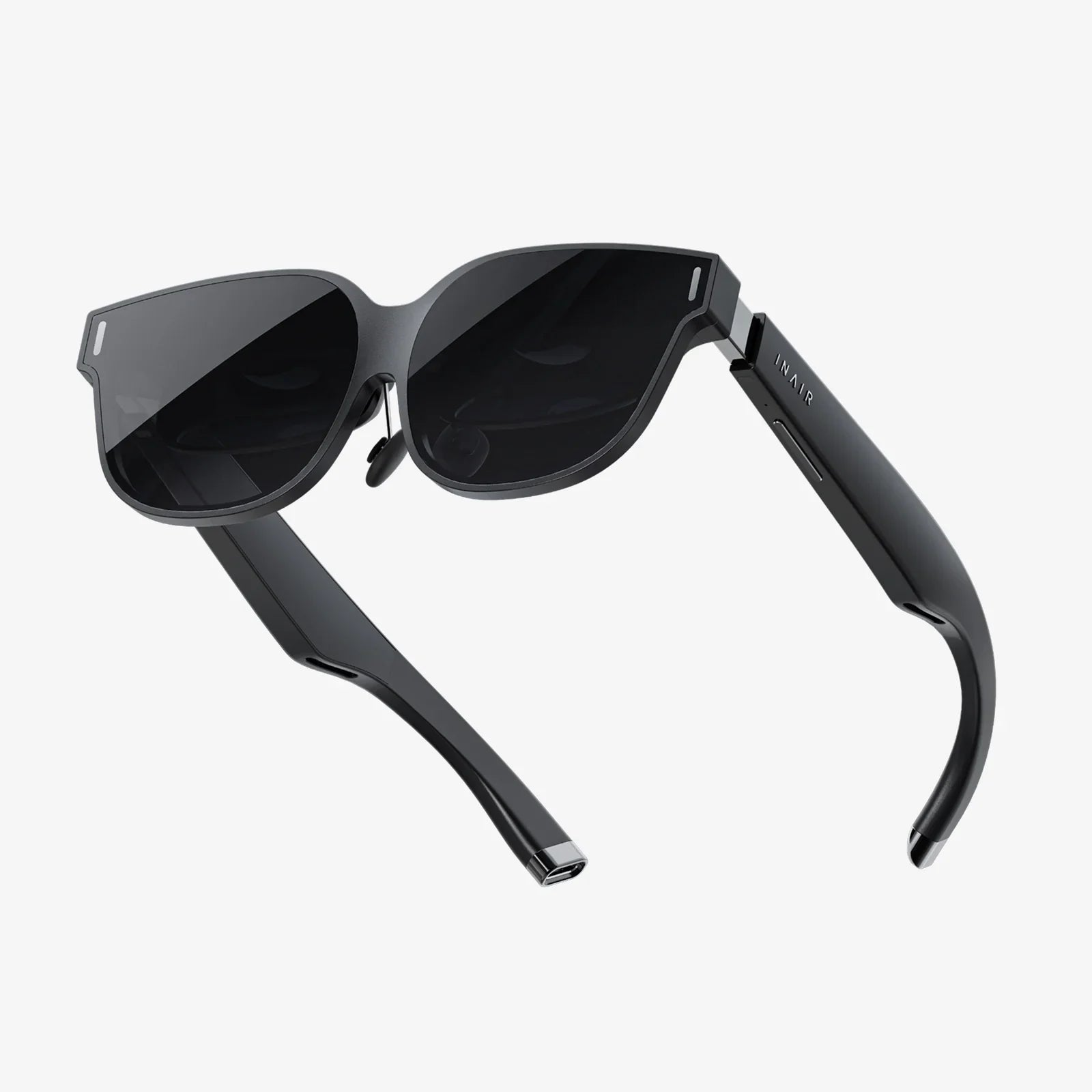
Are night driving glasses the same as computer glasses, or are you being sold the same thing with a different label? If you have ever squinted through headlight glare on a dark road or felt your eyes burn after hours at a screen, you already know how tempting it is to buy a quick fix. But choosing the wrong type of glasses can leave you disappointed, out of pocket, and still struggling with the very problems you hoped to solve. Understanding the real differences between these two popular types of eyewear can help you make a smarter, safer choice.
What Are Night Driving Glasses?
Night driving glasses are marketed as eyewear designed to improve visual comfort and clarity while driving in low-light conditions. They are typically associated with reducing glare from headlights, streetlights, and wet roads, and with enhancing contrast so that objects on the road appear more distinct.
Although designs vary, most night driving glasses share a few common features:
- Anti-reflective coatings: These coatings are applied to lens surfaces to reduce reflections from headlights and other bright light sources.
- Contrast enhancement: Some lenses are lightly tinted to enhance contrast between objects and their background.
- Comfort in low light: The overall goal is to make it easier and more comfortable to see in dim, challenging conditions.
It is important to note that night driving glasses do not magically create light where there is none. They cannot replace proper headlights, clean windshields, or regular eye exams. Their main role is to reduce distracting glare and help your eyes work more efficiently with the light that is available.
What Are Computer Glasses?
Computer glasses are designed to make extended screen use more comfortable by addressing the visual demands of digital devices. When you stare at a computer, tablet, or phone for hours, your eyes work hard to focus at a fixed distance, manage brightness, and cope with the blue-heavy light emitted by screens.
Typical features of computer glasses include:
- Optimized focal distance: Lenses are often set for the intermediate distance between your eyes and the screen, which is different from reading or distance vision.
- Blue-light filtering: Many computer lenses incorporate filters that selectively reduce certain wavelengths of blue light.
- Anti-reflective coatings: These reduce reflections from overhead lighting and screen glare, improving clarity and comfort.
- Eye-strain reduction: The primary purpose is to minimize digital eye strain, dryness, and fatigue associated with long screen sessions.
Computer glasses are not just tinted fashion accessories. When configured correctly, they are tailored to your working distance, lighting conditions, and visual needs, making them a specialized tool for digital environments.
Core Question: Are Night Driving Glasses the Same as Computer Glasses?
Despite some superficial similarities, night driving glasses and computer glasses are not the same. They are designed for different environments, different light sources, and different visual tasks.
Both types may include features like anti-reflective coatings or mild tints, which can make them look similar at a glance. However, their goals diverge:
- Night driving glasses: Aim to manage headlight glare and enhance contrast in low-light, high-speed situations.
- Computer glasses: Aim to reduce eye strain and discomfort during prolonged, close-range screen use.
Using one type as a substitute for the other can lead to poor results. For example, wearing computer glasses while driving at night may not improve your vision and could even interfere with how you perceive contrast or depth. Conversely, wearing night driving glasses at a computer will not address the specific focusing demands and screen-related strain that computer glasses are designed to manage.
How Night Driving Glasses Work (and Their Limitations)
To understand why night driving glasses are different, it helps to look more closely at how they are supposed to work.
Glare Reduction
One of the biggest complaints about night driving is glare from oncoming headlights, reflective road signs, and wet surfaces. Night driving glasses often use anti-reflective coatings to reduce internal reflections on the lens surfaces. This can make bright lights appear less scattered and distracting.
However, these coatings do not eliminate glare at the source. They simply reduce the amount of light bouncing back and forth inside the lens and into your eyes. If your windshield is dirty, your headlights are misaligned, or your eyes are dry or uncorrected, glare will still be a problem regardless of the glasses you wear.
Contrast Enhancement
Some night driving lenses include a subtle tint intended to increase contrast. The idea is that by slightly altering how different wavelengths of light reach your eyes, objects like lane markings, pedestrians, and signs may stand out more clearly against the background.
In practice, this effect can be modest and highly individual. For some people, a slight tint feels more comfortable; for others, any tint that reduces overall light can be counterproductive at night. Your pupils already dilate in low light to gather more illumination. Adding tint means you are giving up some of that precious light, which may make the environment appear darker.
Do Tinted Lenses Really Help at Night?
One of the most debated aspects of night driving glasses is the use of yellow or amber tints. These tints are often associated with improved contrast in certain daytime or overcast conditions. However, at night, the situation is more complex.
Because tinted lenses reduce the total amount of light reaching your eyes, they can make dark environments even darker. This can be especially problematic on poorly lit roads, in rural areas, or during bad weather. While some people subjectively feel that yellow-tinted lenses reduce glare, the trade-off in brightness may not be worth it.
Many eye care professionals emphasize that anything which decreases the amount of light entering the eye at night can potentially make it harder to see. For night driving, clear lenses with high-quality anti-reflective coatings are often preferred over heavily tinted options.
How Computer Glasses Work (and Where They Excel)
Computer glasses are built around the challenges of near and intermediate vision, not distance vision in dim conditions. Their design reflects the way your eyes behave when you stare at a screen for long periods.
Optimized Focusing Distance
Your eyes focus differently when looking at a road sign 100 meters away versus a screen 60 centimeters away. Regular distance glasses may not be ideal for sustained computer use, and reading glasses may be set for a closer distance than your monitor.
Computer glasses typically aim for an intermediate focal range, matching the typical distance between your eyes and your screen. This reduces the effort your eyes must exert to maintain focus, which can lessen fatigue, headaches, and blurred vision after long work sessions.
Managing Digital Eye Strain
Digital eye strain includes symptoms such as:
- Tired, achy eyes
- Dryness or burning sensations
- Headaches after screen use
- Difficulty refocusing when looking away from the screen
Computer glasses address these issues through a combination of lens power, coatings, and sometimes subtle magnification. They work best when paired with good habits, such as taking breaks, blinking frequently, and adjusting screen brightness to match the room.
Blue Light and Screen Comfort
Many computer lenses incorporate filters that selectively reduce blue light emitted by screens. While blue light is a natural part of daylight, excessive exposure late in the day can interfere with sleep patterns by affecting your internal clock. Some people also find that reducing blue light improves subjective comfort.
However, blue light filtering is not the same as glare reduction for headlights. The light emitted by screens is relatively low in intensity compared to oncoming headlights at night. Computer glasses are tuned for long-duration exposure to moderate-intensity light at close range, not brief but intense bursts of light at a distance.
Key Differences Between Night Driving Glasses and Computer Glasses
To clearly see why night driving glasses are not the same as computer glasses, it helps to compare them side by side.
Different Environments
- Night driving glasses: Designed for outdoor use, often in low light, with moving light sources, reflections, and high-speed decision-making.
- Computer glasses: Designed for indoor use, usually in consistent lighting, with static screens and relatively fixed viewing distances.
Different Light Sources
- Night driving: Headlights, streetlights, reflective signs, and sometimes rain or fog scattering light unpredictably.
- Computer use: Backlit displays emitting a stable, continuous spectrum dominated by blue and white light.
Different Visual Tasks
- Driving at night: Requires rapid detection of hazards, depth perception, peripheral awareness, and the ability to handle sudden brightness changes.
- Computer work: Requires sustained focus at one distance, reading small text, and maintaining attention over long periods.
Different Lens Priorities
- Night driving lenses: Prioritize minimizing distracting reflections and preserving as much light as possible in dim conditions.
- Computer lenses: Prioritize reducing digital eye strain, optimizing the focal range, and sometimes filtering blue light.
These differences explain why one type of glasses cannot simply be rebranded or repurposed as the other without compromise.
Why You Should Not Use Computer Glasses for Night Driving
It can be tempting to use a single pair of glasses for everything, but relying on computer glasses for night driving can be problematic.
Potential Issues with Focus
If your computer glasses are optimized for intermediate distances, they may not provide clear distance vision. This can make road signs, pedestrians, and vehicles appear less sharp, especially at higher speeds. Even mild blur can reduce reaction time and increase fatigue.
Blue Light Filters Are Not Headlight Solutions
Blue light filters found in many computer lenses are designed to manage screen-related light exposure, not the intense glare from headlights. They do not directly address the reflections and scattering that make night driving uncomfortable.
Possible Distortion of Color and Contrast
Certain coatings or tints meant for screen comfort can slightly alter color perception. While this is usually harmless at a desk, it may not be ideal when you are trying to interpret traffic signals, brake lights, or subtle changes in the road surface at night.
For safety, eyewear used for driving should be chosen with driving conditions in mind, not repurposed from a completely different task.
Can Night Driving Glasses Double as Computer Glasses?
The reverse question is also common: if you own night driving glasses, can you use them at the computer?
In most cases, night driving glasses do not address the core issues of digital eye strain:
- They are not optimized for the typical screen viewing distance.
- They may not include the specific blue light filtering many people prefer for screens.
- Any tint designed for low-light road conditions may be unnecessary or distracting under bright indoor lighting.
While you could physically wear them at a computer, you would likely gain little benefit compared to properly configured computer eyewear. In some cases, the tint or coating could even make screens appear less natural or more fatiguing to look at over time.
How to Decide Which Type of Glasses You Need
Deciding between night driving glasses and computer glasses starts with understanding your main problems and when they occur.
Signs You Might Need Night Driving Glasses
You may want to explore night driving eyewear if you notice:
- Significant discomfort from oncoming headlights.
- Halos or starbursts around lights that make it hard to focus.
- Difficulty seeing road markings clearly in the dark.
- Eye fatigue or strain specifically after night driving, but not during daytime driving.
Before buying any specialized lenses, it is wise to have a comprehensive eye exam. Some night vision problems are related to uncorrected refractive errors, early cataracts, or other eye conditions that glasses alone cannot fully solve.
Signs You Might Need Computer Glasses
Computer glasses may be more appropriate if you experience:
- Eye strain after hours of screen use.
- Headaches that seem tied to computer work.
- Blurred vision when shifting focus from screen to distance.
- Difficulty maintaining focus on text or small details on the screen.
Again, an eye exam is crucial. Sometimes, adjusting your prescription, screen setup, or work habits can significantly reduce symptoms without requiring a specialized pair of glasses. However, for many people, dedicated computer eyewear offers a noticeable improvement in comfort and productivity.
What to Look For in Night Driving Glasses
If you decide that night driving eyewear is right for you, focus on features that genuinely support safe driving rather than marketing hype.
- Clear or minimally tinted lenses: Preserve as much light as possible for dark conditions.
- High-quality anti-reflective coatings: Reduce reflections from headlights and streetlights.
- Correct prescription: Ensure your distance vision is fully corrected; even small errors can matter at night.
- Comfortable fit: A secure, comfortable frame keeps your focus on the road, not on adjusting your glasses.
Be cautious of exaggerated claims that any lens can “cure” night blindness or dramatically enhance vision beyond the limits of your eyes. Glasses can optimize what you already have; they cannot replace healthy eye function or proper vehicle maintenance.
What to Look For in Computer Glasses
For computer glasses, the priorities shift toward comfort, clarity at the right distance, and managing screen-related light exposure.
- Accurate intermediate prescription: Ensure the lenses are tailored to your typical screen distance.
- Anti-reflective coatings: Reduce reflections from room lighting and the screen surface.
- Optional blue light filtering: Consider whether you feel more comfortable with reduced blue light, especially if you use screens late at night.
- Ergonomic compatibility: Make sure your glasses work with your posture and workstation setup, so you are not tilting your head or leaning in to see clearly.
Combining properly fitted computer glasses with healthy habits—such as following a regular break schedule and adjusting screen contrast—can significantly improve your daily comfort.
Can One Pair of Glasses Do Both Jobs?
Many people wonder if it is possible to have a single pair of glasses that works well for both night driving and computer use. In some cases, a carefully designed pair of everyday glasses can perform reasonably in both roles, but there are trade-offs.
For example, if you do not require a strong prescription and spend limited time on screens, a clear-lens pair with anti-reflective coating may provide acceptable performance behind the wheel and in front of a monitor. However, it will not be as specialized as dedicated computer glasses for long workdays or as optimized for night driving as lenses designed specifically for low-light conditions.
If you have significant visual demands in both areas—such as long commutes in the dark and full-time computer work—it is often more effective to have separate pairs tailored to each task. While this may be a larger upfront investment, it can pay off in safety, comfort, and reduced eye strain.
Practical Tips Beyond Glasses
Whether you choose night driving glasses, computer glasses, or both, eyewear is only part of the solution. Several practical steps can dramatically improve your experience.
For Night Driving
- Keep your windshield and headlights clean to reduce scattered light and glare.
- Have your headlights properly aligned to avoid unnecessary glare for you and others.
- Schedule regular eye exams to catch changes in vision or eye health early.
- Avoid staring directly at oncoming headlights; instead, focus slightly to the side of the light while maintaining awareness of your lane.
For Computer Use
- Follow a regular break routine, such as looking away from the screen at regular intervals.
- Adjust screen brightness and contrast to match your room lighting.
- Position your monitor so that the top of the screen is at or slightly below eye level.
- Use artificial tears or a humidifier if you experience dryness from reduced blinking.
Combining good habits with appropriate glasses will almost always deliver better results than relying on lenses alone.
How to Talk to an Eye Care Professional About Your Needs
When you visit an eye care professional, be specific about your challenges and daily routines. Instead of simply asking for “night driving glasses” or “computer glasses,” describe:
- How many hours you drive at night and under what conditions.
- How many hours you spend on screens and at what distances.
- Any symptoms you experience, such as halos, eye strain, headaches, or blurred vision.
- Whether you already wear prescription glasses or contact lenses.
This information helps the professional recommend lenses and coatings that match your real-world needs, rather than relying on generic labels that may not tell the whole story.
Making a Smart Choice Between Night Driving and Computer Glasses
Understanding the difference between night driving glasses and computer glasses is more than a technical detail—it is a practical decision that affects your safety, comfort, and daily performance. They are not interchangeable tools. Night driving glasses are tuned for low-light, distance vision and glare from headlights, while computer glasses are tuned for intermediate vision, digital eye strain, and screen-related light exposure.
If you have been wondering whether one pair can do it all, or if you have been using computer glasses behind the wheel or night driving glasses at your desk, now is the time to rethink that approach. By choosing eyewear that truly matches your environment and tasks, you can drive more confidently after dark, work more comfortably at your computer, and avoid wasting money on glasses that do not solve the problems that matter most to you.
Share:
touche midi controller review for Expressive Music Production and Performance
Atrium Metal And Glass L Shaped Computer Desk Ideas For Modern Workspaces