


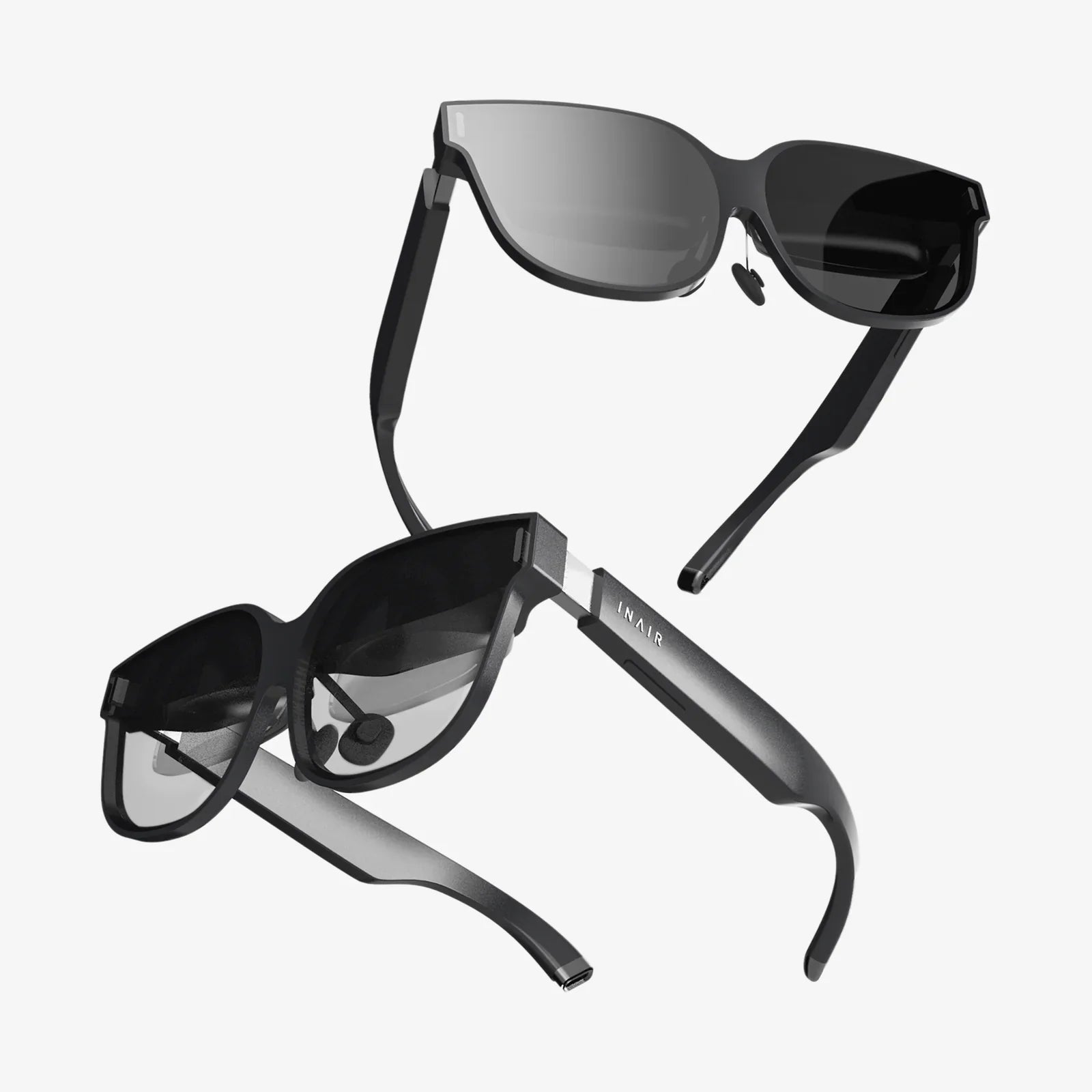
Imagine a world where digital information doesn't just live on a screen in your hand but is seamlessly painted onto the fabric of your reality. Directions float on the pavement ahead of you, the history of a landmark unfolds before your eyes as you gaze upon it, and a recipe hovers perfectly above your mixing bowl, hands-free. This is the promise of augmented reality glasses, a technology poised to leap from science fiction into our daily lives, fundamentally altering how we work, learn, play, and connect. The journey to understand them starts here, by peeling back the layers of magic to reveal the intricate engineering and visionary concepts that make it all possible.
The Core Concept: What Are Augmented Reality Glasses?
At their essence, augmented reality (AR) glasses are wearable computers that superimpose digital information—images, text, 3D models, and animations—onto the user's view of the physical world. Unlike virtual reality (VR) headsets, which completely replace your surroundings with a simulated environment, AR glasses enhance your reality by adding a digital overlay. Think of it as a heads-up display (HUD) for life itself, providing contextual information exactly when and where you need it.
The goal is to create a seamless blend, or "fusion," where digital objects appear to coexist with physical ones. This requires a sophisticated combination of hardware and software working in perfect harmony to track the user's environment, understand their perspective, and render graphics that are anchored to the real world.
How They Work: The Magic Behind the Lenses
The illusion of digital objects existing in your space is created through a complex interplay of several key technological components.
Sensors: The Eyes of the System
AR glasses are packed with an array of sensors that act as their perceptual organs, constantly gathering data about the user and their environment.
- Cameras: These are used for multiple purposes. Some track the user's eye movements (eye-tracking), which is crucial for interface interaction and creating a realistic depth of field. Others are dedicated to simultaneous localization and mapping (SLAM). SLAM algorithms process camera feeds in real-time to construct a 3D map of the environment and precisely locate the glasses within that map, allowing digital content to be placed and locked onto physical surfaces.
- Depth Sensors: Often using technologies like LiDAR (Light Detection and Ranging) or structured light, these sensors project invisible patterns of light onto surfaces and measure their deformation to calculate precise depth and distance. This is essential for understanding the geometry of a room and ensuring virtual objects can be occluded by real ones.
- Inertial Measurement Units (IMUs): These contain accelerometers and gyroscopes that track the precise movement, rotation, and orientation of the glasses. This provides high-frequency data on head movements, complementing the visual data from the cameras for smooth and stable tracking.
- Microphones and Speakers: For audio input and output, enabling voice commands and spatial audio, where sounds seem to emanate from their digital sources in the environment.
Processors: The Brain
The raw data from the sensors is meaningless without immense computational power. A central processing unit (CPU) and a graphics processing unit (GPU) work together to make sense of it all. The CPU handles the complex tasks of running the SLAM algorithms, understanding gestures, and processing voice commands. The GPU is responsible for the heavy lifting of rendering high-fidelity 3D graphics at a high frame rate (typically 60-90 frames per second or higher) to ensure the digital overlay is smooth and believable. This processing can happen on the device itself, on a companion device like a smartphone, or be streamed from a powerful cloud server.
Displays: The Canvas
This is where the digital light is projected into the user's eyes. There are several competing technologies, each with its own trade-offs between field of view, resolution, and form factor.
- Waveguide Displays: This is the most common method in modern AR glasses. Light from a micro-LED or laser is injected into a thin, transparent piece of glass or plastic (the waveguide). This light travels through the material, bouncing off internal surfaces, before being directed out into the user's eye. Waveguides allow for sleek, glasses-like designs but can sometimes suffer from limited field of view or issues with brightness and clarity.
- Birdbath Optics: This design uses a beamsplitter (a semi-transparent mirror) curved like a birdbath. Light from a micro-display is projected onto this mirror, which reflects it into the user's eye while still allowing light from the real world to pass through. This can offer a brighter image and wider field of view but often results in a bulkier form factor.
- Retinal Projection: A more experimental approach, this technology uses lasers to scan images directly onto the user's retina. This can potentially create incredibly bright and high-contrast images with a very large field of view, all from a compact device, but it raises more stringent safety considerations.
Key Features and Capabilities
When evaluating AR glasses, several features define the quality of the experience.
- Field of View (FoV): This is the angular extent of the virtual world you can see, measured diagonally. A larger FoV means digital objects don't get cut off at the edges of your vision, leading to a more immersive experience. Current consumer models often have a limited FoV (around 40-50 degrees), which is like looking at a floating screen, while more advanced prototypes aim for 100+ degrees for full immersion.
- Resolution and Brightness: The clarity and luminosity of the virtual display are critical for readability and for making digital objects appear solid, especially in bright outdoor environments. The image must be bright enough to compete with ambient light.
- Spatial Tracking and Persistence: This refers to the system's ability to place a digital object in a specific spot and have it stay there, even if you walk away and come back. This requires persistent cloud-based mapping of spaces.
-
Interaction Modalities: How do you interact with the digital elements? Common methods include:
- Voice Commands: A natural and hands-free way to issue commands.
- Hand Tracking: Cameras track your fingers and hands, allowing you to pinch, grab, and manipulate virtual objects as if they were real.
- Touchpad/Controller: Some devices include a small wearable ring or a touchpad on the temple of the glasses for more precise input.
- Eye Tracking: Used for foveated rendering (which saves processing power by rendering only where you are looking in high detail) and for menu selection—you can simply look at a button to select it.
Beyond Novelty: Real-World Applications
The true power of AR glasses lies not in isolated demos but in their integration into daily workflows and activities.
Enterprise and Industrial Use
This is where AR glasses have found their strongest initial footing. They provide workers with contextual, hands-free information, drastically improving efficiency and safety.
- Remote Assistance: A field technician repairing a complex machine can stream their view to an expert thousands of miles away. The expert can then draw arrows and diagrams directly into the technician's field of view, guiding them through the repair step-by-step.
- Assembly and Manufacturing: Digital work instructions can be overlaid onto physical assembly lines, showing workers exactly which part to install next and where it goes, reducing errors and training time.
- Design and Prototyping: Architects and engineers can visualize full-scale 3D models of their designs on a vacant lot or within an existing building, allowing for real-time collaboration and design iteration.
- Logistics and Warehousing: Warehouse pickers can see the most efficient route through the aisles and have the exact bin location and item quantity highlighted in their vision, speeding up order fulfillment.
Healthcare
AR is revolutionizing medical training and patient care.
- Surgical Planning and Guidance: Surgeons can overlay a patient's CT or MRI scans directly onto their body during a procedure, providing an "X-ray vision" effect to guide incisions and locate critical structures.
- Medical Training: Students can practice procedures on detailed, interactive holographic models of human anatomy, gaining valuable experience without risk.
- Patient Education: Doctors can use AR visualizations to explain complex medical conditions and procedures to patients, making the information far more accessible.
Everyday Life and Consumer Applications
While still emerging, the consumer potential is vast.
- Navigation: Giant floating arrows on the road or subtle cues on the sidewalk can guide you to your destination, eliminating the need to constantly look down at a phone.
- Information and Context: Look at a restaurant to see its reviews and menu, or gaze at a monument to see a historical recreation of its past.
- Social Connection: Share experiences with friends or family through avatars or shared holograms, feeling as if you are in the same room even when you're apart.
- Gaming and Entertainment: Transform your living room into a fantastical game board or watch a movie on a virtual giant screen floating on your wall.
Challenges and the Road Ahead
Despite the exciting progress, significant hurdles remain before AR glasses become as ubiquitous as smartphones.
- Form Factor and Social Acceptance: For mass adoption, glasses need to be as lightweight, stylish, and comfortable as regular eyewear. The current generation is often still too bulky, and the concept of wearing a camera on your face raises questions about social etiquette and privacy.
- Battery Life: The immense processing power required is a major drain on batteries. Achieving all-day battery life in a small form factor is a monumental engineering challenge.
- Connectivity: Truly persistent and shared AR experiences will require robust, high-speed, low-latency connectivity (like 5G and eventually 6G) to offload processing to the cloud and share environmental data securely.
- The "Killer App": While enterprise has found its use cases, the consumer market is still searching for the one irresistible application that will drive everyone to want a pair.
- Privacy and Security: Devices that constantly scan and record environments necessitate a completely new framework for data ownership, consent, and security to prevent misuse.
We are standing at the precipice of a new computing paradigm. The journey from clunky prototypes to sleek, powerful devices is accelerating at a breathtaking pace. The challenges are formidable, but the potential reward is a world where technology enhances our human capabilities without isolating us from each other. It’s a future where information is contextual, assistance is immediate, and our digital and physical lives are no longer separate, but beautifully and intelligently intertwined. The next time you put on a pair of glasses, they might just show you a whole new world.
Share:
Importance of Human Computer Interaction: The Bridge Between Humanity and Technology
Importance of Human Computer Interaction: The Bridge Between Humanity and Technology