


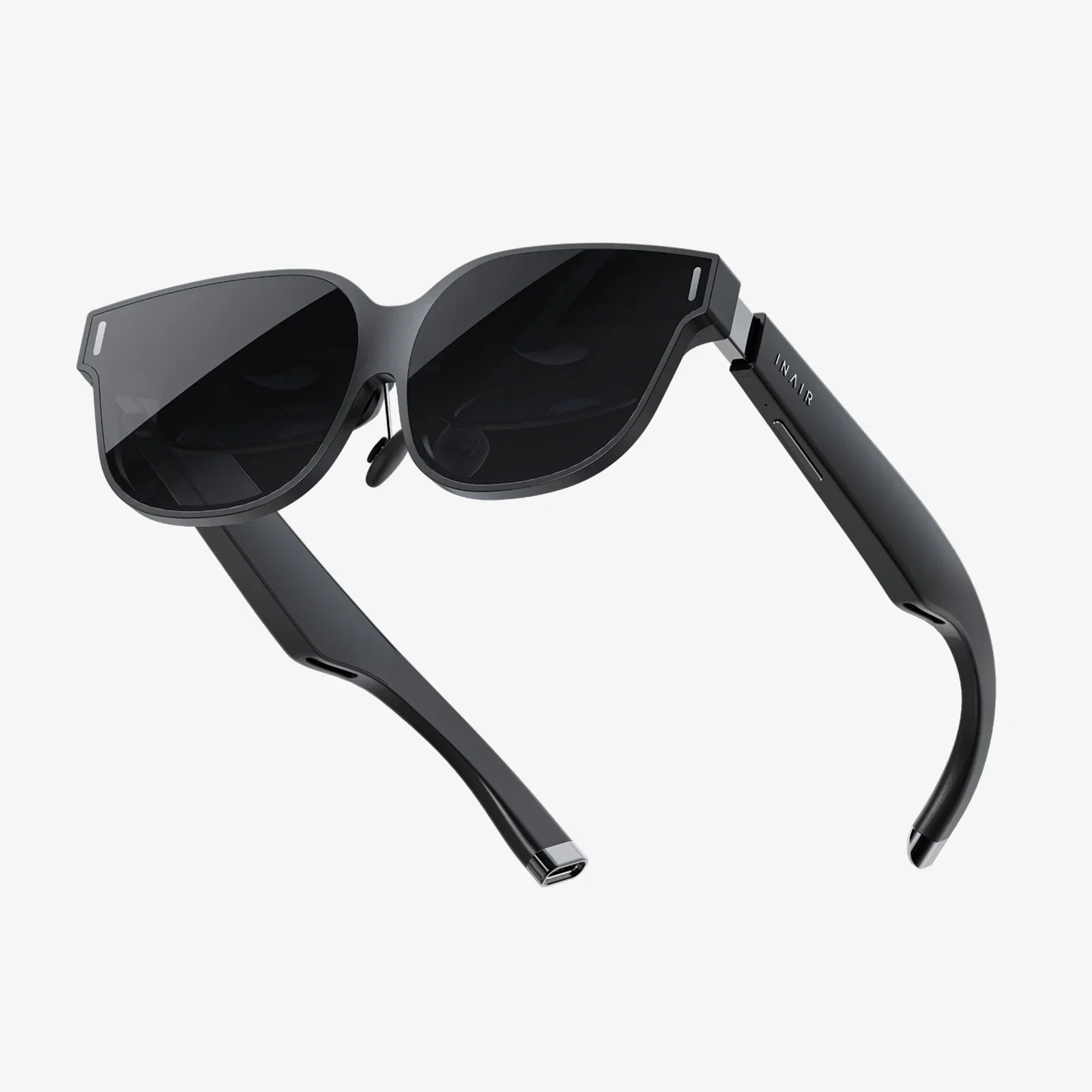
You’ve seen the breathtaking trailers, watched friends flail in hilarious virtual battles, and felt that undeniable pull to step through the screen into another world. The dream of high-fidelity PC-powered virtual reality is more accessible than ever, but where do you even begin? The search for the perfect entry point can feel like a labyrinth of technical jargon and conflicting opinions. Fear not, aspiring reality-shifter. This definitive guide is designed to cut through the noise, demystify the specs, and equip you with the knowledge to find the best entry-level VR headset for your PC, your playstyle, and your budget. Your journey into the vast, immersive universe of PC VR starts right here.
What Exactly Defines an "Entry-Level" PC VR Headset?
The term "entry-level" can be misleading. In the world of PC VR, it doesn't mean low-quality or a severely compromised experience. Instead, it signifies the most accessible gateway into high-end, PC-powered virtual reality. These are headsets that prioritize value and a lower barrier to entry while still delivering a genuinely impressive and immersive experience that leverages the power of your computer.
Key characteristics of a best-in-class entry-level PC VR headset include:
- A Compromise on Price, Not Necessarily on Core Experience: The focus is on delivering excellent visual fidelity, precise tracking, and comfortable immersion at a price point that doesn't require a second mortgage.
- PC Tethering: Unlike standalone headsets that have their own internal computer, these devices connect to a powerful gaming PC to render complex, graphically rich worlds. This means you'll need a compatible computer, but you're rewarded with the best visuals VR has to offer.
- Accessibility and Ease of Setup: While setup will involve connecting to a PC, the process should be straightforward and well-documented, not a multi-hour technical deep dive.
- A Foundation for the Future: A good entry-level headset is a springboard. It introduces you to the ecosystem and can be a perfect starting point before you might consider future upgrades to more premium devices.
The Non-Negotiables: Your PC's VR Readiness
Before you even look at a headset, you must look inside your computer case. PC VR is a partnership between your headset and your hardware. An underwhelming PC will cripple even the greatest headset, leading to a choppy, nauseating experience. Here’s what you need to know.
The Graphics Card (GPU): The Heart of the Operation
This is the single most important component. The GPU is responsible for rendering two high-resolution screens (one for each eye) at a very high frame rate (typically 90Hz or more). The minimum specifications are just that: the bare minimum to run simpler experiences.
- Absolute Minimum: An older generation mid-range card. These will struggle with more demanding titles and often require you to reduce graphical settings significantly.
- Recommended Sweet Spot for Entry-Level: A modern mid-range to upper-mid-range card. This tier of GPU will allow you to enjoy the vast majority of VR titles with stable framerates and good visual settings, providing a smooth and enjoyable experience.
- Ideal: A current-generation high-end card. This will ensure you can max out settings, enable super-sampling for sharper images, and be future-proofed for more demanding games.
Always check the specific recommended specifications for any headset you are considering, as they can vary slightly.
The Processor (CPU) and Memory (RAM)
While the GPU does the heavy lifting, the CPU and RAM are crucial support players.
- CPU: A modern mid-range quad-core processor is typically the starting point. VR games and applications need strong single-core performance to handle physics, audio, and AI computations.
- RAM: 16GB of DDR4 or DDR5 RAM is the standard recommendation for a smooth PC VR experience today. 8GB is often considered the absolute minimum but may lead to performance bottlenecks.
Ports and Connectivity
Most modern PC VR headsets connect via a single high-speed USB-C port that handles both data and display, often based on the DisplayPort standard. Some older or specific models may use a combination of HDMI and USB 3.0. Know what ports your PC has available, particularly on your graphics card.
Key Features to Compare When Choosing Your Headset
With a VR-ready PC confirmed, you can now dive into the specs that differentiate headsets. Understanding these terms will empower you to make an informed decision.
Display Resolution and Lens Clarity
This is often the first spec people look at, and for good reason. A higher resolution means a sharper, clearer image with less visible "screen door effect" (the fine mesh-like lines between pixels).
- What to look for: The combined resolution of the headset (e.g., 1832 x 1920 per eye). For entry-level, look for a resolution that is at or above what was considered high-end a couple of generations ago.
- Lens Quality: The lenses are just as important as the screens. Fresnel lenses are common and effective but can sometimes cause "god rays" (glare in high-contrast scenes). Newer pancake lenses are emerging in some models, offering a thinner profile and edge-to-edge clarity, but they can be more expensive.
Refresh Rate: The Key to Comfort
Measured in Hertz (Hz), the refresh rate is how many times per second the image on the screen is updated. A higher refresh rate translates to smoother motion, which is critical for reducing VR-induced motion sickness and increasing immersion.
- Standard: 90Hz is the comfortable baseline for most users.
- Better: 120Hz provides noticeably smoother motion, which is great for fast-paced games.
- Top Tier: 144Hz and beyond is fantastic but less critical for an entry-level user and demands more from your GPU.
Tracking: Inside-Out vs. External Sensors
This is how the headset and controllers understand their position in your physical space.
- Inside-Out Tracking (The Modern Standard for Entry-Level): Cameras on the headset itself look outward to track the controllers and map your room. This system is fantastic for ease of use—there are no external sensors to mount around your play area. Setup is quick, and it's highly portable. The tracking volume is excellent for most use cases, though it can lose controller tracking if your hands are held directly behind your back for extended periods.
- External Sensor Tracking (Legacy): This involves placing two or more base stations around your room that emit lasers to track sensors on the headset and controllers. It can offer marginally more precise tracking, especially for competitive play or full-body tracking, but it's more expensive, complex to set up, and less portable. For nearly all entry-level users, inside-out tracking is the superior choice for its convenience and value.
Controllers: Your Hands in the Virtual World
The controllers are your primary interface with VR. A good controller feels natural, responsive, and intuitive.
- Ergonomics: They should feel comfortable to hold for long periods.
- Inputs: Look for standard features like analog sticks, grip buttons, triggers, and face buttons. Haptic feedback (small vibrations) is also a key immersion booster.
- Battery Life: Most controllers use disposable or rechargeable batteries. Consider the expected battery life and the convenience of the charging solution.
Comfort and Fit: The Forgotten King
A headset can have the best specs on paper, but if it's uncomfortable, you won't want to use it. Comfort is subjective but paramount.
- Head Strap: Standard straps go over the top of your head. Deluxe audio straps often include a rigid overhead band and built-in headphones, distributing weight more evenly and offering superior comfort and integrated audio.
- Weight Distribution: A lighter headset isn't always more comfortable than a slightly heavier one if the weight is better balanced and doesn't press heavily on your cheeks.
- Interchangeable Facial Interfaces: The foam or material that touches your face should be soft, breathable, and perhaps even replaceable for hygiene, especially if multiple people will use the headset.
The Contenders: Breaking Down the Entry-Level Landscape
While we avoid naming specific brands, the current market for entry-level PC VR is dominated by a few key archetypes, often from previous generations that now offer incredible value.
The Value Champion
This archetype represents perhaps the most popular entry point into PC VR ever created. It's a headset that, while a few years old, hit a near-perfect sweet spot of price and performance that has yet to be dethroned in pure value.
- Pros: Extremely affordable, especially on the second-hand market. Features a high-resolution LCD display that is sharp and clear with a very reduced screen door effect. Utilizes robust inside-out tracking with two controllers, making setup a breeze. Has a massive, mature library of games and a very active modding community. Its popularity means troubleshooting is easy.
- Cons: Its default strap and audio solutions are basic and often necessitate aftermarket upgrades for long-term comfort. The refresh rate is standard but not class-leading. It can feel a bit front-heavy with the default strap.
- Who it's for: The absolute beginner who wants the lowest possible financial risk to see if PC VR is for them. The tinkerer who doesn't mind upgrading comfort accessories down the line.
The Modern Refresher
This archetype is the successor to the Value Champion. It takes the successful formula and refines it with meaningful quality-of-life improvements, positioning itself as the "premium" entry-level option.
- Pros: Boasts a significantly improved resolution over its predecessor for an even sharper image. Comes with a built-in, rigid headstrap that offers vastly superior comfort and integrated audio out of the box. Features a smoother refresh rate. The inside-out tracking is more advanced, using extra cameras for a larger tracking volume and the ability to track hand gestures without controllers.
- Cons: Carries a higher price tag than the Value Champion, though it often goes on sale. It is more demanding on your PC due to the higher resolution. It requires a Facebook/Meta account to use, which is a privacy consideration for some.
- Who it's for: The user who wants a more polished, comfortable, and higher-fidelity experience from day one and is willing to pay a bit more for it. Someone who wants the best visual clarity in this tier.
The Niche Alternative
This category encompasses headsets from other manufacturers that often offer unique features, like ultra-high field-of-view or specialized displays, but may come with trade-offs in software ecosystem, controller design, or overall polish.
- Pros: May offer a specific standout feature not found in the mainstream options, such as a different type of display technology for deeper blacks or a wider field of view.
- Cons: The software platform and storefront may be less mature with a smaller game library. Support and community might be smaller. The overall user experience can sometimes feel less polished compared to the established market leaders.
- Who it's for: The enthusiast who is specifically chasing a particular technical spec and is comfortable with a less streamlined experience.
Setting Up Your New Reality
Once you've made your choice, the real fun begins. Setup typically follows these steps:
- Software Installation: Download and install the necessary PC software for your chosen headset. This creates a portal to manage your device and library.
- Defining Your Play Space: This is a magical part of the setup. You'll use the headset's cameras to trace the boundaries of your safe play area, called the "Guardian" or "Chaperone" system. This invisible wall will appear in-game to warn you if you're about to punch a wall or trip over your couch.
- Controller Pairing and Tutorial: You'll pair your controllers and be guided through a fun tutorial that teaches you the basics of interaction in VR. It's an experience in itself!
What to Play? Launching Your VR Library
Your headset is a portal, but the games and experiences are the destinations. Here are some genres and iconic titles to look for as you start your journey:
- The First-Party Showcase: Most platforms have a free, bundled game or experience designed to show off the magic of VR. Don't skip it!
- Rhythm Games: Incredibly popular and addictive. You'll be slashing blocks to the beat or dodging walls in a trance-like state of flow.
- First-Person Shooters/Action Adventures: Step into the shoes of a hero (or villain). Wield lightsabers, shoot arrows, or blast your way through other dimensions.
- Social/Platform Experiences: VR isn't just single-player. Jump into social platforms where you can watch movies, play games, and hang out with friends from around the world as stylized avatars.
- Simulations: From racing to flying to farming, if you can do it in real life, there's probably a detailed sim for it in VR.
Start with the curated lists of "must-have" and "beginner-friendly" titles on your headset's storefront. Many excellent games also offer free demos.
Beyond the Purchase: Maximizing Your Experience
A few small investments can dramatically improve your long-term satisfaction.
- Comfort Upgrades: If your headset has a basic strap, consider upgrading to a rigid deluxe audio strap. A better facial interface made of leather or pleather is easier to clean and more comfortable than the default foam.
- Prescription Lens Adapters: If you wear glasses, ordering custom magnetic lens inserts for your headset is a game-changer. It improves comfort, field of view, and protects your headset's lenses from getting scratched by your glasses.
- Cable Management: A simple pulley system suspended from your ceiling can completely eliminate the tripping hazard and immersion-breaking feeling of a cable on the floor.
- VR Cover: A simple silicone cover for the facial interface makes the headset easy to clean and ideal for sharing with friends and family without sharing sweat.
The world of PC virtual reality is waiting, more vibrant and accessible than ever before. The perfect entry-level headset isn't a mythical unicorn; it's a real device that balances stunning visuals, intuitive controls, and crucial comfort at a price that makes sense for a first step. By understanding your PC's capabilities and weighing the key features that matter most to you—be it the sheer value of a previous-generation workhorse or the refined comfort of its modern successor—you are now equipped to make a confident choice. This isn't just a purchase; it's an investment in countless adventures, awe-inspiring moments, and a new way to play and connect. Stop watching from the sidelines. Your portal to other worlds is ready for you. Take the plunge and see what you've been missing.
Share:
Cheap VR Headset Under $100: Your Ultimate Guide to Affordable Immersion
What Characteristic Best Describes an AR Headset: The Definitive Guide to Immersive Reality