


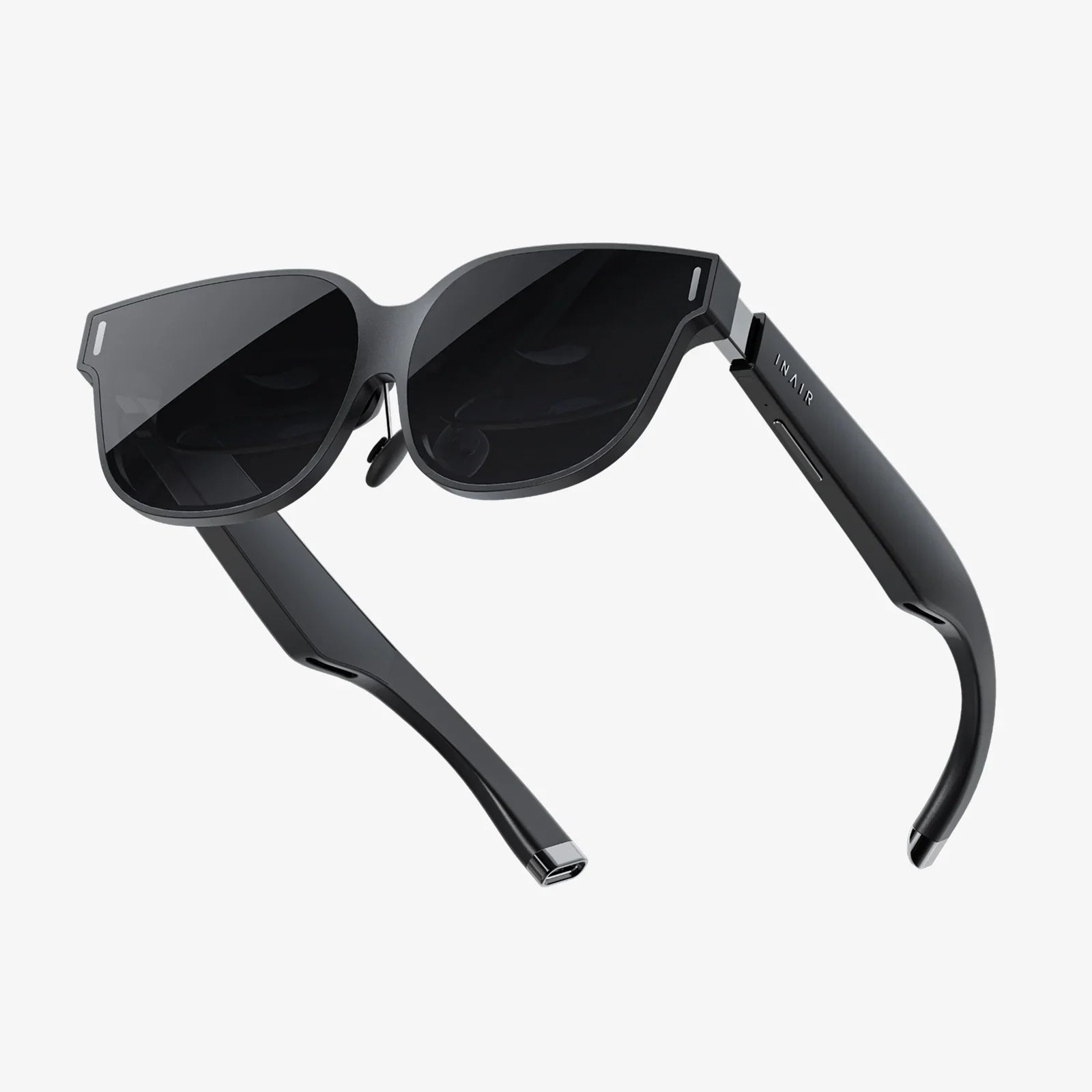
Imagine stepping through a portal into another world, where the boundaries of reality are defined only by the limits of your imagination. This is the promise of high-fidelity virtual reality, an experience that is most powerfully realized not through standalone devices, but through the raw, untethered computational might of a personal computer. The quest for the best VR glasses for a PC is a journey towards achieving this pinnacle of digital immersion, a search for the perfect window into countless virtual realms. It’s about more than just a peripheral; it’s about acquiring a key to new dimensions of gaming, creativity, and social connection. This ultimate guide will navigate the critical specs, the nuanced features, and the transformative experiences that define the top tier of PC-powered virtual reality, empowering you to make an informed decision and unlock a universe of possibilities.
The Unmatched Power of PC-Driven Virtual Reality
While the market for standalone VR headsets has grown significantly, offering compelling convenience and accessibility, they operate within the constraints of mobile-grade processors and batteries. PC-powered VR glasses, by contrast, tap into a different echelon of performance. By connecting to a powerful desktop computer, these devices are unshackled. They leverage cutting-edge graphics cards, multi-core processors, and abundant system RAM to render worlds with staggering detail, complex physics, and breathtaking realism. This symbiotic relationship is the cornerstone of high-fidelity VR. The computer acts as the engine room, performing the immense number-crunching required for immersive experiences, while the VR glasses serve as the high-resolution viewport, translating that data into a convincing sensory reality. The result is a level of visual clarity, texture detail, draw distance, and graphical effect that standalone systems simply cannot match, making them the unequivocal choice for enthusiasts and professionals who demand the very best.
Decoding the Specs: What Truly Matters for PC VR?
Choosing the best VR glasses for your PC setup requires looking beyond marketing buzzwords and understanding the specifications that directly impact your experience. Here’s a breakdown of the key factors:
Resolution and Pixel Density: The Quest for the 'Screen Door' Effect
This is often the most talked-about specification, and for good reason. Resolution refers to the number of pixels on the combined displays inside the headset. Higher resolutions, such as 2160x2160 per eye or even beyond, mean sharper images and finer details. More important than the raw number is the resulting pixels-per-degree (PPD), which accounts for the lens field of view. A higher PPD means the dreaded "screen door effect"—where you can see the faint grid lines between pixels—becomes invisible, allowing you to become fully absorbed in the virtual world. For PC VR, where graphical fidelity is paramount, prioritizing a high-resolution display is non-negotiable.
Field of View (FoV): Expanding Your Digital Horizon
Field of View is the extent of the observable world seen at any given moment, measured in degrees. A narrow FoV can feel like looking through binoculars, constantly reminding you that you are wearing a headset. A wider FoV, typically above 100 degrees, provides a greater sense of presence and immersion, more closely mimicking human binocular vision. The best PC VR glasses push FoV boundaries to make the virtual environment feel expansive and natural.
Refresh Rate and Low Persistence: The Fluidity of Motion
A high refresh rate (90Hz, 120Hz, or even 144Hz) is critical for smooth, comfortable VR. It determines how many times per second the image in the headset is updated. A higher rate reduces perceived latency and motion blur, making fast-paced action smooth and natural. This is tightly coupled with low-persistence display technology, which only flashes images for a fraction of a second per refresh. This combination eliminates smearing and is a primary defense against simulation sickness, ensuring you can enjoy long sessions in intense experiences without discomfort.
Tracking Technology: Inside-Out vs. External Sensors
How the headset and controllers understand their position in space is fundamental to immersion. There are two primary methods:
- Outside-In Tracking: This traditional method uses external sensors or base stations placed around the room to precisely track the position of the headset and controllers. It is renowned for its millimetre-accurate precision and robustness, especially with controller tracking behind the user's back. It is often considered the gold standard for competitive VR gaming and professional applications.
- Inside-Out Tracking: This newer approach uses cameras embedded on the headset itself to observe the surrounding environment and track the controllers. It eliminates the need to set up external hardware, offering fantastic convenience and portability. While its accuracy has improved dramatically, it can sometimes have blind spots if controllers are held too close to the headset or outside the camera's field of view.
The "best" system depends on your priorities: ultimate precision or maximum convenience.
Lens Quality and Optical Clarity: The Window to Another World
The lenses are what focus the display panels into a coherent image for your eyes. The quality of these lenses dramatically affects edge-to-edge clarity, chromatic aberration, and the size of the "sweet spot"—the area where the image is perfectly in focus. Fresnel lenses are common, but can introduce god rays and glare in high-contrast scenes. Aspherical or custom hybrid lenses, found in more advanced models, offer superior clarity across the entire visual field, reducing these optical artifacts for a cleaner, more consistent picture.
Comfort and Ergonomics: Designed for Long Sessions
A headset can have the best specs on paper, but if it's uncomfortable to wear, you won't want to use it. Comfort is a multi-faceted spec. Weight distribution is key; a front-heavy device needs a robust counter-balancing strap system. Headstrap design varies from simple elastic bands to rigid, halo-style designs that distribute weight around the crown of the head. Facial interface materials should be soft, breathable, and easy to clean. For PC VR, where sessions can last for hours in demanding games or creative suites, a comfortable, well-balanced headset is not a luxury—it's a necessity.
The PC Itself: Building a Foundation for Greatness
The headset is only one half of the equation. Your computer must be a capable partner. The most important component is the Graphics Processing Unit (GPU). It is responsible for rendering two high-resolution images (one for each eye) at a very high frame rate. A powerful, modern GPU is essential for running the best VR titles at their highest settings. The Central Processing Unit (CPU) also plays a vital role in handling game logic, physics, and audio. Furthermore, ensure you have enough available USB ports (and the correct type, e.g., USB 3.2 Gen 1) and a compatible video output (typically DisplayPort 1.4 or better) on your system. Always check the specific connection requirements of any headset you consider.
Experiences That Define High-End PC Virtual Reality
The hardware is a means to an end: accessing incredible software. PC VR is home to the most graphically ambitious and deeply immersive experiences available.
- AAA Gaming: Titles like Half-Life: Alyx set a new benchmark for what is possible in VR storytelling and environmental interaction, showcasing visuals and physics that are only possible on a high-end PC.
- Hardcore Simulations: Flight simulators and racing sims benefit enormously from the high resolution and refresh rates of PC VR, allowing players to spot distant targets or hit apexes with pinpoint accuracy, all from a convincing cockpit view.
- Social and Creative Platforms: Platforms like VRChat become vastly more engaging with higher fidelity, and creative tools for sculpting, painting, and 3D design in VR require the precision and power that only a PC can provide.
Making Your Choice: Aligning Your Headset with Your Needs
There is no single "best" headset for everyone. The best choice is the one that best aligns with your individual needs, budget, and existing hardware.
- For the Competitive Enthusiast: Prioritize headsets with the highest refresh rates, lowest latency, and the most precise tracking system available, often utilizing external sensors.
- For the Immersive Explorer: Focus on maximum resolution, a wide field of view, and superior lens technology to get lost in vast, beautiful virtual landscapes.
- For the Creative Professional: Look for a combination of high resolution and exceptional comfort for long sessions in 3D modeling or design applications.
- For the Sim Pilot or Racer: A wide field of view is critical for situational awareness, making it a top-tier priority alongside graphical fidelity.
The landscape of PC virtual reality is one of breathtaking potential, a frontier where technological prowess meets creative ambition. It’s a realm defined by the pursuit of perfection—the clearest image, the most natural movement, the most comfortable fit. By understanding the core technologies that power these incredible devices, from the nuance of lens design to the critical partnership with a powerful gaming PC, you move from being a passive observer to an informed architect of your own digital destiny. The perfect pair of VR glasses is out there, waiting to connect you to worlds of adventure, arenas of competition, and studios of creation. Your journey to find them starts now, and the virtual worlds you discover will be limited only by the power you can harness and the experiences you dare to explore.
Share:
AR VR in India: The Next Digital Frontier Set for Explosive Growth
Augmented Reality Market Volume: A Deep Dive into the Numbers Fueling the Next Digital Revolution