


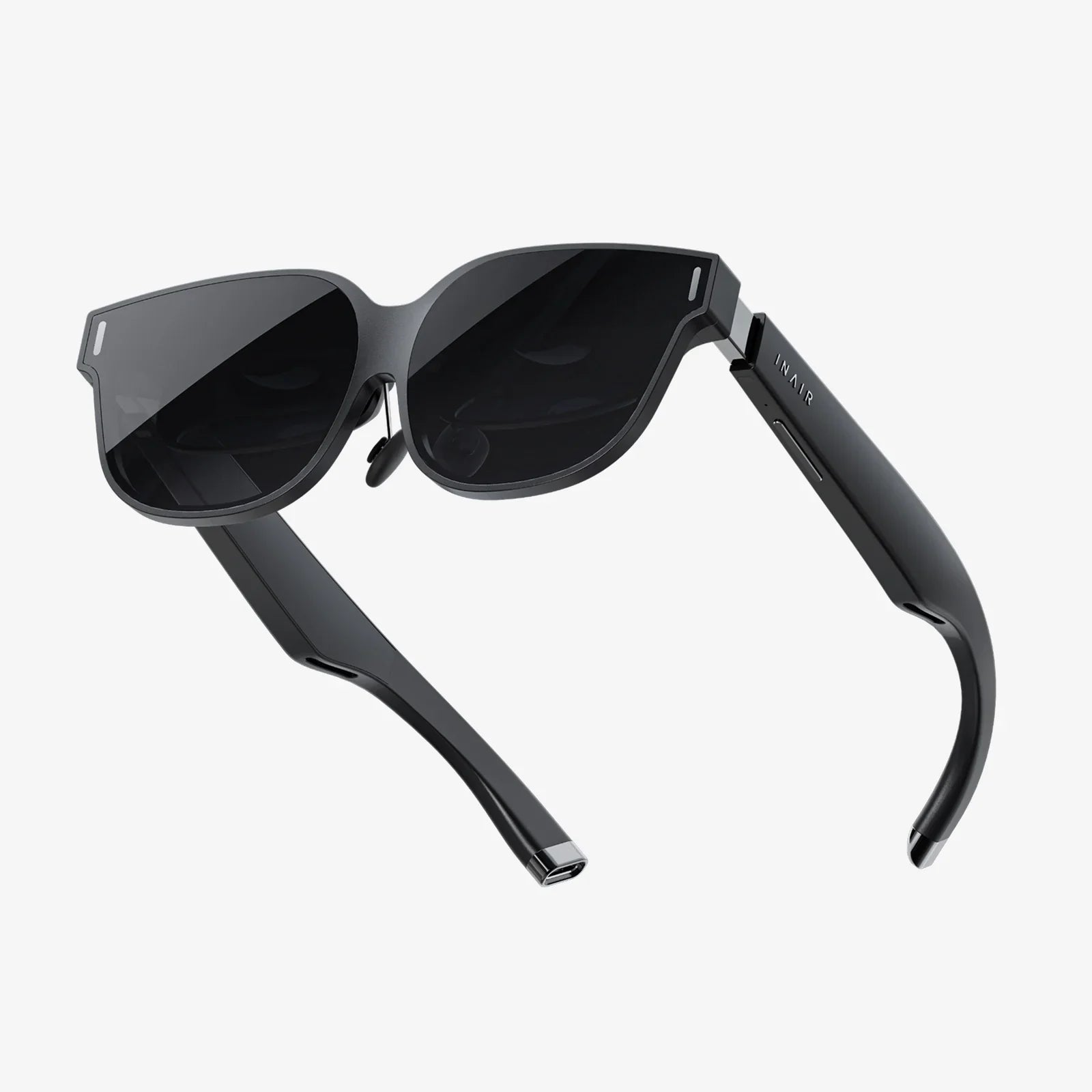
Imagine the lights dimming, the surround sound speakers humming to life, and the colossal screen flickering with the opening credits of your favorite film. Now, imagine that entire theater exists in a void accessible only to you, projected with stunning clarity inside a device strapped to your head. This isn't a scene from science fiction; it's the reality offered by modern virtual reality headsets for cinephiles. The question isn't just can you use a VR headset to watch movies, but rather, should you? The answer is a resounding and fascinating exploration of technology, comfort, and the very future of personal entertainment. Stepping into a virtual cinema is an experience that redefines "movie night," offering a level of immersion and control that traditional screens simply cannot match.
The Unmatched Immersion of a Personal Cinema
The primary allure of watching films in VR is the sensation of complete immersion. A physical television or monitor exists within your environment, a window into another world. A VR headset, however, replaces your environment. It transports you, mentally and visually, into a dedicated space designed solely for viewing. This eliminates all external distractions—the glare from a window, a phone notification, a family member walking by—and allows you to be fully consumed by the narrative unfolding before you.
This immersion is powered by two key technological factors: the field of view (FOV) and the apparent screen size. The FOV is how much of your vision the headset's display occupies. While not yet perfect, modern headsets provide a wide enough FOV that your peripheral vision is filled, enhancing the feeling of “being there.” More impressively, VR software can simulate a screen of virtually any size. You can choose to sit in the front row of a massive IMAX-style theater, making the action feel larger than life, or you can opt for a more intimate, home-theater-sized screen that floats in a serene environment. This control over scale is something no physical television can offer; you are no longer limited by the dimensions of a plastic panel on your wall.
Technical Setup and Requirements
Transforming your headset into a cinematic powerhouse requires some understanding of the technical landscape. The process can be broken down into three main components: the headset itself, the content source, and the software environment.
1. The Headset: Tethered vs. Standalone
There are two primary categories of VR headsets, each with implications for movie watching:
- Standalone Headsets: These all-in-one devices have the computer built directly into the headset. They are incredibly convenient, requiring no cables to a powerful external computer. They are perfect for watching content from native apps and streaming services directly on the device. The trade-off is that their processing power is limited compared to a high-end computer, which can affect the maximum resolution and detail of high-bitrate video files.
- Tethered Headsets: These headsets connect via a cable to a powerful gaming computer. This setup unlocks the highest possible visual fidelity. The computer does the heavy lifting, allowing the headset to display crystal-clear, high-resolution video with minimal compression. For the purist who wants to watch 8K high-bitrate movie files, a tethered headset connected to a robust PC is the gold standard, though it sacrifices wireless freedom.
2. Sourcing Your Content: Where to Find Films
You have several avenues for acquiring movies to watch in your headset:
- Dedicated VR Video Apps: Major streaming services have developed VR applications. These platforms allow you to rent, purchase, or stream 2D, 3D, and even 360-degree videos directly within a custom virtual environment.
- Desktop Streaming: Using software, you can mirror your computer's desktop directly into your VR headset. This is arguably the most versatile method. It allows you to access any content on your computer: your personal movie library, any website's streaming player, or specialized media player software. The VR environment simply becomes a giant monitor for your PC.
- Personal Media Libraries: For those with collections of digital movies, you can use VR media player apps to directly play files stored on your headset or on a network-attached storage (NAS) device. This is ideal for watching high-quality rips without any compression from streaming.
3. The Virtual Environment: More Than Just a Screen
The software you use to watch is just as important as the hardware. Most media player apps offer a variety of environments. You're not just looking at a screen; you're choosing your venue. Do you want to watch a sci-fi epic in a minimalist, futuristic spaceship lounge? Or perhaps a classic black-and-white film in a vintage, velvet-lined theater? These environments are not mere gimmicks; they contribute significantly to the atmosphere and overall experience, making movie watching an event.
The Spectacular Rise of 3D and 360-Degree Content
While watching traditional 2D films is a fantastic experience, VR truly shines with native 3D content. The 3D effect in a headset is fundamentally superior to the technology used in commercial cinemas. In a movie theater, 3D relies on projecting two slightly offset images and using glasses to filter one to each eye. This process often results in a dim picture and ghosting for some viewers.
In a VR headset, each eye has its own dedicated display. A 3D movie file is simply rendered side-by-side, with one view for the left eye and one for the right. The headset's lenses ensure each eye sees only its intended image, resulting in a brilliantly bright, crisp, and immersive 3D effect with no ghosting or crosstalk. For fans of 3D cinema, a VR headset is the best way to experience it outside of a professional studio.
Furthermore, VR opens the door to more experimental formats like 180-degree and 360-degree videos. These allow you to be placed inside the scene. You can look around, up, and down as the action happens all around you. This is particularly popular for concerts, nature documentaries, and short narrative experiences, creating a powerful sense of presence that is impossible to replicate on a flat screen.
Confronting the Practical Challenges
Despite the incredible potential, the experience is not without its hurdles. It's crucial to be aware of these practical considerations before diving in.
- Visual Comfort and Resolution: A common concern is visual fatigue and the "screen door effect" (seeing the fine lines between pixels). While early headsets suffered from this, modern devices feature high-resolution displays that make this effect negligible for most users. However, some individuals may experience eye strain or motion sickness, especially during long viewing sessions. Choosing a static virtual environment (like a theater) rather than a moving one is key to minimizing this. The technology is constantly improving, with new headsets offering even higher pixel density for a perfectly clear image.
- Comfort and Weight: Headsets are getting lighter, but they are still a piece of hardware strapped to your face. For a two-hour movie, comfort is paramount. Factors like weight distribution, padding, and strap design vary by model. Finding a headset known for its comfort and taking short breaks can make marathon sessions enjoyable.
- Battery Life (for Standalone Headsets): Watching video is processor-intensive and can drain a standalone headset's battery faster than expected. A lengthy film like Avengers: Endgame might require being plugged into a power source partway through.
- The Social Aspect: Watching a movie in VR is an inherently solitary experience. While some platforms offer "watch together" features where you and friends can join the same virtual theater as avatars, it's not the same as sharing a physical bowl of popcorn on the same couch. It transforms a traditionally social activity into a private, immersive event.
Is It Right For You? Weighing the Experience
So, should you use a VR headset as your primary way to watch movies? It depends on your priorities.
The VR headset is your ideal cinema if: you crave unparalleled immersion, are a fan of 3D films, want to escape distractions, value having a giant screen without the physical footprint, and already own a headset or are a tech enthusiast.
A traditional TV or projector might be better if: your primary viewing is social with family, you prioritize absolute maximum resolution and HDR quality (on a high-end OLED TV, for example), you are sensitive to headset weight, or you want the simplest, most straightforward experience without any setup.
For many, the ideal setup is a hybrid. A high-quality television for everyday viewing and social movie nights, and a VR headset for those times when you want to be completely transported into a film without any distractions. It's the ultimate tool for the cinephile who wants to focus solely on the art of cinema.
The flicker of the virtual projector has already started, and the best seat in the house is waiting for you. All you have to do is put on the headset and press play. The era of the personal, portable, and profoundly immersive cinema is not a distant promise—it's already here, offering a glimpse into a future where our entertainment doesn't just play in front of us, but all around us.
Share:
Best VR Headset Australia: Your Ultimate Guide to Immersive Technology in 2024
What Do You Need for a VR Headset - The Ultimate Pre-Flight Checklist