


- by wangfred
Clear Glass PC Monitor Trends, Benefits, and Setup Tips for Modern Desks
- by wangfred
Imagine sitting down at your desk and seeing a display that seems to float in mid-air. A clear glass PC monitor can turn an ordinary workspace into something that looks like it was pulled straight from a sci-fi movie, while still being practical enough for everyday work, study, and entertainment. If you have ever wondered whether this type of futuristic screen is more than just a visual gimmick, you are about to find out how it really fits into real-world use.
The concept of a clear glass PC monitor is simple: a display panel built with an emphasis on transparency, sleek lines, and minimal visual clutter. Instead of a bulky frame or heavy backing, you get a light, open look that blends into almost any interior design style. But beyond the aesthetics, there are important details to understand, including performance, comfort, durability, and how to integrate such a display into your daily routine without sacrificing usability.
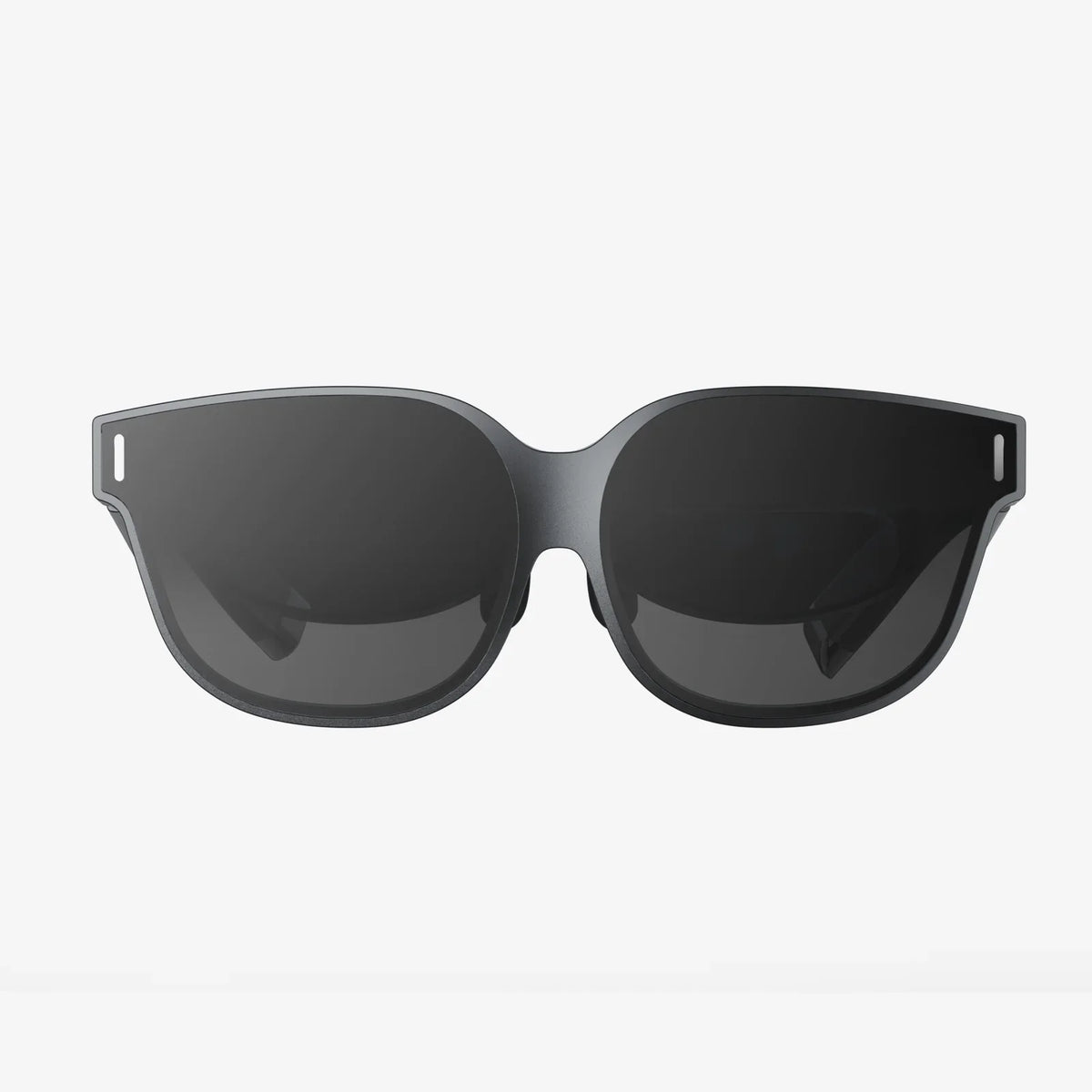
A clear glass PC monitor is a desktop display that emphasizes transparency and visual lightness. It typically uses a glass-based panel and a minimal housing so that, when powered off, the screen can appear almost like a piece of glass rather than a traditional opaque display. When powered on, it functions like a normal monitor, but the overall effect is far more modern and open compared to thick-framed, plastic-heavy designs.
Some clear glass monitors aim for a semi-transparent look, letting light and background elements pass through when the display is dim or off. Others simply use high-quality glass, an ultra-thin bezel, and a minimalist stand to give the impression of floating imagery. In both cases, the main goal is to reduce visual bulk and create a cleaner, more elegant workspace.
These monitors are especially attractive in environments where aesthetics matter: home offices that double as living spaces, creative studios, reception areas, and minimalist setups where every object is chosen carefully for both form and function.
The rise of the clear glass PC monitor is tied to broader trends in technology and interior design. People are no longer satisfied with a desk cluttered by cables, thick bezels, and plastic stands. Instead, they want technology that blends into the room, almost like furniture or decor.
Several factors drive the growing interest in these monitors:
In short, the clear glass PC monitor is as much a design statement as it is a functional display, which explains why it appears frequently in modern office inspiration photos and tech-focused interior design concepts.
The most obvious advantage of a clear glass PC monitor is how it looks. While performance matters, the visual impact on your workspace can be just as important, especially if you spend hours at your desk every day.
Glass, by nature, feels more premium than plastic. A smooth pane of clear or slightly tinted glass, combined with a thin frame and discreet stand, gives the impression of a high-end, carefully curated workspace. This can be especially appealing in home offices that are visible from living areas, where you want technology to blend in rather than stand out as a bulky distraction.
In small rooms or compact desk setups, a large opaque monitor can feel like a wall between you and the rest of the room. A clear glass PC monitor reduces that visual barrier. Even if the panel is not fully transparent when in use, the overall design is usually lighter and less imposing, helping the room feel larger and less cramped.
Because glass is neutral and reflective, it works well with almost any color palette or decor style. Whether your room is filled with natural wood, industrial metal, or soft fabrics, a glass monitor will rarely clash. This makes it easier to redesign or rearrange your space without worrying that your display will look out of place.
Beyond the aesthetics, a clear glass PC monitor can offer several practical benefits, depending on the specific model and how it is used.
Many glass-based panels are designed with clarity in mind, offering crisp text, vibrant colors, and good contrast. When combined with a suitable resolution for the screen size, this can make reading, editing, and viewing media more comfortable and engaging. High pixel density is especially important for professionals who work with detailed graphics or long documents.
Glass is generally harder and more scratch-resistant than many plastic surfaces. While it is not indestructible, it can better withstand everyday wear such as dusting, accidental contact with pens or accessories, and routine cleaning. As long as you avoid harsh abrasives, a glass surface can maintain its clarity and polish for a long time.
The smooth surface of a clear glass PC monitor is usually simple to clean. A soft microfiber cloth and a suitable screen cleaner are typically enough to remove fingerprints, dust, and smudges. Unlike textured plastic frames, glass does not trap dirt in grooves, making it easier to keep the display looking pristine.
Despite their appeal, clear glass PC monitors are not perfect for every situation. Understanding the potential downsides will help you decide whether this type of display fits your needs.
Because glass is reflective, glare can be a significant issue, especially in bright rooms or near windows. Overhead lighting, sunlight, and even bright walls behind you can appear on the screen and make it harder to see content clearly. This is particularly problematic for tasks that require accurate color work or extended reading sessions.
Anti-reflective coatings can reduce this problem, but they rarely eliminate it completely. If your workspace is difficult to control in terms of lighting, a clear glass PC monitor may require extra effort to position correctly.
Glass attracts fingerprints easily. If you frequently adjust the screen angle, touch the bezel, or use touch functionality (if available), you will likely notice smudges accumulating over time. While cleaning is easy, it needs to be done regularly to keep the monitor looking as good as it did on day one.
Even though glass can be quite strong, many users feel nervous about having a large glass surface on their desk. Concerns about cracks, chips, or shattering during accidental impacts are common. Well-designed monitors use tempered or reinforced glass, but users still need to be careful when moving or adjusting them, especially in shared or busy environments.
A clear glass PC monitor often costs more than a basic plastic-framed display with similar core specifications. You may be paying a premium primarily for design and build quality. For some users, that premium is worth it; for others, it might make more sense to invest in higher resolution, better color accuracy, or larger screen size instead.
Not everyone needs or benefits equally from a clear glass PC monitor. Certain types of users and environments are especially well-suited to this style of display.
In many homes, the office area is part of a living room, bedroom, or multipurpose space. A clear glass PC monitor can help the desk blend into the rest of the room, preventing it from looking like a cluttered workstation. When you are not working, the monitor becomes more like a subtle design element rather than a visual distraction.
Graphic designers, illustrators, photographers, and other creative professionals often care deeply about the look and feel of their workspace. A clear glass PC monitor can complement a carefully curated studio, especially when combined with high-resolution output and accurate color settings. The monitor becomes part of the creative atmosphere rather than just a tool on the desk.
In offices where clients or visitors frequently see the workspace, a clear glass PC monitor can project a modern, forward-thinking image. Reception desks, consultation rooms, and open-plan meeting areas can all benefit from the clean, professional impression such a display creates.
If you enjoy building a desk setup that looks as impressive as it performs, a clear glass PC monitor is an obvious candidate. Paired with cable management, a slim keyboard, and a minimal mouse or trackpad, it can complete a highly polished look that is both functional and visually striking.
When evaluating options, it is important to look beyond the glass and focus on the core specifications that determine everyday performance.
Resolution should match your screen size and typical viewing distance. For most desk setups:
Choose a combination that keeps text crisp and easy to read without forcing you to scale interface elements excessively.
Panel technology influences viewing angles, color accuracy, and contrast. For most users, a panel type that offers wide viewing angles and good color consistency across the screen is a strong choice. If you work in color-critical fields such as photography or digital art, look for monitors that support wide color gamuts and offer reliable calibration options.
If you primarily use your computer for office work, web browsing, and media consumption, a standard refresh rate is usually sufficient. However, if you play fast-paced games or work with motion-heavy content, a higher refresh rate and lower response time can provide smoother movement and less blur.
Check that the clear glass PC monitor includes the ports you need, such as modern digital connections and possibly a dedicated power input. Additional features like built-in USB hubs, audio outputs, or multiple input options can simplify your setup and reduce the need for extra adapters or docking devices.
Even the most beautiful monitor is frustrating if it cannot be adjusted for comfort. Look for options that allow you to tilt the screen at minimum, and ideally adjust the height or pivot as well. If the included stand is very minimal and not adjustable, verify whether the monitor supports compatible mounting standards so you can attach it to an adjustable arm.
Once you decide to use a clear glass PC monitor, the next step is integrating it into your desk in a way that maximizes both appearance and usability.
Because glass reflects light, monitor placement is crucial. Consider the following tips:
These steps not only reduce reflections but also help prevent eye strain during long sessions at the computer.
A clear glass PC monitor looks best when cables are not visible or tangled. To keep your setup as clean as the display itself:
Good cable management enhances the floating effect of the glass monitor and makes your entire workspace more pleasant to use.
The items you place around your clear glass PC monitor can either support or undermine its visual impact. To maintain a cohesive look:
This approach keeps the monitor as the centerpiece while ensuring the overall desk feels inviting and personal.
Spending hours each day in front of any monitor can affect your eyes and posture. A clear glass PC monitor is no exception, so it is important to consider comfort features and habits.
Glass surfaces can make bright screens feel even more intense. Adjust the brightness so that the display is comfortable in your typical lighting conditions, avoiding extremes that are too bright or too dim. Tuning contrast and color temperature can also help reduce eye fatigue, especially in the evening.
If you often work late, consider using built-in blue light reduction modes or software that adjusts color temperature based on time of day. Warmer tones at night can feel gentler on the eyes and may support healthier sleep patterns, especially if you are sensitive to bright, cool light.
Place the clear glass PC monitor so that the top of the screen is roughly at or slightly below eye level when you sit upright. Your eyes should naturally fall about one-third of the way down the screen. Maintain a comfortable viewing distance, typically an arm’s length away, and ensure your chair and desk height support good posture.
Proper care helps your monitor retain its clarity and appearance over time. Fortunately, maintenance is simple when done regularly.
To clean the glass surface effectively:
Regular light cleaning is better than waiting until the screen is heavily smudged and requires more effort.
To minimize the risk of damage:
These simple precautions can significantly extend the life of your clear glass PC monitor.
When deciding whether to adopt a clear glass PC monitor, it helps to compare it directly with more conventional designs.
Traditional monitors often have thicker bezels and opaque backs that occupy more visual space. They can dominate a small desk and make a room feel more like a dedicated office. A clear glass PC monitor, by contrast, tends to recede into the background when not in use and creates a lighter, more flexible aesthetic.
In terms of basic performance, both types can offer similar resolutions, refresh rates, and color capabilities, depending on the specific model. The main differences lie in surface reflections, cleaning needs, and how the monitor interacts with room lighting. Users who are sensitive to glare may prefer a matte, traditional display, while those who value clarity and design may gravitate toward glass.
If your primary concern is cost-effective productivity, a standard monitor may provide better value for money. If, however, you see your workspace as an extension of your personal style and want technology that enhances rather than disrupts the room, the added investment in a clear glass PC monitor can feel justified.
Choosing a clear glass PC monitor is ultimately about balancing style, comfort, and practical needs. If you crave a desk that looks clean, modern, and visually impressive, this type of display can be a powerful centerpiece that transforms the feel of your entire workspace. When combined with thoughtful placement, good lighting, and proper ergonomic setup, it can be just as comfortable and functional as a traditional monitor.
However, the decision should not be based only on appearance. Take time to consider your typical tasks, room lighting, sensitivity to reflections, and budget. If you regularly work in bright environments or need absolute control over glare, you may need to adjust your space or choose a model with effective anti-reflective treatment. If you want the most performance for the lowest price, a more conventional monitor might be more practical.
For many users, the clear glass PC monitor represents a satisfying blend of technology and design: a tool that does its job while also elevating the look of the room. If that combination appeals to you, exploring this style of display could be the next step toward a workspace that feels as inspiring as it is productive.