


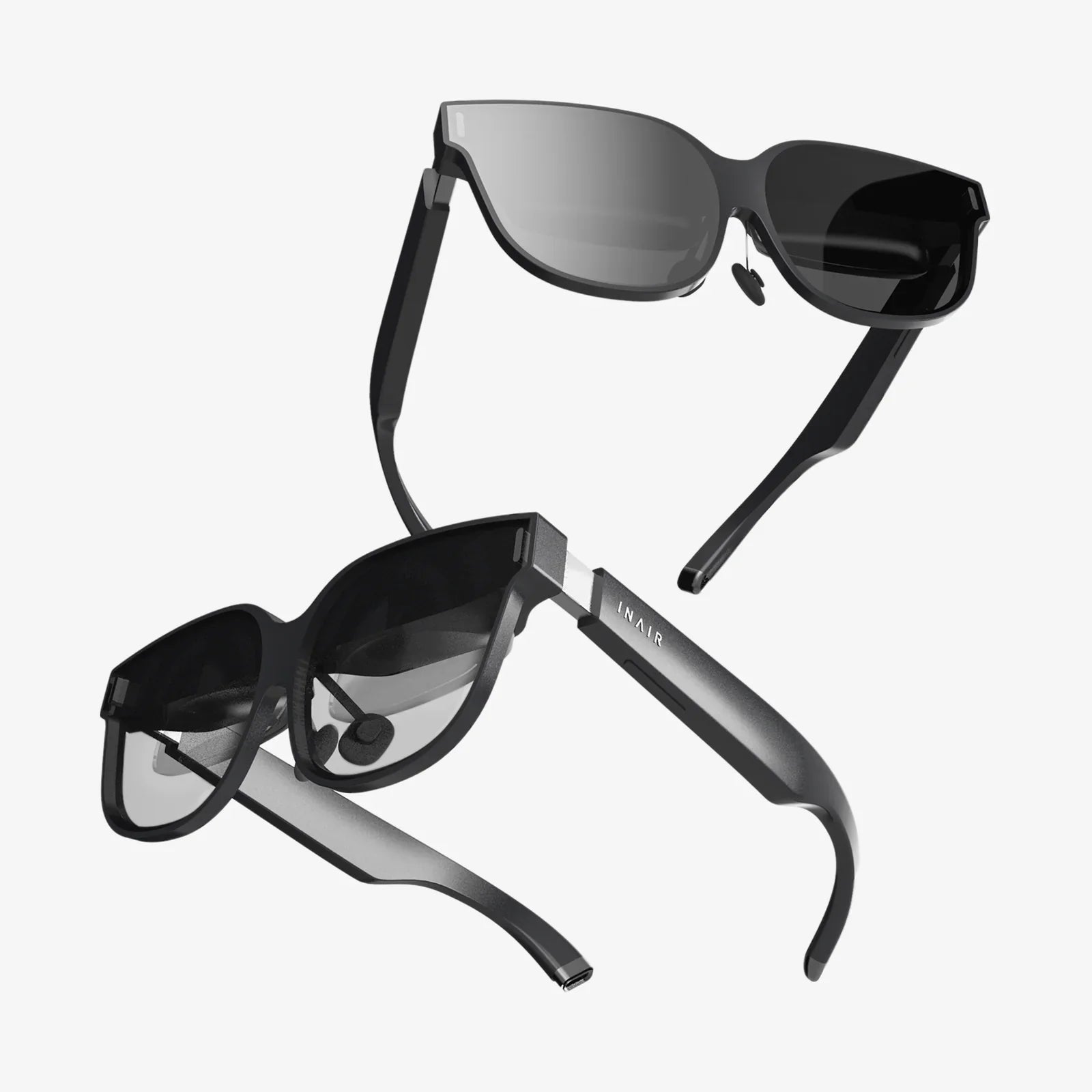
Computer monitor glasses reviews are exploding online, but most people still wonder whether these glasses are a game‑changer for eye comfort or just another overhyped accessory. If you spend hours in front of a screen and feel your eyes burning by the afternoon, you are not alone, and the right information can save you from buying a pair that ends up in a drawer instead of on your face.
Why Computer Monitor Glasses Reviews Matter More Than Ads
Marketing claims for blue light and computer monitor glasses are everywhere: less eye strain, better sleep, fewer headaches, sharper focus. But ads rarely tell you what actually happens when real people wear them all day at work or during long gaming sessions. That is where computer monitor glasses reviews become so valuable.
Real reviews highlight details that matter in everyday use, such as:
- Whether the lenses noticeably reduce eye fatigue after several hours
- If the tint is too strong or distracting for office or creative work
- How comfortable the frames feel after a full day
- Whether the glasses interfere with color‑critical tasks
- How often people actually keep wearing them after the first week
By reading reviews carefully, you can separate temporary placebo effects from genuine, repeatable benefits and avoid wasting money on a pair that looks good in photos but fails where it counts: comfort, clarity, and consistent use.
What Computer Monitor Glasses Are Supposed To Do
Computer monitor glasses are designed with one main goal: make extended screen time more comfortable and less disruptive to your eyes and sleep. Most models focus on three key features:
- Blue light filtering: Lenses that reduce part of the high‑energy visible (HEV) blue spectrum, especially in the 400–455 nm range, which is often linked to digital eye strain and circadian rhythm disruption.
- Anti‑glare (anti‑reflective) coatings: Surface treatments that reduce reflections from overhead lights and the screen itself, improving contrast and reducing the need to squint.
- Optional prescription or magnification: For people who already wear glasses or need help focusing at intermediate distances, some computer monitor glasses provide customized prescriptions or mild magnification.
When computer monitor glasses reviews are positive, they usually mention specific improvements tied to these features: less squinting, fewer end‑of‑day headaches, and a noticeable reduction in the harshness of screen light, especially at night.
What Real Users Say: Common Themes in Reviews
Patterns in computer monitor glasses reviews can tell you far more than any single testimonial. When you scan a large number of user experiences, several recurring themes appear.
Reported Benefits
Many reviewers describe benefits like:
- Reduced eye strain: Users who spend 6–10 hours per day at a computer often report less burning, dryness, and “tightness” around the eyes.
- Fewer headaches: People prone to screen‑related headaches frequently mention a noticeable decrease in frequency or intensity after a week or two of use.
- Improved comfort at night: Late‑night coders, students, and gamers often say the screen feels “softer” and less harsh in the evening.
- Better sleep quality: Some reviewers report falling asleep more easily after cutting down on evening blue light exposure with tinted lenses.
- Less squinting and frowning: Several users mention feeling less tension in the forehead and around the eyes after long sessions.
Common Complaints
Not all computer monitor glasses reviews are glowing. Negative or mixed reviews often focus on:
- Color distortion: Strongly tinted lenses can alter color perception, which is a problem for designers, photographers, and video editors.
- Annoying reflections or smudges: Poor‑quality coatings may attract smudges or reflect overhead lights, making the glasses more distracting than helpful.
- Uncomfortable frames: Tight temples, heavy frames, or poorly balanced designs can cause nose and ear pain over time.
- Minimal difference: Some users say they notice little or no improvement, especially if their main issue is uncorrected vision rather than light exposure.
- Eye fatigue from incorrect magnification: Non‑prescription glasses with built‑in magnification can cause strain if the power does not match the user’s needs.
Understanding these patterns can help you interpret computer monitor glasses reviews more intelligently and decide which complaints are deal‑breakers for your own situation.
How Blue Light Filtering Actually Works
Blue light is not inherently harmful; it is a natural part of sunlight and plays an important role in regulating your circadian rhythm. The concern arises when people are exposed to intense blue light from screens late into the night or for very long stretches at close distances.
Computer monitor glasses typically address this in two ways:
- Clear or nearly clear lenses: These filter a modest portion of blue light, mainly in the higher‑energy range, without dramatically changing color perception. Reviews often mention that these are easier to wear all day in professional settings.
- Amber or yellow‑tinted lenses: These block a larger portion of blue light and are often marketed for evening or nighttime use. Reviews frequently note stronger effects on comfort and sleep but also more noticeable color shift.
When you read computer monitor glasses reviews, pay attention to how users describe the tint. If you work in a field where color accuracy matters, you may want a more subtle filter. If your main goal is evening comfort and sleep, a stronger tint may be worth the trade‑off.
Understanding Digital Eye Strain Beyond Blue Light
Many people assume blue light is the only culprit, but computer monitor glasses reviews often reveal a more complex picture. Several factors contribute to digital eye strain:
- Uncorrected vision problems: Mild nearsightedness, farsightedness, or astigmatism can cause strain when focusing on screens.
- Poor ergonomics: Screens that are too close, too far, or at the wrong height force the eyes and neck into uncomfortable positions.
- Reduced blinking: People naturally blink less when staring at screens, leading to dryness and irritation.
- High screen brightness and glare: Excessive brightness or reflections from windows and overhead lights can cause squinting.
Some reviewers report little benefit from computer monitor glasses because their main issues are ergonomic or related to uncorrected vision. Others find that glasses help, but only when combined with better lighting, regular breaks, and proper screen positioning.
How to Read Computer Monitor Glasses Reviews Critically
Not all reviews carry the same weight. To get real value from them, you need to read them with a critical eye. Here are key strategies:
1. Look for Long‑Term Use Reports
Short‑term impressions can be misleading. Some people feel an immediate placebo effect; others need a week for their eyes to adjust. Give more weight to reviews that mention:
- Consistent use over several weeks or months
- Changes in symptoms over time, not just on day one
- Specific situations (work, gaming, studying, late‑night use)
2. Match the Reviewer’s Use Case to Your Own
Computer monitor glasses reviews are most useful when the reviewer’s lifestyle resembles yours. Consider:
- How many hours per day they spend on screens
- Whether they work in an office, at home, or on the go
- Whether they are doing color‑critical work or general tasks
- If they already wear prescription glasses or contacts
A reviewer who games for six hours each night may have very different needs from someone who only uses a laptop for emails and occasional browsing.
3. Separate Comfort, Optics, and Style
Many reviews mix together different factors: how the glasses look, how they feel, and how well they work. Try to extract:
- Optical performance: Did the glasses reduce strain, glare, or headaches?
- Physical comfort: Were they light enough, and did they fit well?
- Aesthetics: Did the wearer feel confident wearing them in public or at work?
A pair that looks stylish but causes nose pain after two hours is not a good long‑term solution, no matter how many compliments it gets in reviews.
4. Watch for Red Flags and Over‑Hype
Be cautious when computer monitor glasses reviews:
- Use extremely vague language like “changed my life” without details
- Repeat marketing slogans instead of personal experiences
- Contain identical or very similar wording across multiple posts
Balanced reviews that mention both pros and cons are often more trustworthy than perfect five‑star ratings with no specifics.
Key Features to Evaluate Through Reviews
Before you buy, use computer monitor glasses reviews to evaluate the features that matter most for daily comfort and effectiveness.
Lens Tint and Color Accuracy
Ask yourself:
- Do reviewers describe the tint as barely noticeable, slightly warm, or strongly yellow/orange?
- Do users in design, photo, or video work complain about color distortion?
- Do people mention that the tint becomes “invisible” after a few minutes of use?
If you do color‑critical work, look for reviews from people in similar fields mentioning that colors remain accurate enough for their tasks. If your priority is nighttime comfort, reviews praising a stronger tint may guide your choice.
Blue Light Blocking Level
Some glasses list a percentage of blue light blocked, but this number can be misleading if it is not clear which part of the spectrum is affected. Reviews can help clarify:
- Whether users feel a noticeable reduction in harshness from the screen
- If the glasses are particularly helpful in dim or dark rooms
- Whether wearers report improvements in evening relaxation or sleep
Look for reviews that mention specific changes, such as falling asleep faster or feeling less wired after late‑night work.
Anti‑Glare Performance
Anti‑glare coatings are crucial for reducing reflections. In computer monitor glasses reviews, pay attention to comments about:
- Reflections of overhead lights or windows in the lenses
- How often users need to clean the lenses
- Whether the lenses appear slightly green, blue, or purple under certain lighting (a normal side effect of some coatings)
Strong anti‑glare performance often shows up in reviews as reduced squinting, better clarity, and fewer complaints about “seeing reflections of my own eyes” in the lenses.
Frame Fit and Comfort
Even the best lenses are useless if you cannot stand to wear the frames. Use reviews to check:
- Whether the frames feel tight or loose on average‑sized heads
- If the nose pads are comfortable for long periods
- Reports of headaches or pressure behind the ears
- Comments from people who wear them all day at work
Many reviewers will specifically mention if the glasses are suitable for small, medium, or large faces, which is valuable if you cannot try them on in person.
Compatibility With Prescription Needs
If you already wear prescription glasses, you have three main options:
- Computer monitor glasses with built‑in prescription
- Clip‑on blue light filters that attach to your existing glasses
- Wearing non‑prescription blue light glasses over contact lenses
Computer monitor glasses reviews from people with similar needs can reveal whether:
- The prescription lenses are accurate and comfortable
- Clip‑ons are easy to use and do not scratch existing lenses
- Wearing them over contacts causes dryness or irritation
What Eye Care Professionals Say vs. User Reviews
Professional opinions on blue light and computer monitor glasses are nuanced. Many eye care specialists agree that:
- Blue light is not the only cause of digital eye strain
- Good ergonomics, proper prescriptions, and regular breaks remain essential
- Blue light exposure at night can affect sleep patterns for some people
Some professionals are skeptical of exaggerated claims but still acknowledge that many patients report subjective improvements when using computer monitor glasses, especially in terms of comfort and sleep. This aligns with a large number of user reviews, which often describe moderate but meaningful benefits rather than miraculous transformations.
When you compare professional guidance with computer monitor glasses reviews, the most realistic expectations are:
- Noticeable but not dramatic reduction in eye strain for many users
- Potential improvement in sleep for people who use screens late at night
- The need to combine glasses with good habits like the 20‑20‑20 rule (every 20 minutes, look at something 20 feet away for 20 seconds)
How to Use Reviews to Choose the Right Pair for You
Instead of skimming star ratings, use computer monitor glasses reviews systematically to narrow down your choices.
Step 1: Define Your Primary Goal
Decide what matters most:
- All‑day comfort at work
- Evening and nighttime use to support sleep
- Gaming performance and comfort
- Color‑critical creative work
Once you know your main goal, look for reviews that specifically mention that use case.
Step 2: Filter by Tint Type
Based on your goal:
- Clear or light tint: Better for office environments and color accuracy.
- Amber or yellow tint: Better for reducing perceived harshness and supporting evening relaxation.
Use reviews to confirm whether the described tint matches your tolerance for color change.
Step 3: Compare Comfort and Durability Feedback
Focus on reviews that mention:
- Wearing the glasses 8+ hours per day
- Use over several months without major issues
- How the frames hold up to daily wear, cleaning, and storage
Durability complaints often show up later in reviews, so pay attention to comments about loose hinges, peeling coatings, or scratched lenses.
Step 4: Check Return Policies and Guarantees
Even with careful review reading, you may need to try a pair to know if it works for you. Many reviewers mention whether returns were easy or frustrating. Favor options where users report hassle‑free returns, especially if you are trying computer monitor glasses for the first time.
Using Computer Monitor Glasses Effectively
Once you choose a pair, how you use them matters. Some tips, often echoed in computer monitor glasses reviews, include:
- Wear them consistently: Give your eyes at least a week of regular use to adapt and to judge the effect accurately.
- Adjust your display settings: Lower brightness to a comfortable level, especially in dim rooms.
- Follow the 20‑20‑20 rule: Even with glasses, your eyes need regular breaks from close focus.
- Maintain good posture and ergonomics: Position your monitor so the top is at or slightly below eye level and about an arm’s length away.
- Keep lenses clean: Smudges and dust can counteract the benefits of anti‑glare coatings and increase strain.
Many positive computer monitor glasses reviews come from people who combine glasses with these simple habits, rather than relying on the glasses alone to fix every problem.
Who Tends to Benefit the Most, According to Reviews
Patterns across a wide range of computer monitor glasses reviews suggest that certain groups report the most benefit:
- Office workers and remote professionals: People who stare at spreadsheets, documents, and communication tools all day often describe a clear reduction in fatigue.
- Students and researchers: Those who read or write on screens for many hours at a time often appreciate the softer, less glaring view.
- Gamers: Extended gaming sessions in dark rooms are a common source of strain, and many gamers praise the comfort and focus they gain.
- Night owls: People who work or play on screens late into the night often report improved ability to wind down after using blue light filtering glasses.
On the other hand, reviews suggest that people with significant uncorrected vision issues or serious underlying eye conditions may see limited benefit from blue light filtering alone and should prioritize a full eye exam.
Signs That Your Glasses Are Working for You
After a week or two of use, you can evaluate your own experience much like a reviewer would. Consider questions such as:
- Do your eyes feel less dry, gritty, or tired at the end of the day?
- Have your screen‑related headaches decreased in frequency or intensity?
- Does the screen feel less harsh, especially in the evening?
- Are you able to focus more easily on detailed tasks?
- Do you fall asleep more easily after late‑night screen use?
If you can answer “yes” to several of these, your experience would likely become one of the positive computer monitor glasses reviews that help others decide. If you do not notice any difference, it may be worth adjusting your habits, trying a different tint strength, or consulting an eye care professional.
Turning Your Experience Into a Helpful Review
Once you have tried a pair, your own feedback can guide others just as you were guided by existing computer monitor glasses reviews. To make your review truly useful, include:
- Your daily screen time: Approximate hours and types of tasks.
- Your environment: Office, home, bright room, dim room, or mixed.
- Your vision status: Whether you use prescription glasses, contacts, or have known eye conditions.
- Specific changes: Headaches, eye strain, sleep, or focus before and after.
- Comfort and build quality: Fit, weight, durability, and any pressure points.
- Color perception: Any issues with color accuracy or distracting tint.
Detailed reviews like this help build a more accurate picture of how computer monitor glasses perform across different real‑world situations, making it easier for future buyers to choose wisely.
The Bottom Line From Real‑World Computer Monitor Glasses Reviews
Across thousands of computer monitor glasses reviews, a consistent story emerges: these glasses are not magic, but for many people they are a practical tool that makes long hours at a screen more bearable. When chosen carefully and used alongside good screen habits, they often reduce eye strain, cut down on headaches, and make late‑night work or gaming feel less punishing.
If you rely on your screens for your livelihood, your studies, or your hobbies, a thoughtful reading of computer monitor glasses reviews can be the difference between grabbing the first trendy pair you see and selecting glasses that genuinely fit your eyes, your work, and your life. Instead of guessing, leverage other people’s detailed experiences, test a pair under your own conditions, and then share your honest results. You may discover that the right computer monitor glasses are not just another accessory, but a small daily upgrade that pays off every time you sit down in front of a glowing screen.
Share:
Touch Controller Chip Fundamentals, Design Choices, and Future Trends
Touch Control Lamp With USB: The Smart Lighting Upgrade You Actually Need