


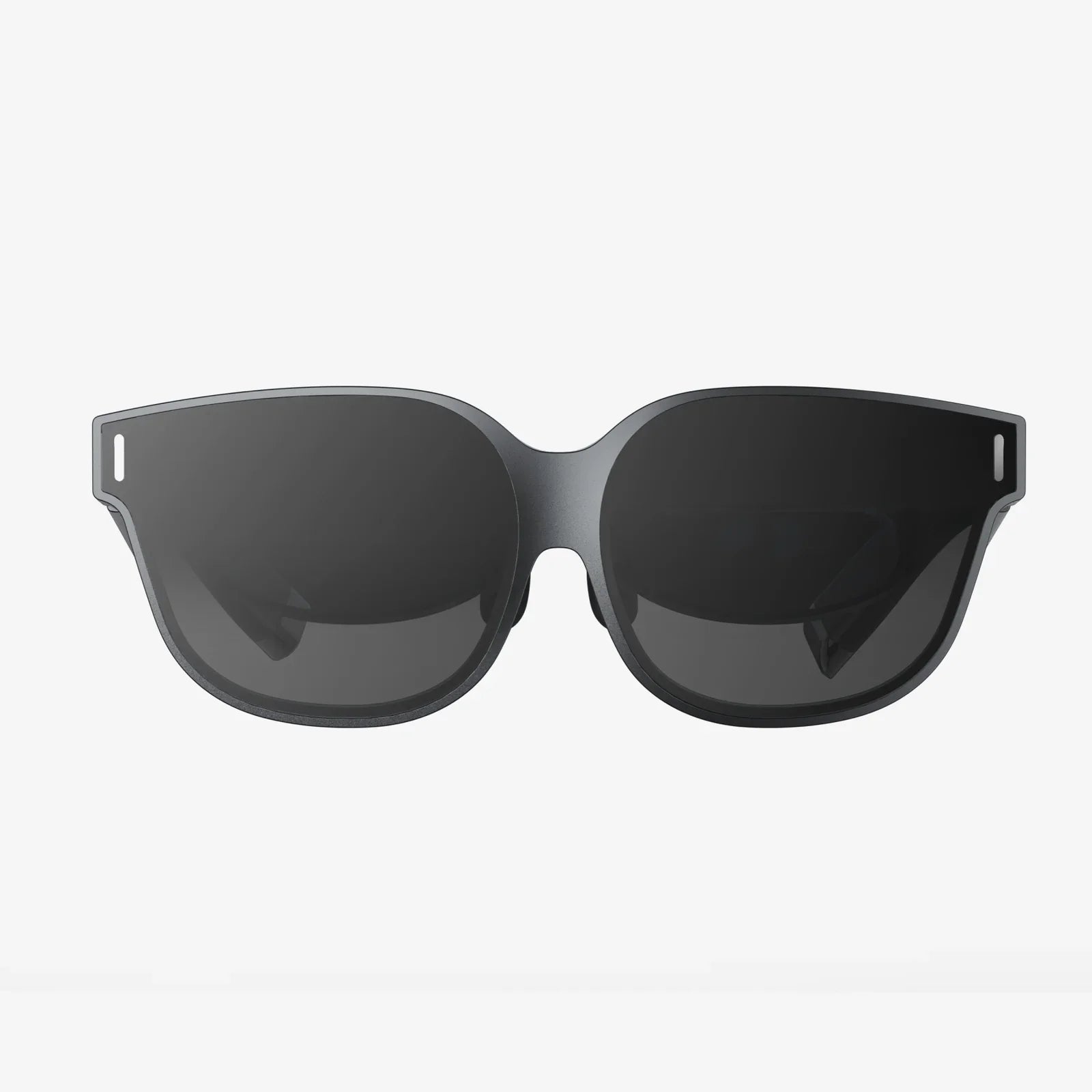
Creating AR glasses is no longer a distant sci-fi fantasy; it is a practical challenge that ambitious developers, designers, and hardware enthusiasts are tackling right now. If you have ever imagined digital information floating in front of your eyes, navigation cues overlaying the real world, or immersive training guides appearing on physical objects, then understanding how to build AR glasses from the ground up is your gateway into that future. This guide walks you through the full journey of creating AR glasses, from core principles and component choices to prototyping, user experience, and long-term evolution, so you can move from curiosity to a concrete roadmap.
At its core, creating AR glasses means merging the physical and digital worlds in a comfortable, wearable format. That sounds simple, but it requires careful coordination of optics, sensors, processors, power systems, and software. Each decision you make affects not just technical performance, but also comfort, safety, and long-term usability. Whether you are a hobbyist building a one-off prototype or a professional planning a product line, understanding the building blocks and trade-offs will help you avoid dead ends and design something people will actually want to wear.
Understanding What Creating AR Glasses Really Involves
Before touching a single component, you need a clear understanding of what “creating AR glasses” really means. Augmented reality glasses are wearable devices that overlay digital content onto the user’s view of the real world. Unlike virtual reality headsets, which replace reality with a fully digital environment, AR glasses must preserve the user’s ability to see and interact with their surroundings while adding relevant information on top.
There are a few fundamental questions you should answer at the concept stage:
- Use case: Will your AR glasses serve entertainment, work, training, navigation, industrial support, or accessibility?
- Environment: Will users wear them indoors, outdoors, or both? Lighting conditions and durability requirements vary drastically.
- Interaction: How will users control the system? Voice, gestures, touch, eye-tracking, or a companion device?
- Form factor: Are you aiming for something close to regular eyewear, or is a bulkier headset acceptable?
- Budget and complexity: Are you aiming for a proof-of-concept prototype, a developer kit, or a consumer-ready product?
The answers to these questions will shape every technical decision you make, from the type of display to the sensors and processing architecture.
Core Components When Creating AR Glasses
Creating AR glasses involves integrating a set of core hardware components into a compact, comfortable frame. These components must work together seamlessly to provide a responsive, stable, and visually pleasing AR experience.
Optical System and Display Technology
The optical system is the heart of AR glasses. It determines how digital images are projected into the user’s field of view and how well those images blend with the real world. Key display and optical options include:
- Waveguides: These use transparent optical elements to direct light from a micro-display into the user’s eyes. They allow for thin, glasses-like designs and are popular in modern AR devices.
- Birdbath optics: This design uses a partially reflective combiner and lenses to overlay digital images. It is bulkier but can be easier and cheaper to prototype.
- Freeform optics: Custom-shaped lenses and combiners can provide more complex and optimized optical paths, but they require advanced design and manufacturing.
The micro-display itself can be based on several technologies:
- Micro-OLED: Offers high contrast, deep blacks, and good brightness in a compact form factor.
- Micro-LED: Promises very high brightness and efficiency, ideal for outdoor use, but can be harder to source and integrate.
- LCOS (Liquid Crystal on Silicon): Mature technology with good resolution, though it may have limitations in contrast and response time compared to emissive displays.
When creating AR glasses, you must consider:
- Field of view (FOV): A larger FOV feels more immersive but is harder to achieve in a compact form.
- Brightness: Outdoor visibility requires high brightness; indoor-focused glasses can compromise here to save power.
- Transparency: The optics must allow a clear view of the real world without excessive tint or distortion.
- Eye box and eye relief: These determine how tolerant the system is to variations in where the user’s eyes are located relative to the optics.
Sensors for Environmental Awareness and Interaction
To align digital content with the real world, AR glasses require sensors that understand the environment and track the user’s movements. Common sensors include:
- IMU (Inertial Measurement Unit): Combines accelerometers, gyroscopes, and sometimes magnetometers to track head orientation and movement.
- Depth sensors: Structured light, time-of-flight, or stereo cameras can map the environment in 3D for spatial anchoring of content.
- RGB cameras: Capture the surroundings for computer vision tasks such as object recognition, plane detection, and hand tracking.
- Eye-tracking sensors: Infrared cameras and illuminators can track gaze direction to enable foveated rendering and natural interaction.
- Ambient light sensors: Adjust display brightness and contrast based on the environment.
The complexity of your sensor suite will depend on your goals. A minimal prototype might rely on a basic IMU and a single camera, while advanced AR glasses will integrate multiple cameras and depth sensors for robust spatial mapping.
Processing Hardware and System Architecture
Creating AR glasses requires a processing platform capable of handling graphics rendering, sensor fusion, computer vision, and networking in real time. There are three main architectural options:
- On-board processing: A processor integrated into the glasses handles everything locally. This enables standalone operation but increases power consumption and thermal load.
- Tethered processing: The glasses connect to a smartphone, PC, or belt-worn compute unit via cable or wireless link. This offloads heavy computation but introduces latency and dependency on another device.
- Hybrid approach: Some processing occurs on the glasses (for low-latency tasks like head tracking), while more demanding workloads are offloaded to a companion device or the cloud.
Key considerations for processing hardware include:
- CPU and GPU capabilities: You need enough performance for rendering and computer vision without draining the battery too quickly.
- Dedicated accelerators: Neural network accelerators or DSPs can significantly improve efficiency for AI tasks.
- Thermal design: Heat must be managed carefully to avoid discomfort and component damage.
- Board layout: The computing hardware must fit within the constraints of the frame and be balanced in weight.
Power System and Battery Design
Power is one of the most challenging aspects of creating AR glasses. Users expect several hours of operation, yet battery size is heavily constrained by weight and form factor.
Key design choices include:
- Battery type and placement: Flat lithium-based cells can be integrated into the arms of the glasses or a separate pack. Placement affects balance and comfort.
- Power management: Efficient voltage regulation and aggressive power-saving strategies are essential.
- Charging method: Options include USB connectors, magnetic pogo pins, or wireless charging docks.
- Runtime targets: You must decide whether to prioritize longer battery life or a lighter, more comfortable device.
Designing for low power consumption from the start—choosing efficient displays, sensors, and processors—will pay off later when you evaluate real-world battery performance.
Connectivity and Communication
AR glasses rarely operate in isolation. They often need to connect to smartphones, cloud services, or other devices. Connectivity options typically include:
- Wi-Fi: For high-bandwidth data transfer, streaming, and cloud integration.
- Bluetooth: For pairing with phones, controllers, and peripherals.
- Optional cellular: For standalone connectivity in mobile scenarios.
When creating AR glasses, consider how much you want to rely on external devices. A tightly integrated smartphone companion model can reduce hardware complexity, but it also limits the user experience if the phone is unavailable.
Industrial Design and Ergonomics
Even the most advanced AR technology fails if the glasses are uncomfortable or unattractive. Industrial design and ergonomics are crucial to adoption.
Weight Distribution and Comfort
Weight is not just about the total number of grams; it is about how that weight is distributed. Concentrating too much mass at the front causes nose and neck strain, while heavy arms may lead to slippage or discomfort around the ears.
To improve comfort:
- Distribute heavy components (like batteries) toward the back of the frame for balance.
- Use adjustable nose pads and temples to accommodate different face shapes.
- Consider modular designs where some components can be offloaded to a clip-on pack or neckband.
Style and Social Acceptability
Creating AR glasses that people will wear in public requires attention to aesthetics and social context. Bulky, conspicuous designs may be acceptable in industrial or training environments but less so in everyday life. Subtle frames, minimal protrusions, and neutral colors can make the glasses more socially acceptable.
Additionally, visible cameras and sensors can raise privacy concerns. Clear indicators when cameras are active and thoughtful placement can help mitigate user and bystander discomfort.
Software Foundations for Creating AR Glasses
Hardware is only half the story. The software stack is what transforms sensors and displays into a coherent AR experience. When creating AR glasses, you need to plan for the operating system, AR engine, and application layer.
Operating System and Low-Level Software
Your AR glasses will need a base operating system to manage hardware, security, and applications. Common approaches include:
- Custom embedded systems based on a lightweight real-time operating system.
- Mobile-class operating systems optimized for wearables.
- Linux-based distributions tailored for AR hardware.
At this layer, you handle:
- Device drivers for sensors, displays, and connectivity modules.
- Power management policies and thermal throttling.
- Security features such as encryption, secure boot, and permissions.
AR Engine and Spatial Mapping
The AR engine is responsible for understanding the environment and placing digital content in 3D space. It typically includes:
- SLAM (Simultaneous Localization and Mapping): Tracks the device’s position and orientation while building a map of the surroundings.
- Plane detection: Identifies surfaces like walls, floors, and tables for placing virtual objects.
- Anchoring and persistence: Allows content to remain fixed to real-world locations over time.
- Occlusion handling: Determines when real objects should partially or fully block virtual objects.
You can either build your own AR engine or integrate existing frameworks where compatible. For embedded AR glasses, you may need to optimize or customize algorithms to fit performance constraints.
Rendering Pipeline and Performance Optimization
Rendering for AR glasses is different from rendering for traditional screens. You must maintain low latency to avoid motion sickness and misalignment between digital and real-world content.
Key rendering considerations include:
- Frame rate: Higher frame rates (ideally 60 fps or more) improve comfort and tracking stability.
- Latency: The time from head movement to display update must be minimized.
- Foveated rendering: If eye-tracking is available, you can render at high resolution where the user is looking and lower resolution elsewhere.
- Adaptive quality: Dynamically adjust rendering quality based on thermal and power constraints.
Efficient rendering is essential to keep both the user experience and the battery life acceptable.
User Interface and Interaction Design
Creating AR glasses requires rethinking user interfaces. Traditional 2D menus and windows do not translate directly into a 3D, hands-free environment.
Important UI and interaction considerations include:
- Contextual overlays: Show information near relevant real-world objects rather than in fixed UI panels.
- Minimal clutter: Avoid overwhelming the user with too many elements; prioritize clarity and focus.
- Natural interactions: Use gestures, gaze, and voice commands where appropriate, but provide clear feedback.
- Accessibility: Consider users with different abilities, including those who may rely on audio cues or simplified interfaces.
Prototyping interaction flows early and testing them with real users will help you refine the experience before you lock in hardware and software decisions.
Step-by-Step Path to Creating AR Glasses
Turning the vision of AR glasses into a working device is a multi-stage process. While every project is unique, a structured path can help you avoid common pitfalls.
1. Define the Vision and Requirements
Start by writing a clear specification document that outlines:
- Primary use cases and target users.
- Desired field of view, resolution, and brightness.
- Expected battery life and weight limits.
- Interaction methods and connectivity requirements.
- Budget, timeline, and technical constraints.
This document will serve as your north star when trade-offs arise later.
2. Choose an Optical and Display Architecture
Based on your requirements, select an optical system and display technology. For an early prototype, you might choose a bulkier but easier-to-implement design, such as a birdbath optical setup, to validate concepts before investing in custom waveguides.
At this stage, you may create basic optical mock-ups to evaluate:
- Image clarity and focus.
- Field of view and eye box.
- Light leakage and reflections.
3. Select Sensors and Processing Platform
Next, decide on the sensor suite and processing hardware. For example, you might pair an IMU and a front-facing camera with a mobile-class processor capable of running a lightweight AR engine. If your use case requires precise spatial mapping, add depth sensing and consider more powerful processing or a tethered architecture.
At this stage, evaluate:
- Sensor placement for optimal coverage and minimal occlusion.
- Bandwidth requirements for camera and sensor data.
- Thermal implications of your processing choices.
4. Prototype the Electronics
Design and assemble a first-generation electronics prototype. This might consist of separate boards connected by flexible cables, mounted on a test rig or a non-final frame. The goal is to validate:
- Basic functionality of the display, sensors, and processor.
- Power consumption under different workloads.
- Thermal behavior during extended use.
At this stage, you can also start building the low-level software stack, including drivers and basic sensor fusion.
5. Develop the AR Software Stack
With hardware prototypes in hand, focus on the AR engine and user experience. Implement SLAM, plane detection, and simple anchoring. Create demo applications aligned with your target use cases, such as:
- Contextual information overlays on recognized objects.
- Step-by-step instructions anchored to physical equipment.
- Navigation arrows overlaid on the real world.
Use these demos to test performance, stability, and usability, iterating on sensor fusion and rendering optimizations as needed.
6. Move Toward a Wearable Form Factor
Once your core hardware and software are functioning, begin integrating everything into a wearable frame. This stage involves close collaboration between mechanical engineers, industrial designers, and electrical engineers.
Key tasks include:
- Designing a frame that houses the optics, electronics, and batteries.
- Ensuring proper ventilation and heat dissipation.
- Balancing weight distribution for comfort.
- Validating durability and resistance to everyday wear and tear.
Expect multiple iterations as you discover alignment issues, comfort problems, or integration challenges.
7. Conduct User Testing and Refinement
Real-world testing is essential when creating AR glasses. Recruit users that reflect your target audience and have them perform tasks while wearing your prototype.
Gather feedback on:
- Comfort and fit over extended periods.
- Clarity and stability of the AR visuals.
- Ease of interaction and learning curve.
- Perceived usefulness of the AR features.
Use this feedback to refine both hardware and software. You may discover the need for better brightness, different interaction methods, or simplified interfaces.
8. Address Safety, Privacy, and Reliability
Safety and privacy are non-negotiable aspects of creating AR glasses. Consider:
- Eye safety: Ensure display brightness and optical design meet relevant safety standards.
- Motion safety: Avoid experiences that distract users in hazardous environments, such as while driving.
- Privacy: Provide clear indicators when cameras or microphones are active, and offer robust data protection.
- Reliability: Test for resistance to drops, temperature changes, and moisture.
Rigorous testing at this stage will help you avoid issues later when scaling production or deploying in sensitive environments.
Common Challenges When Creating AR Glasses
Even with a solid plan, creating AR glasses comes with recurring challenges that many teams face. Being aware of them early can help you design more resilient solutions.
Power and Battery Life Limitations
Users expect AR glasses to run for hours, yet high brightness displays, multiple cameras, and continuous processing can drain batteries quickly. Strategies to mitigate this include:
- Dynamic power scaling for sensors and processors.
- Context-aware features that disable non-essential functions when not needed.
- Optimized rendering pipelines that reduce GPU load.
Accept that you may need to compromise between performance, visual fidelity, and battery life, especially in early prototypes.
Heat and Comfort
Excessive heat near the face is uncomfortable and potentially unsafe. Thermal management techniques include:
- Spreading heat sources across the frame to avoid hot spots.
- Using heat sinks and thermal interfaces that direct heat away from the skin.
- Implementing software-based thermal throttling to reduce performance before temperatures become problematic.
Testing under worst-case conditions is essential to ensure comfort across different user scenarios.
Optical Distortions and Alignment Issues
Even small misalignments in the optical system can cause eye strain, blurred images, or double vision. Common issues include:
- Chromatic aberration causing color fringing.
- Field curvature leading to parts of the image being out of focus.
- Misalignment between left and right eye images.
Address these with careful optical design, calibration routines, and per-user adjustments where possible.
Interaction Complexity and User Overload
It is tempting to pack AR glasses with many features and controls, but this can overwhelm users and reduce adoption. Focus on:
- Clear, simple interactions that match the context of use.
- Progressive disclosure of features, revealing advanced options only when needed.
- Consistent feedback so users always know what the system is doing.
Usability testing should guide you toward a streamlined, intuitive experience.
Future Directions for Creating AR Glasses
The field of AR glasses is evolving rapidly, and designing with future developments in mind can extend the relevance of your work. Several trends are shaping the next generation of devices.
Advances in Display and Optics
Emerging display technologies promise higher brightness, better efficiency, and larger fields of view in smaller packages. Improvements in waveguide manufacturing and freeform optics are making it possible to approach the look and feel of everyday eyewear while maintaining high-quality AR visuals.
As these technologies mature, creating AR glasses that are both fashionable and functional will become more achievable. Designing modular systems that can upgrade displays or optics later may help future-proof your platform.
Smarter, More Context-Aware Experiences
As on-device AI becomes more capable, AR glasses will move beyond simple overlays to truly context-aware assistants. Future devices may:
- Recognize complex scenes and suggest relevant information automatically.
- Anticipate user needs based on habits, location, and current tasks.
- Provide real-time translation, accessibility enhancements, and personalized learning experiences.
When creating AR glasses today, you can lay the groundwork for these capabilities by designing flexible software architectures and robust data pipelines.
Integration with Other Wearables and Devices
AR glasses will increasingly function as part of a broader ecosystem that includes smartphones, watches, earbuds, and connected environments. This ecosystem approach allows you to:
- Offload computation and storage to other devices.
- Use additional sensors, such as those in a watch, for richer context.
- Provide seamless transitions between devices based on the user’s activity.
Designing with open communication protocols and flexible APIs will help your AR glasses integrate smoothly into these multi-device experiences.
Bringing Your Vision of Creating AR Glasses to Life
Creating AR glasses from scratch is one of the most challenging and rewarding projects you can undertake in modern hardware and software development. It combines optics, electronics, industrial design, computer vision, and user experience into a single, tightly integrated product. While the path is complex, it is also full of opportunities to innovate in how people see and interact with the world.
If you are serious about creating AR glasses, start by defining a focused use case and building a simple, testable prototype that demonstrates your core idea. From there, iterate relentlessly on comfort, clarity, and usability. Each prototype will teach you something new about what works, what breaks, and what truly delights users. With persistence, thoughtful design, and a willingness to learn from each iteration, you can move from a sketch on paper to a functional pair of AR glasses that captures attention, solves real problems, and offers a glimpse into the future of everyday computing.
Share:
Modern Portable Computers And How They Are Transforming Everyday Life
Modern Portable Computers And How They Are Transforming Everyday Life