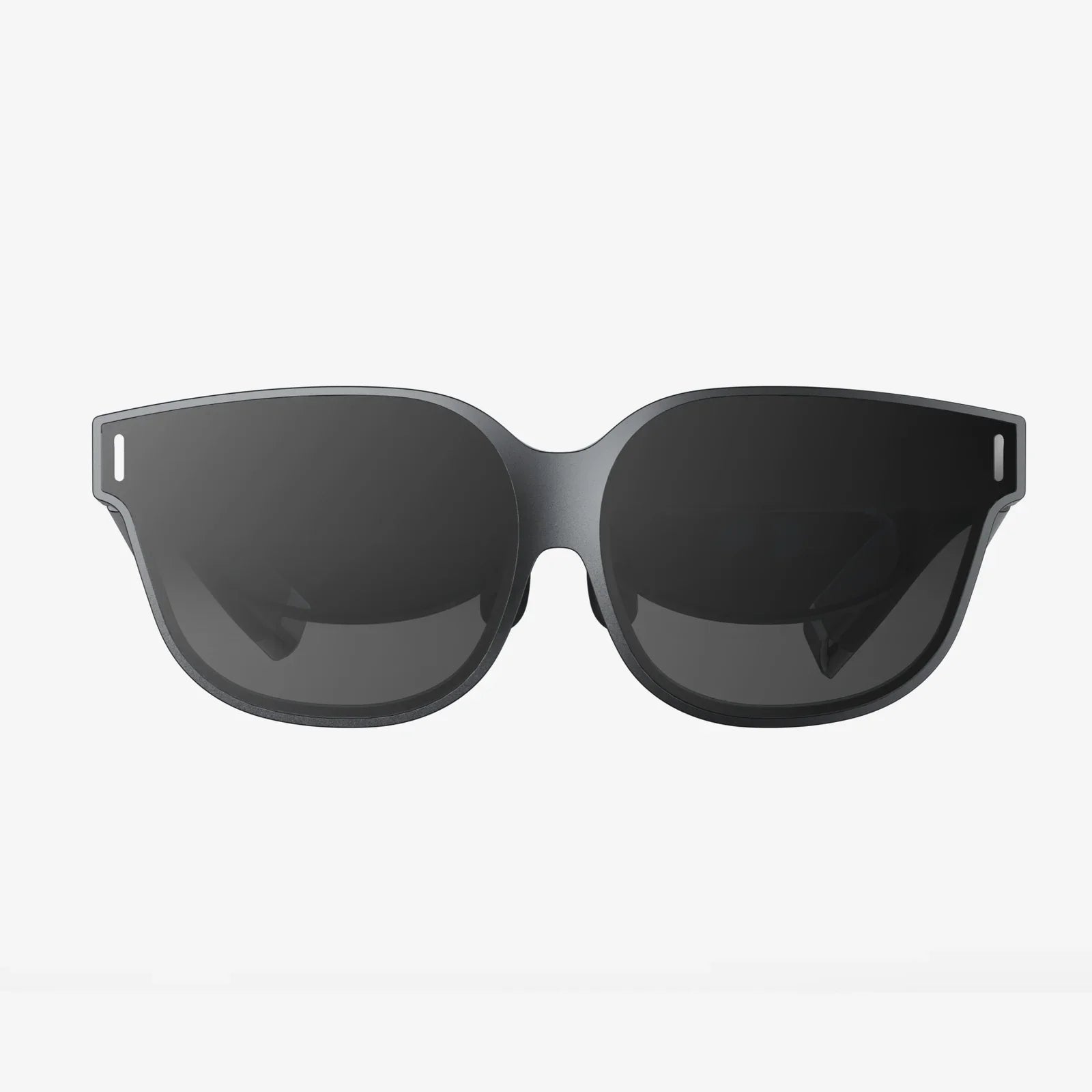
Step into another world, feel the digital wind on your face, and grasp objects that don't physically exist. This is the promise of virtual reality, a technological symphony conducted not by magic, but by a sophisticated and rapidly evolving orchestra of hardware. The journey into these immersive realms is made possible by a diverse array of devices used in virtual reality, each playing a critical role in fooling our senses and convincing our brains that we are somewhere we are not. This ecosystem extends far beyond the headset you wear on your face; it encompasses everything from the controllers in your hands to the suit on your body and the floor beneath your feet, all working in seamless harmony to construct a believable alternate reality.
The Gateway to Another Dimension: Head-Mounted Displays
At the very heart of the virtual reality experience lies the most recognizable piece of technology: the head-mounted display, or HMD. This device serves as the primary window into the digital world, and its design and capabilities are fundamental to the quality of immersion.
The core function of an HMD is to present a stereoscopic 3D image to the user. This is achieved by displaying two slightly different images, one for each eye, which the brain then combines to perceive depth—a critical factor in creating a convincing sense of presence within the virtual environment. Early HMDs suffered from low-resolution displays that created a distracting "screen door effect," where users could see the gaps between pixels. Modern iterations, however, feature high-resolution OLED or LCD panels with incredibly high pixel density, drastically reducing this effect and producing crisp, vibrant visuals that are essential for realism.
Another crucial component housed within the HMD is the inertial measurement unit (IMU). This sophisticated sensor package typically includes a gyroscope, accelerometer, and magnetometer. Together, they track the rotational movement of the user's head—looking up, down, left, and right—with extremely high speed and precision. This low-latency tracking is non-negotiable; any discernible delay between the movement of your head and the corresponding change in the visual display can lead to disorientation and simulator sickness. The IMU handles the rotational data, but for a full six degrees of freedom (6DoF) experience—allowing you to lean, duck, and dodge—more is needed.
Seeing and Being Seen: Inside-Out vs. Outside-In Tracking
To track the position of the HMD in physical space, systems employ one of two primary methods: outside-in tracking or inside-out tracking. Each represents a different philosophical approach to solving the complex problem of positional tracking.
Outside-in tracking was the pioneering method. This system relies on external sensors or base stations placed around the perimeter of the play area. These devices emit either invisible infrared light or laser sweeps that are detected by sensors on the HMD and controllers. By calculating the timing and angle of these signals, the system can triangulate the exact position of each device with millimeter accuracy. The advantage of this method is its exceptional precision and low latency, making it the gold standard for high-end professional and enthusiast applications. The trade-off is a more complex setup process, requiring the user to mount and calibrate external hardware, which also tethers the experience to a specific physical location.
Inside-out tracking represents the modern, consumer-friendly evolution of positional tracking. With this method, all the necessary sensors are built directly into the HMD itself. Typically, this involves using several wide-angle cameras mounted on the exterior of the headset. These cameras continuously observe the surrounding environment, tracking the movement of distinctive features and patterns on walls, furniture, and other stationary objects. By analyzing how these reference points move in relation to the headset, the onboard processor can deduce its own position and movement through space. This approach eliminates the need for external sensors, making the system more portable and easier to set up. While early inside-out systems had some limitations with tracking controllers behind the user's back, advancements in camera placement and software algorithms have made the technology incredibly robust and widely adopted.
Bridging the Digital Divide: Controllers and Input Devices
If the HMD is your eyes and ears in the virtual world, then controllers are your hands. They are the primary tools for interaction, allowing users to manipulate the environment, wield tools, push buttons, and gesture to other users. The design and functionality of these input devices are paramount for translating human intention into digital action.
Modern motion controllers are marvels of miniaturized engineering. They are packed with sensors that mirror many of those found in the HMD, including IMUs for tracking their own rotation and orientation. Their position in space is tracked by the same outside-in or inside-out system that tracks the headset. Beyond basic motion tracking, these controllers incorporate a host of inputs. These typically include analog sticks, touch-sensitive pads, buttons, and triggers. The triggers are often analog, meaning they can detect varying levels of pressure, allowing for nuanced interactions like squeezing an object gently or pulling a trigger halfway.
A key feature of high-end controllers is haptic feedback, often in the form of precise, high-frequency vibration motors. This provides tactile sensations that correspond to in-game events: the recoil of a virtual weapon, the buzz of a saw, or the thump of a basketball bouncing. This tactile layer adds a crucial dimension to the sense of immersion. The latest frontier in controller technology is finger tracking. Some systems use external cameras or sensors within the controller's ring to detect the individual movement of each finger, allowing for natural gestures like pointing, thumbs-up, or making a fist. This enables a level of expressiveness and intuitive interaction that button-based controllers cannot match, making social interactions in VR feel more human and object manipulation more natural.
For specialized applications, alternative input devices are used. Steering wheels, flight sticks, and replica weapon controllers provide a more physically authentic and engaging experience for simulation enthusiasts. These peripherals often feature force feedback, simulating the resistance and forces one would feel when driving a car or flying a plane, further deepening the immersive illusion.
Hearing the Unreal: The Role of 3D Spatial Audio
Visual immersion is only half the battle. Sound is arguably just as important for selling the illusion of a virtual space. The technology responsible for this is 3D spatial audio. Unlike traditional stereo sound, which feels like it's coming from left or right, spatial audio uses advanced head-related transfer function (HRTF) algorithms to trick the brain into perceiving sounds as originating from specific points in three-dimensional space—above, below, behind, or at a precise distance.
This means you can hear the faint buzz of a drone flying overhead and track its movement with your eyes closed, or pinpoint the footsteps of another player approaching from your left rear. This auditory cue is not just for immersion; it is a critical gameplay element, providing situational awareness that can be the difference between victory and defeat. High-quality integrated headphones or dedicated off-ear speakers built into the HMD strap are essential for delivering this binaural audio experience without compromising comfort or convenience.
Beyond the Basics: Advanced Haptic and Locomotion Devices
For those seeking the pinnacle of immersion, the ecosystem of devices used in virtual reality extends to hardware that engages the sense of touch and solves the problem of physical locomotion within a limited space.
Haptic suits and gloves represent the next leap in tactile feedback. While controllers provide vibration to the hands, these wearable devices can deliver targeted sensations across the entire body. Using a network of actuators, electro-stimulation, or pneumatic systems, these suits can simulate the feeling of rain, a punch, the brush of a branch, or the texture of a virtual object. Haptic gloves go a step further by not only providing feedback but also tracking the movement of each finger joint with extreme accuracy, allowing users to truly feel and manipulate digital objects as if they were real, opening up incredible possibilities for training, design, and social connection.
The challenge of moving through a vast virtual world while physically confined to a small room is a significant immersion-breaker. Traditional workarounds involve thumbstick-controlled artificial locomotion or teleportation, but these can feel unnatural or induce motion sickness in some users. Omnidirectional treadmills (ODTs) offer a compelling, though complex, solution. These specialized platforms allow users to walk, run, and jump in any direction in the real world while remaining stationary in the center of the device. As the user moves, the platform moves beneath them, effectively giving them an infinite physical space in which to navigate the virtual one. While still primarily found in research labs and high-end VR arcades, ODTs represent the holy grail of natural VR locomotion.
The Unseen Engine: The Computer and Processing Power
Behind every seamless virtual experience is a tremendous amount of computing power. The devices used in virtual reality are merely the endpoints; they are the displays and input mechanisms for a system that is rendering two high-resolution images at a minimum of 90 frames per second (often 120Hz or higher for professional systems). This relentless demand for processing is necessary to maintain the low latency required to prevent nausea and preserve the sense of presence.
This processing can come from a high-powered personal computer, packed with a powerful graphics card and CPU, connected to the HMD via a cable. For a untethered experience, this processing can be built directly into the headset itself, in the form of a mobile system-on-a-chip (SoC), trading some graphical fidelity for complete freedom of movement. The choice between a tethered and standalone system is a fundamental one, defining the user's trade-off between visual quality and unrestricted mobility.
Calibration and Setup: Tuning the Sensory Orchestra
For all these devices to work in perfect harmony, careful calibration is essential. This process involves software-guided setup routines that ensure the tracking system understands the boundaries of the user's play area (creating a "guardian" or "chaperone" system to prevent collisions with real-world objects), the IPD (interpupillary distance) is correctly set to match the user's eyes for optimal visual clarity and comfort, and the audio levels are balanced. This tuning process is the final, crucial step in aligning the complex array of devices used in virtual reality, ensuring a safe, comfortable, and deeply immersive experience.
The magic of virtual reality is not conjured from thin air; it is meticulously engineered through a complex and interconnected hardware ecosystem. From the headset that renders the world and the controllers that let you touch it, to the audio that lets you hear it and the haptics that let you feel it, each device plays an indispensable role in constructing a reality that is, for all intents and purposes, real to our perceptions. As this technology continues to evolve, becoming more powerful, affordable, and comfortable, the line between our physical reality and the digital worlds we create will continue to blur, forever changing how we work, learn, play, and connect.