


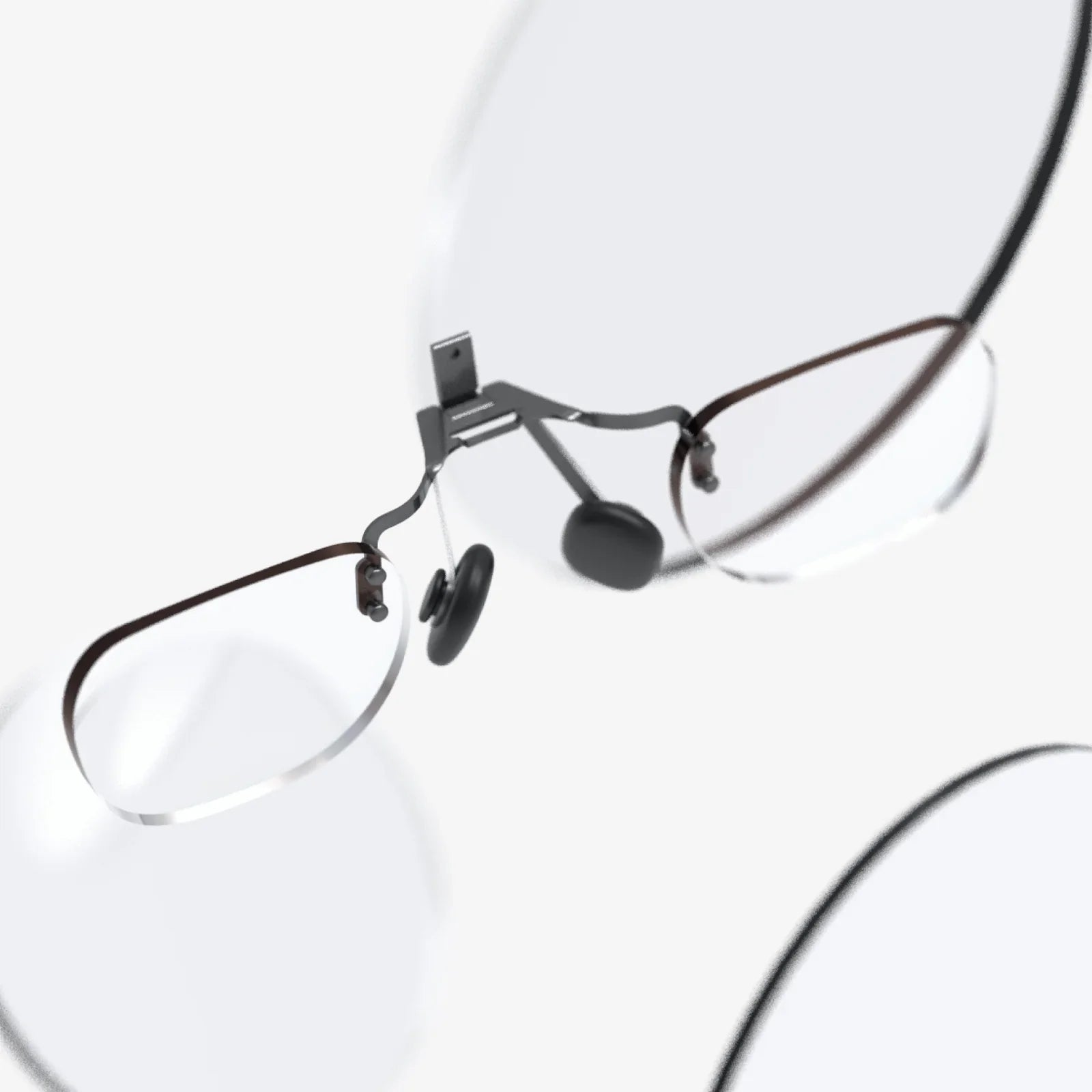
eye protection glass for mobile and computer price is one of those topics people search in a hurry, usually when their eyes already feel tired, dry, or strained. You may be wondering whether these screen protectors and lenses are just hype or a real solution, and how much you should actually pay. If you have ever scrolled late at night with burning eyes or stared at a monitor for hours until your vision blurred, this guide will show you what matters, what is marketing fluff, and how to get solid protection without wasting money.
When people talk about eye protection glass for phones and computers, they usually mean two main things: screen protectors with special coatings and glasses with blue light filtering or anti-glare features. Both are marketed as tools to reduce eye strain, improve comfort, and sometimes even protect sleep quality. But the market is crowded, prices range from very cheap to surprisingly expensive, and it is not always clear what you are paying for. Understanding the real differences can save your eyes and your wallet.
Why eye protection glass matters in a digital world
Most people spend several hours a day looking at screens: smartphones, tablets, laptops, and desktop monitors. This constant exposure can lead to symptoms often grouped under the term "digital eye strain". Common complaints include:
- Dry, itchy, or burning eyes after long screen sessions
- Headaches, especially around the eyes or temples
- Blurred or fluctuating vision
- Sensitivity to light
- Difficulty focusing when switching between near and far objects
Eye protection glass for mobile and computer aims to reduce some of the visual stress that contributes to these symptoms. While no screen protector or lens can fix poor habits on its own, the right combination of protective glass and smart usage can make hours of screen time more comfortable. This is where price comes into play: you want enough quality to get real benefits, but you do not need to overspend on features that will not matter for your needs.
Types of eye protection glass for mobile and computer
Before comparing price, it helps to understand the main categories you will encounter. Each type has a different impact on both cost and performance.
1. Blue light filtering screen protectors
These are thin layers of glass or film that you apply directly to your phone, tablet, or laptop screen. They are designed to filter out a portion of the high-energy blue light emitted by displays. Blue light is not inherently harmful in normal amounts, but heavy exposure late in the day can interfere with sleep patterns, and some people find it contributes to eye fatigue.
Key characteristics:
- May have a slight yellow or warm tint, especially at higher filtering levels
- Often combined with scratch resistance and shatter protection
- Available for most popular phone and laptop sizes
2. Anti-glare and matte screen protectors
Glare from overhead lights, windows, or outdoor use can force your eyes to work harder to see the content on your screen. Anti-glare or matte screen protectors diffuse reflections, making the screen easier to view in bright environments.
Key characteristics:
- Reduce sharp reflections and mirror-like glare
- May slightly reduce contrast or sharpness compared to a glossy screen
- Especially useful for laptops and tablets used near windows or outdoors
3. Privacy and eye protection combo protectors
Some screen protectors combine eye protection features with privacy filters, which narrow the viewing angle so people beside you cannot easily see your screen. These are popular for commuters, business users, and anyone dealing with sensitive information.
Key characteristics:
- Blue light filtering plus a privacy layer
- Screen appears dark or black from side angles
- Can slightly dim the display, requiring a bit more brightness
4. Blue light filtering computer glasses
Instead of modifying the screen, computer glasses modify what reaches your eyes. They often feature blue light filtering coatings, anti-reflective layers, and sometimes slight magnification for close work.
Key characteristics:
- Can be used across multiple devices without changing screen protectors
- Available in prescription and non-prescription versions
- May include anti-reflective and anti-glare coatings
5. Prescription lenses with digital protection
People who already wear glasses can add coatings or lens designs optimized for screen use. These lenses often combine multiple features: blue light filtering, anti-reflective coatings, and designs that support comfortable mid-range focus for monitors.
Key characteristics:
- Tailored to your exact prescription and working distance
- Can be more expensive but highly effective for heavy computer users
- Usually ordered through an eye care professional
Typical price ranges for eye protection glass
eye protection glass for mobile and computer price varies widely depending on type, quality, and where you buy it. Below is a general guide to help you understand what to expect at different budget levels. Exact numbers vary by region and retailer, but the ranges give a realistic sense of the market.
Price range for mobile screen protectors
For smartphones and small tablets, you will typically find:
- Low budget range: Very cheap protectors often sold in bulk packs. They may claim blue light or anti-glare features, but the coatings can be minimal and durability lower. Good for temporary use or backup, but not ideal for long-term eye comfort.
- Mid-range: Tempered glass protectors with clearly stated blue light filtering or anti-glare properties. These usually offer a solid balance between price and performance, with decent scratch resistance and easier installation.
- Upper range: Premium protectors with multiple coatings (blue light, anti-glare, anti-fingerprint) and precise fit for specific phone models. The price is higher, but the experience can be smoother, especially if you care about clarity and touch sensitivity.
Price range for laptop and monitor screen protectors
For larger screens like laptops and desktop monitors, prices rise with size and complexity:
- Low budget range: Basic matte or glossy films that provide some anti-glare benefits. Blue light filtering claims may be present but not always well documented.
- Mid-range: Properly sized protectors with defined blue light filtering percentages and anti-glare coatings. These are suitable for most office or home setups.
- Upper range: High-quality panels or clip-on filters that combine strong blue light reduction, glare control, and sometimes privacy features. These are often used in professional environments or for heavy daily use.
Price range for computer glasses (non-prescription)
Non-prescription blue light glasses are widely available and vary by frame material, lens quality, and brand positioning:
- Low budget range: Simple frames with basic blue light filtering lenses. They may have a noticeable yellow tint and limited anti-reflective coating. Quality control can be inconsistent.
- Mid-range: Better lens coatings, more comfortable frames, and more accurate blue light filtering claims. Often the best value for people who want real benefits without paying premium pricing.
- Upper range: Designer frames, advanced coatings, and sometimes marketing aimed at gamers or professionals. The extra cost may be partly for style and branding rather than strictly performance.
Price range for prescription digital protection lenses
Prescription lenses with digital protection are more complex and are usually priced per pair of lenses, plus the frame:
- Entry level: Standard prescription lenses with a basic blue light coating. Suitable if you want a simple upgrade from regular lenses.
- Mid-range: Lenses that combine multiple coatings (blue light, anti-reflective, scratch resistance) and sometimes designs optimized for intermediate distances like computer screens.
- Upper range: Premium lens designs tailored for heavy digital use, often with wider clear zones for monitors and strong glare control. These are a bigger investment but can dramatically improve comfort if you spend many hours at a desk.
What actually affects the price?
eye protection glass for mobile and computer price is not random; several specific factors drive the cost up or down. Understanding these helps you decide where to spend and where to save.
1. Type and quality of coating
Blue light filtering and anti-glare performance depend heavily on the coatings applied to the glass or lens. Higher quality coatings are more uniform, durable, and effective, but they cost more to produce. Cheaper coatings may wear off faster or provide less filtering than advertised.
2. Material and thickness
Tempered glass protectors are generally more durable than thin plastic films, and they tend to cost more. Thicker glass can improve impact resistance, but if it is too thick, it may affect touch sensitivity on mobile devices. For glasses, lens material (such as high-index plastics) also influences price and weight.
3. Precision of fit and design
Screen protectors that are custom-cut for specific phone or laptop models require more precise manufacturing. Edge-to-edge designs, cutouts for sensors and cameras, and curved edges all add complexity and cost. Generic one-size-fits-many protectors are cheaper but may not fit perfectly or look as seamless.
4. Additional features
Some protectors and lenses bundle multiple features:
- Anti-fingerprint or oleophobic coatings
- Scratch resistance
- Privacy filters
- Impact resistance or shatter protection
Each extra feature usually adds a little to the price. The key is deciding which ones you truly need for your usage patterns.
5. Brand positioning and marketing
Marketing and brand image can also influence eye protection glass for mobile and computer price. Some brands invest heavily in advertising and packaging, and that cost is reflected in the final price. While brand reputation can be a useful signal of reliability, it is worth comparing specifications rather than paying purely for a name.
How to choose the right eye protection glass for your needs
Price alone does not tell you whether a product is right for you. Start by clarifying how you use your devices and what bothers your eyes the most. Then match those needs to specific features.
Step 1: Identify your main problem
Ask yourself:
- Do you feel more bothered by glare and reflections or by long hours of screen time?
- Is your main device a phone, laptop, or desktop monitor?
- Do you often work at night or in dim lighting?
- Do you already wear prescription glasses?
Knowing your primary issue helps focus your budget on the most relevant solution.
Step 2: Match problems to solutions
Here are typical scenarios and what usually works best:
- Heavy smartphone user with late-night scrolling: A mid-range blue light filtering tempered glass protector for your phone, possibly combined with enabling the built-in night mode on the device.
- Office worker with headaches from monitor use: An anti-glare or blue light filtering screen protector for the monitor, or a pair of mid-range computer glasses if you use multiple screens.
- Student using laptop and tablet in bright classrooms or cafes: Matte or anti-glare protectors for the laptop and tablet, possibly with some blue light filtering for long study sessions.
- Professional who already wears glasses: Prescription lenses with digital protection coatings, even if they cost more upfront, can be more comfortable than stacking non-prescription computer glasses over your regular pair.
Step 3: Decide on your budget level
Once you know what type of protection you need, set a realistic budget. A useful rule of thumb is to treat eye protection as part of your overall health investment, not just a gadget accessory. Spending a little more for reliable quality is often worth it, but you do not need the most expensive option to see benefits.
For many people, aiming for the mid-range in each category provides the best price-to-performance ratio. Very low prices can be tempting, but if a product does not deliver meaningful blue light filtering or glare reduction, you may end up buying again, spending more in the long run.
Key features to look for, beyond the price tag
When comparing eye protection glass for mobile and computer price, always read the feature list carefully. Some technical details matter more than others.
Blue light filtering percentage
Many products will list a percentage of blue light blocked. Extremely high numbers might sound impressive, but very strong filtering can cause noticeable color shifts and may not be necessary for everyone. Moderate filtering is often enough for comfort, especially when combined with responsible screen habits.
Anti-reflective coatings
Anti-reflective coatings reduce reflections from the surface of lenses or screen protectors. This can significantly improve clarity and reduce the need to squint. For glasses, a good anti-reflective coating is one of the most valuable upgrades.
Surface hardness and durability
For screen protectors, hardness ratings (often shown as a number followed by "H") indicate resistance to scratching. Higher numbers generally mean better protection. While this does not directly impact eye comfort, it ensures that your protector stays clear and usable for longer, making your purchase more cost-effective.
Ease of installation and fit
Dust, bubbles, and misalignment can ruin the experience of a screen protector. Look for products that include clear installation tools or guides. A slightly higher price for a protector that is easy to apply correctly can be worth it, especially for larger screens.
Return policy and warranty
Some sellers offer satisfaction guarantees or replacement policies if the protector cracks during installation or if you are not happy with the effect. This can add value, especially when you are trying eye protection glass for the first time and are not sure how it will feel.
Balancing eye protection with other healthy habits
Even the best eye protection glass for mobile and computer cannot replace healthy viewing habits. To get the most from your investment, combine protective glass or lenses with simple behavior changes:
- Follow the 20-20-20 rule: Every 20 minutes, look at something 20 feet away for at least 20 seconds. This helps relax your focusing muscles.
- Adjust screen brightness: Match your screen brightness to the lighting around you. Too bright or too dim can strain your eyes.
- Use built-in night modes: Many devices offer warmer color modes in the evening. These can complement blue light filtering glass.
- Maintain proper distance: Keep phones at least an arm's length away when possible, and position monitors about an arm's length from your eyes with the top of the screen at or slightly below eye level.
- Blink more often: Staring at screens reduces blink rate, leading to dryness. Consciously blinking more can help.
These habits cost nothing but can dramatically amplify the benefits you get from any eye protection glass you buy.
Common mistakes when buying eye protection glass
Many people focus only on eye protection glass for mobile and computer price and overlook other important factors. Avoid these frequent mistakes:
- Choosing purely on lowest price: Extremely cheap products may not provide the level of filtering or glare reduction they claim, and they may wear out quickly.
- Ignoring color tint: Strong blue light filters can add a yellow or amber tint. Some people adapt easily, while others find it distracting, especially for color-critical work. Check user feedback for comments on color shift.
- Not checking compatibility: Buying a protector that is not designed for your specific device can lead to poor fit, blocked sensors, or annoying edges.
- Overlapping solutions unnecessarily: For example, paying for strong blue light protection in both your screen protector and your glasses may be redundant. It is usually enough to choose one main method.
- Expecting medical treatment from accessories: Eye protection glass can improve comfort, but it does not replace regular eye exams or professional advice if you have persistent symptoms.
Who should prioritize spending more?
Not everyone needs the highest-end options. However, some groups may benefit from investing a bit more in eye protection glass:
- Professionals who spend most of the day at a computer: Programmers, writers, designers, and office workers can gain real comfort from well-designed monitor protectors or prescription digital lenses.
- Students and exam candidates: Long study hours with laptops and tablets can strain young eyes. A comfortable setup can support better focus and stamina.
- People with light sensitivity or migraines: While individual responses vary, some find that good glare reduction and moderate blue light filtering reduce triggers.
- Gamers and content creators: Extended sessions in front of bright screens make eye comfort a priority. Here, balancing color accuracy with eye protection is important.
For casual users who only spend short periods on screens, a basic or mid-range solution is usually sufficient. The key is to avoid overspending on features you will rarely use.
Practical buying checklist
To make your final choice easier, use this quick checklist when comparing eye protection glass for mobile and computer price options:
- Have you identified your main device (phone, laptop, monitor, or multiple)?
- Do you need blue light filtering, anti-glare, privacy, or a combination?
- Does the product clearly state its filtering level or coating type?
- Is it designed specifically for your device model or screen size?
- Are there reviews mentioning clarity, tint, and comfort during long use?
- Is the price in a realistic range for the features offered, not suspiciously low?
- Does the seller offer a return or replacement policy if you are not satisfied?
Taking a few minutes to run through these questions can prevent frustration and help you choose an option that feels worth what you pay.
eye protection glass for mobile and computer price does not have to be a mystery or a trap for your budget. Once you understand the types, features, and real-world benefits, you can confidently pick a solution that fits your devices, your eyes, and your wallet. Whether you are trying to protect your vision during long workdays, boost your comfort while studying, or simply enjoy late-night browsing without burning eyes, the right protective glass or lenses can make a noticeable difference. Treat your choice as part of your long-term health strategy, not just a quick accessory purchase, and every tap, scroll, and keystroke will feel easier on your eyes.
Share:
Glass Computer Desk With Hutch Ideas For Modern And Organized Workspaces
Touch Controller IC Fundamentals, Design Insights, and Future Trends