


- by wangfred
Gaming Glasses: The Complete 2025 Guide to Safer, Sharper Play
- by wangfred
If you have ever ended a gaming session with burning eyes, a pounding headache, and blurry vision, gaming glasses might be the quiet upgrade your setup is missing. While players obsess over GPUs, monitors, and mice, many overlook the one piece of gear that directly affects every frame they see: their eyes. Understanding how gaming glasses work, what they can and cannot do, and how to choose the right pair can transform not just your comfort, but also your performance and long-term eye health.
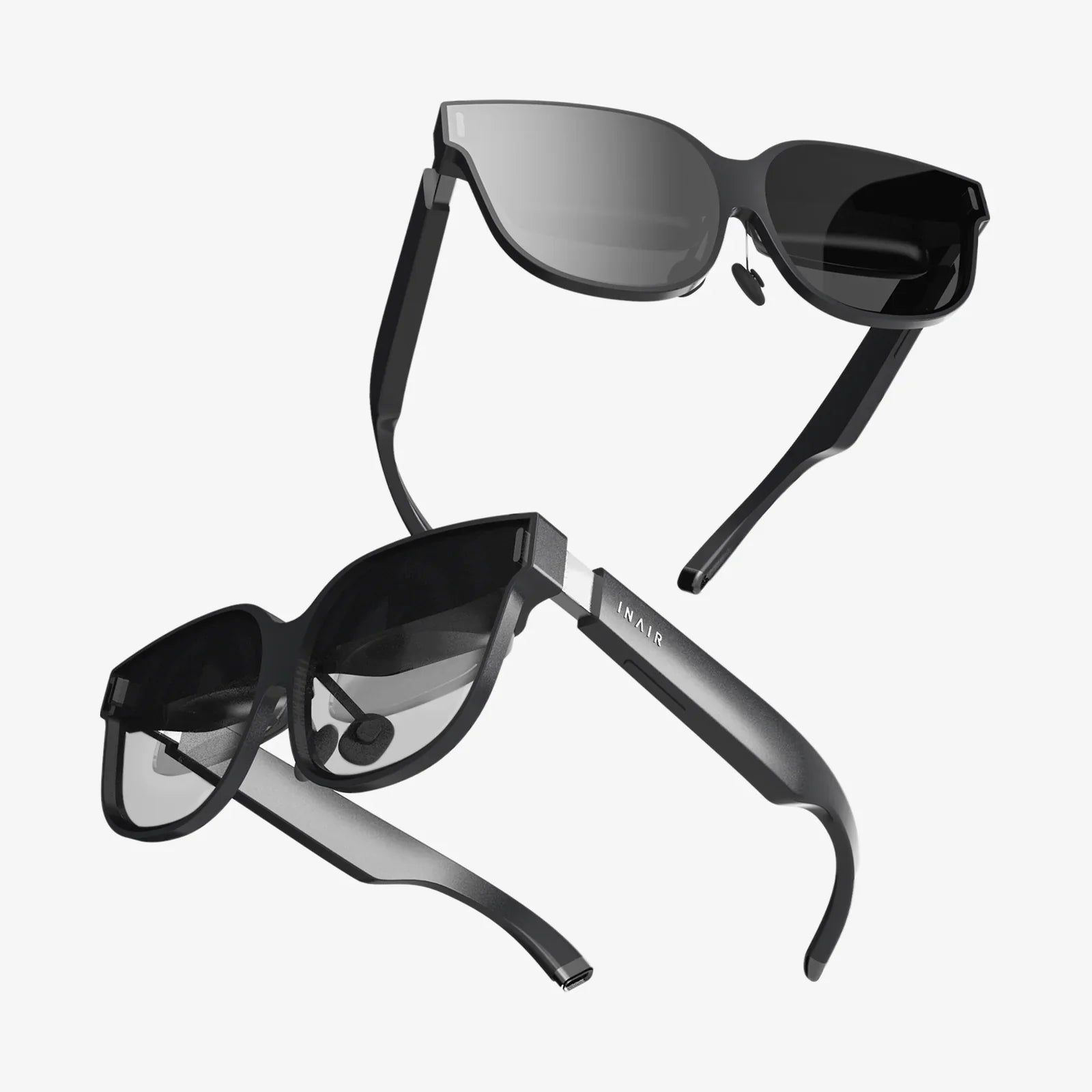
Gaming glasses are specialized eyewear designed to make extended screen time more comfortable and less damaging to your visual system. They typically include features such as blue light filtering, anti-reflective coatings, slight magnification, and lens tints optimized for digital displays. Their primary goal is to reduce digital eye strain, often called computer vision syndrome, which is common among gamers and anyone who spends hours staring at screens.
Modern games demand long periods of intense focus. You are tracking fast-moving targets, reading small HUD elements, and reacting to subtle visual cues, often in low-light rooms. This combination can strain your eyes, especially when you play for several hours at a time. Gaming glasses aim to reduce some of that strain so you can see more clearly, stay comfortable longer, and recover faster between sessions.
Blue light is a high-energy visible light emitted in large amounts by digital screens, including monitors, TVs, laptops, and phones. Not all blue light is harmful; natural blue light from the sun helps regulate your circadian rhythm and keeps you alert during the day. The problem arises when you get heavy doses of artificial blue light late into the evening.
Prolonged exposure to blue light, especially at night, can:
For gamers who play late into the night, this can create a vicious cycle: you stay up late gaming, struggle to fall asleep, wake up tired, and then rely on more screen time as your main form of entertainment. Gaming glasses with blue light filtering lenses can reduce the intensity of this light, especially in the higher-energy ranges that most affect sleep and comfort.
Digital eye strain is not dramatic like a broken controller or a failed graphics card, but its impact can be just as serious. It is a collection of symptoms that appear after prolonged screen use. Common signs include:
These symptoms are more likely when you play in dim rooms, sit too close to the screen, use small text or HUD elements, or rarely blink because you are intensely focused. Gaming glasses target several of these triggers by reducing glare, filtering blue light, and sometimes slightly magnifying the image so your eyes do not have to work as hard.
Not all gaming glasses are created equal. When you look at different options, you will see a long list of features. Understanding what each one does helps you avoid paying for gimmicks and focus on what truly matters.
This is the core feature of gaming glasses. Blue light filtering lenses selectively reduce the amount of short-wavelength blue light reaching your eyes. The level of filtering can vary:
More filtering is not always better. Heavy filtering can slightly alter color accuracy, which might be undesirable in competitive or visually rich games. Many gamers prefer a balance between protection and color fidelity.
Anti-reflective coatings reduce reflections from both the front and back surfaces of the lenses. This matters because reflections can create ghost images, glare, and visual noise that tire your eyes over time.
An effective AR coating can:
Many gaming glasses have a slight yellow or amber tint. This tint helps filter blue light and can increase contrast, making text and small details easier to see. In darker games, this can help distinguish objects in shadowy areas, though it may slightly warm the overall color temperature of the image.
Some lenses are designed to enhance specific colors, improving the visibility of enemies or environmental details. While this can be beneficial, it is important to remember that such enhancements are subtle and not a magical way to gain an unfair advantage. They simply make certain visual elements easier to perceive.
A small amount of magnification, often around +0.25 to +0.50 diopters, can reduce the focusing effort your eyes need when viewing screens at typical gaming distances. This is particularly helpful if you sit fairly close to a large monitor or if you are slightly farsighted and do not normally wear corrective lenses.
However, not everyone needs magnification. If you already wear prescription glasses, adding magnification on top of your prescription can cause blur or discomfort unless the lenses are custom-made for you. In that case, prescription gaming glasses or clip-ons are a better choice.
Gaming glasses are handled frequently: you pick them up, put them down, clean them, and sometimes toss them on your desk between rounds. Anti-scratch coatings help keep the lenses clear longer, while smudge-resistant coatings make them easier to clean.
Clarity is critical for gaming. Even minor scratches or smudges can scatter light and reduce contrast, forcing your eyes to work harder to maintain focus.
Frame design matters more for gaming glasses than many people realize. You might wear them for many hours at a time, often with a headset. Good frames should be:
Comfortable frames reduce distractions and let you focus entirely on the game.
Gaming glasses are not magic, but they can be a valuable tool when used correctly. Research on blue light and digital eye strain suggests that blue light is only one part of the problem. Other factors, such as screen brightness, contrast, viewing distance, posture, and blinking rate, also play huge roles.
That said, many users report noticeable benefits from gaming glasses, including:
Scientific studies on blue light filtering lenses show mixed but generally positive results for comfort and sleep, especially when used in the evening. The key takeaway is that gaming glasses are most effective as part of an overall eye-care strategy, not as a standalone cure.
Almost anyone who spends significant time gaming can benefit from gaming glasses, but some groups may notice the biggest improvements:
Even casual players can benefit, particularly if they are sensitive to bright screens or have trouble winding down after late gaming sessions.
Choosing gaming glasses is similar to choosing any other piece of gear: you want the right balance of performance, comfort, and cost. Here are the main factors to consider.
Your main gaming schedule should shape your choice:
Ask yourself a few questions:
If you wear prescription glasses, you have three main options:
If you do not need a prescription but feel strain at close range, a small amount of magnification may help. If your distance vision is perfect and you sit a bit farther from the screen, you may prefer non-magnified lenses.
High-quality lenses will be optically clear, with minimal distortion at the edges. Check for:
When possible, test them by looking at a bright screen in a dim room and noticing whether reflections, halos, and glare are reduced.
Comfort can make or break your experience. Look for:
If you can, wear them for at least 30 minutes to see if any pressure points develop. Remember that even the best lenses will not help if you do not enjoy wearing them.
Gaming glasses come in a range of styles, from subtle and professional to bold and flashy. Consider where you will wear them:
Practical features like a protective case, cleaning cloth, and sturdy hinges are worth paying attention to as well.
Simply buying gaming glasses and tossing them on occasionally will not deliver their full potential. To get the most out of them, integrate them intentionally into your routine.
Make a habit of putting on your gaming glasses whenever you sit down for a session, especially in the evening. Consistent use is more likely to reduce cumulative strain and help your brain adjust to the slight color and brightness changes.
Gaming glasses are most powerful when combined with healthy visual habits:
Many systems and monitors have night modes that reduce blue light and warm the color temperature. Using these modes in combination with gaming glasses can further protect your sleep, especially if you play close to bedtime.
Even with gaming glasses, your eyes are not meant to focus at one distance for endless hours. Short breaks help relax your focusing muscles and reduce fatigue. Stand up, stretch, and look at distant objects periodically, especially between matches or loading screens.
There is a lot of marketing noise around gaming glasses. It helps to separate reality from hype.
Gaming glasses do not boost your reaction time or aim by themselves. What they can do is reduce discomfort and fatigue, which indirectly supports better performance over longer sessions. Think of them as a comfort and health tool, not a direct skill enhancer.
Blue light is not inherently harmful. Natural blue light from the sun helps regulate your internal clock and keeps you alert. The issue is timing and intensity, especially at night. Gaming glasses aim to reduce excessive exposure during extended screen use, not eliminate blue light entirely.
Not all tinted lenses are designed for digital screens. Sunglasses, for example, might be too dark for indoor use and lack the specific coatings and blue light filtering that gaming glasses provide. Proper gaming lenses are engineered to work with the brightness and color profile of modern displays.
Gaming glasses do not diagnose or treat eye diseases or significant vision problems. Regular eye exams are still essential, especially if you experience persistent headaches, blurred vision, or sudden changes in sight. An eye care professional can also advise you on whether prescription gaming lenses would be beneficial.
Gaming glasses are one piece of the eye health puzzle. To truly protect your vision and keep your eyes in top condition, combine them with these practices.
Small changes to your setup can dramatically reduce eye strain:
Eye strain is often linked to neck and back tension. Adjust your chair, desk, and monitor so that:
A comfortable posture reduces the urge to lean forward or squint, which can strain your eyes and muscles.
Dry eyes can worsen digital eye strain. Drink enough water throughout the day, and if your room is very dry, consider using a humidifier. Artificial tears may help if you frequently experience dryness, but persistent symptoms should be discussed with an eye care professional.
Plan your gaming sessions with breaks in mind. Use natural pauses—like matchmaking queues, loading screens, or between rounds—to look away from the screen, stretch, and relax your eyes. Even 60 seconds of distance viewing can help reset your focus.
Different genres and play styles can influence what you want from gaming glasses.
Competitive gamers often prioritize:
For these players, lightly tinted lenses with strong glare reduction and comfortable frames are often ideal.
Players who immerse themselves in visually rich, narrative-heavy titles may value:
Moderate tints that make shadows and fine details easier to see without heavily altering the color palette can be a good fit here.
Gamers who play on multiple devices, including phones and tablets, may want:
Clear or lightly tinted lenses with strong anti-reflective properties can work well for this group.
Proper care extends the life of your gaming glasses and keeps your vision sharp.
Clean, scratch-free lenses ensure you get the full benefit of blue light filtering and anti-glare features.
Gaming glasses are useful, but they are not a substitute for professional eye care. You should consider seeing an eye doctor if you experience:
An exam can detect underlying issues such as uncorrected refractive errors, eye muscle imbalances, or other conditions that gaming glasses alone cannot address. Your eye care professional can also provide tailored recommendations for lens types and coatings based on your specific needs and gaming habits.
Think of gaming glasses as part of a long-term strategy to keep your eyes healthy and your play sharp. Competitive players invest in high-refresh monitors and ergonomic chairs to gain small but meaningful advantages over time. Protecting your vision is just as critical, especially as games become more visually demanding and screen time continues to rise.
By choosing gaming glasses that fit your schedule, your vision, and your setup—and by pairing them with smart habits like regular breaks, good lighting, and proper posture—you build a foundation for more comfortable, consistent performance. Instead of ending sessions with tired, burning eyes and restless sleep, you can log off feeling more refreshed and ready for the next match.
If you want your gaming career, whether casual or competitive, to last for years, treating your eyes like essential gear rather than an afterthought is one of the smartest upgrades you can make. Gaming glasses are not just another accessory; used well, they can become a quiet but powerful ally in every game you play.
Share:
smartglass windows for modern homes and offices
xr glasses and the Future of Immersive Everyday Computing