


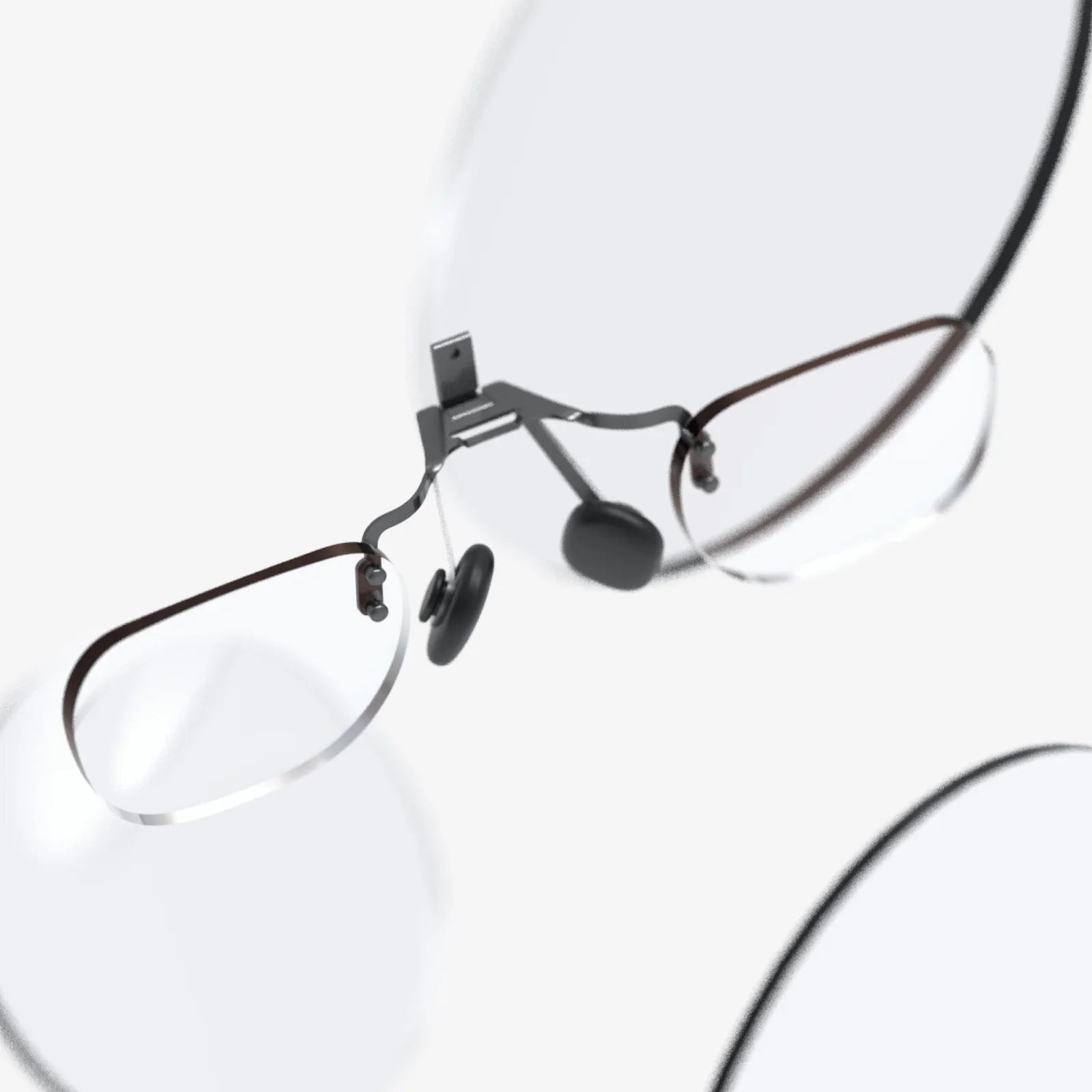
Imagine slipping on what looks like a normal pair of spectacles and instantly seeing a cinema-sized screen floating in front of you, your work apps hovering beside it, and real-time information layered over the world around you. That is the promise of the glasses-shaped display: a sleek, wearable window into digital experiences that feels more like science fiction than consumer technology. As these devices move from prototypes to everyday tools, they are poised to change how we watch, work, learn, and navigate the world.
What is a glasses-shaped display?
A glasses-shaped display is a wearable visual device designed in the form factor of eyeglasses or sunglasses. Instead of staring at a traditional screen, you wear a lightweight frame that positions one or more micro-displays near your eyes. Optics inside the frame project virtual images into your field of view, creating the illusion of a large screen or overlaying digital content on top of the real world.
Unlike bulky headsets, a glasses-shaped display aims for everyday wearability. It typically includes:
- Frames and temples that resemble regular glasses
- Transparent or semi-transparent lenses, or lens-less optical modules
- Micro-displays near the lenses (often in the corners or within the frame)
- Optical elements such as waveguides, prisms, or mirrors to direct light
- Integrated electronics: processors, sensors, batteries, and connectivity modules
The result is a device that can show anything from a simple status notification to a virtual 120-inch screen, all while you move freely and keep your hands available for other tasks.
Core technologies inside a glasses-shaped display
Several key technologies enable the compact form factor and immersive visuals of a glasses-shaped display. Understanding them helps explain why these devices are becoming more practical and powerful.
Micro-displays
At the heart of every glasses-shaped display is a tiny screen, often smaller than a fingernail. Common types include:
- Micro-OLED: Offers deep blacks, high contrast, and vibrant colors. Ideal for cinema-like experiences and sharp text.
- Micro-LED: Promises high brightness and efficiency, making it suitable for outdoor visibility and long battery life.
- LCOS (Liquid Crystal on Silicon): A reflective technology that can deliver good resolution and color in a compact size.
These micro-displays are mounted close to the eyes, so they do not need to be physically large to appear as a big virtual screen.
Optical systems and waveguides
Simply placing a micro-display near the eye is not enough; the image must be projected in a way that is comfortable and natural to view. This is where optics come in:
- Waveguides: Thin transparent slabs of glass or plastic that guide light from the micro-display to the eye using internal reflection. They allow images to appear as though they are floating in front of you while maintaining a slim, glasses-like profile.
- Prism-based systems: Small prisms or mirror assemblies that redirect light into the eye. These can be slightly bulkier but are often simpler to manufacture.
- Freeform optics: Custom-shaped lenses that optimize image clarity, reduce distortion, and maintain a wide field of view.
The quality of the optical system determines how crisp the image looks, how wide the virtual screen appears, and how comfortable long-term viewing will be.
Onboard processing and connectivity
Many glasses-shaped displays rely on a companion device for heavy processing, such as a smartphone, computer, or compact external computing unit. Others integrate their own processors. Common capabilities include:
- Wireless connectivity via Wi-Fi, Bluetooth, or specialized protocols to stream video, audio, and data
- Position and motion tracking using accelerometers, gyroscopes, and sometimes magnetometers
- Environmental sensing through cameras or depth sensors for augmented reality experiences
- Audio output via speakers, open-ear audio, or bone-conduction transducers
Together, these components transform the glasses-shaped display from a simple screen into an interactive, context-aware computing device.
Types of experiences: VR, AR, and MR in a glasses form
Not all glasses-shaped displays are built for the same purpose. They can be broadly categorized by the type of visual experience they deliver.
Virtual reality-style wearable displays
Some glasses-shaped displays focus on creating a large virtual screen in front of the user, often by blocking or dimming the real world. These devices are ideal for:
- Watching movies and streaming shows on a virtual big screen
- Playing games with immersive visuals
- Using productivity apps on large virtual monitors
They may not fully surround your vision like traditional head-mounted virtual reality devices, but they provide a cinema-like field of view that feels far larger than a typical laptop or tablet.
Augmented reality overlays
Other glasses-shaped displays emphasize transparency, allowing you to see the real world clearly while overlaying digital information. Common uses include:
- Navigation prompts and directions while walking or cycling
- Real-time translations of text or speech
- Heads-up notifications and simple widgets
- Industrial or professional guidance, such as assembly instructions or remote assistance
These devices preserve situational awareness, making them suitable for everyday outdoor use and workplace scenarios.
Mixed reality and spatial computing
The most advanced glasses-shaped displays aim for mixed reality, where virtual objects appear anchored in the real world and respond to your movements. Features can include:
- Spatial mapping of rooms and objects
- Hand and gesture tracking for interaction
- Persistent virtual screens that stay in place as you move
- Collaborative experiences where multiple users see the same virtual content
While fully featured mixed reality glasses remain technically challenging, progress in sensors, optics, and processing is steadily pushing the category closer to mainstream viability.
Key benefits of a glasses-shaped display
The appeal of a glasses-shaped display goes beyond novelty. It offers concrete advantages over traditional screens in several areas of life and work.
Portable cinema and gaming experiences
One of the most compelling benefits is the ability to carry a giant screen anywhere. Users can:
- Watch movies on a virtual screen that feels as large as a home theater projection
- Stream shows privately on planes, trains, or in shared spaces
- Play games with immersive visuals without needing a dedicated television
Because the display is close to the eyes, even modest-resolution micro-displays can feel huge compared to handheld devices.
Productivity and multitasking on virtual monitors
A glasses-shaped display can replace or augment physical monitors. Possible workflows include:
- Creating multiple virtual screens for documents, messaging, and reference materials
- Working from anywhere without carrying bulky hardware
- Keeping sensitive information visible only to the wearer, enhancing privacy in public spaces
This flexibility is particularly attractive for remote workers, digital nomads, and professionals who constantly switch locations.
Enhanced learning and training
Educational and training scenarios benefit from visualizing information directly in the learner’s field of view. Glasses-shaped displays can:
- Overlay labels and explanations on real objects for hands-on learning
- Guide technicians through complex procedures step by step
- Simulate dangerous or expensive scenarios safely through virtual models
By combining real-world context with digital guidance, these devices can accelerate skill acquisition and reduce training costs.
Improved navigation and daily assistance
For everyday tasks, a glasses-shaped display can offer subtle but powerful support:
- Turn-by-turn directions that float in your view without requiring you to look down at a phone
- Real-time translation of signs or conversations during travel
- Reminders, calendar alerts, and notifications that appear discretely
The result is a more seamless connection between digital tools and the physical world, reducing the need to constantly check a handheld device.
Accessibility and assistive functions
For users with certain disabilities or limitations, glasses-shaped displays can provide meaningful assistance:
- Visual amplification or contrast enhancement for low-vision users
- Real-time captions for those with hearing impairments
- Guided navigation cues for safer movement in complex environments
As software evolves, these devices may become a key component of accessible computing and inclusive design.
Design challenges and trade-offs
Despite their potential, glasses-shaped displays face significant engineering and design challenges. These constraints shape what current devices can and cannot do.
Comfort, weight, and ergonomics
Because the device sits on the nose and ears, even small increases in weight can cause discomfort over time. Designers must balance:
- Battery size versus usage time
- Optical complexity versus thickness and weight
- Durability versus flexibility and comfort
Achieving a form factor close to normal eyewear while integrating advanced electronics remains a central challenge.
Field of view and image quality
A wide field of view feels more immersive but is harder to achieve with slim optics. Limitations include:
- Narrow viewing windows where the image appears clear
- Edge distortions or color fringing in some optical designs
- Brightness constraints, especially in bright outdoor environments
Manufacturers must optimize these factors to deliver a comfortable, high-quality visual experience that works in many lighting conditions.
Battery life and thermal management
Running displays, sensors, and wireless connections consumes power. With limited space for batteries, glasses-shaped displays must be efficient. Issues include:
- Balancing brightness and refresh rate with battery drain
- Preventing heat buildup near the face
- Deciding between fully standalone operation or tethering to external devices for heavy processing
Innovations in low-power chips and display technologies are critical for making these devices practical for all-day use.
Social acceptance and aesthetics
Even the most advanced technology will struggle if people do not want to wear it. Social factors include:
- How conspicuous the device looks in public
- Concerns about cameras and perceived surveillance
- Compatibility with personal style and fashion preferences
Designers increasingly prioritize subtle, familiar aesthetics so that a glasses-shaped display can blend into everyday life rather than stand out as a gadget.
Privacy, safety, and ethical considerations
As glasses-shaped displays become more capable, they raise important questions about privacy and responsible use.
Recording and surveillance concerns
When a device on someone’s face includes cameras or microphones, bystanders may worry about being recorded without consent. Responsible design and use can mitigate these issues by:
- Providing clear visual indicators when recording is active
- Offering modes that disable cameras in sensitive environments
- Educating users about local laws and norms regarding recording
Transparent communication and thoughtful software policies are essential for public trust.
Data security and personal information
Glasses-shaped displays may process sensitive data, such as location, visual surroundings, and biometric information. Good security practices include:
- Encrypting data in transit and at rest
- Allowing users to control what data is collected and stored
- Providing clear privacy settings and explanations
Users should be able to enjoy the benefits of wearable displays without sacrificing control over their personal information.
Attention and situational awareness
Overlaying digital content on the real world can distract from important real-world cues. Safety considerations include:
- Restricting certain features while driving or operating machinery
- Designing notifications that are glanceable rather than overwhelming
- Encouraging mindful use in situations where full attention is necessary
Thoughtful interface design can help users stay informed without becoming dangerously distracted.
How to evaluate and choose a glasses-shaped display
For those considering adopting a glasses-shaped display, focusing on a few key criteria can guide a smart decision.
Primary use case
Start by identifying your main goal:
- Entertainment and gaming
- Work and productivity
- Navigation and daily assistance
- Professional or industrial use
- Accessibility and assistive functions
Different devices prioritize different features, such as higher resolution for media, lighter weight for all-day wear, or robust sensors for mixed reality.
Comfort and fit
Because the device sits on your face, comfort is critical. Consider:
- Total weight and balance between front and temples
- Nose pad design and adjustability
- Compatibility with prescription lenses or inserts
Whenever possible, test the device for extended periods to see whether any pressure points or fatigue emerge.
Display quality and field of view
Key aspects of visual performance include:
- Resolution and pixel density for sharp text and detailed images
- Brightness and contrast, especially for outdoor use
- Field of view, which affects how large and immersive the virtual screen feels
A balance between clarity, immersion, and comfort will provide the best overall experience.
Battery life and connectivity
Look at how long the device can run under typical usage and how it connects to other hardware:
- Battery duration for video playback or mixed reality sessions
- Charging options and speed
- Compatibility with phones, computers, or game systems
Reliable connectivity ensures smooth streaming and responsive interaction with your existing devices.
Software ecosystem and updates
The value of a glasses-shaped display depends heavily on its software:
- Availability of apps that match your needs
- Frequency of software updates and feature improvements
- Support for standard formats and services you already use
A robust ecosystem can make the difference between a novelty gadget and a daily tool.
Best practices for comfortable and healthy use
To get the most from a glasses-shaped display while minimizing strain, it helps to adopt sensible usage habits.
Managing eye strain
Extended screen time of any kind can tire the eyes. Helpful practices include:
- Following a regular break schedule, such as looking away every 20 minutes
- Adjusting brightness to match ambient lighting
- Ensuring text size and contrast are comfortable for reading
If you experience persistent discomfort, reduce session length and consult a vision professional.
Posture and ergonomics
Because a glasses-shaped display allows you to position virtual screens anywhere, you can optimize for better posture:
- Place virtual monitors at eye level to avoid neck strain
- Avoid hunching over as if using a small handheld device
- Use a supportive chair and maintain neutral head positioning
These adjustments can make long work or viewing sessions more comfortable.
Safe use in public and shared spaces
When wearing a glasses-shaped display in public, consider both safety and courtesy:
- Keep overlays minimal while crossing streets or navigating crowds
- Be transparent about recording or capturing images
- Respect environments where wearable displays may be inappropriate, such as secure facilities
Responsible usage helps normalize the technology and reduces friction with people around you.
Future directions for glasses-shaped displays
The current generation of glasses-shaped displays is only the beginning. Ongoing research and development point toward a future where these devices are smaller, smarter, and more integrated into daily life.
Improved optics and near-invisible designs
Advances in waveguide fabrication, holographic optics, and new materials are making it possible to:
- Increase field of view without adding bulk
- Reduce distortion and color artifacts
- Create lenses that look nearly indistinguishable from regular eyewear
As these improvements reach consumer devices, glasses-shaped displays will become easier to wear all day without drawing attention.
More natural interaction methods
Future devices will likely rely less on handheld controllers and more on intuitive interactions, including:
- Hand and gesture recognition
- Eye tracking for precise cursor control and foveated rendering
- Voice commands for quick actions
Combining these methods can make digital content feel more like an extension of natural behavior rather than a separate interface.
Integration with everyday services and environments
As glasses-shaped displays become more common, public and private spaces may adapt to support them. Potential developments include:
- Indoor navigation overlays in large buildings
- Context-aware information panels that appear when you look at specific objects
- Shared virtual workspaces where colleagues see the same content anchored in the same physical room
This deeper integration could turn the glasses-shaped display into a primary way people interact with digital information outside of traditional screens.
Sustainability and responsible manufacturing
As adoption grows, questions of sustainability will become more urgent. Important considerations are:
- Designing for repairability and component replacement
- Using recyclable materials where possible
- Reducing energy consumption both in manufacturing and during use
Environmentally conscious design will help ensure that the rise of wearable displays does not come at an unnecessary ecological cost.
Why now is the time to pay attention to glasses-shaped displays
Glasses-shaped displays are moving rapidly from experimental curiosities to practical tools that can reshape how we engage with digital content. They bring the promise of huge screens without the bulk, hands-free access to information without constant phone-checking, and immersive experiences that fit into a pocket or small case.
Whether you are drawn by the idea of a personal cinema, intrigued by the productivity boost of virtual monitors, or interested in how augmented reality might transform navigation, education, and work, this category is worth watching closely. The choices made today in design, privacy, and ecosystem development will influence how seamlessly these devices blend into everyday life tomorrow.
If you start exploring the world of glasses-shaped displays now, you will be better prepared to decide how they fit into your own routine and goals. As the technology matures, those who understand its strengths and limitations will be in the best position to take advantage of an emerging era where the line between physical and digital experiences becomes almost invisible, viewed through what appears to be an ordinary pair of glasses.
Share:
arcteryx ar: A Complete Guide to Performance, Fit, and Outdoor Versatility
arcteryx ar: A Complete Guide to Performance, Fit, and Outdoor Versatility