


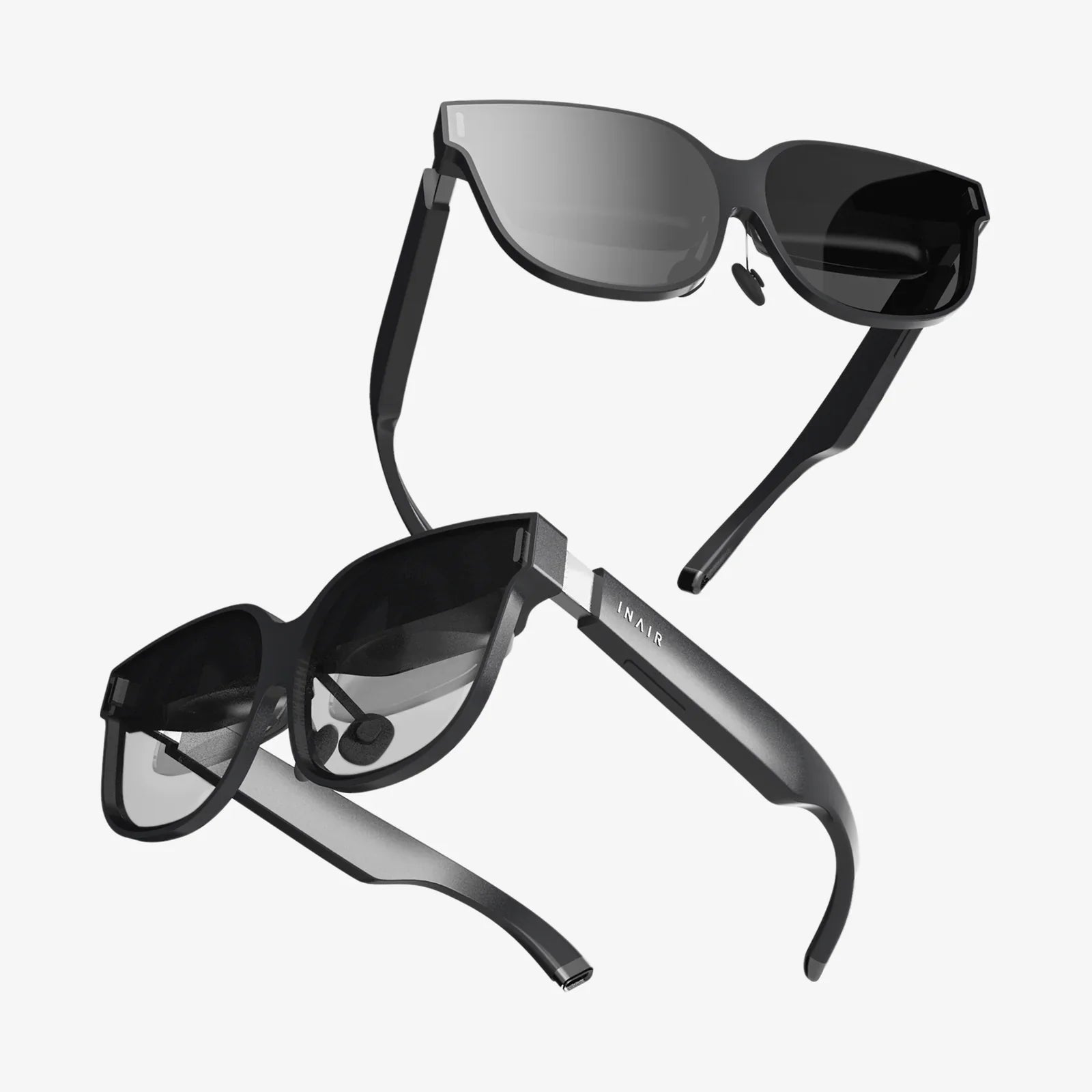
If you spend hours every day staring at screens and feel your eyes burning, your head pounding, or your focus slipping away, high quality computer reading glasses might be the simple upgrade that transforms how you work and relax. Instead of just surviving another day of digital eye strain, you can create a viewing experience that feels clearer, calmer, and more productive.
Far from being a trendy accessory, high quality computer reading glasses are a practical tool designed to match the way you actually use your eyes in the modern world. Whether you are working remotely, gaming late into the night, or juggling multiple screens in a busy office, the right pair of glasses can make the difference between ending the day exhausted or finishing strong with energy to spare.
Why High Quality Computer Reading Glasses Matter in a Digital World
Most people underestimate how hard their eyes work during a typical day. Phones, laptops, tablets, and large monitors all demand constant focusing effort, often at close or intermediate distances that are not ideal for the human visual system.
Common symptoms of digital eye strain include:
- Dry, irritated, or burning eyes after screen use
- Headaches, especially around the eyes or forehead
- Blurred vision when shifting focus between distances
- Difficulty concentrating on text or detailed work
- Neck and shoulder tension from leaning toward the screen
- Increased light sensitivity, especially in the evening
High quality computer reading glasses are designed to address these issues by providing optimized focusing power, improved contrast, and better control of screen glare and blue light. Instead of your eyes constantly struggling to adapt, the lenses do more of the work for you.
What Makes Computer Reading Glasses “High Quality”?
Not all glasses marketed for screen use are created equal. High quality computer reading glasses stand out because of a combination of lens design, optical clarity, coatings, frame construction, and overall comfort.
1. Precision Lens Power and Design
High quality computer reading glasses are built around the specific visual demands of screen work. That usually means:
- Optimized for intermediate distance: Computer screens typically sit 20–28 inches from your eyes. High quality lenses are calibrated for this range so your eyes do not have to strain to maintain focus.
- Appropriate reading power: For people who already use reading glasses, computer reading lenses may have slightly lower power than traditional reading glasses to match the longer viewing distance of a monitor compared with a book.
- Accurate optical centers: The point in each lens where the optical quality is best should align with your pupils. High quality glasses are manufactured with tighter tolerances to reduce distortion and eye fatigue.
2. High Grade Lens Materials
The material of the lens affects weight, clarity, and durability. High quality computer reading glasses typically use advanced plastics that offer:
- Lightweight comfort: Lighter lenses reduce pressure on the nose and ears, important for long wear.
- Good optical clarity: Quality materials reduce visual distortions and color fringing at the edges of the lens.
- Impact resistance: Durable lenses are less likely to chip, crack, or scratch with everyday use.
3. Effective Anti-Reflective Coatings
Screen glare and reflections are major contributors to eye fatigue. High quality computer reading glasses often include premium anti-reflective coatings that:
- Reduce reflections from overhead lights and windows
- Improve contrast and clarity on digital displays
- Minimize distracting reflections on the front and back of the lenses
- Help your eyes feel less strained in bright indoor environments
These coatings are especially helpful if you work under fluorescent lighting or in open offices where light sources come from many directions.
4. Thoughtful Blue Light Management
Digital screens emit blue light, a short-wavelength, high-energy part of the visible spectrum. While blue light is not inherently harmful in normal doses, prolonged exposure late in the day can contribute to eye discomfort and may interfere with sleep patterns.
High quality computer reading glasses often incorporate blue light management in two main ways:
- Mild blue light filtering: These lenses selectively reduce certain bands of blue light, particularly in the high-energy range, while preserving color accuracy.
- Balanced tint options: Some lenses use subtle tints that are barely noticeable but can improve visual comfort and contrast on screens.
High quality designs aim to balance protection and natural color perception so your screen does not look unnaturally yellow or distorted.
5. Comfortable, Durable Frames
Even the best lenses will not help if the frames are uncomfortable or constantly slipping. High quality computer reading glasses typically feature:
- Lightweight frame materials that reduce pressure on the nose and ears
- Adjustable nose pads for a customized fit
- Flexible hinges that allow for slight movement without creating pressure points
- Balanced frame geometry that keeps the lenses correctly positioned in front of your eyes
Because computer glasses are often worn for many hours at a time, comfort is not a luxury feature; it is essential to getting the full benefits.
Who Can Benefit Most from High Quality Computer Reading Glasses?
Many people assume that computer glasses are only for those with significant vision problems, but in reality, a wide range of users can benefit.
Office Professionals and Remote Workers
If you spend much of your day on spreadsheets, documents, or web-based tools, your eyes are under constant near-focus stress. High quality computer reading glasses can:
- Reduce screen-related headaches
- Improve clarity of small text and fine details
- Help you maintain focus for longer periods
- Encourage a more ergonomic working distance from the monitor
Students and Lifelong Learners
Online courses, digital textbooks, and research platforms demand long hours of screen time. Students often switch rapidly between reading, writing, and video content. Proper computer reading glasses can make those study sessions more comfortable and productive.
Gamers and Content Creators
Gaming marathons, video editing, and graphic design work combine intense visual concentration with bright, dynamic imagery. High quality computer reading glasses help by:
- Reducing glare from bright scenes and UI elements
- Improving contrast and detail perception
- Helping eyes stay relaxed during extended sessions
People Over 40 Experiencing Presbyopia
As we age, the eye’s lens naturally becomes less flexible, making it harder to focus on near objects. This condition, called presbyopia, often appears in the early to mid-forties. High quality computer reading glasses can be tailored to the intermediate distance of screens, providing clearer, more comfortable vision than standard reading glasses alone.
Anyone with Subtle Eye Strain Symptoms
Even if your vision tests as “normal,” you might still experience mild eye strain from screen use. High quality computer reading glasses can offer a small amount of focusing assistance and glare control that makes a noticeable difference in daily comfort.
Key Features to Look for in High Quality Computer Reading Glasses
When evaluating options, paying attention to specific features can help you distinguish high quality glasses from basic or purely cosmetic ones.
Lens Power and Type
Consider the following lens types:
- Single-vision computer lenses: Designed specifically for the distance between your eyes and your screen. These are ideal if you primarily need help at that one distance.
- Reading-strength lenses optimized for screens: These use a power similar to reading glasses but adjusted for the slightly longer distance of a monitor.
- Occupational or office lenses: These specialized lenses provide a range of clear vision from near to intermediate distances, useful if you frequently look between a keyboard, screen, and nearby documents.
High quality computer reading glasses should clearly specify the intended working distance and lens power so you can match them to your needs.
Blue Light and Glare Control
Look for lenses that provide:
- Anti-reflective coatings for indoor lighting and screen glare
- Moderate blue light filtering focused on the higher-energy ranges
- Minimal color distortion, so images and text look natural
High quality coatings are usually clear or only slightly tinted, rather than heavily colored, and maintain good visibility in a variety of lighting conditions.
Frame Fit and Ergonomics
Comfort and fit are critical for glasses you will wear for many hours. Pay attention to:
- Bridge design: The part resting on your nose should distribute weight evenly without slipping.
- Temple length and flexibility: The arms should be long enough to sit comfortably over your ears without pressing too tightly.
- Lens size and shape: Larger lenses can provide a wider field of view, reducing the need to tilt your head to see the screen clearly.
High quality computer reading glasses often feature subtle design touches, such as textured nose pads or spring hinges, that enhance long-term comfort.
How to Choose the Right Strength for Computer Reading Glasses
Choosing the correct lens power is essential to getting the full benefit from high quality computer reading glasses. Here are key guidelines:
Know Your Typical Screen Distance
Measure how far your eyes are from your main screen when you sit comfortably. For most people, this falls between 20 and 28 inches. Knowing this distance helps determine the ideal focusing power.
Adjust from Your Existing Reading Power
If you already use reading glasses, computer reading glasses are often slightly weaker because screens are usually farther away than books. For example:
- If your reading glasses are typically +2.00, your computer reading glasses might be around +1.50 or +1.75, depending on your exact working distance.
However, these adjustments are best confirmed with a professional eye exam, especially if you experience significant eye strain.
Consider a Professional Eye Examination
An eye care professional can:
- Measure your exact visual needs at screen distance
- Check for underlying vision issues that might contribute to eye strain
- Recommend specific lens designs optimized for your work environment
High quality computer reading glasses perform best when they are matched precisely to your eyes rather than relying on guesswork.
Using High Quality Computer Reading Glasses Effectively
Once you have the right pair, a few simple habits can maximize their benefits.
Set Up an Ergonomic Workspace
Even the best glasses cannot compensate for a poorly arranged workspace. For optimal comfort:
- Position your monitor so the top of the screen is at or slightly below eye level.
- Keep the screen about an arm’s length away, or at the distance your glasses are designed for.
- Ensure your chair and desk height allow your feet to rest flat on the floor and your wrists to remain neutral while typing.
High quality computer reading glasses are designed to work with, not against, good posture and ergonomics.
Follow Healthy Viewing Habits
Even with optimized lenses, your eyes need regular breaks. Helpful habits include:
- The 20-20-20 rule: Every 20 minutes, look at something at least 20 feet away for 20 seconds.
- Blinking more often: Consciously blinking helps prevent dry eyes, which are common during intense screen use.
- Adjusting screen brightness: Match the brightness of your screen to your surroundings to reduce strain.
High quality computer reading glasses make these habits more effective by reducing the underlying visual stress.
Use Appropriate Lighting
Balanced lighting enhances the performance of your glasses. Aim for:
- Soft, indirect lighting rather than harsh overhead glare
- Minimal reflections on the screen from windows or lights
- Task lighting for printed documents placed beside your monitor
When lighting is properly managed, the anti-reflective and blue light features of your lenses can work to their full potential.
Common Myths About Computer Reading Glasses
Misunderstandings can keep people from investing in high quality computer reading glasses, even when they would benefit. Here are a few myths and the reality behind them.
Myth 1: Computer Glasses Are Only for People with Bad Vision
Reality: Even people with otherwise excellent vision can experience digital eye strain. High quality computer reading glasses can provide subtle focusing support, glare reduction, and blue light management that improves comfort for almost anyone who spends long hours at a screen.
Myth 2: Any Cheap Pair of Glasses Labeled “Computer” Is Good Enough
Reality: Basic or poorly made glasses may not offer accurate lens power, effective coatings, or comfortable fit. High quality computer reading glasses are distinguished by careful optical design and construction that directly impacts how your eyes feel after hours of use.
Myth 3: Blue Light Is the Only Problem
Reality: Blue light is just one part of the story. Focusing effort, glare, poor posture, and inadequate lighting all contribute to eye strain. High quality computer reading glasses address multiple factors simultaneously, not just blue light.
Myth 4: Wearing Computer Glasses Will Make Your Eyes Weaker
Reality: Using appropriate vision correction does not weaken your eyes. Instead, it reduces unnecessary strain and can help you maintain visual comfort over time. High quality computer reading glasses are a tool, not a crutch.
Maintaining and Caring for High Quality Computer Reading Glasses
Proper care ensures that your glasses continue to perform well and last longer.
Cleaning the Lenses
To protect coatings and maintain clarity:
- Use a dedicated lens cleaning solution and a soft, lint-free cloth.
- Avoid paper towels, tissues, or clothing, which can scratch the lenses.
- Rinse lenses with lukewarm water before wiping if there is visible dust or debris.
Consistent gentle cleaning preserves the effectiveness of anti-reflective and blue light coatings.
Storing Your Glasses Properly
When not in use:
- Keep your glasses in a protective case to prevent scratches and accidental bending.
- Avoid leaving them face-down on surfaces or in places where they may be crushed.
- Do not expose them to extreme heat, such as inside a parked car on a hot day.
High quality frames and lenses are durable, but careful storage extends their life.
Checking Fit and Adjustments
Over time, frames may loosen or shift. If you notice slipping, pressure points, or changes in comfort:
- Have the frames adjusted so they sit correctly on your nose and ears.
- Ensure the lenses remain aligned with your eyes for optimal optical performance.
Small adjustments can restore the comfort and clarity you expect from high quality computer reading glasses.
Integrating Computer Reading Glasses into Your Daily Routine
To get the most out of your glasses, make them a natural part of your workflow and lifestyle.
Designate Them as Your “Work Mode” Tool
Putting on your high quality computer reading glasses can become a signal that you are entering focused work mode. This simple ritual helps you:
- Mentally prepare for concentrated tasks
- Maintain consistent visual comfort throughout the day
- Separate screen-heavy work time from offline relaxation
Keep a Pair at Each Main Screen Location
If you regularly use multiple workstations, such as a home office and a workplace desk, consider keeping a dedicated pair of computer reading glasses at each location. This reduces the chance of forgetting them and reinforces good visual habits.
Use Them with Other Digital Wellness Strategies
High quality computer reading glasses are most effective when combined with broader digital wellness practices, such as:
- Limiting late-night screen time when possible
- Using screen filters or dark mode in low-light environments
- Taking regular breaks from intense visual tasks
This holistic approach helps protect your eyes and overall well-being in a screen-dominated world.
Signs Your Computer Reading Glasses Are Working Well
Once you start using high quality computer reading glasses, you should notice subtle but meaningful improvements. Positive signs include:
- Less frequent or less intense headaches after long screen sessions
- Reduced dryness or burning sensation in the eyes
- Improved ability to focus on detailed tasks without constant refocusing
- Feeling less exhausted at the end of a digital workday
- More natural posture and less leaning toward the screen
If you do not notice any improvement, or if discomfort persists, it may be worth revisiting your lens power, fit, or overall workspace setup.
Planning for the Future of Your Digital Vision
Digital screens are not going away. In fact, the number and variety of devices in daily life are likely to increase. High quality computer reading glasses are a proactive investment in your long-term visual comfort and productivity.
By understanding what sets high quality lenses and frames apart, choosing the right strength and design for your needs, and integrating your glasses into a healthy digital routine, you can turn screen time from a source of fatigue into a more comfortable and sustainable part of your day. Instead of accepting eye strain as the price of modern life, you can equip yourself with tools that help you see clearly, work efficiently, and end each day with your eyes feeling as sharp as your ambitions.
Share:
apple watch 42mm glass screen protector buying and usage guide
andersen storm door change glass to screen like a pro