


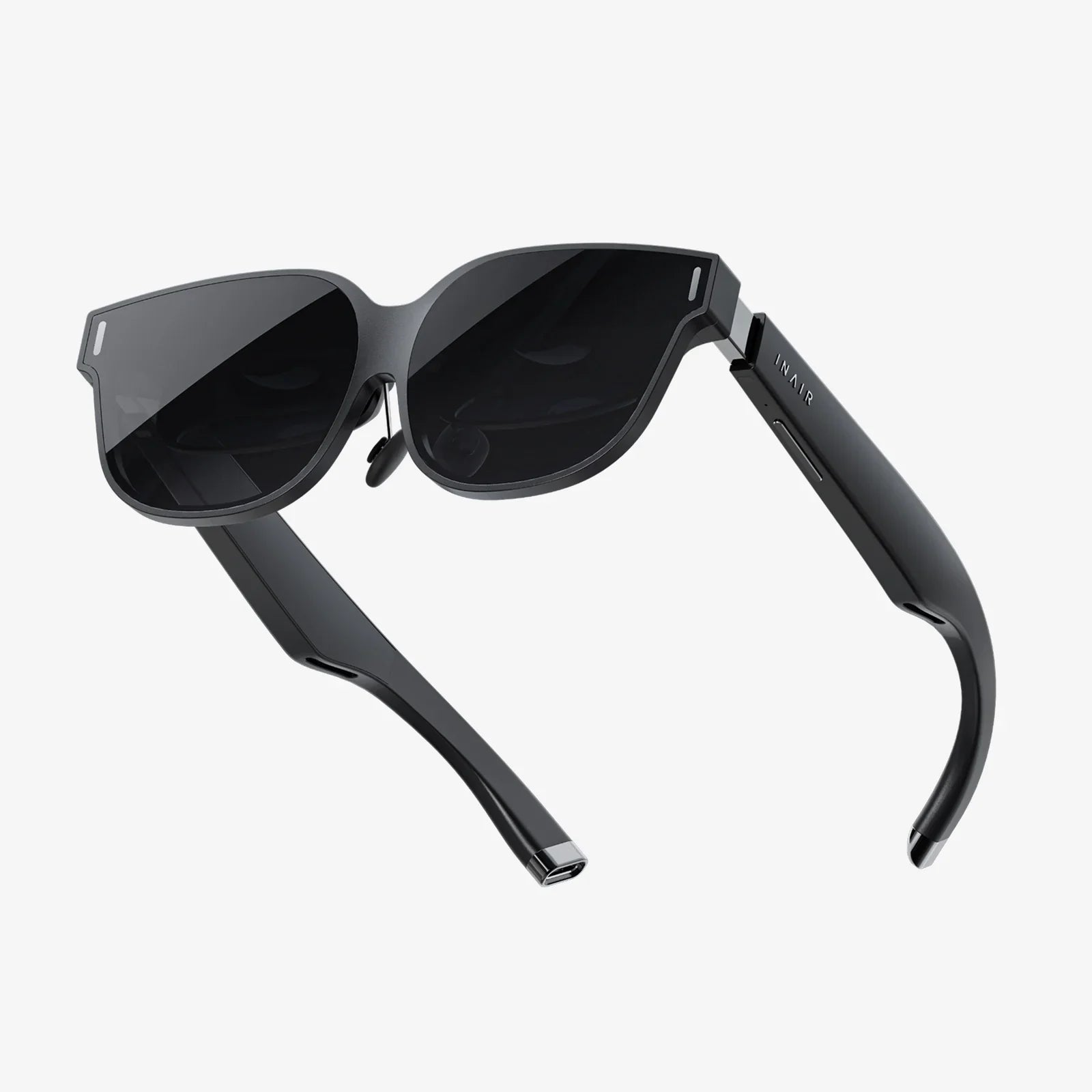
Imagine stepping into a new reality, where you can scale mountains, create 3D art with your hands, or train for a high-stakes surgery—all from your living room. The gateway to these incredible experiences is a virtual reality headset, and the journey to finding your perfect one is more exciting and accessible than ever. But with a landscape that changes by the month, knowing how to get a VR headset that truly fits your life can feel like a puzzle. This definitive guide is designed to demystify the entire process, turning a potentially overwhelming decision into an exciting adventure. We'll walk you through every critical step, from the first daydream to the moment you power on your device and take your first step into a larger world.
Step 1: Define Your Virtual Reality
Before you even glance at a spec sheet or a price tag, the most crucial step is to look inward. VR is not a one-size-fits-all technology; it's a spectrum of experiences tailored to different desires and lifestyles. Asking yourself a few key questions will provide the foundation for every decision that follows.
What is Your Primary 'Why'?
Are you a hardcore gamer seeking the most immersive, high-octane adventures? A fitness enthusiast looking for a fun way to break a sweat? A creative professional interested in 3D design and modeling? Or perhaps you're a curious explorer who wants to travel the world via 360-degree videos and socialize in virtual spaces? Your primary goal is the North Star that will guide your entire purchasing journey. A device perfect for a competitive gamer would be overkill and over-budget for someone who just wants to watch immersive documentaries.
Who is the User?
Is this headset just for you, or will it be a shared family device? If children are involved, considerations around comfort, content appropriateness, and hardware durability become paramount. Some systems are built with a younger audience in mind, offering robust parental controls and curated experiences.
Assessing Your Technical Comfort Zone
Are you a tech wizard who enjoys tweaking settings and building powerful computing rigs? Or do you prefer a simple, plug-and-play experience akin to a modern games console? Your answer will heavily influence which category of headset you should pursue. The technical barrier to entry has lowered dramatically, but some options still require a more hands-on approach.
Step 2: Demystifying the Hardware Landscape
The VR market has matured into three distinct categories, each with its own strengths, weaknesses, and ideal user. Understanding these categories is the key to narrowing your search.
Standalone Headsets: Freedom and Simplicity
These are all-in-one devices. Everything you need—the processors, sensors, batteries, and displays—is built directly into the headset. They are completely wireless and require no external computer or console to operate.
- Pros: Ultimate ease of use. No wires, no complicated setup. Generally more affordable upfront. Perfect for larger play spaces and users who value convenience.
- Cons: Processing power is limited by mobile-grade chips, meaning graphics are less detailed than on high-end systems. The library of experiences, while vast, may lack some of the most graphically intensive titles.
- Ideal For: First-time users, families, fitness users, social VR, and those with limited space or no powerful computer.
PC-Connected Headsets: The Powerhouse Experience
These headsets act as a display and sensor package for a high-end gaming computer. They offload all the processing to the PC, enabling breathtaking visuals, incredibly complex worlds, and the most immersive experiences available to consumers.
- Pros: Unmatched graphical fidelity and performance. Access to the largest library of deep, complex VR titles. Often feature the highest-resolution displays and advanced tracking technology.
- Cons: Requires a significant additional investment in a powerful gaming PC (if you don't already own one). You are tethered to the computer by a cable, which can limit movement and immersion. Setup is more complex.
- Ideal For: Serious gamers, tech enthusiasts, developers, and professionals in fields like architecture and design who need the highest possible quality.
Console-Based Headsets: The Plug-and-Play Power Option
This category functions similarly to a PC-connected headset but is designed to work exclusively with a specific video game console. It offers a middle ground between the simplicity of standalone and the power of PC VR.
- Pros: Offers high-quality, curated experiences without the need to build or buy a expensive PC. If you already own the console, the barrier to entry is lower. Seamless integration and optimization with the console's ecosystem.
- Cons: Library is limited to what is available on the console's platform. You are still tethered to the console with a cable.
- Ideal For: Gamers who are already invested in a specific console ecosystem and want a high-fidelity VR upgrade path.
Step 3: Setting a Realistic Budget
The price of admission to VR varies wildly. A realistic budget must account for more than just the headset itself.
The Headset Itself
Standalone headsets represent the most accessible tier. PC-connected headsets sit in the mid-to-high range, representing a significant investment for the hardware alone. Console-based headsets fall somewhere in the middle, especially if the console is already owned.
The Hidden Costs
This is where many first-time buyers get surprised. Be sure to factor in:
- The Gaming PC: For PC VR, this is the largest cost. A suitable VR-ready computer represents a major investment, often costing significantly more than the headset itself.
- Software and Games: Premium VR titles can carry a premium price tag, similar to traditional AAA games. Budget for the experiences you want to have.
- Accessories: These are optional but highly recommended. This includes things like a second facial interface for hygiene (especially for fitness), prescription lens inserts if you wear glasses, upgraded head straps for comfort, additional controllers, and rechargeable batteries.
Step 4: The Research Deep Dive
With your needs and budget defined, it's time to become an expert on the current options.
Key Specifications to Compare
Don't get lost in the numbers, but pay attention to these core specs:
- Resolution: Higher is better. It reduces the "screen door effect" and makes text and details sharper.
- Refresh Rate: Measured in Hz, a higher rate (90Hz and above) is crucial for smooth, comfortable visuals and reduces motion sickness.
- Field of View (FoV): How much of the virtual world you can see. A wider FoV is more immersive.
- Tracking: Inside-out tracking (cameras on the headset track the controllers) is convenient. Outside-in tracking (external sensors placed in the room track the headset) can be more precise but less flexible.
- Controllers: Are they ergonomic? Do they offer haptic feedback? Good controllers are vital for immersion.
Where to Research
Go beyond marketing materials. Seek out in-depth reviews from reputable technology websites and YouTube channels. Pay special attention to long-term reviews that discuss comfort over multi-hour sessions and the durability of the hardware. User reviews on storefronts can also provide valuable real-world insights into common issues or praises.
Step 5: The Acquisition - New, Refurbished, or Pre-Owned?
You've chosen your target. Now, how do you actually get it?
Buying New
The safest and most recommended option for a first-time buyer. Purchasing from authorized retailers or directly from the manufacturer's website guarantees you a full warranty, customer support, and a pristine product. You'll often find the best deals during major sales events.
Considering Refurbished
Many manufacturers offer certified refurbished models. These are devices that were returned, inspected, repaired if necessary, and certified to work like new. They often come with a warranty and can offer significant savings. This can be an excellent way to get a higher-end model on a tighter budget.
The Pre-Owned Market
Buying from another individual on online marketplaces can net the biggest discount, but it comes with the highest risk. You have no warranty, no guarantee of the headset's condition, and no recourse if something is wrong. If you go this route, insist on testing the device thoroughly before purchasing. Check for scratches on the lenses (which are irreparable), ensure all controllers pair and track correctly, and look for signs of wear.
Step 6: Preparation and First Steps
The box has arrived! The excitement is palpable, but a little preparation will ensure your first experience is magical, not frustrating.
Setting Up Your Play Space
VR requires room. Measure out a clear area free of obstacles, low-hanging light fixtures, and fragile objects. Most systems will guide you through setting a digital boundary (called a Guardian or Chaperone system); be meticulous and generous with this space. Good lighting is important for headset tracking, but avoid direct sunlight, which can permanently damage the internal screens.
The Initial Setup Process
Charge the headset and controllers fully. Download any necessary apps or software on your phone or computer beforehand. Follow the on-screen instructions carefully for pairing controllers and updating firmware. This process is mostly streamlined now, but allow yourself a good hour of uninterrupted time to get everything perfect.
Your First VR Session
Start slow! Do not jump into a fast-paced flying or driving game. Begin with the built-in tutorials and then try experiences that have minimal artificial movement. Many platforms offer free introductory experiences designed to gently acclimate you to VR. Pay attention to your body. If you start to feel warm, dizzy, or uncomfortable, take a break immediately. VR legs are built over time, not in one session.
Beyond the Purchase: Living in VR
Your journey doesn't end at setup. The VR ecosystem is alive with new content and communities.
Discovering Content
Explore the storefront for your platform. Wishlist apps and games you're interested in, as they frequently go on sale. Don't overlook the vast amount of free content available, from social platforms and creative tools to demos and experimental experiences.
Joining the Community
Some of the best aspects of VR are social. Join online forums, subreddits, and Discord servers dedicated to your headset or favorite games. This is the best way to find friends to play with, get help with technical issues, and learn about hidden gems and upcoming releases.
Caring for Your Headset
Treat it like the sophisticated piece of electronics it is. Keep it in a case or a clean, dry place when not in use to avoid dust and sunlight. Clean the lenses only with the provided microfiber cloth to prevent scratches. Be mindful of sweat during fitness apps; consider using a sweatband or removable interface covers for easier cleaning.
The path to owning a VR headset is a journey of matching incredible technology to your personal dreams of play, creation, and connection. It’s about understanding that the best device isn’t the one with the highest specs, but the one that seamlessly integrates into your life and unlocks the experiences you crave most. By following this roadmap—from defining your vision to taking that first awe-inspiring step into a virtual world—you’re not just buying a piece of hardware. You’re securing a passport to infinite possibilities, and your adventure is just about to begin.
Share:
How to Clean VR Headset Lenses: The Ultimate Guide to Safe & Effective Cleaning
Best VR Apps for Android 2025: The Ultimate Immersive Experience Guide