


- by wangfred
How to Interact with 3D AR: A Comprehensive Guide to the Future of Digital Engagement
- by wangfred
Imagine reaching into your living room and rotating a miniature solar system with your fingertips, watching planets orbit in perfect harmony. Envision trying on a new piece of furniture in your home, not with a tape measure and guesswork, but by seeing it in perfect scale and detail, walking around it, and opening its drawers before you ever make a purchase. This is the breathtaking promise of 3D Augmented Reality (AR), a technology that is rapidly moving from science fiction to everyday utility. But for many, the question remains: how do you actually step into this world and interact with it? The magic isn't just in seeing digital objects in your space; it's in touching, moving, and manipulating them. This guide is your portal, designed to unlock the skills and understanding you need to not just witness the AR revolution, but to become an active participant within it.
Before we dive into the mechanics of interaction, it's crucial to grasp what makes 3D AR distinct. Unlike Virtual Reality (VR), which immerses you in a completely digital environment, Augmented Reality superimposes computer-generated content onto your real-world view. 3D AR takes this a step further by introducing volumetric objects that possess height, width, and depth, allowing them to occupy space convincingly and respond to your environment in real-time.
The magic is powered by a sophisticated fusion of hardware and software. Cameras act as the eyes, scanning your surroundings. Sensors, including accelerometers, gyroscopes, and LiDAR (Light Detection and Ranging) scanners, map the geometry of the space, understanding the position of floors, walls, and furniture. The processor acts as the brain, interpreting this data and rendering high-fidelity 3D models that are locked into your physical world. This entire process, from scanning to rendering, happens in milliseconds, creating the seamless illusion that the digital and physical are one.
Your method of interaction is primarily dictated by the device you're using. Each offers a unique set of capabilities and control schemes.
For most people, their first encounter with 3D AR is through a mobile device. The touchscreen becomes your primary control surface, offering an intuitive way to manipulate objects.
The key to successful interaction on mobile is to move yourself around the object. Crouch down, walk around your phone or tablet, and view the object from different angles to get a true sense of its placement and scale.
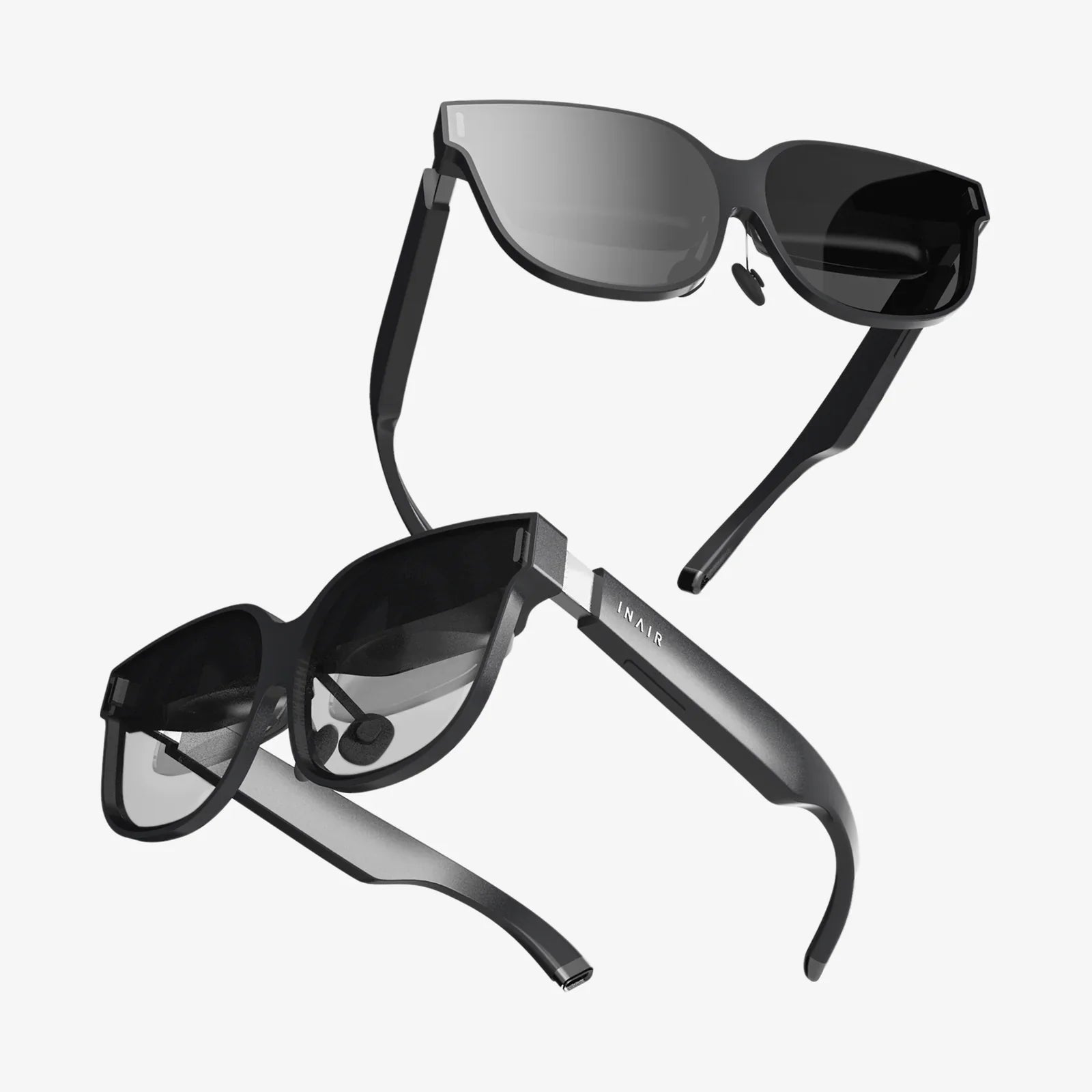
Wearable AR glasses represent the next evolution, freeing your hands and offering a more natural and immersive experience. Interaction here is more advanced and varied.
Beyond specific gestures, effective interaction is built on a foundation of core principles that ensure the experience feels intuitive and magical, not clunky and frustrating.
For interaction to feel real, the digital object must respect the physical world. This means it must be occluded, or hidden, by real objects. A virtual pet should run behind your sofa, not float on top of it. Advanced AR systems achieve this with depth sensing, creating a real-time 3D map of your room. When you interact with an object, you expect it to collide with your physical table and stop, not pass through it. This accurate environmental understanding is the bedrock of believable interaction.
The objects you interact with should behave in predictable ways. They should have weight and respond to virtual physics. If you flick a virtual dice, it should tumble and bounce on your table. Sliding a virtual lamp across a wooden floor should feel smooth, not jittery. This adherence to real-world physics principles is what sells the illusion and makes the interaction satisfying.
Lag is the enemy of immersion. The delay between your input (a hand movement or screen touch) and the object's response must be negligible. Even a few milliseconds of delay can break the sense of connection between you and the digital object. Furthermore, good AR experiences provide immediate feedback—visual highlights, subtle sounds, or haptic vibrations—to confirm that your interaction has been registered.
The theory is fascinating, but how does this play out in real-world scenarios?
You're shopping for a new floor lamp. Instead of guessing its height, you use an app to place a full-scale 3D model right in your living room. You walk around it, inspecting its design from all angles. Using a two-finger rotate gesture on your phone, you spin it to see the back. You pinch-to-zoom to examine the texture of the lampshade. Confident it's the right style and size, you make the purchase, assured it will fit perfectly.
A medical student puts on AR glasses and is presented with a beating human heart. Using hand-tracking gestures, they can delicately peel back layers, zoom into the ventricles, and even simulate blood flow. They are not just observing; they are interacting with and dissecting the model in a way a textbook could never allow, deepening their understanding through direct manipulation.
Planning a room remodel becomes a interactive experience. You can drag virtual sofas into place, try different wall colors that you apply just by looking at a wall and issuing a voice command ("Paint this wall sage green"), and place virtual art on your walls. You interact with your future space not as a passive viewer of a 2D image, but as an active creator in a 3D world.
A game transforms your kitchen table into a holographic battlefield. You use your fingers to command units, tapping to move them and pinching to attack. The characters take cover behind real-world objects like fruit bowls and coffee cups, blending your reality with the game's fiction in a deeply engaging way.
While the technology is advancing rapidly, challenges remain. "AR fatigue" can set in from holding up a phone or performing repetitive arm gestures. Precise hand-tracking can struggle in poor lighting conditions. Furthermore, designing intuitive interfaces that don't require a manual is an ongoing challenge for developers.
The future of interaction points toward even greater seamlessness. We are moving toward interfaces controlled by neural inputs and subtle eye-tracking, reducing the physical effort required. The concept of the "digital twin"—a perfect virtual replica of a physical space—will allow for hyper-accurate interactions and simulations. Ultimately, the technology will fade into the background, and the interaction will become as natural as moving a physical object. We won't think about how to interact with 3D AR; we will simply do it, and in doing so, we will redefine our relationship with the digital universe forever.
The line between what's real and what's digital is not just blurring—it's becoming a canvas for your imagination. The ability to place, reshape, and play with virtual objects in your immediate space is a superpower that was once reserved for fantasy. Now, it's nestled in your pocket or perched on your nose, waiting for your command. The next time you consider a new purchase, tackle a learning project, or simply seek a new form of play, remember that a dimension of interactive possibility is waiting to overlay your world. The only step left is for you to reach out and touch it.
Share:
Define Wearable Computing in Computer Science: The Evolution of the Human-Machine Interface
Advantages of Spatial Interaction: Bridging the Digital and Physical Divide