


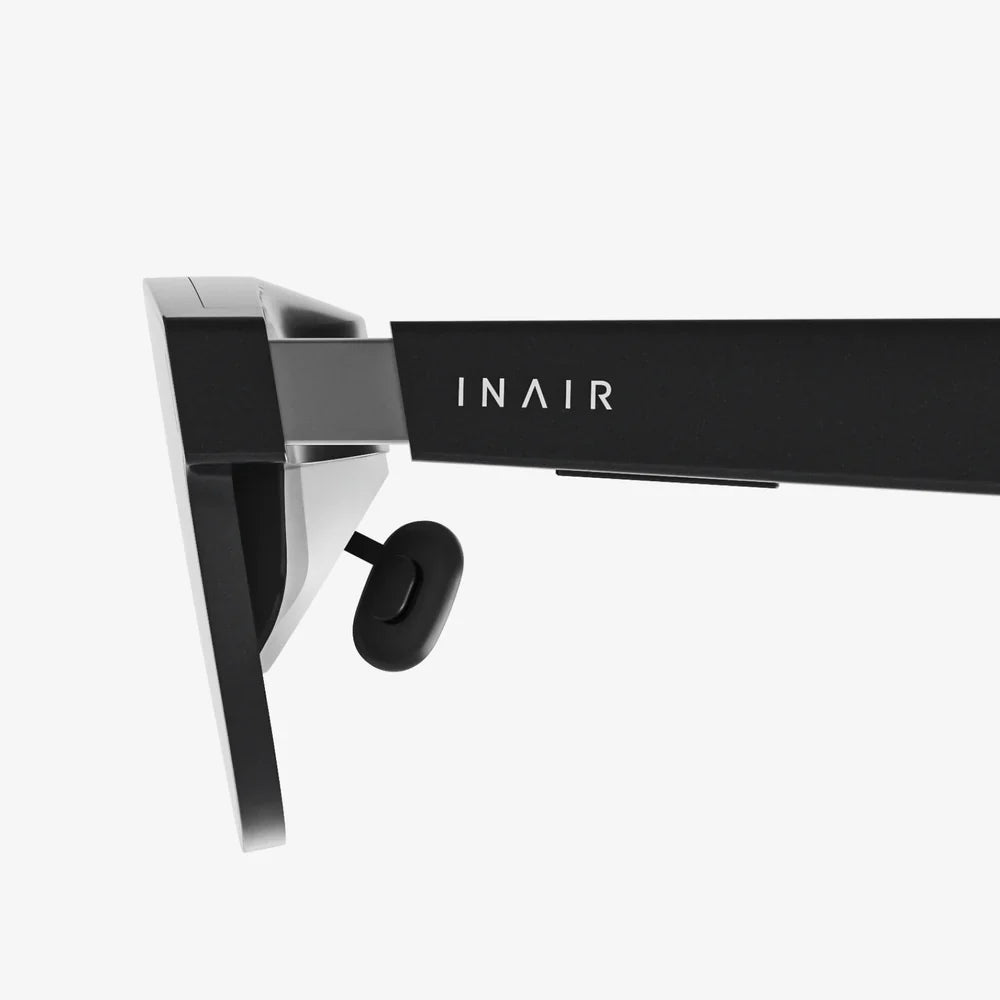
Imagine a world where digital dragons land on your coffee table, historical figures reenact battles on your street, and repair instructions hover over your broken appliance. This is no longer science fiction; it's the reality unlocked by augmented reality (AR) devices. The promise is immense, but the first question for any new user is a practical one: how do you actually use this incredible technology? The journey from unboxing to becoming a proficient user is an adventure in itself, blending the physical and digital in ways that are both intuitive and, at times, surprisingly complex. This guide will walk you through every step, transforming that sleek piece of hardware into a true window to a new world.
First Steps: Unboxing and Initial Setup
The moment you open the box, you're holding a portal to the future. Before you dive in, it's crucial to understand the components. A typical AR device setup includes the headset or glasses themselves, controllers (for some models), a charging cable and adapter, and often lens cleaning cloths. Your first task is to ensure a full charge; these are sophisticated computers and a dead battery is a quick end to an immersive session.
The initial setup is arguably the most important phase. This is where the device learns about you and its environment. You'll be guided through a process that typically involves:
- Pairing with Your Smartphone or Computer: Most devices require a companion app for initial configuration, account creation, and software updates. Ensure your phone's operating system is up to date for compatibility.
- Creating a Safety Boundary: This is a non-negotiable step for your physical safety. The device will ask you to define your play area by looking around the room. It uses its cameras to map the space, identifying walls, furniture, and other obstacles. Never skip this step. Always leave a buffer zone between your defined boundary and actual walls.
- Calibrating for Your Eyes: For the magic to work, the digital images must align perfectly with your reality. The device will guide you through an eye-tracking calibration, asking you to follow a dot or pattern with your eyes. This ensures text is sharp and objects are placed correctly in space.
- Adjusting the Fit: Comfort is king for extended use. Take the time to adjust the head strap, the interpupillary distance (IPD - the space between the lenses), and the top strap for a secure and clear fit. The device should feel snug but not create pressure points. A poorly fitted device leads to a blurry image and discomfort.
Mastering the Interface: Menus, Navigation, and Control
Once you're set up, you'll be greeted by a home environment or a main menu. This is your hub. AR interfaces are designed to be spatial; instead of flat screens, menus and apps appear as holograms in your room. Navigation is achieved through a combination of methods:
- Hand Tracking: Modern devices are increasingly adopting advanced hand tracking. You can pinch, select, drag, and resize elements with your bare hands. It feels incredibly natural but requires practice for precision. Make deliberate movements.
- Voice Commands: Don't underestimate the power of your voice. Saying "Go home," "Open [App Name]," or "Take a screenshot" is often the fastest way to navigate.
- Controllers: Some devices come with dedicated handheld controllers. These offer tactile feedback, buttons, and joysticks for precise input, which is essential for gaming and detailed design work. Familiarize yourself with the button layout.
- Gaze-Based Selection: A common technique involves simply looking at an interface element for a moment to select it, often combined with a confirmatory gesture or button press.
The key to mastery is experimentation. Spend time in the device's tutorial area, which is specifically designed to teach you these interaction paradigms. Don't get frustrated if it feels awkward at first; you're learning a new language of interaction.
Interacting with the Digital Layer: Core Actions
Using an AR device is about more than just viewing; it's about doing. The core actions you'll perform are:
- Placing and Manipulating Content: You can pin a virtual television to your wall, place a 3D model of a sculpture on your table, or set a virtual workstation by your window. Use pinch-to-grab gestures to move, rotate, and scale these objects. The best experiences respect physics and real-world geometry.
- Multitasking: One of AR's greatest strengths is multitasking. You can have a video call window open while following a recipe hologram in your kitchen, or have multiple browser windows arranged around you. Learn how to open multiple apps and position them effectively in your space.
- Capturing Your Experience: You'll want to share what you see. All devices have a built-in capture function for photos and videos. Remember that these recordings will include your physical space, so be mindful of privacy. The passthrough video quality dictates how good these shares will look.
Staying Safe and Socially Aware
Unlike virtual reality, AR keeps you anchored in the real world, but this introduces its own set of safety and social considerations.
- Respect Your Guardian Boundary: That safety boundary you set up? Heed its warnings. It's there for a reason. Be aware of pets and children who might enter your play area unexpectedly.
- Be Mindful of Your Surroundings: Avoid using the device while walking, on stairs, or near roads. Even with full-color video passthrough, your perception is slightly mediated. Clear a safe area of tripping hazards like loose rugs or cables.
- Take Regular Breaks: Eye strain and "simulator sickness" can affect some users, especially during the initial acclimation period. Start with short sessions of 15-30 minutes and gradually increase. If you feel dizzy, nauseous, or tired, take the device off immediately.
- Social Etiquette: Using AR in public is a new frontier. Be aware that people cannot see what you see. Gesturing at empty space or talking to seemingly no one can be disconcerting to others. Be prepared to explain what you're doing, and be respectful of others' privacy when capturing content.
Practical Applications: From Productivity to Play
Knowing how to use the device is one thing; knowing what to use it for is another. The ecosystem is vast and growing.
- Productivity: Replace your physical monitors with virtual ones. You can have a massive, private workspace anywhere. Use spatial apps for 3D design, architecture, and data visualization, manipulating models with your hands.
- Learning and Guides: Follow step-by-step instructions overlaid on your car engine, learn anatomy with a interactive 3D model of the human heart, or practice a new language with virtual labels on objects around your house.
- Entertainment: Play board games with digital pieces on your table, watch a movie on a giant virtual screen in your living room, or experience narrative stories where characters appear in your home.
- Fitness and Wellness: Use AR fitness apps that place targets and coaches in your space, or meditation apps that create serene, immersive environments around you.
Advanced Tips and Maintenance
As you become more proficient, a few pro tips will enhance your experience.
- Lighting is Key: AR devices rely on cameras to see the world. Low light or flickering lights (like some LEDs) can disrupt tracking and make the passthrough view grainy. Use bright, consistent, natural light where possible.
- Manage Your Device's Storage: Recorded videos, especially high-resolution ones, take up significant space. Regularly offload files you want to keep to cloud storage or a computer.
- Keep it Clean: Use only the provided microfiber cloth to clean the lenses. Never use window cleaner or abrasive wipes, as they can permanently damage the special coatings. Keep the outward-facing camera sensors free of smudges and dust for optimal tracking.
- Explore the Settings: Dive into the accessibility settings. You can often adjust text size, enable color blindness modes, and customize gestures to suit your needs.
The Future is in Your Hands
The true potential of your augmented reality device isn't just in the apps available today, but in how you imagine blending the digital and physical tomorrow. It's a canvas for creativity, a tool for unprecedented productivity, and a new lens through which to see and interact with the world around you. The initial learning curve gives way to a profound sense of empowerment, as you learn to command digital elements with a glance or a gesture. This technology is not about escaping reality, but about enhancing it, adding a layer of information, wonder, and possibility to the familiar. Your journey starts now—put on the device, define your space, and start building your new reality.
Share:
Virtual Office VR: The Future of Remote Work is Immersive and Boundless
Types of Virtual Office: A Comprehensive Guide to Modern Business Solutions