


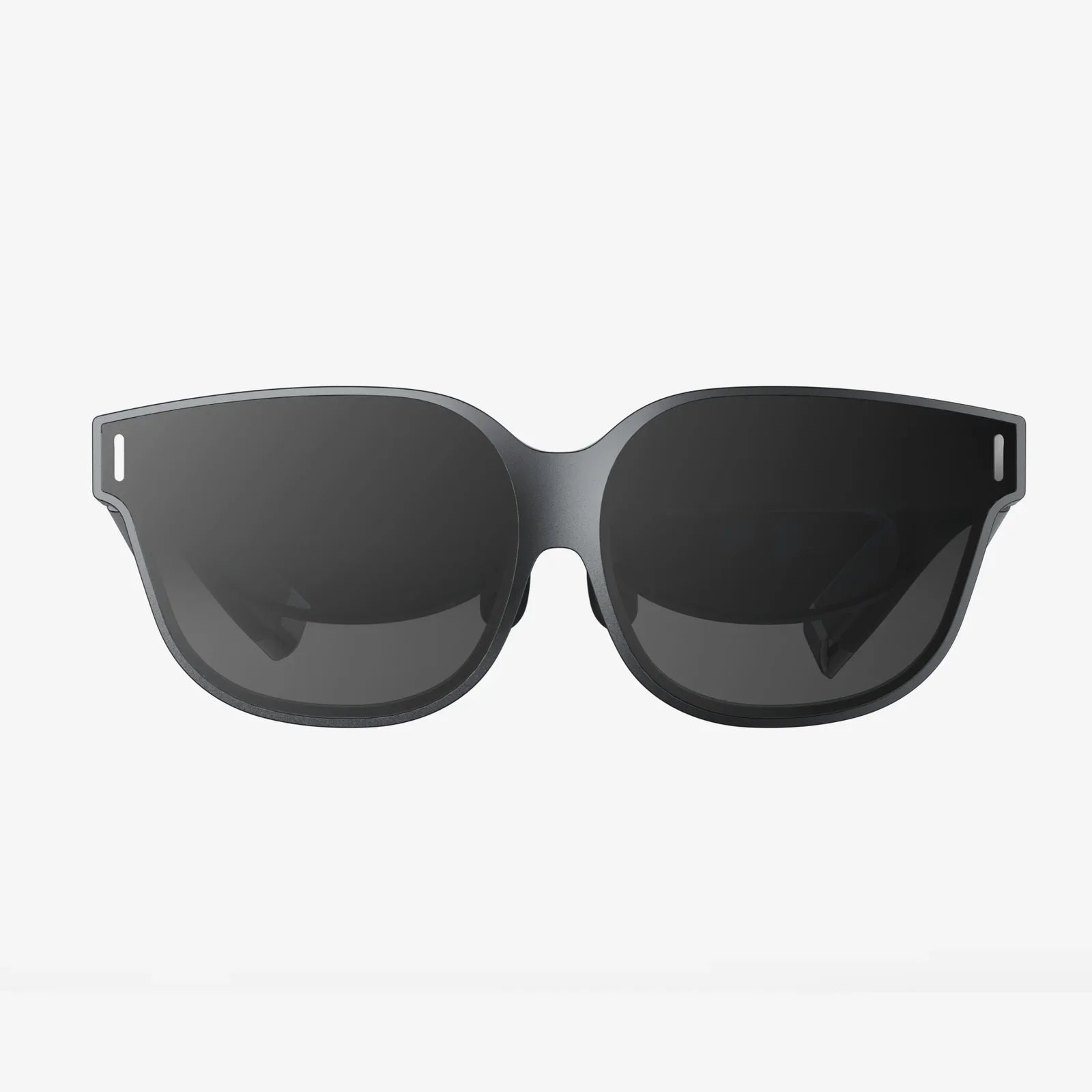
If you have ever imagined stepping inside your favorite game, trying on clothes without entering a fitting room, or turning your living room into a 3D classroom, an introduction to augmented reality and virtual reality is your doorway to that world. These technologies are already transforming how we play, learn, shop, and work, and understanding them now puts you ahead of the curve as they move from buzzwords to everyday essentials.
Both augmented reality (AR) and virtual reality (VR) are often mentioned together, yet they are not the same thing. They share a common goal of blending digital content with human perception, but they do it in very different ways. To really grasp their potential, it helps to break down how each technology works, what experiences they enable, and where they are headed in the near future.
What Is Augmented Reality?
Augmented reality overlays digital information on top of the real world. Instead of replacing your surroundings, AR adds to them. You still see your physical environment, but it is enhanced with computer-generated elements such as text, images, 3D models, or animations.
Many people encounter AR for the first time through their smartphones. When you point your camera at a street and see navigation arrows on the road, or you scan a product and see extra information pop up on the screen, that is AR in action. The key feature is that the digital content is anchored to the physical world, appearing as if it belongs in the space you are looking at.
AR can be delivered through several types of devices:
- Smartphones and tablets that use the camera and motion sensors to track the environment and place digital content in the live view.
- Smart glasses that project digital overlays onto transparent lenses while you still see the real world through them.
- Head-up displays that show information on a transparent surface in front of your eyes, often used in vehicles or specialized equipment.
The power of AR lies in its ability to keep you grounded in reality while adding layers of meaningful information or entertainment. This makes it well suited for tasks where awareness of the real environment is critical, such as navigation, training, or hands-on work.
What Is Virtual Reality?
Virtual reality takes a different approach. Instead of enhancing the real world, VR replaces it entirely with a digital environment. When you wear a VR headset, your field of view is filled with a computer-generated world. You can look around in all directions and feel as though you are inside a different place, even though you have not moved physically.
VR relies on several components working together:
- A headset with screens and lenses that create a wide field of view and block out the outside world.
- Motion tracking that detects how you move your head and sometimes your body, updating the virtual scene so it responds naturally.
- Input devices such as handheld controllers, gloves, or body trackers that let you interact with objects and interfaces inside the virtual environment.
The result is a powerful sense of presence, the feeling that you are actually inside the virtual space. Whether you are standing on a mountain, walking through a historical reconstruction, or operating virtual machinery, VR is designed to immerse you completely.
Key Differences Between AR and VR
Because AR and VR are often mentioned together, it is useful to highlight the differences that matter most when deciding which technology fits a particular use case.
- Reality vs. immersion: AR keeps you connected to the real world and adds digital layers on top. VR isolates you from your physical surroundings and immerses you in a fully digital world.
- Device requirements: AR can run on everyday devices like smartphones, while VR typically requires a dedicated headset and sometimes additional sensors or controllers.
- Use cases: AR is ideal for tasks that need real-world context, such as navigation, maintenance, or on-site training. VR is better for deep simulations, virtual travel, and experiences where full immersion is beneficial.
- Social visibility: With AR, others can see your face and surroundings, enabling more natural interaction. With VR, your eyes and much of your face are covered, which changes how you connect with people around you.
Understanding these distinctions helps clarify why some industries lean toward AR, others toward VR, and many are exploring a combination of both.
How Augmented Reality Works Behind the Scenes
Although AR often feels magical, it relies on a series of technical steps. When you launch an AR app and point your device at the world, several things happen almost instantly:
- Environment sensing: The device uses its camera and sensors to capture images and motion data from the surroundings.
- Tracking and mapping: Software analyzes this information to identify surfaces, edges, and features, building a rough 3D map of the environment.
- Object recognition: Some AR systems recognize specific objects or markers, such as posters, packaging, or landmarks, and use them as anchors for digital content.
- Rendering overlays: The app then draws virtual objects on top of the camera view, aligning them with the real-world coordinates so they appear fixed in place as you move.
Modern AR platforms can detect planes such as floors and tables, estimate depth, and adjust lighting on virtual objects so they match the real scene. This is why a virtual chair can appear to sit convincingly on your actual floor, casting a realistic shadow and maintaining its position as you walk around it.
How Virtual Reality Works Behind the Scenes
VR goes further by replacing your visual and often auditory input with fully synthetic content. The process involves several key steps:
- Head tracking: Sensors in the headset measure the orientation and sometimes the position of your head in real time.
- Rendering perspective: The VR system renders two slightly different images, one for each eye, based on your current head position and direction. This creates a sense of depth and 3D space.
- Low-latency updates: As you move your head, the images must update quickly to avoid motion sickness. Smooth, responsive tracking is essential to maintain immersion.
- Interaction handling: Controllers and other input devices send signals about your hand movements and actions, which the system translates into interactions with virtual objects.
High-quality VR requires careful synchronization between head tracking, rendering, and input. When everything is aligned, you feel like you are truly present inside the virtual environment, and your brain begins to treat digital events as if they were physically real.
Real-World Applications of Augmented Reality
AR is already present in many areas of daily life, often in ways that feel natural enough to go unnoticed. Its strength lies in enhancing tasks that already exist rather than replacing them.
AR in Education and Training
In classrooms and training centers, AR can turn textbooks into interactive experiences. When students point a device at a diagram, a 3D model can appear, allowing them to rotate, zoom, and explore it from different angles. Complex concepts in science, engineering, and medicine become more accessible when learners can visualize them in 3D space.
For professional training, AR can overlay step-by-step instructions directly onto equipment. Trainees can see which component to adjust, which tool to use, and in what sequence to perform tasks, all while keeping their hands free. This reduces the need for constant supervision and enables learning by doing in a guided, safe way.
AR in Retail and Commerce
Retailers use AR to bridge the gap between online and in-store shopping. Customers can visualize furniture in their living rooms, see how a new color of paint might look on their walls, or try on accessories virtually using their smartphone camera. This reduces uncertainty and returns while making the shopping experience more engaging.
In physical stores, AR can provide additional product information, show alternative styles, or guide shoppers through aisles using virtual arrows and markers. This transforms the traditional shopping trip into a personalized, interactive journey.
AR in Navigation and Tourism
Navigation apps with AR can overlay arrows, street names, and points of interest directly on the live camera view. Instead of trying to match a flat map to the real world, users simply follow digital markers that appear on the road or sidewalk in front of them.
Tourism experiences are enhanced when visitors can point their devices at landmarks and instantly see historical facts, 3D reconstructions, or translations. AR can bring the past to life by showing how a site looked centuries ago, layered on top of its present-day appearance.
Real-World Applications of Virtual Reality
VR shines in scenarios where immersion and controlled environments are crucial. By transporting users into fully digital spaces, VR opens possibilities that would be impossible, dangerous, or too costly in the real world.
VR in Gaming and Entertainment
Gaming is one of the most visible uses of VR. Players can step into game worlds, look around naturally, and interact with objects using their hands. This changes the experience from watching a game on a screen to feeling like a character inside the story.
Beyond games, VR is used for interactive storytelling, virtual concerts, and immersive films. Viewers can stand on a stage, sit in the middle of an orchestra, or explore scenes from multiple perspectives, creating new forms of digital entertainment.
VR in Education and Simulation
VR allows learners to practice skills in safe, controlled environments. Pilots can train in virtual cockpits, drivers can navigate simulated roads, and technicians can rehearse complex procedures without risking equipment or safety. Mistakes become valuable learning opportunities rather than costly failures.
In academic settings, VR can transport students to historical events, distant planets, or inside the human body. Instead of reading about these subjects, learners can experience them firsthand, which can improve engagement and retention.
VR in Design and Collaboration
Designers and engineers use VR to visualize products and spaces before they are built. Teams can walk through virtual buildings, inspect machinery at full scale, and spot design issues early. This accelerates decision-making and reduces the need for physical prototypes.
Remote collaboration is also enhanced through VR. Team members located around the world can meet in shared virtual rooms, examine 3D models together, and brainstorm using digital whiteboards, all while feeling as though they are in the same space.
AR and VR in Healthcare
Healthcare is one of the most promising fields for both AR and VR, as they offer new ways to train professionals, support patients, and improve outcomes.
AR for Medical Visualization and Guidance
Surgeons can use AR to project medical imaging data, such as scans, directly onto the patient during operations. This helps them see underlying structures without taking their eyes off the surgical field. AR can highlight critical areas, show incision paths, and provide real-time feedback.
In clinical settings, AR can assist with tasks like placing intravenous lines, identifying veins, or explaining procedures to patients using 3D visualizations. This can enhance accuracy and improve patient understanding.
VR for Therapy and Rehabilitation
VR is used for pain management, exposure therapy, and rehabilitation. Patients can be immersed in calming environments during painful procedures, reducing anxiety and perceived pain. In mental health, VR can simulate situations that trigger phobias or anxiety in a controlled way, allowing therapists to guide patients through gradual exposure.
For physical rehabilitation, VR can turn exercises into interactive challenges. Patients may reach for virtual objects, navigate obstacle courses, or perform movements in game-like scenarios that encourage repetition and progress tracking.
Design Principles for Effective AR and VR Experiences
Creating successful AR and VR applications requires more than impressive graphics. The design must respect human perception, comfort, and usability.
Comfort and Safety
Motion sickness and eye strain are common concerns, especially in VR. To minimize discomfort, designers focus on:
- Maintaining high frame rates and low latency so visuals respond quickly to head movements.
- Avoiding sudden, unnatural camera movements that the user does not control.
- Providing clear boundaries in VR so users do not accidentally collide with real-world obstacles.
In AR, safety includes ensuring that digital overlays do not block critical real-world information, such as traffic or hazards, and that users are not encouraged to look at screens while performing dangerous tasks.
Intuitive Interaction
In both AR and VR, interactions should feel natural. Instead of complex button combinations, users should be able to point, grab, or gesture in ways that mimic real-world actions. Clear visual and audio feedback helps users understand when they have successfully selected or manipulated an object.
Designers often use familiar metaphors, such as virtual buttons, panels, or objects that behave like their physical counterparts, to reduce the learning curve and make experiences more accessible.
Context-Aware Content
AR applications must respect the context in which they are used. For example, an AR maintenance tool should prioritize clarity and relevance, showing only the information needed for the current step. Overloading the user with labels and graphics can lead to confusion rather than clarity.
In VR, context involves matching the environment to the intended purpose. A training simulator should accurately reflect real-world conditions, while a relaxation app should use calming visuals and audio to support its goals.
Challenges and Limitations of AR and VR
Despite their promise, AR and VR face several challenges that influence how quickly and widely they are adopted.
Hardware Constraints
VR headsets can be bulky, and extended use can cause discomfort or fatigue. High-quality VR also demands significant computing power, which can limit portability. AR glasses must balance display quality, battery life, and a form factor that users are comfortable wearing in public.
As hardware improves, devices are becoming lighter, more powerful, and more affordable, but these constraints still shape how and where AR and VR can be used today.
Content Creation Effort
Building compelling AR and VR experiences requires specialized skills in 3D modeling, interaction design, and real-time rendering. Creating accurate simulations, realistic environments, or context-aware overlays can be time-consuming and costly.
Tools and platforms are evolving to streamline content creation, but the barrier to entry remains higher than for traditional web or mobile applications, especially for highly interactive or photorealistic content.
User Adoption and Comfort
Not everyone is immediately comfortable wearing headsets or glasses, especially in social or professional settings. Concerns about looking awkward, feeling disoriented, or becoming too isolated can slow adoption.
Designers and organizations must consider how to introduce AR and VR in ways that respect user comfort, privacy, and social norms. Short, focused sessions, clear onboarding, and opt-in experiences can help build trust and familiarity.
The Future of AR and VR: Convergence and Everyday Use
As technology advances, the line between AR and VR is beginning to blur. Some devices allow users to switch between fully immersive VR and pass-through AR, where cameras show the real world with digital overlays on top. This mixed reality approach combines the strengths of both technologies.
In the future, AR and VR are likely to become more integrated into daily life. Potential developments include:
- Lighter, more comfortable headsets and glasses that people can wear for longer periods without fatigue.
- Higher-resolution displays and improved optics that make digital content nearly indistinguishable from reality.
- Advanced hand and body tracking that allows natural interaction without the need for separate controllers.
- Persistent digital layers that remain anchored to physical locations, creating shared AR experiences across time and devices.
As these capabilities grow, AR and VR are expected to influence how we communicate, collaborate, and consume information. Virtual offices, shared digital workspaces, and immersive social platforms may become common, enabling people to feel present together even when they are physically apart.
Practical Tips for Getting Started with AR and VR
For individuals and organizations curious about AR and VR, the first steps do not have to be complicated or expensive.
Exploring as a User
Many smartphones already support basic AR experiences. You can try AR navigation, educational apps, or simple games to get a feel for how digital content interacts with your environment. For VR, there are affordable headsets that work with mobile devices, offering a taste of immersive experiences without a large investment.
As you explore, pay attention to what feels intuitive, what causes discomfort, and what kinds of experiences you find most valuable. These observations are useful if you later decide to create or adopt AR and VR solutions in a professional context.
Experimenting as a Creator or Business
Organizations can start small by identifying specific problems that AR or VR might address, such as training bottlenecks, remote collaboration challenges, or complex maintenance procedures. Pilot projects with clear goals and measurable outcomes can demonstrate value without requiring a full-scale rollout.
There are development platforms and tools that lower the barrier to entry, providing templates, sample scenes, and drag-and-drop components. Collaborating with specialists or studios can also accelerate progress, especially for complex simulations or highly polished experiences.
Ethical and Social Considerations
As AR and VR become more embedded in everyday life, ethical questions become increasingly important. These technologies can collect detailed data about user movements, surroundings, and behavior. Organizations must handle this data responsibly, with transparency and strong privacy protections.
There is also a social dimension. VR can be deeply absorbing, raising concerns about balance between virtual and physical life. AR can blur the distinction between digital and real, influencing how people perceive public spaces, products, and even each other. Thoughtful design and responsible use are essential to ensure these technologies enhance human experience rather than diminish it.
Ultimately, an introduction to augmented reality and virtual reality is not just about learning new technical terms. It is about understanding a shift in how we interact with information and with each other. Whether you are a student, professional, creator, or curious observer, these tools offer new ways to see, learn, and connect. The most exciting part is that we are still at the beginning of this journey, and those who start exploring now will help shape how AR and VR evolve in the years ahead.
Share:
Top AI Applications Transforming Everyday Life and Business in 2026
Disadvantages of Virtual Reality in Business You Cannot Afford to Ignore